#11 EXPERIMENT: Analogue x Lightroom

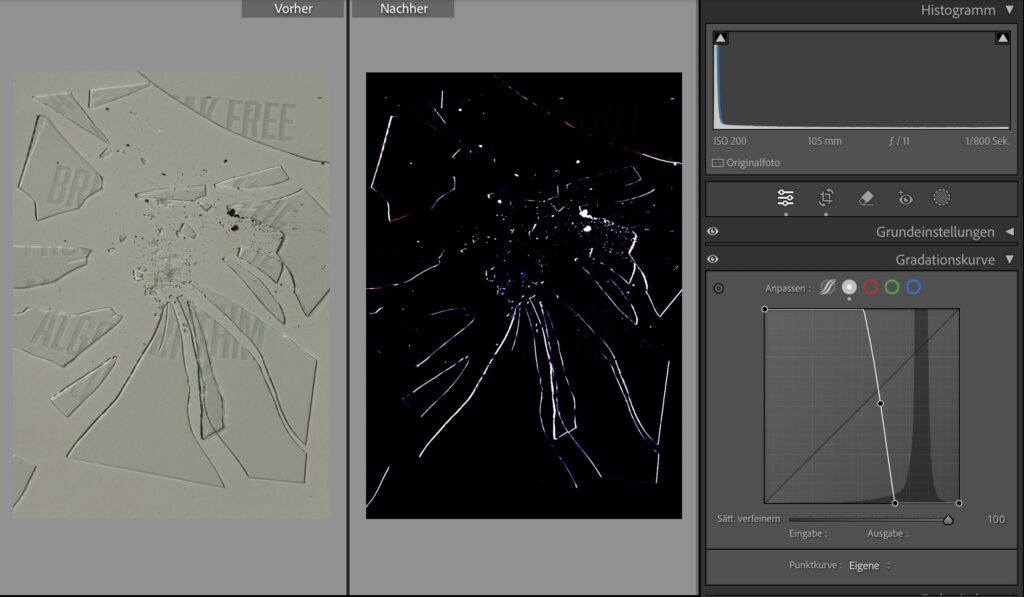
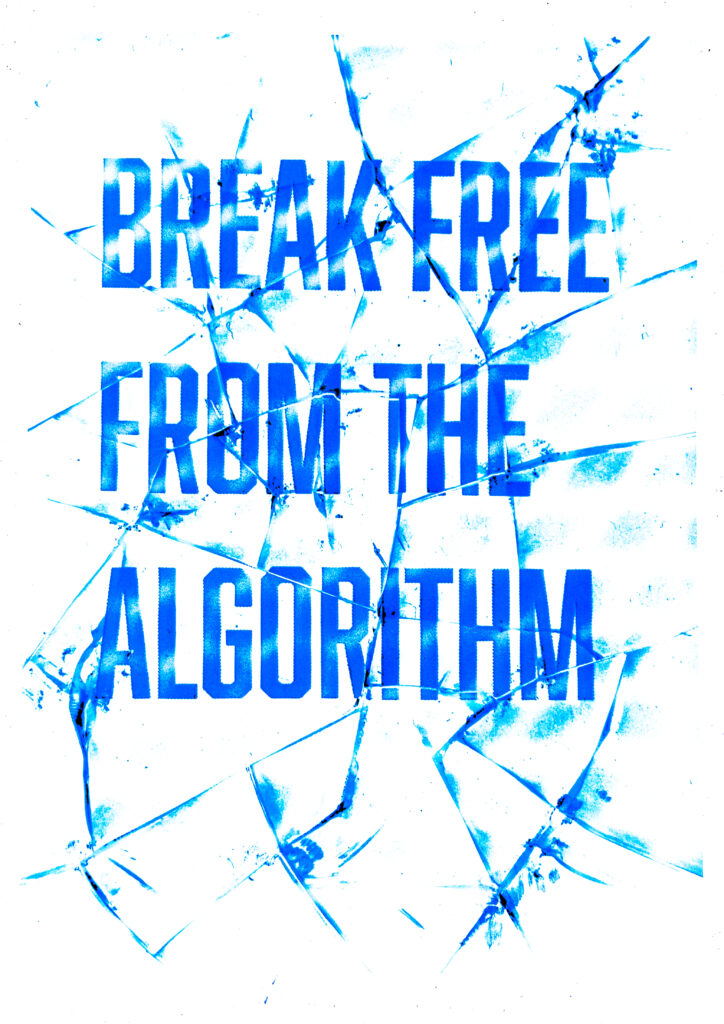
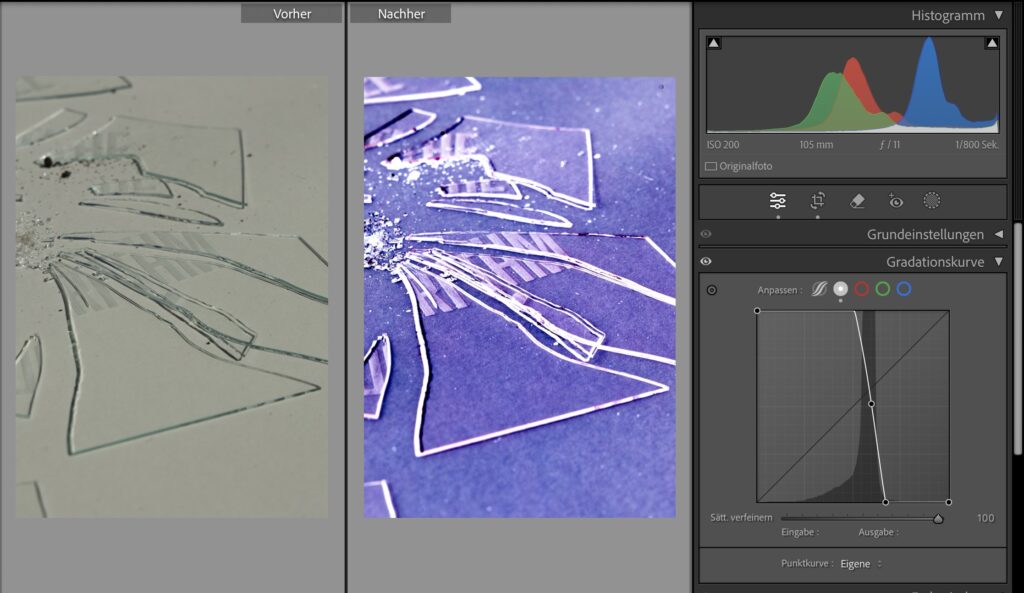
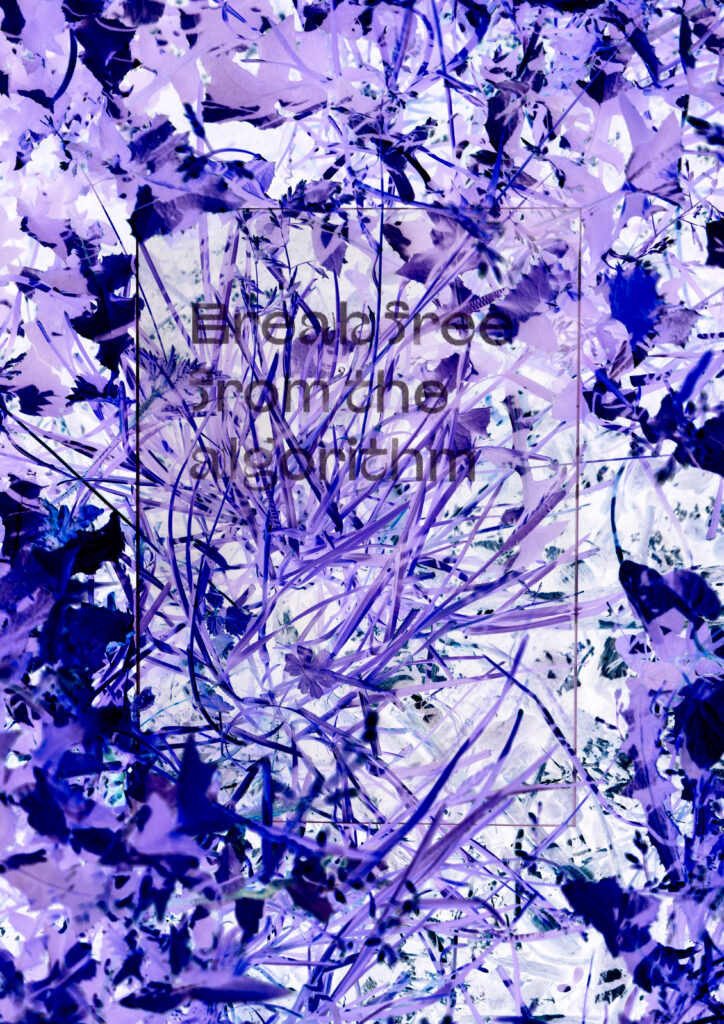
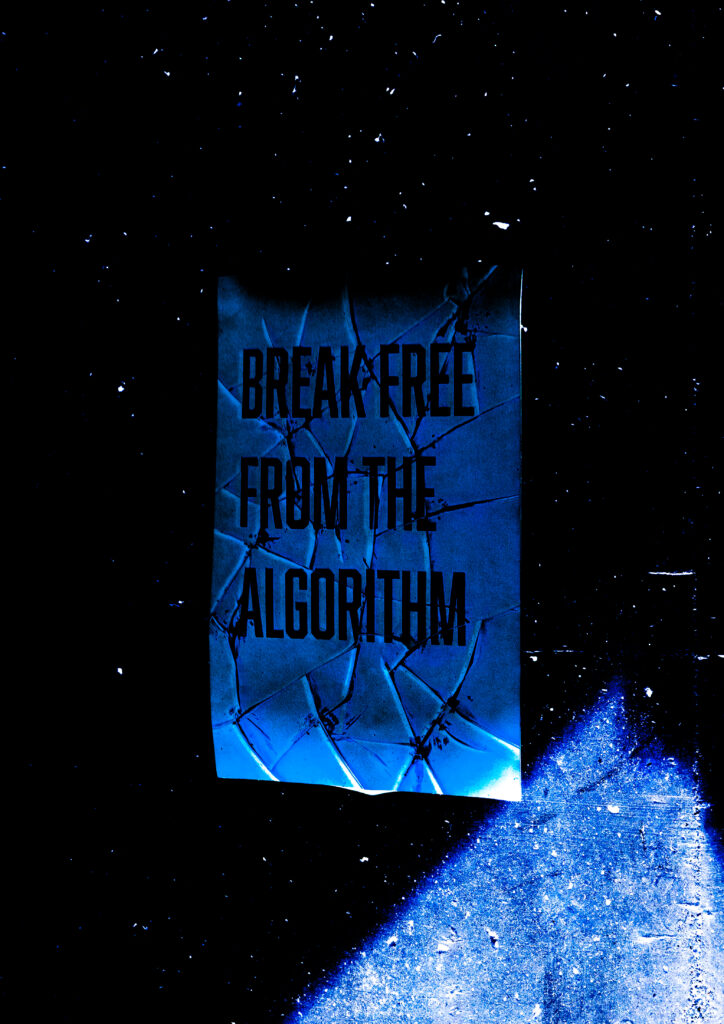
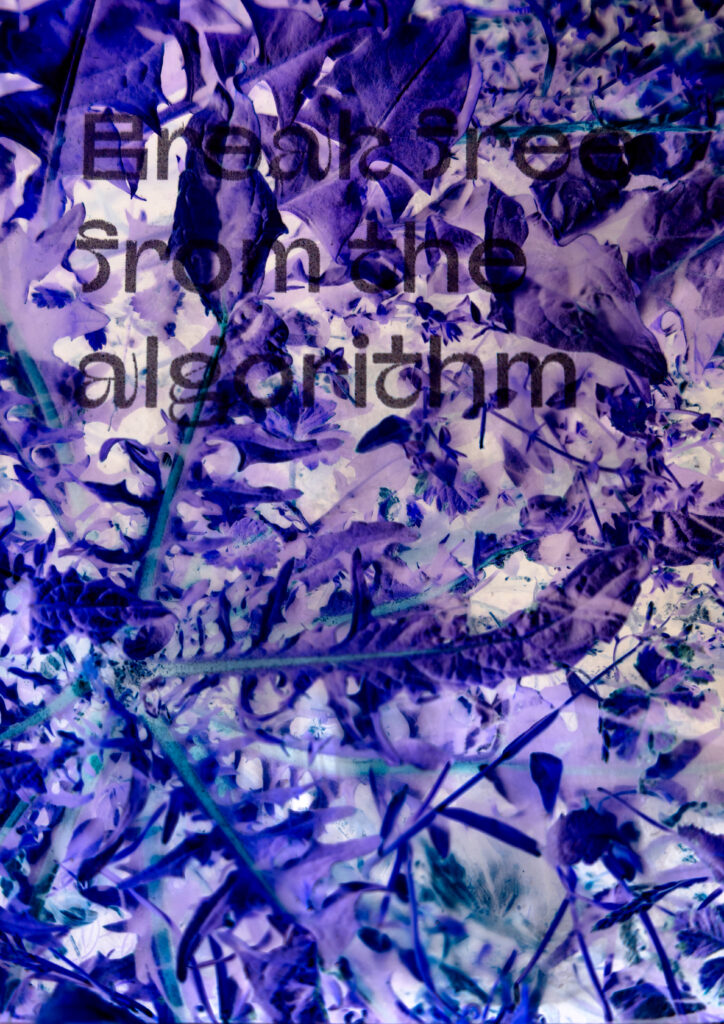
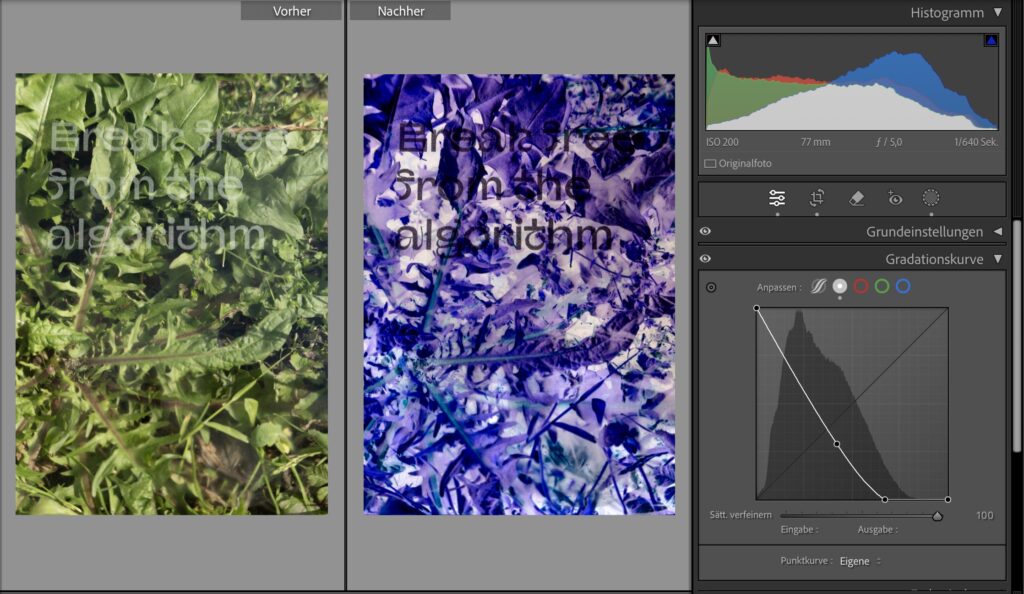
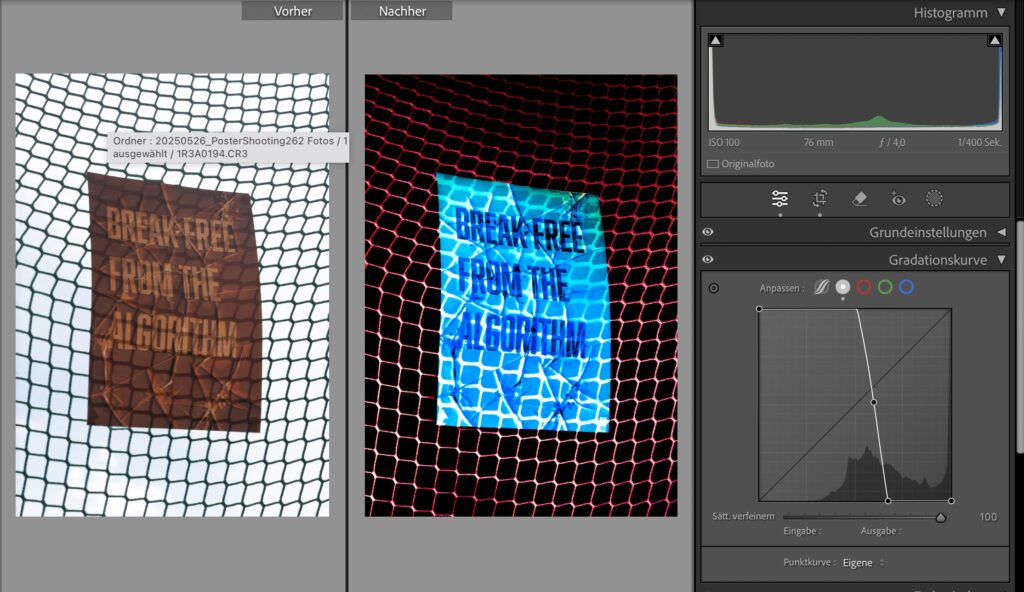
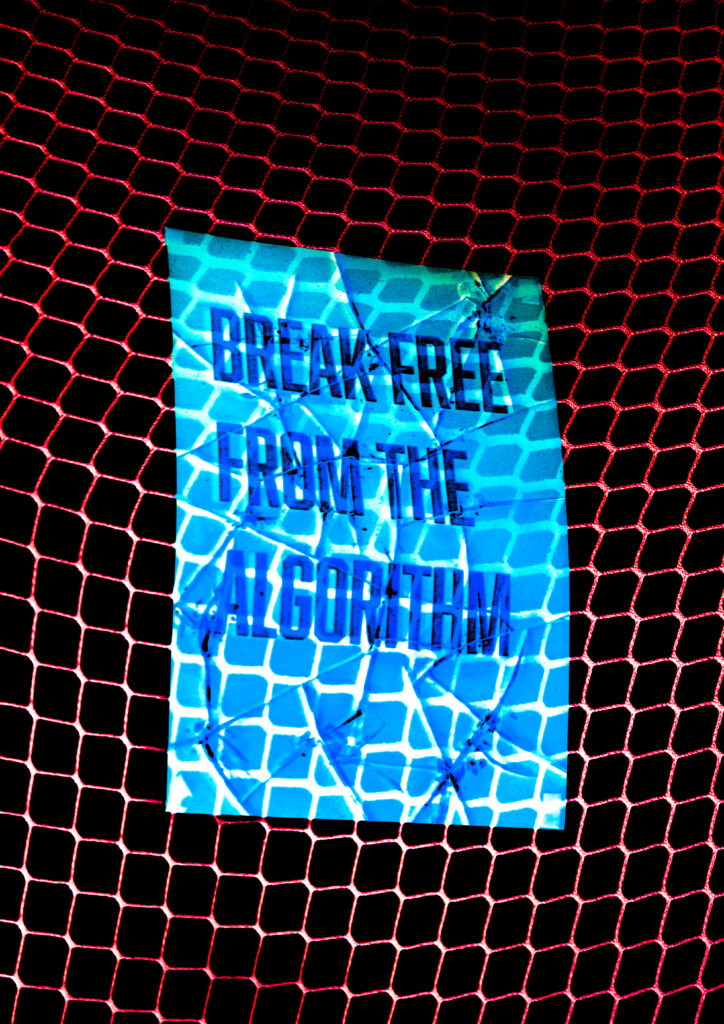
Editing can have a huge impact on the overall mood of a picture. The before images look plain and “boring” compared to what I created in LR. Usually the goal of a “good” photographer would be to keep the editing minimal and making it look natural and not too fake, but here I wanted to go to the extemes. The lasercut glass, originally a tactile and light-reactive material, becomes a canvas for digital light manipulation.

Medium: Photography (of analogue designs, here Lasercut glass artworks) + Lightroom editing

Method: Extreme post-processing to reframe meaning, emotion, and visual identity, Material vs. Digital, Mood Creation vs. Documentation

The goal is not to make the image look “good,” but to push the visual mood to its extreme edge, breaking down the idea of photography as neutral or truthful. Here are my experiments with the previous lasercut designs on glass from experiment #4:

Structure of the Experiment:

Phase 1: Capture the Raw

  • Photograph your lasercut glass designs in neutral lighting (daylight or studio).
  • Use a consistent background and angle for control.
Screenshot LR

Phase 2: Create Mood Extremes in Lightroom

Create a series of radical edits, each based on an extreme manipulation of light

  1. Overglow / Celestial Mood
    • Max out whites, clarity, and glow. Shift tones toward blue-violet.
    • Glass appears divine or untouchable like a starry night (see image above)
Screenshot LR: side-by-side “Before & After” displays

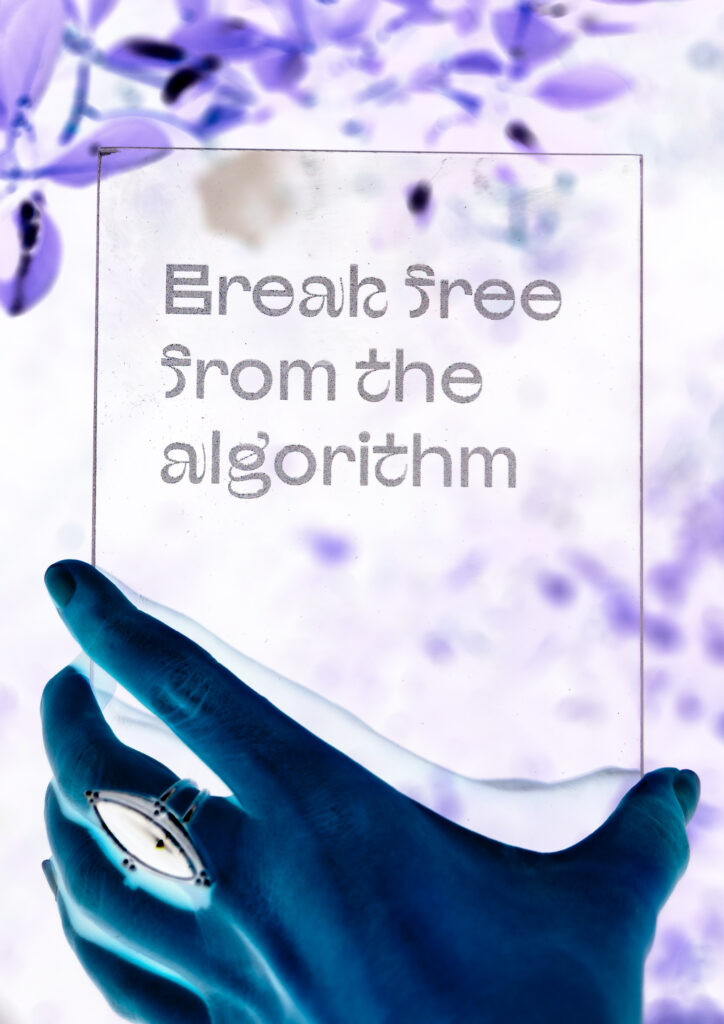
Using the gradient curve in an unusal way by inverting the colors, creating special effects with the otherwise translucent glass:

More experiments:

Screenshot LR
Screenshot LR

In a digital age, we rarely encounter anything unfiltered. By exaggerating the act of editing, this project lays bare the emotional manipulation inherent in visual culture. Not hiding the edits. I am weaponizing them and making them my own visual channel.

Video “Animation”

#c Design Patterns for search UX – WebExpo

Another talk I enjoyed was Vitaly Friedman’s. He made a simple claim: if your search box stumbles, the rest of the product never gets a chance. The numbers back him up—on many retail sites, visitors who use on-site search convert up to five times better than those who don’t.

From autocomplete to intent-complete

Typing should feel like a dialogue, not a spelling test. Friedman’s demo grocery app surfaced tiny thumbnails, real-time stock badges, and even “Pick-up in 30 min” promises inside the suggestion list. His rule of thumb: replies in ~100 ms—fast enough to feel psychic, slow enough to spare your API. Anything longer and users feel the lag.

Filters that talk, not shout

Instead of the old left-rail “checkbox wall,” he urged progressive disclosure: show one high-value facet (price, size, seat left) first, then reveal deeper options after the first tap. It mirrors a real conversation and keeps thumbs clear of clutter on narrow screens.

Sort with your cards face-up

Friedman dislikes the vague “Relevance” label. Offer at least three transparent modes (“Lowest price”, “Best reviews”, “Newest”) and badge any business-boosted lineup as “Featured.” Transparency, he stressed, is itself a usability pattern—earning more clicks over time than sneaky boosts ever will.

Results pages that answer

With generative summaries creeping into every SERP, users expect a direct answer card first, classic hits second, and a row of “refine” chips that rewrite the query in one tap. The dreaded zero-result page is no longer acceptable—pivot to synonyms, support, or feedback before letting the trail go cold.

Why speed still trumps cleverness

Chrome’s 2025 guidelines haven’t budged: sub-2-second loads remain the safe zone for e-commerce UX. Friedman framed every interaction budget—autocomplete, facet redraws, thumbnail fades—inside that same limit. “Search is the one area users forgive least for being slow,” he reminded us.


Search is where intent surfaces unfiltered. Nail that moment and the rest of the journey feels effortless; miss it and no banner or carousel can save you.

#b Digital Intimacy – WebExpo

At WebExpo Prague, one of my favorite talks was by Lutz Schmitt’s on “Digital Intimacy: Feeling Human in an Artificial World”. I left the compelling session with plenty to ponder about how we connect online. Schmitt opened by reminding us that we “easily recognise the people we’re closest to—our partners, friends, family—the ones we seek true intimacy with,” but that the internet, while meant to “stay in touch” across distances, often leaves us wondering if the person—or thing—on the other side of the screen is even real. He posed a provocative question: can an interaction with a robot ever feel as intimate as a conversation with a loved one, and do the trust-building challenges in UX design mirror those in human relationships?

Schmitt traced how, in today’s digital landscape, authenticity has become a scarce commodity. He described how social feeds, chat interfaces, and even AI-driven assistants can “raise doubts about authenticity” and make us second-guess if the person typing back is genuine. Drawing on examples of deep-fake profiles and automated chatbots, he emphasized that when users log in, they crave reassurance that there’s a human—or at least a convincingly human-like algorithm—behind the responses. This quest for authenticity mirrors the early days of the internet, when seeing a picture or avatar wasn’t enough; we’ve since demanded richer cues—voice, video, and now emotional response—to sustain digital intimacy.

A particularly striking point in Schmitt’s talk concerned the parallels between building intimacy in human relationships and designing for trust in digital products. He noted that just as partners rely on nonverbal cues—tone of voice, eye contact, subtle facial expressions—digital experiences need their own “signals” that assure users they’re understood and valued. For instance, a well-timed microanimation or a contextually relevant message can mimic the feeling of being “seen,” akin to a friend nodding in agreement. Schmitt argued that these design choices are not mere bells and whistles but foundational to forging a sense of closeness, especially when the “other” could be an AI agent.

Throughout his presentation, Schmitt highlighted real-world examples where companies have successfully crafted digital intimacy. He spoke about chatbot initiatives that go beyond scripted replies to offer genuinely empathetic interactions, referencing recent research into how social chatbots can mirror emotional patterns almost like human companions. One case study involved a mental-health app whose AI check-ins used tailored language based on prior user responses, offering a sense of “being remembered” that’s critical for emotional connection. Schmitt stressed that, from a UX perspective, transparency is key: when users understand how algorithms adapt to their behavior, it fosters trust rather than alienation.

Ethical considerations formed a core undercurrent of the session. Schmitt pointed out that as digital intimacy deepens—through mirrors of our speech patterns, personalized suggestions, and even voice-based AI companions—we risk blurring the line between authentic human relationships and artificial ones. He cautioned that, without guardrails, we could inadvertently encourage parasocial dependencies, a phenomenon where users form one-sided emotional bonds with AI entities. Recent studies warn of these “illusions of intimacy,” showing patterns where users—often vulnerable—may substitute human connection with AI that consistently affirms them. Schmitt urged designers to build feedback loops that encourage healthy real-world interactions alongside digital touchpoints rather than replacing them entirely.

In closing, Schmitt challenged us to consider how to maintain our humanity as technology becomes ever more adept at simulating it. He reminded us that “trust” in a product isn’t just about security or privacy—though those matter—it’s also about emotional reliability. Can we create digital partners, assistants, or communities that respect users’ need for genuine connection? Schmitt proposed that the future of UX lies in crafting experiences that feel “alive” in the right ways: consistent yet transparent, adaptive yet accountable. As I walked away from the Lucerna Great Hall, I couldn’t help but reflect on my own screen interactions—whether I’m truly “seen” by the apps I use daily, or simply speaking into an echo chamber of code. Festivals like WebExpo remind us: while AI can simulate intimacy, it’s up to us as designers and users to preserve the authentic spark of human connection.

Net Art: jumping into the rabbit hole

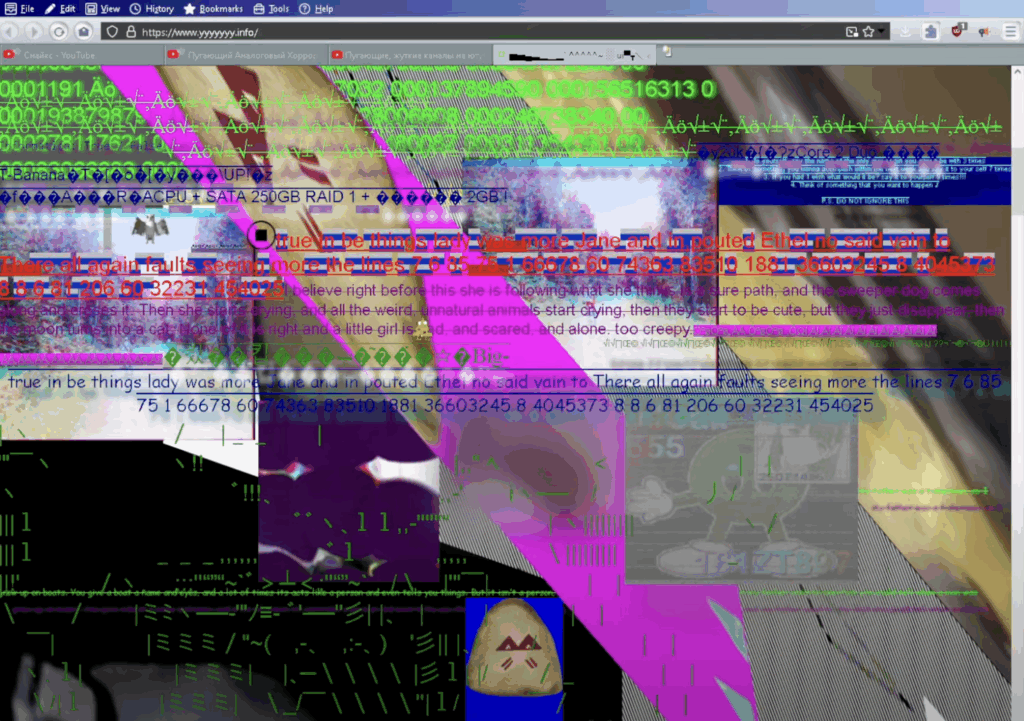
Net art (also called net.art) is a type of art that exists only on the internet. It doesn’t just use the web to share images—it uses the web itself as the art. This kind of art started in the 1990s, and it is very different from what we usually see online today. It doesn’t try to sell anything or look perfect. Instead, it focuses on feeling, experience, and sometimes even confusion.

Net art is full of strange designs. It often looks like websites from the early internet—raw HTML, broken images, old GIFs, and strange links. These websites may seem like mistakes, but many parts are made on purpose. The goal is not to make things easy, but to make people explore and feel something. Some websites are made to look like video games, blogs, or even computer viruses, but they all hide deeper ideas under their strange looks.

There are many styles and themes in net art. Some use ASCII art (pictures made with letters and symbols). Others create fake online worlds or use broken design to create a special mood. A site like Ghost City feels like a dream, while Jim Punk uses bugs and glitches to show how strange the internet can be. These works often mix fun with serious topics like memory, fear, or digital life.

One interesting part of net art is how it makes the user feel. These websites are not easy to use. You have to click around, get lost, and try to understand what’s going on. Some links don’t work anymore, but that’s part of the idea—nothing on the internet lasts forever. This shows how fast things change online and how easy it is to lose digital memories.

Sometimes, net art is shown in real museums. For example, one project at UC Berkeley showed a broken desktop with old journal entries. But most net art stays online, where it works best. It’s not made to hang on a wall—it’s made to live in a browser.

My Opinion
Net art is very different from modern websites and apps. Today, everything online is fast, clean, and made for profit. But net art shows another side of the internet—one that is creative, strange, and emotional. As a designer, I think that’s very exciting. We often focus too much on making things “perfect.” Net art reminds us that mistakes, confusion, and emotion can be part of design too. It gives us freedom to break the rules and try new things. Even if it’s old and broken now, net art still has something important to say.

WebExpo Conference

Day 1: Jobs to Be Done (JTBD)

In field of UX design, the “Jobs to Be Done” (JTBD) framework stands out as a profoundly useful tool that redefines how we think about users and their needs. Rather than focusing on static demographics or surface-level desires, JTBD digs deeper. It asks, what is the user trying to accomplish in their life? This talk introduced a perspective shift that is not just intellectually stimulating but practically transformative in how products should be designed and improved.

The central idea is that people “hire” products or services to do specific jobs. For example, people don’t just buy a drill, they buy a hole in the wall. This simple but powerful idea redirects our design focus from the product itself to the underlying problem it solves. For me, as a UX designer, this approach aligns well with user-centered methodologies but adds more clarity, structure, and empathy to the discovery phase.

What made the talk especially helpful was its practical breakdown of how to apply the framework in real-life product development. The speaker outlined actionable steps, such as conducting user interviews to discover “job stories” and replacing traditional user personas with “job personas” – which help uncover unmet needs or pain points users are actively trying to resolve. These job stories follow the format: “When I (situation), I want to (motivation), so I can (expected outcome).” This format goes beyond generic use cases and instead targets design interventions where they matter most.

Another valuable point from the talk was the idea that jobs can be both functional and emotional. This duality resonates with my work, especially in emotional UX design, where users’ feelings, expectations, and anxieties can play as large a role in product success as usability. For example, when designing a smart navigation system, understanding that a user hires the app not just to get from point A to B, but also to feel in control or less anxious in unfamiliar cities, leads to better, more humane design decisions.

Overall, the JTBD framework pushes designers to ask better questions and design more purposefully. It’s not just about usability anymore. It’s about usefulness in the context of a user’s real-world goals. From a professional perspective, this talk didn’t just teach a methodology; it challenged the default UX mindset and offered a more holistic way to understand and serve users. I now see myself using this lens regularly during research and ideation phases, often discovering richer, more actionable insights that might have been missed using more conventional methods.

Day 2: Dark patterns: Where does motivation end and illegal manipulation begin?

Dark patterns are deceptive design choices that push users toward actions they may not have chosen freely, such as hidden unsubscribe buttons or misleading consent forms. This talk critically explored where motivation ends and manipulation begins, making it highly relevant to ethical UX practice.

This talk was a wake-up call and a vital ethical checkpoint for anyone involved in UX/UI design. Dark patterns, those design tactics that manipulate users into taking actions they might not otherwise choose, are disturbingly prevalent in digital products. From sneaky pre-checked boxes to guilt-tripping copy (“Are you sure you want to miss this opportunity?”), these techniques challenge the very principles of ethical design.

What made this talk so impactful was how clearly it illustrated the fine line between motivation and manipulation. While designers naturally aim to guide users toward certain actions 8signing up, subscribing, completing a task) doing so without informed consent or user clarity turns motivation into coercion. This blurred line is not just a design concern, it’s a legal and moral one, too.

The speaker provided real-world examples from well-known companies and broke them down by intent, impact, and legal implications.The European Union’s Digital Services Act and consumer protection laws are discussed as growing forces that aim to curb these manipulative practices, suggesting that legality is finally catching up with unethical design.

As a UX/UI designer, this talk encouraged critical self-reflection. Have I, even unintentionally, contributed to dark pattern design in past projects? Where does my motivation to create a seamless user journey cross into manipulation? These are questions I believe every designer should continuously ask.

Clarity- Is the user fully informed?

Consent- Is the action truly voluntary?

Control- Can the user easily reverse or change decisions?

    Integrating this checklist into design reviews, we not only protect users but also safeguard our professional integrity and the long-term trust in our products.

    What I took away from the talk is the importance of designing with users, not at them. Transparency, simplicity, and respect for autonomy aren’t just buzzwords. They are foundational principles that separate persuasive UX from predatory practices. 

    One key takeaway was a simple framework to assess ethical design: ensure clarity, require informed consent, and preserve user control. These principles help us stay on the right side of both user trust and the law.

    This talk reminded me that great design isn’t just persuasive, it’s honest. Moving forward, I’ll carry this mindset into all stages of the design process.
    GenUi blew my mind – WebExpo Day 1

    One the first day of WebExpo 2025, I listened to a talk from Tejas Kumar named “From GenAI to GenUI – Codify your UI on the fly”, during his live demo he went through the history of adding Ai to webpages, from 2022 to 2025 and beyond.

    Starting with the basics, he showed how Ai chatbots were created, back when ChatGPT was still new and people didn’t know, how to best use it yet. Interfaces were simple, just a textfield to write a query into and a search button, afterwards, one would have to wait (in the dem it was about 15 seconds) until the answer arrived. As we all know, waiting, especially if its longer than ten seconds, sucks.

    To combat this he implemented streaming, which means instead of waiting for the whole message before it is displayed, small parts of the Ais reply are shown, which makes the user experience much better. In addition, he parsed through the response to display different objects in a list. Making not only the wait time shorter, but also the readability better. But wait, there is more! If text can be streamed, so can html or css, since it is just a stream if text, converted into images by your browser.

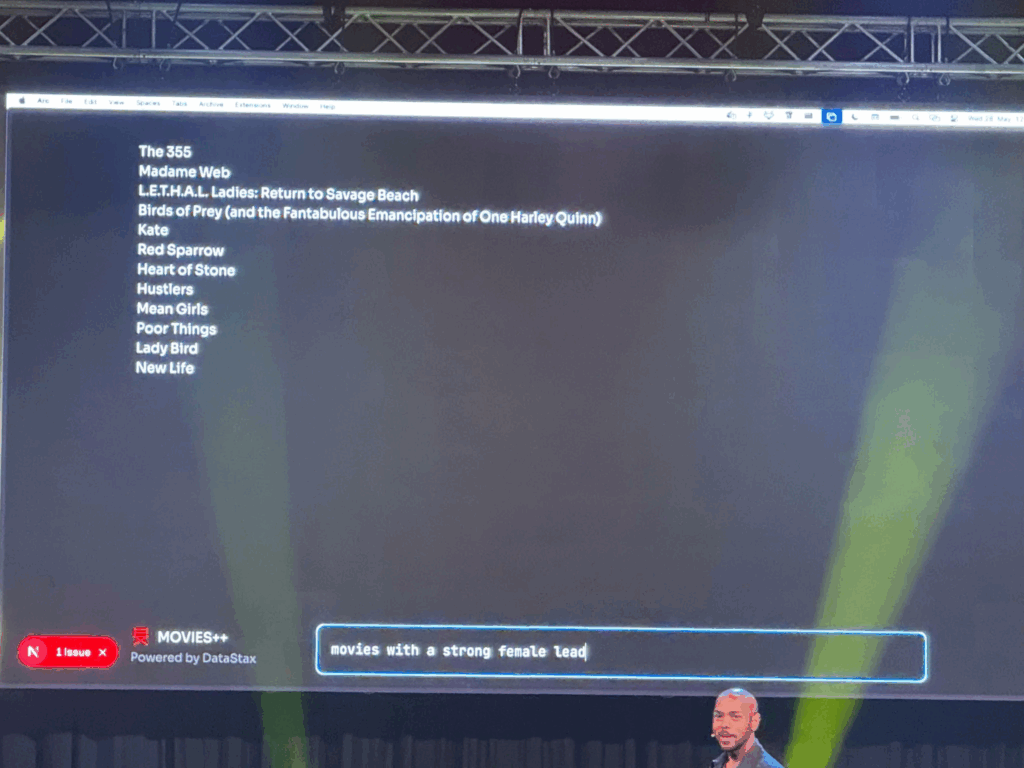
    He proceeded to show how asking an Ai to display a list of movies with a strong female lead could change, by adding generative UI. Instead of displaying just a list of movies, the Ai could display Netflix like panels, that are interactive and which take you directly to a page about the movie. The Ai could even embed trailers directly into the chat and not just provide a link. Last, he asked the Air Force to show him where he could watch the movie, the Ai asked for his location via a popup and then embedded a map with the correct rout right into the chat room. Amazing! Additionally all created Ui can be created by designers, which adds a layer of control about what the Ai actually generates, since it could also generate bad things.

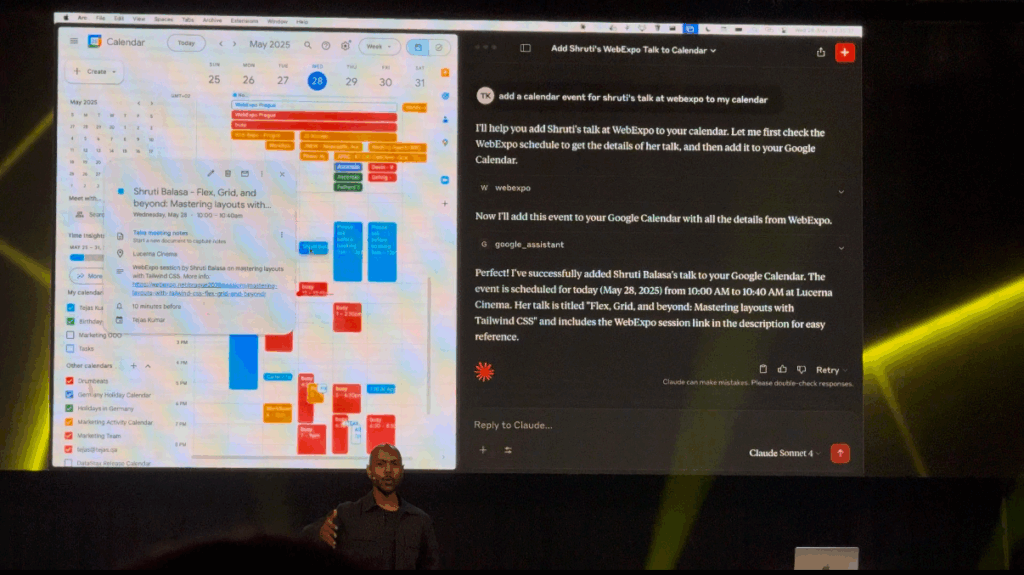
    He proceeded to demo, how he gave tools to an Ai, which would get information from an API (in this case an API containing all WebExpo talks), understand it and interact with it. “You don’t have to browse the web, it comes to you.” Using this he can now ask the Ai about the schedule of the conference, but not searching for specific things, asking the Ai about certain topics. Last he incorporated his own google calendar into the Ai model, enabling it to understand his calendar and even add events. This way he could tell the Ai to all an event to his calendar at the time of his friends talk at WebExpo, and it did. It even provided additional information about the talk.

    If you got interested in the talk, here is a recording of it:
    (Use the slider to increase & decrease the size of the video/Screen recording)

    embed = new SlidesLiveEmbed(“presentation-embed-39043153”, { presentationId: “39043153”, autoPlay: false, verticalEnabled: true, });

    Also, here is all other talks from this years WebExpo:
    https://slideslive.com/webexpo

    👩🏽‍💻 WebExpo Conference: Survival kit for advertising jungle by Kateřina Huňová & Vladimír Zikmund

    This talk stood out with its metaphorical yet practical framework: surviving the modern advertising jungle. Kateřina Huňová and Vladimír Zikmund offered 10 sharp, memorable tips that went beyond theory, highlighting real campaigns, missteps, and surprisingly simple creative ideas.

    Here’s the survival kit they proposed:

    1. Get your survival kit
    Know your brand, your product or service, and, most importantly, your audience. Messaging only works when it aligns with identity. Ryanair’s chaotic memes and British Airways’ premium tone couldn’t be swapped. Know who you are, and stay in your lane.

    2. Enter with courage
    Courage in advertising can mean budget bravery (like Lays going all-in on football and music) or daring to be different. Kaufland’s idea to hand out ice packs of carrots to hockey players is absurd, and that’s exactly why it worked. It was cheap, simple, and memorable.

    3. Hunt one animal
    Focus on one thing: one product, one message, one feeling. Trying to do everything results in nothing. Klarna’s “smooth fish” campaign was absurd but effective. The Ordinary, too, owns its scientific tone with brutally plain product names. Simplicity is power.

    4. Stay on the path
    Consistency and integration are critical. Skoda’s visual metaphor using plus and minus signs doubled campaign awareness. Long-term consistency, like Snickers’ “You’re not you when you’re hungry” builds recognition and emotional memory.

    5. Take a buddy
    Mascots work, whether they’re cute (like DuoLingo’s owl), absurd (like the Panda who gets mad if you say no to milk), or even annoying. If your tone is strong and consistent, your audience will remember it.

    6. Climb the tree for better perspective
    Think differently. IBM made clever physical installations to demonstrate smart ideas. Jeep used unexpected ad placements (like bizarre parking spots). Dog food brands made frisbees shaped like gym weights. Unexpected formats create attention.

    7. Follow the river flow
    Trend moments are fast and short-lived, like “brat summer” or meme formats. You can ride them, but don’t rely on them. Heineken’s flippable phone device for distraction-free cheering was a brilliant trend-relevant product.

    8. Cooperate with indigenous people
    Influencers can help, but only when they truly fit. Jeremy Allen White for Calvin Klein worked. But Kendall Jenner for Pepsi? A disaster. Influencers are not the idea, they’re just one tool, and they must align with your brand values.

    9. Obstacles can’t stop you
    Barriers can spark creativity. Legal restrictions in Brazil banned beer logos on football jerseys, so Brahma used hair dye to create beer-colored hairstyles. Penny fought consumer price-blindness by printing huge prices on product packaging.

    10. Celebrate at the end
    After surviving the jungle, don’t forget to appreciate your wins. Analyze your results, celebrate your team, and enjoy the moment. Every good campaign is a journey.

    This was one of the most engaging and creatively structured talks at WebExpo. Even if advertising isn’t your main field, these lessons about clarity, creativity, and boldness are easily applied across all types of design and communication.

    #4 Risograph Experiments

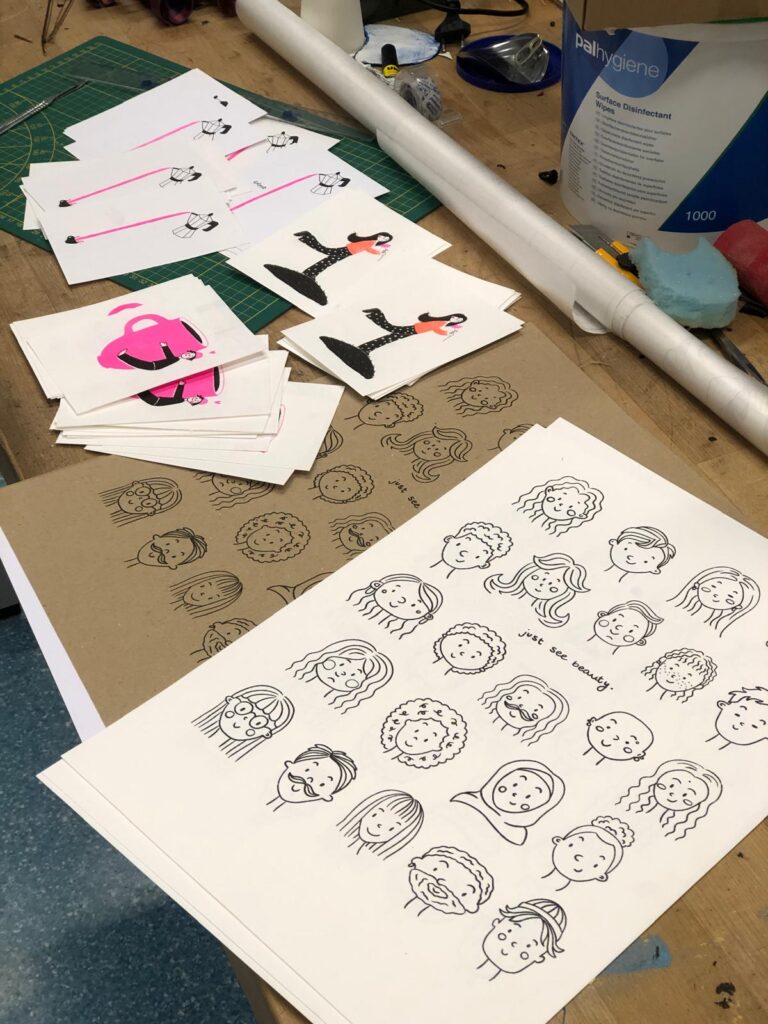
    Over the past few weeks, I had the chance to explore the Risograph printer in more depth at our university’s FabLab.

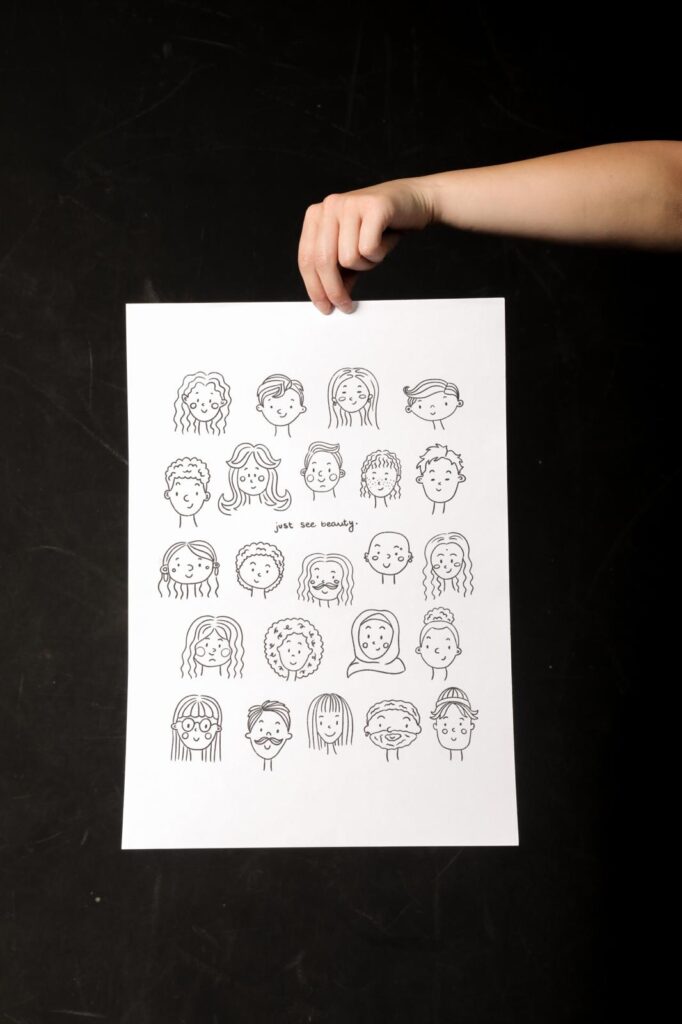
    It all started with an illustration I had drawn some time ago. I digitized it using Procreate, added some text, and designed a layout for an A3 poster. After that, I prepared the file for Riso printing and printed it in black ink on various types of paper.

    Paper Testing & Printing Experience

    I wanted to find out how different types of paper would affect the final print, so I tested three options:

    • Coated paper (160 gsm)
    • Textured paper (160 gsm)
    • Textured cardboard (200 gsm)

    The textured papers were my clear favorites. They give the print a special tactile quality and depth that fits the Risograph aesthetic really well.

    Because I enjoyed the process so much, I went on to print a series of smaller A5 cards, again using illustrations I had already created. I also experimented with multi-color Riso prints, which can be a bit challenging at times, but very rewarding.

    Learnings & Riso Charm

    One important takeaway from this project: always include crop marks!

    Since the Risograph tends to shift the layers slightly, which actually adds to its unique charm, it’s really important to plan for that from the beginning. Adding crop marks helps avoid a lot of frustration when trimming the prints later on. I also tested different papers for the A5 cards and was very happy with the results.

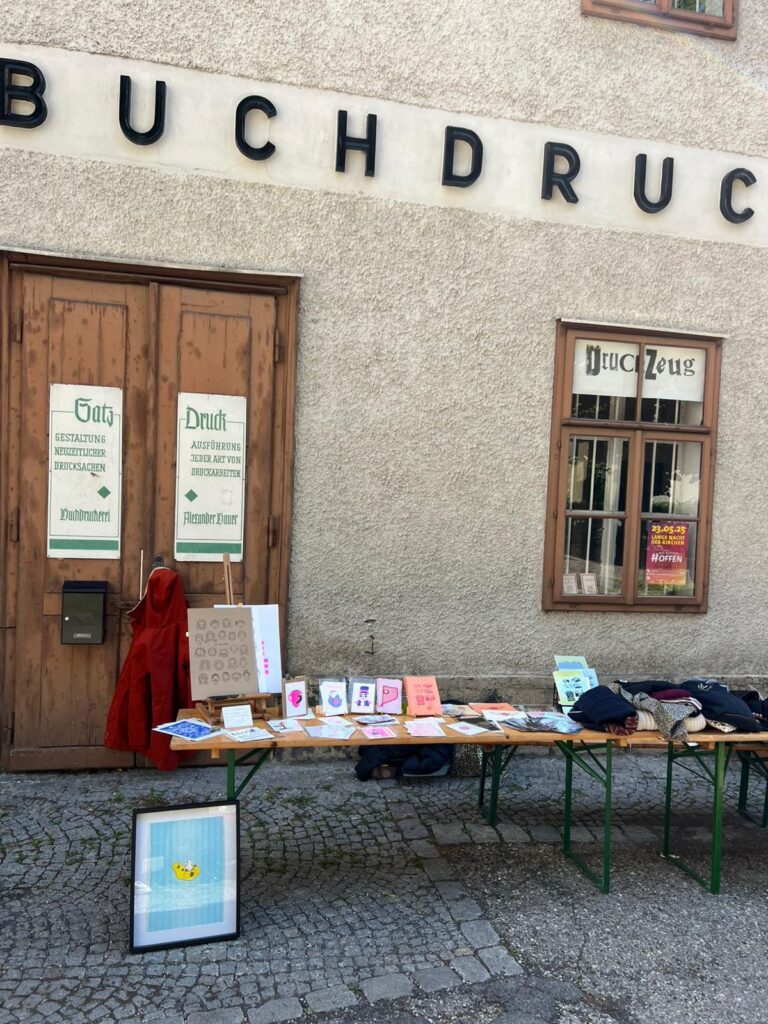
    Hinterhof Flea Market at Druckzeug

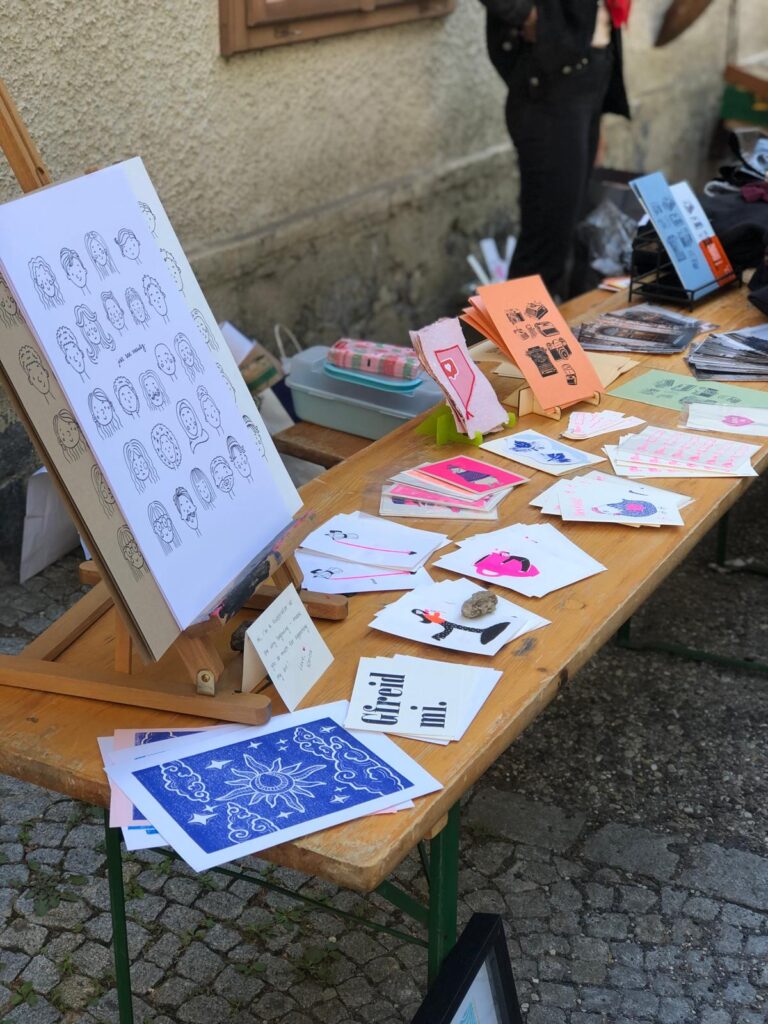
    A really lovely part of this project was teaming up with Julia Steile together, we had the chance to sell our own prints and illustrations at the Druckzeug stand during the Hinterhof flea market.

    To be honest, I didn’t expect much but I was completely surprised in the best way. The response was overwhelmingly positive. So many people were genuinely interested in our work, appreciated it, and bought something. I was especially happy that almost all of my posters were sold.

    In addition to kind feedback, we also received generous support and had many meaningful conversations with fellow creatives and visitors.

    This feedback really confirmed something for me: In an increasingly digital world, handmade work still matters. People value things that are tactile, imperfect, and personal, all qualities that the Risograph conveys beautifully.

    As an aspiring illustrator, this project was not only a fun experiment, but also a huge motivation. It showed me that printmaking is alive and well and that it’s absolutely worth putting in the time, creativity, and love for detail.

    WebExpo Conference: From badges to value: Designing meaningful gamified experiences

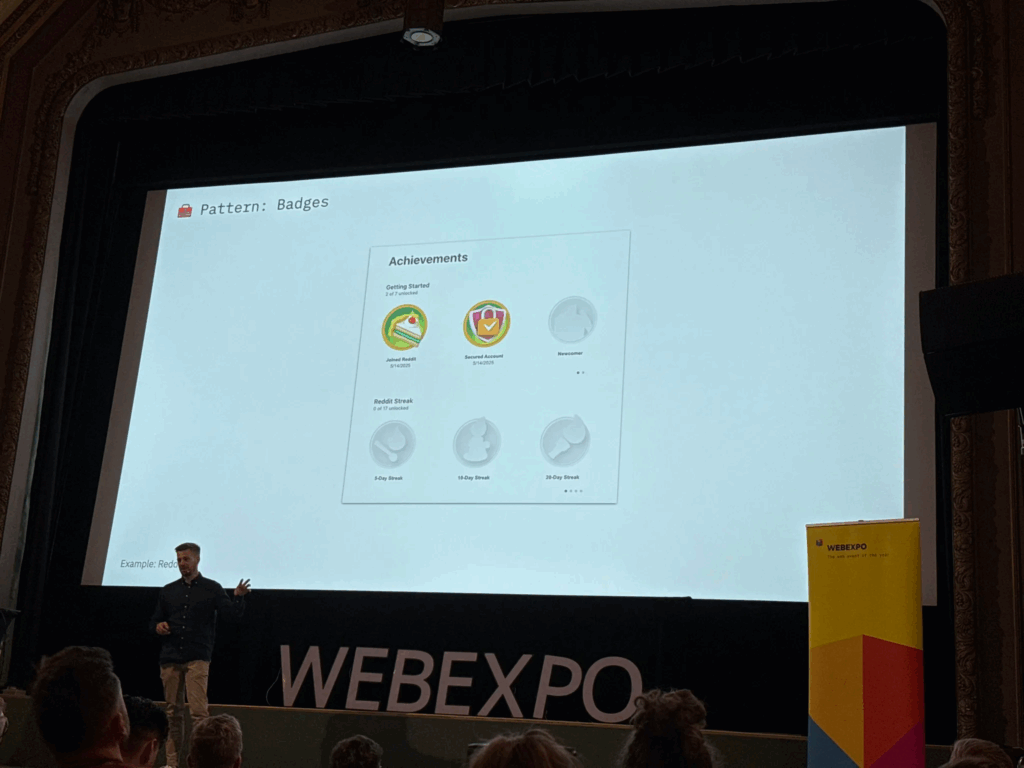
    The speaker explained how adding simple game-like elements—things like progress bars, badges, and friendly competition—can make everyday tasks more interesting and fun. Below, I’ll walk through the key points and describe the slides they showed so you can picture how these ideas work in real life.

    Why Gamification Matters

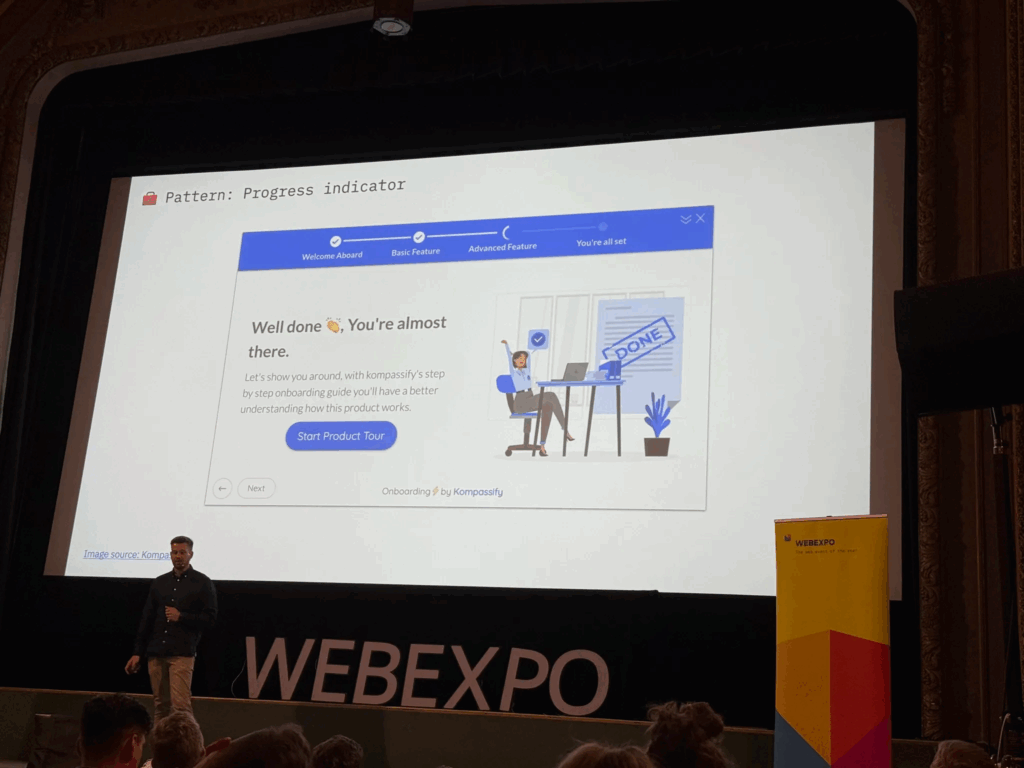
    The talk began by pointing out that humans love to see progress. The first slide showed a plain horizontal bar that gradually fills in as you complete tasks. The speaker said that when you see a bar inching toward 100%, you feel motivated to keep going. Even something as simple as coloring in a bar can boost engagement—people want to finish the “game” by filling up that bar.

    Common Game Elements

    Next, the presenter gave examples we all know. For instance, Nike+ runners get badges when they hit certain mileage goals, and they can share those badges with friends. That slide showed a row of colorful badge icons, each representing a milestone like “5K Run” or “First Half-Marathon.” The speaker noted that whenever you see a badge pop up, it feels like a small victory, which encourages you to lace up your shoes and keep running.

    Real Results from Research

    A later slide highlighted a study from the University of Colorado. It showed two simple bars on a graph: one said “Employee Engagement +48%” and the other said “Productivity +34%.” The speaker explained that when companies added game elements to their training programs—like points for finishing modules or badges for passing quizzes—their employees became almost half again more engaged and a third more productive. Seeing those numbers side by side really drove home how powerful gamification can be.

    Practical Examples in Companies

    The talk moved on to how big companies use these methods. One slide displayed IBM’s badge portal, where employees earn digital badges by completing courses. The badges appeared as little icons next to each person’s name, almost like medals in an online profile. The presenter said, “When you can show off that you’ve mastered a skill, you’re more likely to keep learning and help others do the same.” It was clear that even in large organizations, a small badge system can encourage ongoing training.

    Peer Recognition and Points

    Another slide showed a mockup of an internal “peer-to-peer” system. In the image, you could pick a colleague’s name from a dropdown, choose “send 10 points,” and write a short note like “Great job on that report!” The speaker emphasized that giving coworkers small points for positive feedback builds a culture of recognition. Those points could be cashed in for small prizes—coffee vouchers or company swag—so people felt appreciated.

    Celebrating Small Wins

    Towards the end, the presenter showed an animation-style slide that said “Achievement Unlocked!” with confetti bursting out. They reminded us that when someone completes a milestone—a training module, a sales target, or even a daily habit—you should celebrate it with a pop-up or small animation. That moment of recognition makes people feel good and want to keep going.

    Putting It All Together

    Finally, the talk wrapped up by listing three key ingredients for gamification:

    1. Visual Progress: Use progress bars or charts so people can see how far they’ve come.
    2. Small Rewards: Give points, badges, or public praise when someone completes a task.
    3. Friendly Competition: Use leaderboards or let teams pick names so people feel a shared goal.

    All in all, this session showed that gamification doesn’t need to be complicated. With just a few simple game pieces—like bars, badges, and leaderboards—you can turn ordinary tasks into something people want to finish.

    WebExpo Conference: From GenAI to GenUI – Codify your UI on the fly

    Welcome to my Day 1 Expo vlog recap. The talk I would to talk about and my favorite one is “Design Component Development for GENAI.” In simple terms, it was about how to give an AI a set of building blocks so it can put together user interfaces on its own. Here’s my basic rundown:

    The speaker started by showing a simple picture of how this process works. On one side, you write down a list of interface pieces—things like buttons, cards, or headers. In the middle, there is the AI that “reads” these pieces. On the other side, the AI makes a full screen or page using those pieces. It was neat to see that you don’t have to draw every screen by hand; instead, you explain to the AI what each piece does, and it puts them together for you.

    First, the speaker explained how to describe each piece in a plain text format. For example, for a button, you write down:

    • The text that will appear on the button (like “Submit”).
    • What happens when someone clicks it (for example, “send form”).
    • How it should look (such as size and color).

    For a card (which is a box that might show a photo, a title, and some text), you would write down:

    • The title text.
    • The description text.
    • The link or image URL.

    The idea is that when you ask the AI to build something—like “Make me a signup form”—it uses the pieces you described. It finds the “input field” pieces for name and email, the “button” piece for submission, and arranges them neatly.

    Next, the speaker talked about how to keep those pieces organized in code. Instead of saving them only in design files (like a picture or a static mockup), you save each piece with all its details in a code library. This way, the AI can look at those code definitions and know exactly what each piece can do. For each piece, you also add simple notes like:

    • How big it should be on small screens.
    • What color it should use.
    • Any special labels for people using screen readers.

    Then, when you give the AI a request like “Create a signup form with a title, fields for name and email, and a primary button,” it goes through the code library, picks the right pieces, and instantly shows you HTML or a picture of the form. In a live demo, the speaker typed a short request, and within seconds the AI put together a complete form with the correct text sizes, colors, and spacing for both phones and computers. It felt like magic.

    Because the AI can generate many pieces very quickly, the speaker emphasized the need for a review step. Designers have to look at what the AI made and say, “Yes, keep this,” “Please fix that,” or “No, don’t use this.” This makes sure the library doesn’t get cluttered with unused or messy pieces.

    Finally, the speaker shared a couple of simple examples. One was a dashboard generator: users choose the numbers or stats they care about, and the AI picks the right chart pieces, tables, and filters to build a dashboard. Another example was a mobile app mockup: the AI pulled real content from a database so the design didn’t use placeholder text. It saved the team a lot of time.

    Walking out of the room, I felt excited. The main message was clear: AI won’t replace designers. Instead, AI can help designers work faster by taking simple instructions and building screens automatically. All we need to do is clearly describe our design pieces and keep them organized. Today’s session on GenAI design was eye-opening.