WebExpo – Digital intimacy: Feeling human in an artificial world

Last semester, I explored how interaction design can combat loneliness – or more optimistically, how it can foster meaningful connection. With that in mind, I was particularly looking forward to the talk “Digital Intimacy: Feeling Human in an Artificial World” by Lutz Schmitt. It turned out to be a deeply thought-provoking session that challenged not only how I think about technology and intimacy, but also how I view my role as a designer.

Schmitt began by unpacking the idea of intimacy. Often, we associate intimacy with physical closeness or romantic relationships, but he broadened the concept: intimacy is really about emotional presence, trust, and vulnerability. With that foundation, he posed a compelling question: how can we design for that kind of closeness when people are physically apart?

To answer this, Schmitt presented a range of tools aimed at bridging emotional distance. These included connected sex toys, wearable devices like vibrating wristbands that signal touch or presence, and products like PillowTalk, which lets you hear your partner’s heartbeat remotely. What struck me was the emphasis on “small intimacies” – a gentle reminder that sometimes it’s the subtle gestures, that carry the deepest emotional weight.

One of the most impactful moments was Schmitt’s discussion of the “privacy paradox.” He pointed out that while these technologies can feel deeply personal, they also involve the sharing of incredibly sensitive data. In our pursuit of emotional closeness through digital means, we may be compromising privacy in ways we don’t fully understand. As designers, it’s tempting to focus on what’s emotionally compelling without fully considering the ethical implications. Schmitt’s reminder was clear: emotional design isn’t just about connection – it’s about responsibility.

A particularly complex and concerning topic was the growing use of AI companions. Schmitt described how people, especially those feeling isolated, are increasingly forming bonds with AI agents such as Replika. These tools are designed to feel responsive, empathetic, and emotionally supportive – and in many cases, users begin to treat them as if they were real relationships. While this might provide short-term comfort or serve as a form of accessible mental health support, I find this trend deeply problematic. These interactions can lead to a kind of emotional dependency, where users withdraw from real-world relationships and instead engage with systems that at the end of the day serve corporate interests, not human well-being.

What I appreciated most was the balanced tone of the talk and its honesty. Schmitt didn’t romanticize technology, but he didn’t dismiss it either. Instead, he encouraged us to reflect more deeply: how do our tools make people feel – not just functionally, but emotionally, physically, and psychologically? For me, the talk was both inspiring and unsettling. It highlighted the immense power designers have to shape human connection, while also reminding us of the ethical terrain we’re navigating. In short, “Digital Intimacy” wasn’t just about tools or interfaces – it was a call to design with empathy, with care, and with a clear-eyed view of the trade-offs we ask users to make.

Blog Post 2: Benchmarking the Present

What’s Missing in Today’s Digital Photo Storage Solutions?

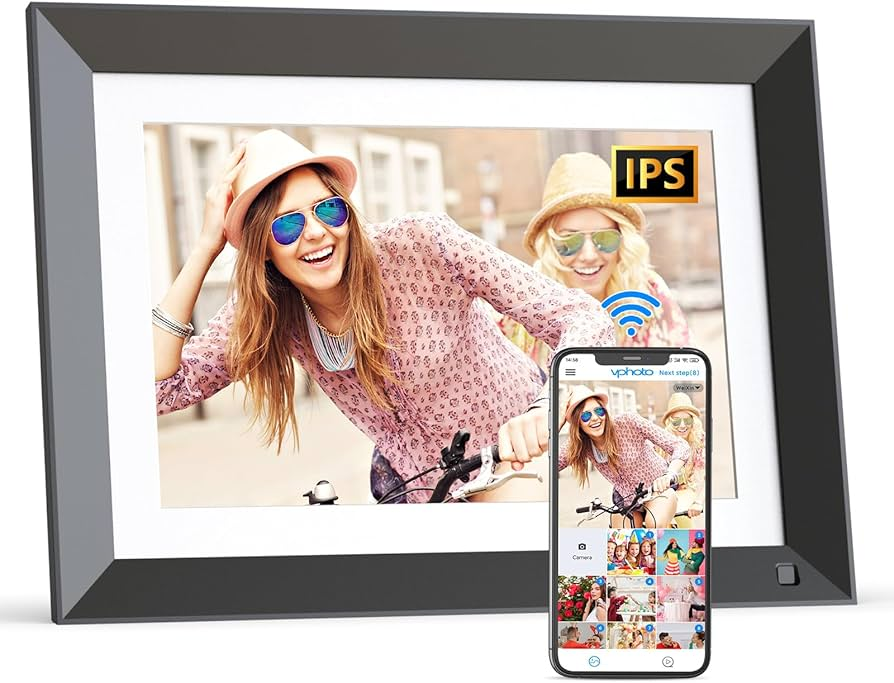
When we talk about preserving photos, the first thing that comes to mind for many people is the cloud. Services like Google Photos or iCloud have normalized the idea that our memories “live in the cloud”, ready to be accessed from anywhere. But if we look a little closer, the current ecosystem of digital photo storage and display solutions reveals clear limitations, particularly for long-term preservation and privacy-focused users.

As part of my thesis, I explored what’s already available. From cloud apps and smart frames to DIY storage setups, to identify what works, what doesn’t, and where there’s room to innovate. This post serves as a benchmark analysis of the digital photo management landscape.

🌩️ 1. Cloud-Based Photo Management: Convenient but Risky

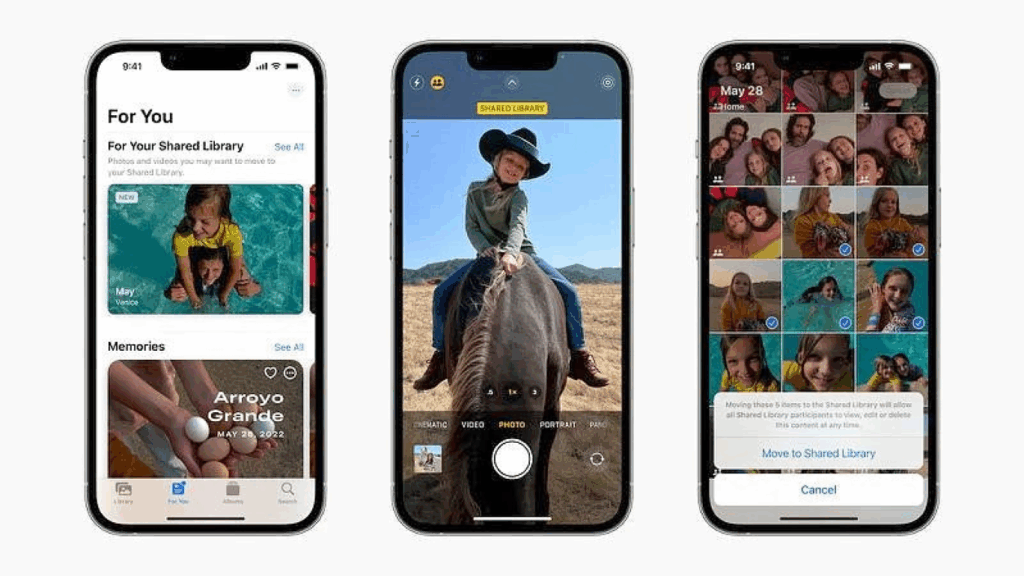
Google Photos, iCloud, OneDrive, and similar platforms dominate the photo storage market. Their main selling points are ease of access, automatic backup, and AI-powered features like face recognition, object tagging, and timeline browsing.

But these services come with major trade-offs:

  • Privacy and data ownership: Cloud platforms often reserve the right to analyze or process your data for commercial purposes.
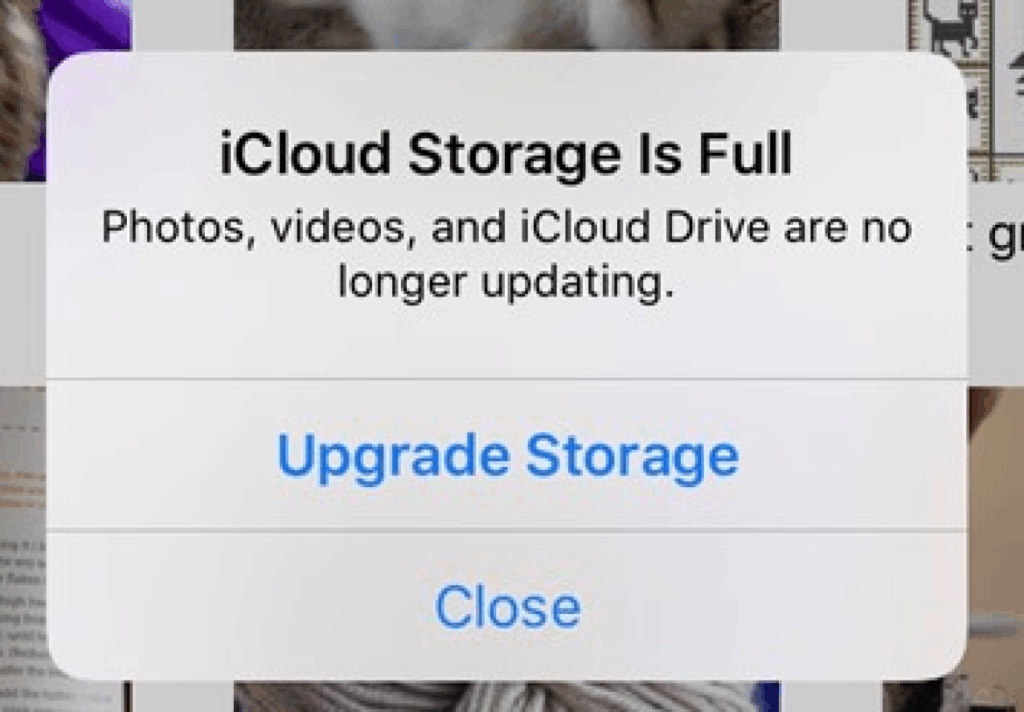
  • Subscription creep: Many services have moved to paid tiers (e.g., Google Photos removed free unlimited storage in 2021).
  • Vendor lock-in: Exporting your photo library (with metadata and organization intact) is complex and prone to errors.
  • Service dependency: If a company changes direction, increases prices, or shuts down, users risk losing access or control.

🖼️ 2. Smart Digital Frames: Great Display, Weak Storage

Another growing product category is the digital photo frame, with brands like Nixplay, Aura, and Skylight leading the way. These devices offer:

  • Slideshow functionality
  • Remote syncing via Wi-Fi or app
  • Elegant design for home display

However, when tested against archival and user control criteria, they fall short:

  • Limited internal memory (usually 8–16 GB)
  • Cloud dependency for most features
  • No archival formats or exportable backups
  • Often lack file organization tools or metadata support

User reviews often point out that these frames work best when connected to the internet and linked to a cloud account , which limits their usefulness as standalone, secure archives.

🗃️ 3. DIY NAS & Storage Solutions: Powerful but Not for Everyone

Communities like r/DataHoarder show how some users take long-term storage into their own hands. Popular tools include:

  • NAS (Network Attached Storage) with RAID configurations
  • External SSDs or HDDs
  • Archival-grade optical media like M-DISCs

These solutions can offer:

  • High redundancy
  • Offline access
  • Better privacy and control

But they also come with real limitations for the average user:

  • Complex setup and maintenance (network configuration, disk formatting, firmware)
  • No built-in media interface for photo viewing
  • Not designed for curation or memory-based interaction (like galleries, captions, albums)

Moreover, storage failure is still a concern. Research by Google found that even enterprise-grade hard drives show increasing failure rates after just a few years of operation: “The first year is the most reliable; after year 4, the failure rate of hard disks increases significantly, especially in high-use environments.”
📘 Pinheiro, E., et al. (2007). Failure Trends in a Large Disk Drive Population, Google Research

Where My Concept Fits: Bridging Gaps

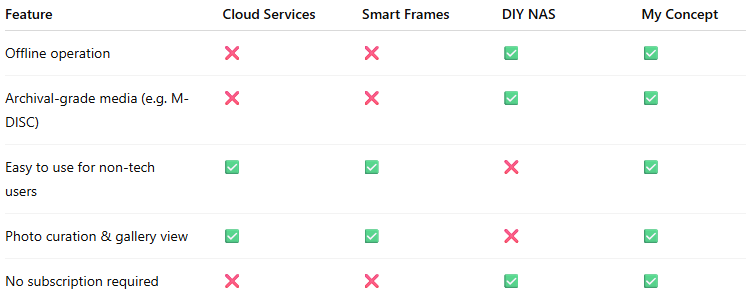
Let’s visualize how current solutions compare with the needs of a long-term photo preservation system:

My thesis system proposes a hybrid solution:

  • It uses a tablet or embedded screen as a digital gallery.
  • Allows direct transfer from smartphones without the cloud.
  • Offers storage to NAS for access, and M-DISC for deep archiving.
  • Is designed with a user-friendly interface that doesn’t require technical skills.

Key Challenges Ahead

Designing a non-cloud digital photo archive brings several real-world challenges:

  • Ensuring compatibility across different smartphone systems (iOS, Android)
  • Supporting M-DISC hardware and long-term storage standards
  • Creating a truly simple and intuitive user experience
  • Avoiding ongoing maintenance, updates, or cloud dependencies
  • Helping users manage photo clutter and organize meaningful memories

I’ll explore these challenges and how to solve them in more detail in the next blog posts.

Blog Post 1: Digital Memories

Rethinking Photo Clutter and Preservation in a Cloud-Dependent World

In our smartphone-driven world, capturing moments has never been easier. Whether it’s vacations, family milestones, or random selfies, we accumulate thousands of images in our pockets, literally. Yet, for all the photos we take, how many are meaningfully preserved? How many are even seen again?

As part of my master’s thesis preparation, I’m tackling a growing digital problem with real emotional consequences: photo clutter and the lack of reliable, long-term preservation for smartphone media. My goal is to develop an offline, easy-to-use solution that combines a digital photo frame with durable, non-cloud storage options. This blog post introduces the core problem, my research direction, and why this project matters now more than ever.

💥 The Problem: From Convenience to Clutter

It’s estimated that over 1.8 trillion photos will be taken globally in 2025. The average smartphone user takes over 20 photos a day. The term “photo clutter” captures this digital overload: scattered images across phones, hard drives, cloud accounts, and social media. In a 2022 study by Norberg et al., people reported feeling overwhelmed by their disorganized digital collections and unsure how to manage or preserve them long term.

What happens to these memories when devices fail, subscriptions expire, or cloud services shut down?

Key risks include:

  • Cloud dependency: Privacy concerns, recurring costs, and uncertainty about future access.
  • Short-term storage hardware: HDDs and SSDs degrade over time. Smartphones are easily lost or reset.
  • Neglect of preservation: Most users don’t actively back up or archive their content — they rely on passive syncing.

Despite the importance of our digital memories, we often lack intentional, long-term solutions to safeguard them.

🧠 The Opportunity: A Digital, Self-Contained Photo Album

Inspired by this problem, I asked: Can we build a device that behaves more like a traditional photo album, something reliable, physical, and built to last, but in a digital form?

In my proposed solution:

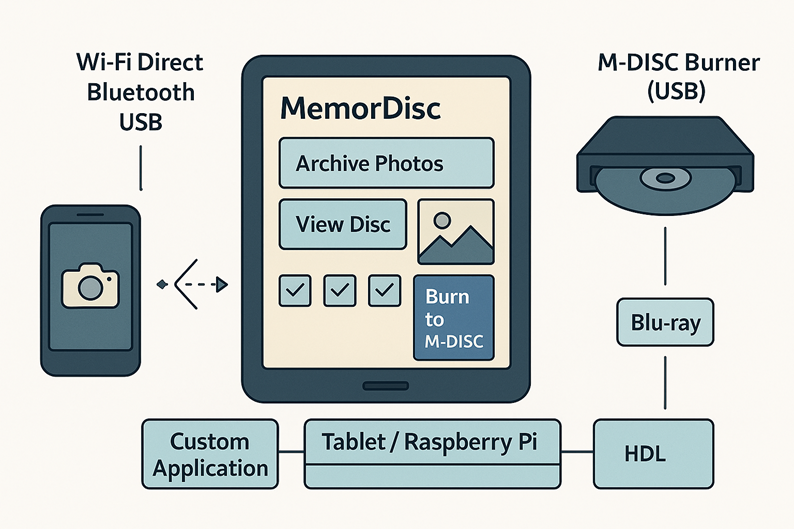
  • A standalone device (e.g., tablet or embedded screen) serves as the display and interface.
  • Offline storage — either a connected NAS (Network Attached Storage) system for everyday access, or M-DISCs for archival use — holds the photo collections.
  • Users can easily transfer media from smartphones without relying on internet access.
  • The system is designed with simplicity in mind: no subscriptions, no software updates, no tech maintenance.

This idea offers a tangible way to disconnect from the cloud and build an intentional archive a digital equivalent of the family photo box.

🔒 Why Offline? Privacy, Permanence, and Control

Privacy scandals, data breaches, and the impermanence of digital services raise valid concerns about trusting the cloud with intimate family archives. While cloud backups are convenient, they are not built for long-term cultural memory.

M-DISCs, for example, offer an impressive promise: data permanence for up to 1,000 years under optimal storage conditions. Unlike traditional discs, they use a rock-like recording layer that resists light, humidity, and magnetic damage. NAS systems, while not eternal, provide redundant local storage with more control than third-party services.

This project takes inspiration from data hoarders, digital minimalists, and privacy-conscious users who prefer to own their data, not rent access to it.

For my thesis, I’ll explore both the technical feasibility and human-centered design aspects of this system. Key areas of focus include:

  • User research: Understanding attitudes toward photo archiving, privacy, and device usability.
  • Technology evaluation: Reviewing the lifespan and reliability of storage media (e.g., SSDs, HDDs, M-DISCs, NAS).
  • Prototyping user flows: How a user transfers, stores, and views their media – to be visualized in tools like Figma.
  • Ease of use: Ensuring non-technical users can operate the system without frustration.

By combining technical research with design thinking, the goal is to create something both functional and emotionally meaningful. A sustainable, private space for our most treasured memories.

Selected Sources

  • Norberg, A., Kim, S. H., & Wilner, A. (2022). Digital Photo Clutter: Reasons, Consequences and Strategies. Computers & Security, 115. ScienceDirect
  • Neave, N. et al. (2019). Understanding Digital Hoarding: A Qualitative Exploration. Computers in Human Behavior, 101, 167–174.
  • Mahmoud, H. A. (2018). Storage Devices Reliability Prediction Model Using Failure Distribution and Artificial Neural Networks. Library Hi Tech, 36(4), 547–566. https://doi.org/10.1108/lht-06-2017-0117
  • Pinheiro, E., Weber, W.-D., & Barroso, L. A. (2007). Failure Trends in a Large Disk Drive Population. Google Research. Link
  • OAPEN Library. Digital Photography and Everyday Life. https://library.oapen.org/handle/20.500.12657/60708

💬 Final Thought

This project isn’t just about technology , it’s about how we preserve the stories of our lives. As we move deeper into the digital age, we need better answers to a simple question: What happens to our memories when today’s technology becomes tomorrow’s trash?

WebExpo Conference 2025, Day 02

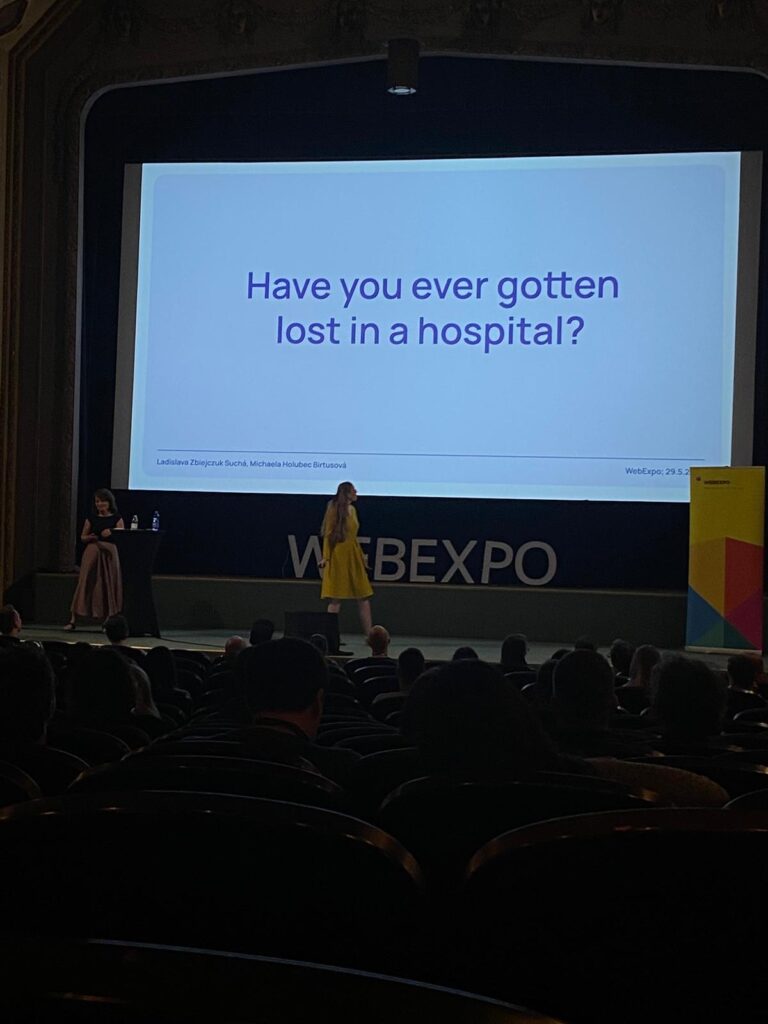
Getting Lost in the Hospital: Why Wayfinding is UX Too.

The second day of the WebExpo Conference 2025 left a particularly strong impression on me, especially the talk titled “Lost in the Hospital: How Not to Design Wayfinding for Better CX” presented by Ladislava Zbiejczuk Suchá & Michaela Holubec Birtusová.

Personal Experience Meets Professional Interest

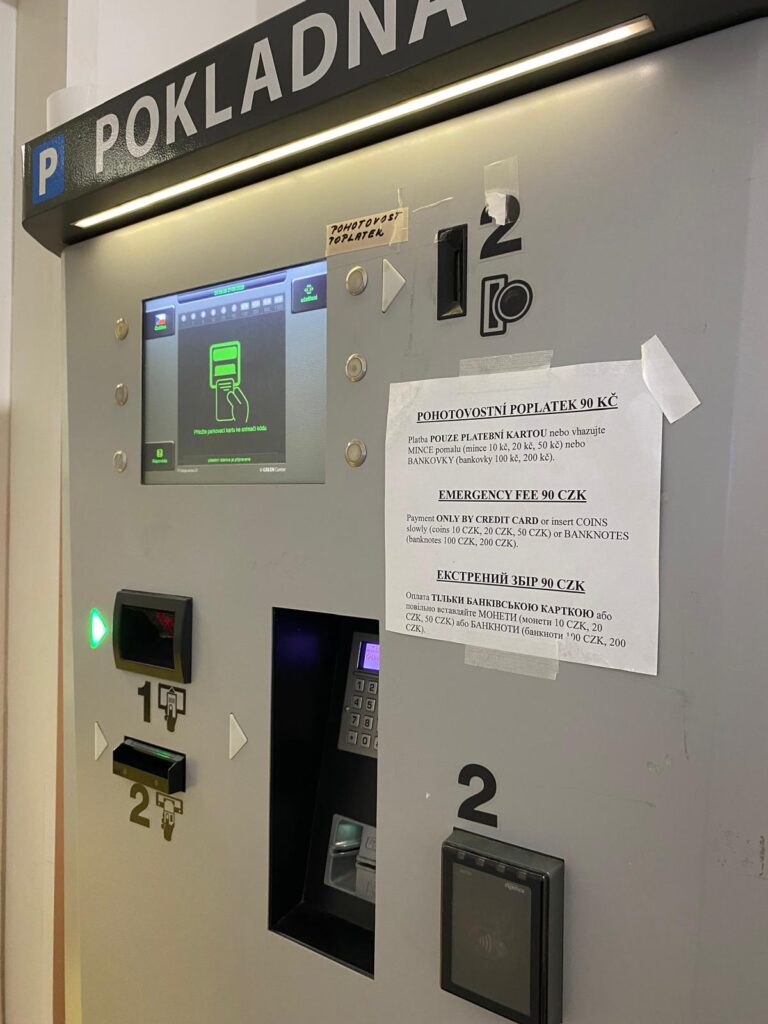
Just a few days before the conference, I was at Bulovka Hospital in Prague, trying to find the emergency department. Despite being a large and well-known hospital, the signage and navigation inside the building were extremely confusing. The experience was stressful, and I felt helpless, even though I’m someone who works with systems and interfaces regularly. That moment made me think: if I’m struggling this much, how difficult must it be for someone who’s older, under stress, or unfamiliar with the language?

So when this talk began and addressed the exact issue I had just experienced, it felt like validation. But it also reminded me of something important: UX design is not just for screens, it’s everywhere.

The photo I took at the Bulovka hospital – the “parking machine” which is used for paying the emergency fee.

Wayfinding as a UX Problem

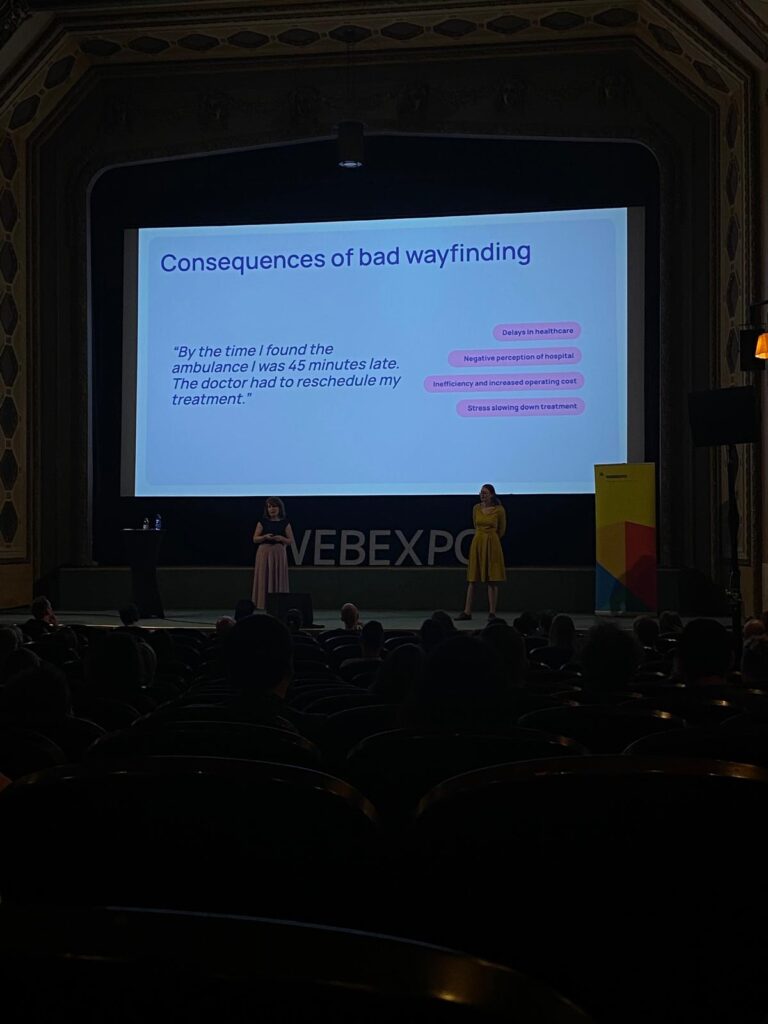
The speakers framed wayfinding as part of the broader user experience (UX) landscape. A hospital is essentially a high-stakes user journey: people are often navigating it under stress, pain, or confusion. In this environment, clarity and guidance aren’t just “nice to have”, they’re critical.

They explained that many wayfinding systems fail because they’re designed from the perspective of the institution, not the user. Designers often rely on internal logic (like room numbers or departmental hierarchies) instead of thinking through the lens of a visitor who just needs to get to radiology, fast. This disconnect is a classic UX mistake.

Design Thinking in Real Life

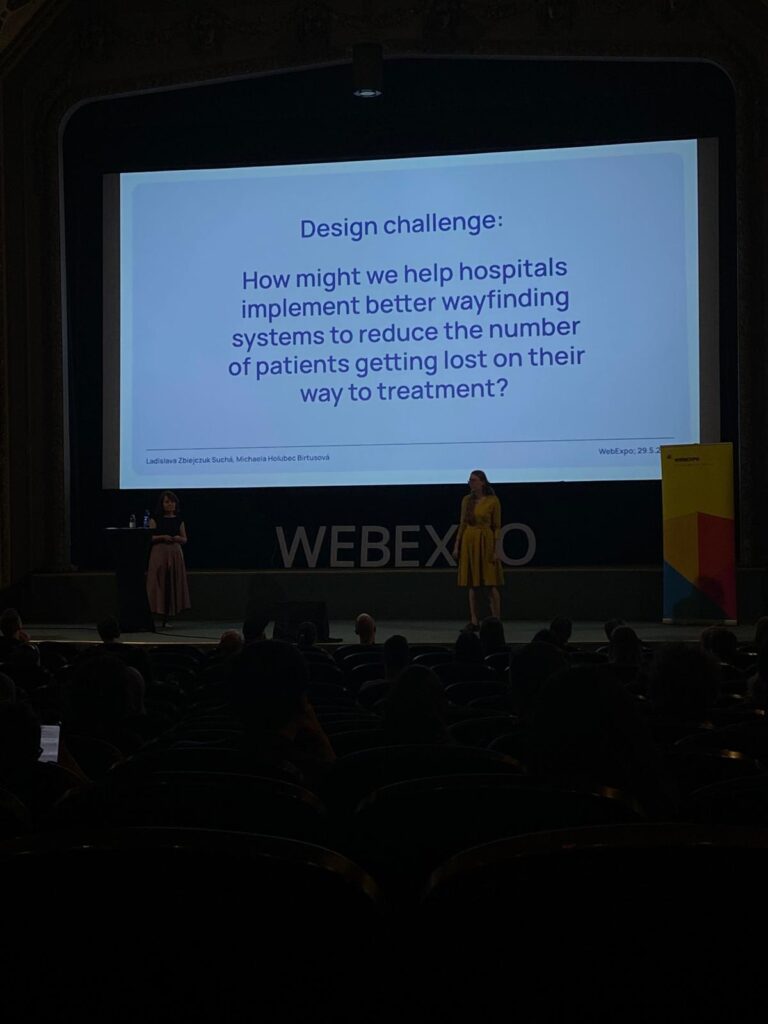
This talk demonstrated how design thinking, empathize, define, ideate, prototype, test, can be applied to physical environments just as much as digital ones. From interviews with hospital patients to prototyping new signage and color-coding systems, the speakers illustrated a user-centered approach to solving a tangible, real-world problem. It reminded me of a core UX principle: your design is only as good as its usability in the context it will actually be used.

Final Thoughts

UX design doesn’t stop at the edge of a screen. The “Lost in the Hospital” talk was a powerful reminder that every user experience, whether it’s tapping a button or walking through a corridor, is shaped by intentional or unintentional design choices. As a future UX professional, I want to be someone who makes those choices with empathy, clarity, and accessibility in mind. Because when design fails, people suffer, but when it succeeds, people thrive.

WebExpo Conference 2025, Day 01

Digital Accessibility Meets Physical Accessibility

As a master’s student of Interaction Design at FH JOANNEUM in Graz and a passionate aspiring UX designer, attending the WebExpo Conference 2025 was both inspiring and eye-opening. On the first day, the talk that resonated with me the most was “Digital Accessibility Meets Physical Accessibility” presented by Erik Gustafsson Spagnoli, Nathalie Pentler & Daniel Göransson. A session that confronted a crucial, yet often overlooked topic: the intersection of digital and physical barriers in user experience design.

The UX of ICT

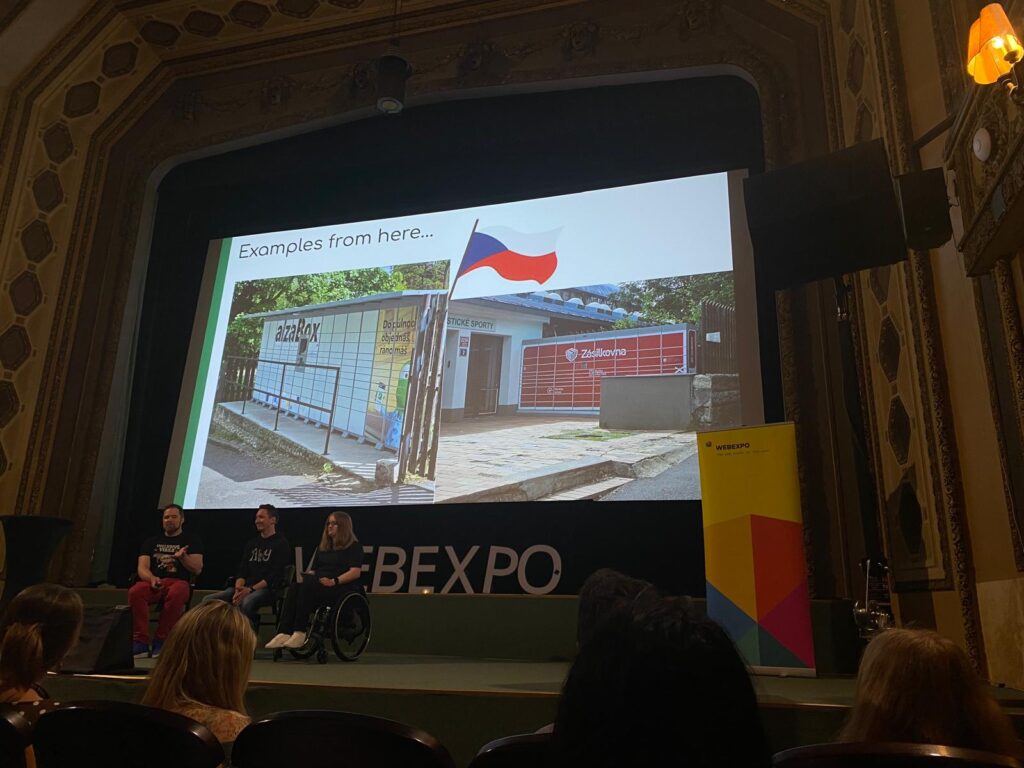
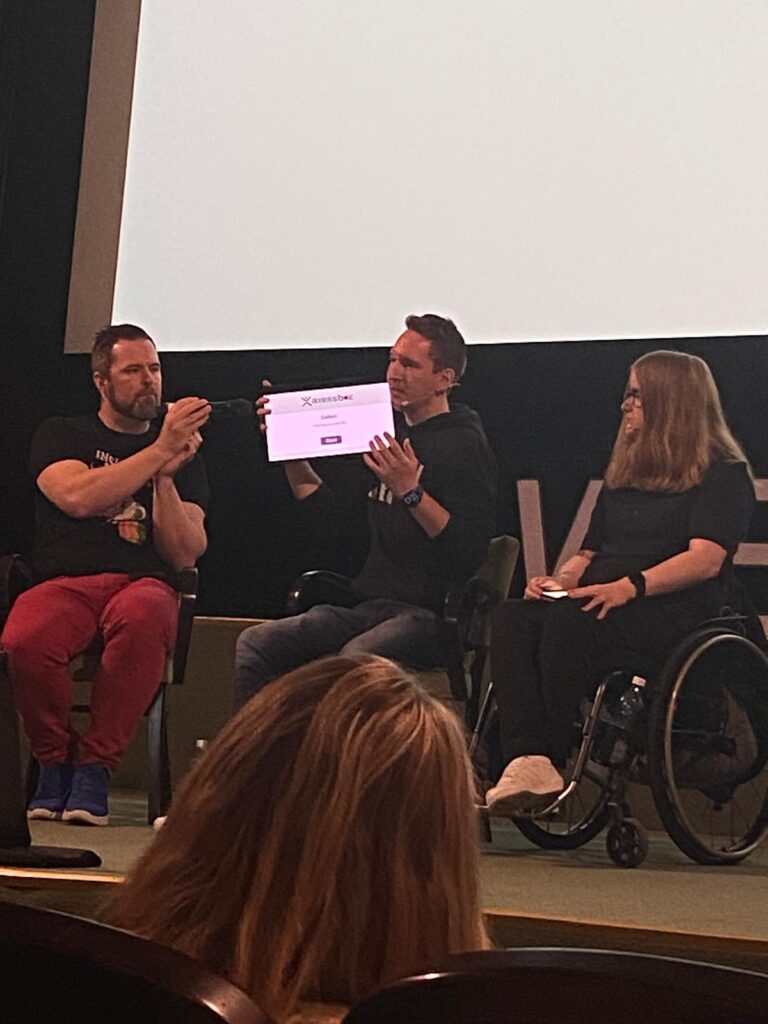
One of the examples that stood out was the real-world usability of ICT (Information and Communication Technology) kiosks, especially pickup touchscreens in public spaces. These screens are often placed too high for wheelchair users or children to reach, and they typically lack audio support or voice-guided interactions. It might sound like a small detail, but from an accessibility standpoint, it can determine whether someone can independently use a service or not. This example made me reflect on how vital it is to go beyond screens and look at the entire context in which a product or service is used.

When “Old School” Is More Inclusive

The talk also raised an interesting reflection for me: while digitalization brings many advantages, there are situations where physical, tactile elements, like a good old-fashioned button, might be the better solution. For someone with visual impairments or limited dexterity, navigating a touchscreen can be frustrating, confusing, or simply impossible. A clearly labeled, tactile, physical button can offer a much more intuitive and accessible alternative. It’s a valuable reminder that digital innovation should never come at the cost of inclusivity.

As designers, we shouldn’t blindly chase modern interfaces just because they’re sleek or trendy. Sometimes, the most user-friendly design choice is the one that feels familiar, tangible, and grounded in human ergonomics.

Inclusive Interaction Design

What fascinated me the most was the proposed solution involving a voice guide that activates when the user presses the screen longer. This tiny interaction design change, a prolonged touch to trigger audio feedback, is a smart, simple fix that can drastically improve the inclusivity of the interface. As someone pursuing a career in UX design, these kinds of insights are gold. They underline that good design is not only about aesthetics or digital flow, but about enabling access for everyone, regardless of ability or environment.

Designing for the Margins

A key takeaway for me was the principle of designing for the margins. By designing for users who experience the most significant barriers, like those with physical disabilities, we often end up creating better products for all users. This aligns perfectly with what I’ve been learning in my studies and during my internships: that UX is about solving real problems, and accessibility should never be an afterthought.

Conclusion

This talk also made me reflect on the importance of field research – going out, observing, talking to users, and understanding their journeys in context. A wheelchair user trying to use a touchscreen in a crowded city center might face a vastly different experience than someone using it at home. Empathy in design starts with understanding these differences.

Zooming Out: Taking a Look at a Diplomacy Related Master Thesis Topic

I find myself stuck, or at least hesitant, about settling on my master thesis topic about gamifying strength training. I’m in a stadium where I overthink a lot of it because there doesn’t seem to be a limit to what can be done which is exciting on one hand but a bit overwhelming on the other. So I am taking a break from it and zooming out to explore other possible master thesis topics. Aim higher even, maybe..

This might sound like a complete curveball but I’m seriously considering steering my thesis toward something connected with diplomacy or international affairs. Why, I am not absolutely sure yet. Whether this is long-term ambition speaking, aiming to possibly working as a diplomat or ambassador with the BMEIA, or just a hyperfixation on something new that will fade in a month, remains to be seen.
Nonetheless it feels worth taken a look into.

At first glance it might seem like a big leap from interaction and information design to diplomacy, but I believe that digital design and interaction can offer fresh, valuable perspectives in diplomatic communication, cultural exchange, and public trust. All essential for today’s complex, interconnected world.

Could this mean a collaboration with the BMEIA for my thesis? Who knows! After refining my research topic and making sure that this is a long-term interest I might reach out and explore that possibility. Even if a formal partnership isn’t possible, the idea of crafting a thesis that bridges design and diplomacy feels worth pursuing.

Designing for Transparency and Trust at the BMEIA

How can interaction and information design improve the BMEIA’s online presence to make it more transparent and trustworthy in the eyes of users worldwide?

Here’s the thing: I took a look at the current BMEIA website and honestly, it feels cluttered and complicated. I find it hard to clearly understand what exactly the ministry does or where to find reliable, transparent information. If I feel that way, I can only imagine how confusing this must be for Austrian citizens abroad, international journalists, or foreign stakeholders trying to grasp Austria’s diplomatic efforts.

Diplomacy is built on relationships and trust. Nowadays, digital channels are often the first, and only, touchpoints people have with government institutions. If a ministry’s website or app is confusing, outdated, or overwhelming, it risks undermining public trust, whih can have real consequences on how policies and actions are perceived internationally.

I my thesis I might want to explore the following points:

  • How different user groups perceive the current BMEIA online presence in terms of clarity, transparency, and trustworthiness
  • What design elements currently help or hinder these perceptions
  • How can interaction design and information structure be improved to communicate the ministry’s roles, processes, and values more clearly
  • What concrete transparency-building features (like interactive timelines, simple navigation, or trust signals) can be introduced to improve user experience and confidence

The following methods would need to be employed:

  • User Research, Interviews, Surveys with a diverse audience of austrians at home and abroad
  • Usability testing and heuristic evaluations of the current website to identify pain points
  • Comparative analysis of foreign ministries from other countries to learn from best practices in digital diplomacy
  • Co-design workshops to ideate and prototype transparency-driven design solutions
  • Iterative prototyping and testing to measure how new designs affect trust and clarity

What’s next?

I’m still figuring it out tbh. There’s a lot of groundwork to do: refining my research question, learning from existing literature, etc..
For now I’m diving into readings on digital diplomacy, trust in online services, government UX, and civic design.

If you’re curious too, here is my reading list:

  • Mayer, R. C., Davis, J. H., & Schoorman, F. D. (1995). An integrative model of organizational trust.
  • Van Bavel, R., Rodríguez-Priego, N., Vila, J., & Briggs, P. (2020). Building trust in government in the digital age: A review of empirical research.
  • Bjola, C., & Holmes, M. (2015). Digital diplomacy: Theory and practice.
  • Carter, L., & Bélanger, F. (2005). The utilization of e‐government services: Citizen trust, innovation and acceptance factors.
  • Case Study: GOV.UK Design System

This thesis direction feels like an interesting change of pace. Potentially working with a government institution is something I hadn’t considered yet before and I will need to think on this for a while before I decide for or against it. Nonetheless I think it could be an exciting challenge and produce an impressive Master thesis.

WebExpo Conference 2025 Day 1: “12 core design skills” by Jan Řezáč

One of the most eye-opening talks I attended at this year’s WebExpo Conference was by Jan Řezáč titled “12 core design skills”. It got me thinking about how we work as designers, especially when building new products or improving user experiences.

The Main Message: Don’t Fall Into the “Second Diamond Trap”

In design, we often use the “double diamond” process: first, we explore the problem (diamond one), and then we explore solutions (diamond two). The talk warned us about a common mistake: we focus so much on making and improving solutions that we forget to check back with users. This is called the “Second Diamond Trap.”

It means we spend a lot of time perfecting ideas, but forget who we’re designing for. We assume that once we’ve talked to users during the early research phase, we’re done. But people change. Contexts change. And the best designs come from staying in touch with real user needs the whole way through.

That point really hit me. It made me reflect on how easy it is to get stuck in “build mode” and lose sight of the bigger picture.

A Helpful Framework: 12 Areas of Design Work

One of the best parts of the talk was a 12-part framework they shared. It showed all the skills a great designer needs to grow, not just in craft, but in leadership and thinking. Here are the 12 areas:

  • Design Process
  • Business Thinking
  • Workshop Facilitation
  • Customer Research
  • Sense-making
  • Strategy
  • Stakeholder Management
  • Ideation
  • Rapid Prototyping
  • Testing Business Ideas
  • Design Operations
  • Project Management

What I liked is that each one had clear examples. For example, in Business Thinking, they reminded us that if we want to influence design decisions, we need to speak the language of business, things like goals, value, and impact. I also liked how they showed the difference between junior and senior skills. For example, juniors might run user interviews, but seniors turn those insights into action fast and share them with the whole team.

What Was Helpful for My Work

This talk was especially helpful for me in two areas: sense-making and stakeholder management. In my own projects, I often do research, but I don’t always stop to reflect enough during the project. Sense-making isn’t just something you do at the end, it should guide your work from start to finish.

Also, learning about how seniors manage themselves and others made me think about how I can grow into a leadership role. It’s not just about doing good work, it’s about helping others see the value of design too.

Final Thoughts

This talk didn’t give flashy design trends, it gave real advice that I can use in my everyday work. It helped me see where I’m strong and where I want to grow. If you’re a designer looking to build better products and be more strategic, the House of Řezáč team’s ideas are worth exploring.

WebExpo – Creating an effective & beautiful data visualisation from scratch

At this year’s WebExpo in Prague, one of the talks that stood out most to me was Nadieh Bremer’s session titled “Creating an Effective & Beautiful Data Visualisation from Scratch.” With no prior experience using d3.js, I didn’t quite know what to expect. I was mainly curious about how data visualisation could be approached from a design perspective. But what Nadieh shared was much more than a technical intro, it felt like a live deep dive into creative thinking, problem-solving, and visual storytelling.

What set this talk apart was its format. Rather than giving a traditional slide-based talk, Nadieh did a live coding session. She started with a completely empty browser window and built the data visualisation from the ground up using d3.js. This format made the talk feel refreshingly honest and grounded. It was engaging to watch her work through the logic in real time – narrating each decision as she went, pointing out potential issues, and offering insight into how she solves problems as they arise. This transparency made the whole process feel approachable, even though I was unfamiliar with the tool.

What I appreciated most was how she balanced the technical with the creative. It wasn’t just about writing functional code; it was about shaping something visually appealing and meaningful. Nadieh showed how, with a bit of imagination, SVG can be used in unconventional and expressive ways. The result wasn’t a generic bar chart or pie graph – it was a visually rich and thoughtfully composed visualisation that clearly communicated the underlying data while also looking beautiful.

Her message about simplification really resonated with me. I often struggle with the tendency to include too much information in my designs, believing that more content adds value. Nadieh’s approach showed the opposite: that complexity can be made understandable through clarity, and that thoughtful visual design can make even dense data feel intuitive. She emphasized that effective data visualisation doesn’t just display information – it tells a story. And when done well, it can communicate more with less.

Beyond the content, I also want to mention how well-structured and calm her presentation style was. Live coding can be stressful to watch (and probably to do), but she created a relaxed atmosphere that made it easy to follow along. Even when something didn’t work immediately, she explained why and showed how to fix it – normalizing the trial-and-error nature of coding.

Overall, this talk was a highlight of WebExpo for me. It was both inspiring and informative, offering practical insights into a tool I hadn’t encountered before. It made me want to experiment with data visualisation myself and gave me a clearer sense of how design can play a crucial role in making complex information understandable, and even beautiful.