2.3. Exploring Technology for My Lo-Fi Phygital Prototype

In my previous post, I explored phygital experiences that connect visitors to cultural content through tactile and digital storytelling. Now, I’m moving into the prototyping phase, and to bring these kinds of interactions to life, I’m turning to microcontrollers.

At the same time, I’ve been thinking more about the story I want my prototype to tell. Since my focus is on history and cultural heritage, and because I’m still fairly new to Graz, I saw this project as a unique opportunity to explore the city through this design challenge. My initial idea was to highlight the city’s well-known landmarks, but that felt too predictable. Instead, I want to uncover the hidden, quirky, and lesser-known places that give Graz its unique character. My goal is to create a lo-fi prototype that invites people to touch and listen, triggering short sounds or spoken fragments linked to unusual locations and landmarks in Graz.

Why Microcontrollers?

Microcontrollers offer a way to bridge physical input (like touch or proximity) with digital output (like sound, light, or video). They’re lightweight, flexible, and ideal for low-fidelity prototypes, the kind that let me quickly explore how interaction feels without fully building the final experience.

For a museum-like experience or an interactive city artifact, microcontrollers allow subtle, intuitive interactions, like triggering a sound when you place your hand on a surface, or activating a voice from an object when you stand near it. They’re perfect for phygital storytelling rooted in emotion, mystery, and place.

What My Prototype Needs to Do

To support this narrative direction, I want to create an experience that allows people to uncover hidden details about Graz through sound. Each interaction will trigger a short audio response that reveals something unexpected or overlooked.

Technically, it needs to:

  • Input: Detect touch or proximity
  • Output: Play short audio clips
  • Interaction: Simple, screen-free feedback
  • Portability: USB- or battery-powered
  • Expandability: Easy to add more spots and sounds

Why Sound?

For this project, sound will serve as the main storytelling layer. 

Each interaction might trigger:

  • A whispered story or urban myth
  • A short audio poem or phrase
  • Field recordings from that specific location
  • A strange or surreal audio cue (like an echo, animal noise, or machine hum)

Unlike visuals or text, sound allows for immediacy and interpretation. People don’t just hear, they imagine. And that makes it ideal for revealing the hidden soul of a place like Graz.

Microcontroller Options

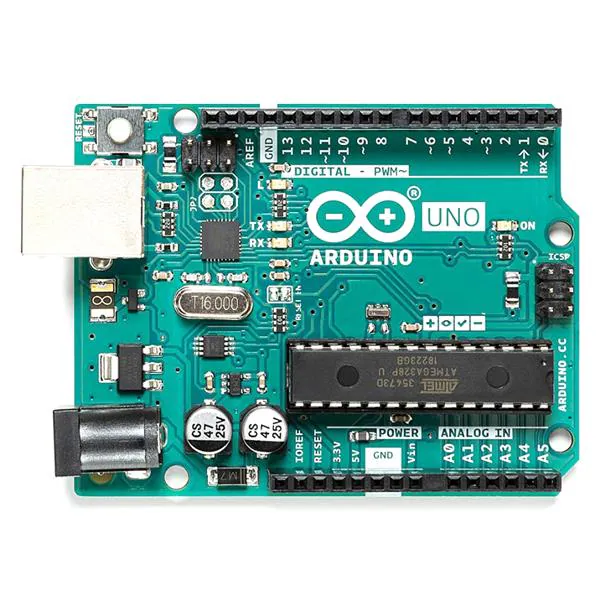
Arduino UNO
+ Compatible with sensors and DFPlayer Mini, well supported.
– Requires extra components for audio, more setup.
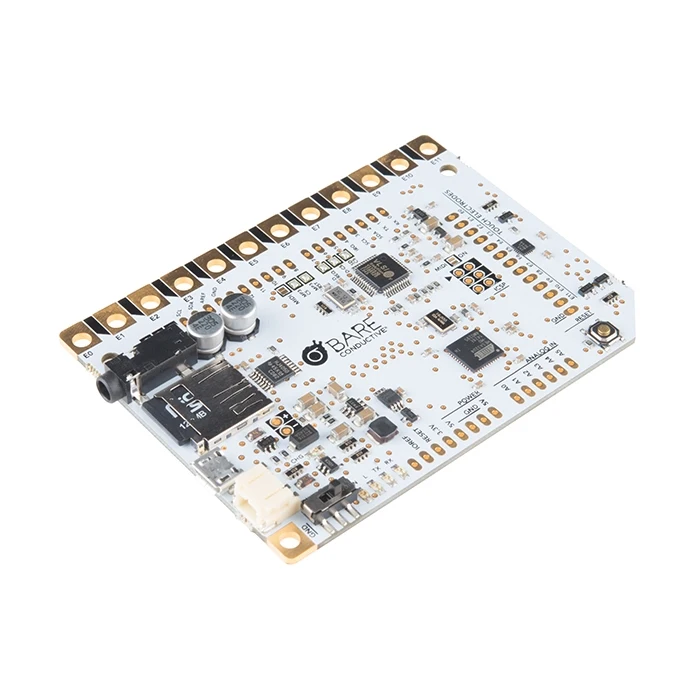
Touch Board (Bare Conductive)
+ 12 built-in capacitive touch sensors, MP3 playback from microSD, perfect for touch-based sound triggers.
– Slightly bulkier and more expensive, fewer I/O pins.
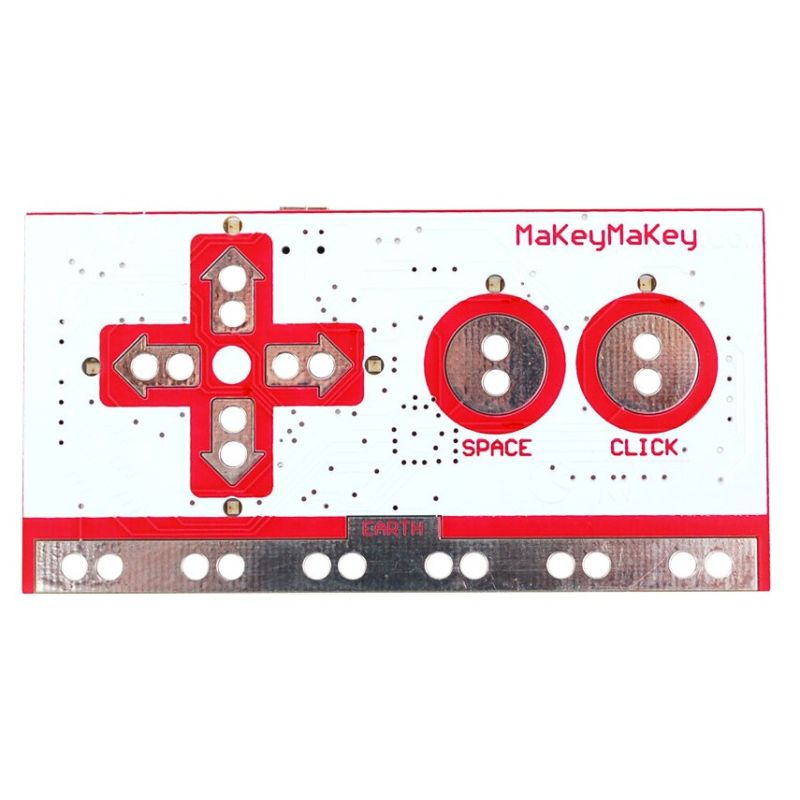
Makey Makey
+ Very fast and beginner-friendly.
– Needs a computer, limited interaction types, not standalone.
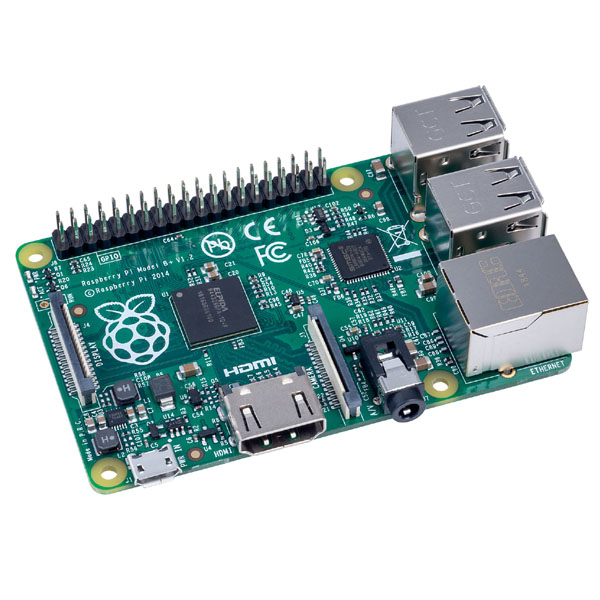
Raspberry Pi
+ Great for future audio-visual expansion.
– Too complex for lo-fi prototyping, more fragile.
What’s Next

After this research, I’ve decided to use the Touch Board for my first prototype. It’s specifically designed for sound-triggered, touch-based interactions, making it ideal for what I want to create: a playful and poetic interface that reveals hidden stories through sound. Its built-in MP3 playback and capacitive touch support mean I can keep my setup compact and focus on designing the experience, not just wiring the tech.

My first test setup will include:

  • Input: Touch sensor (built into the board)
  • Output: MP3 sound through speaker/headphones
  • Feedback: A single LED to show when a sound is playing
  • Goal: When someone touches a marked location on the map, a sound plays, revealing part of Graz that’s normally overlooked.

This early version will help me test the feeling of the interaction before I scale up to a full map or multi-point layout.

14. From WhatsApp to Web Chatbot: Adapting Plans with n8n

Sometimes, the most interesting part of a project is when things don’t go as planned.

I originally set out to build a simple booking system via WhatsApp, using a chatbot to help users schedule appointments. I explored various platforms, including Twilio, Zapier, and specialized tools like Libromi, which offer multi-agent support, payment integrations, and booking systems via WhatsApp. My plan was to test a single hypothesis, so I decided to build the core logic calendar booking myself.

However, to use the WhatsApp Business API, I needed a Facebook Business account. That’s where things took an unexpected turn: my Facebook account was suddenly blocked, and with it, the API access was gone. I have written an email to the customer support but they didn’t reply(

Pivoting to a New Stack

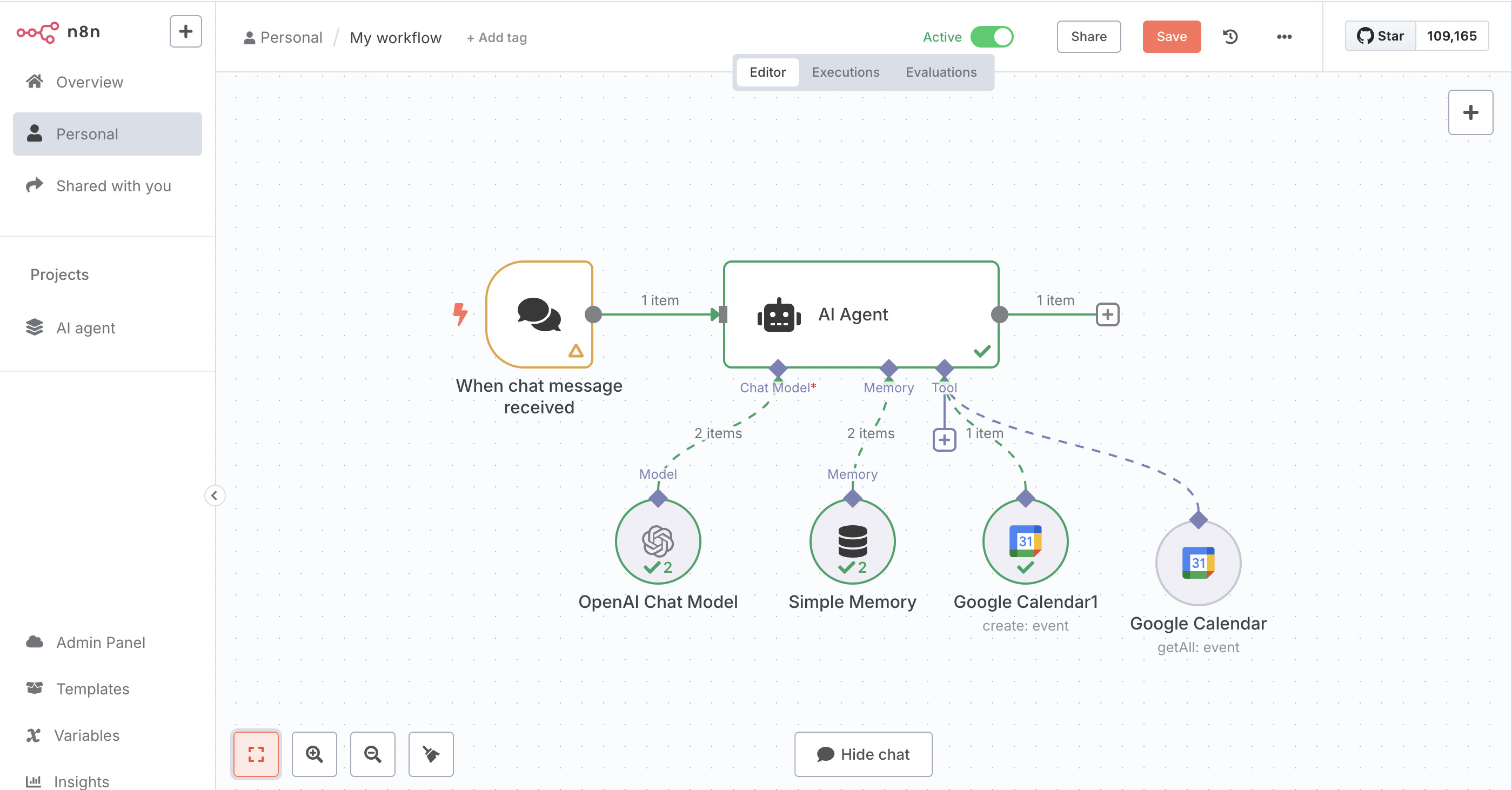
So, I started exploring alternatives. That’s when I discovered n8n, an open-source automation platform that provides visual workflow creation, powerful integrations, and complete ownership over the process.

Instead of relying on WhatsApp, I decided to embed the chatbot directly inside a website. Since many doctors in Austria have websites, it’s still a working hypothesis. Here’s what my updated setup looks like:

  • n8n: To control and visualize the conversation and booking flow.
  • ChatGPT API: For natural, conversational responses.
  • Google Calendar API: To check availability and schedule appointments.
  • Embedded web widget: So users can interact with the chatbot on a website, without needing to go through WhatsApp or Facebook.

What’s Next?

This new approach is actually more flexible than what I originally planned. I don’t need third-party approval, and I have full control over the chatbot’s tone, interface, and features.

Next steps include programming the chatbot to respond to particular responses, testing a real-time booking, and possibly adding reminders or email confirmations. Even though the platform shifted, the goal remains the same: to build a smart, lightweight, and user-friendly appointment system

Blog Post 5: Early User Tests of My EV Charging Interface

Over the past week, I ran two quick paper-prototype tests to see how real people would navigate my simple, button-based EV charger interface. I recruited Sophie (23, student) and Kathi (22, student), both had tried charging an EV before and shared the frustrations I’ve heard from others. Here’s what happened, what I learned, and what I’ll change next.

Test Setup

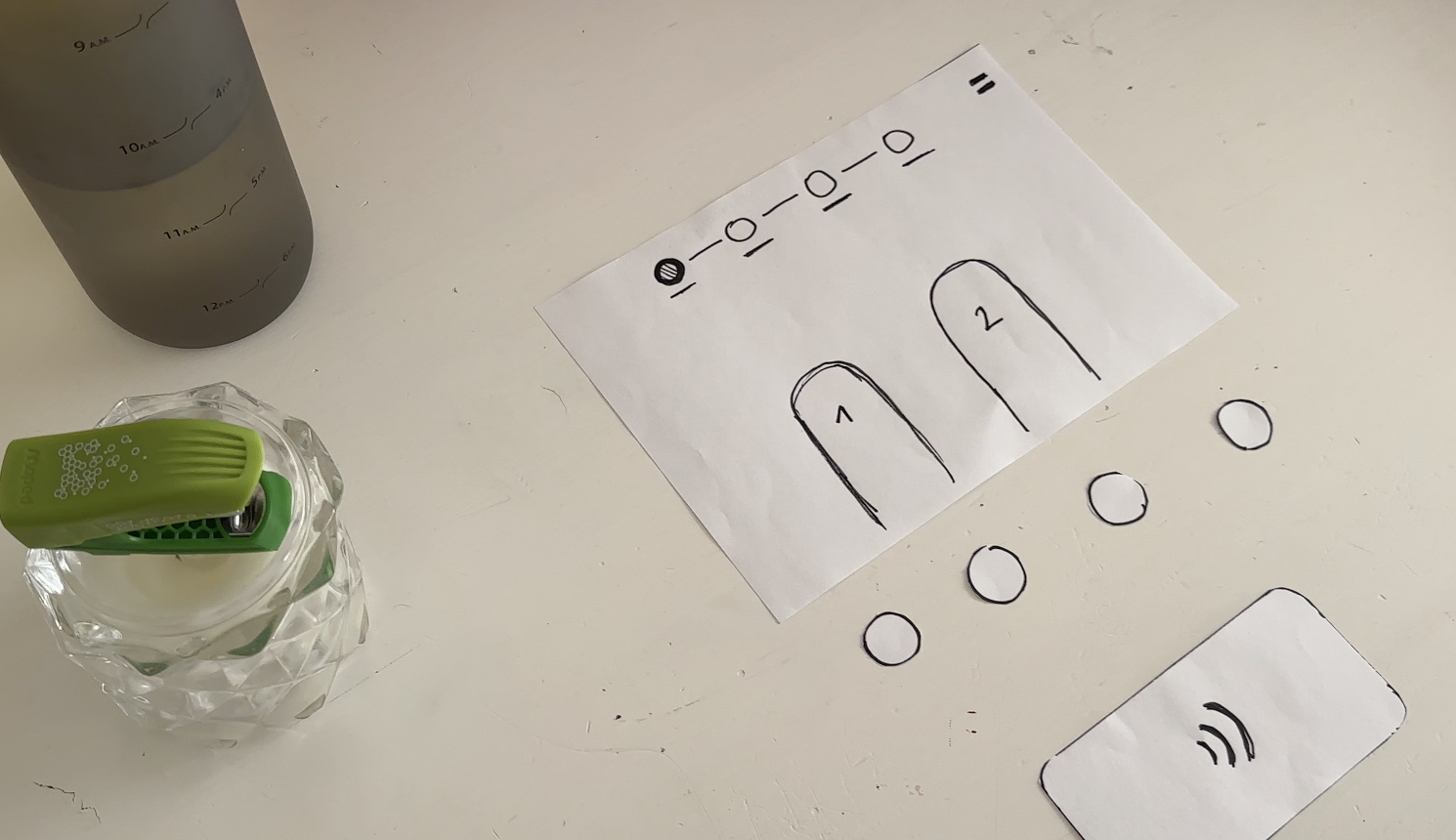
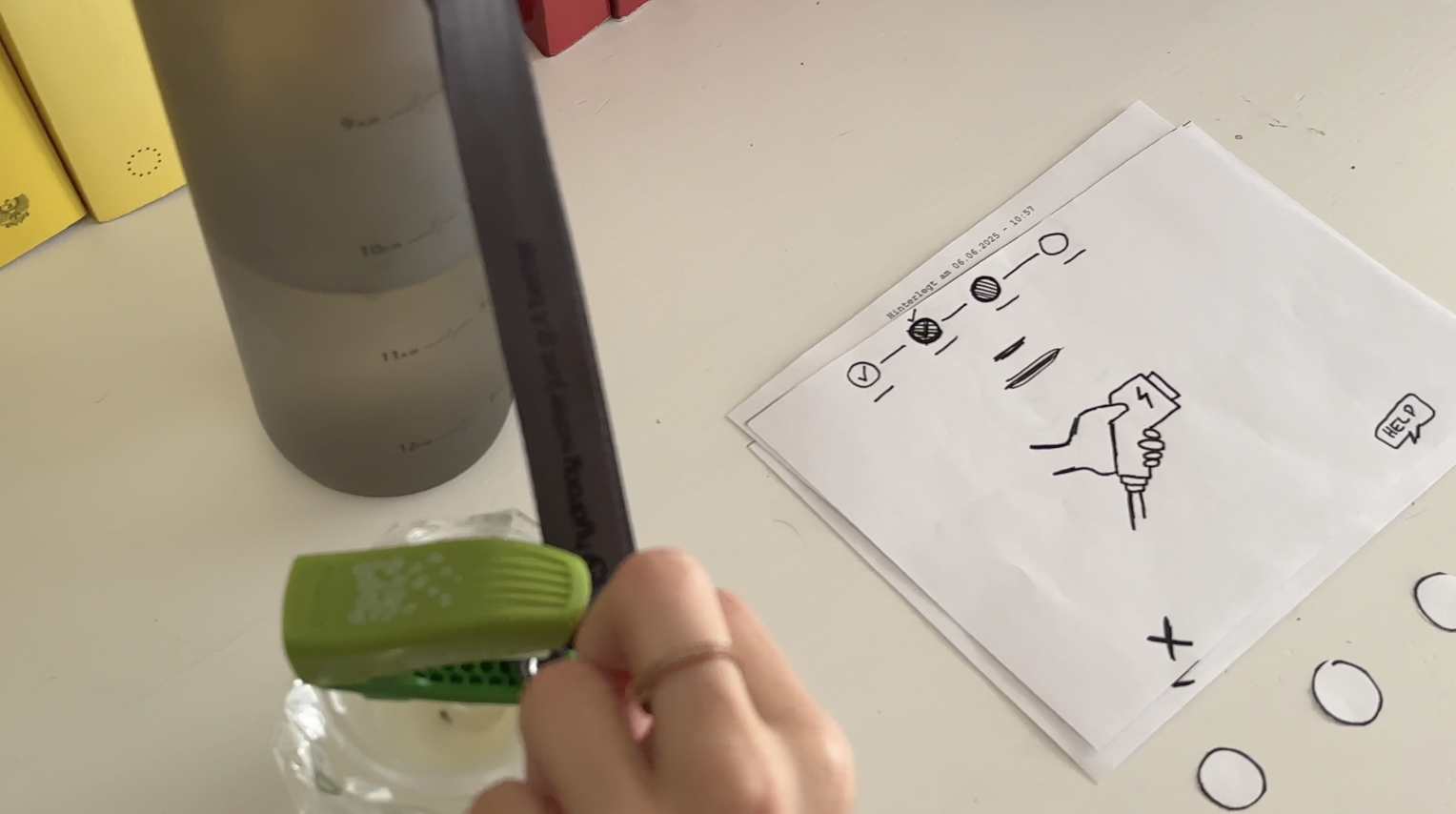
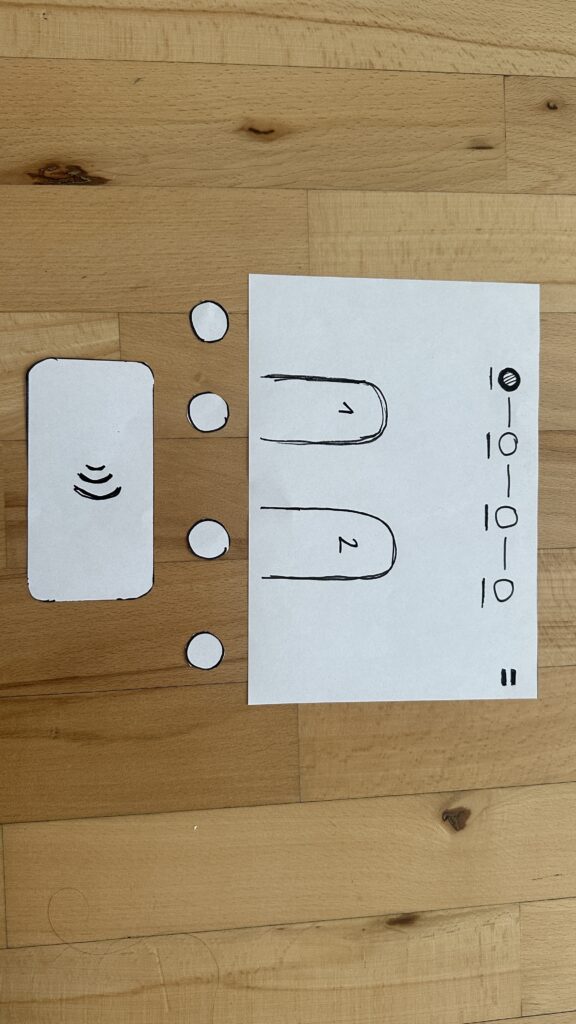
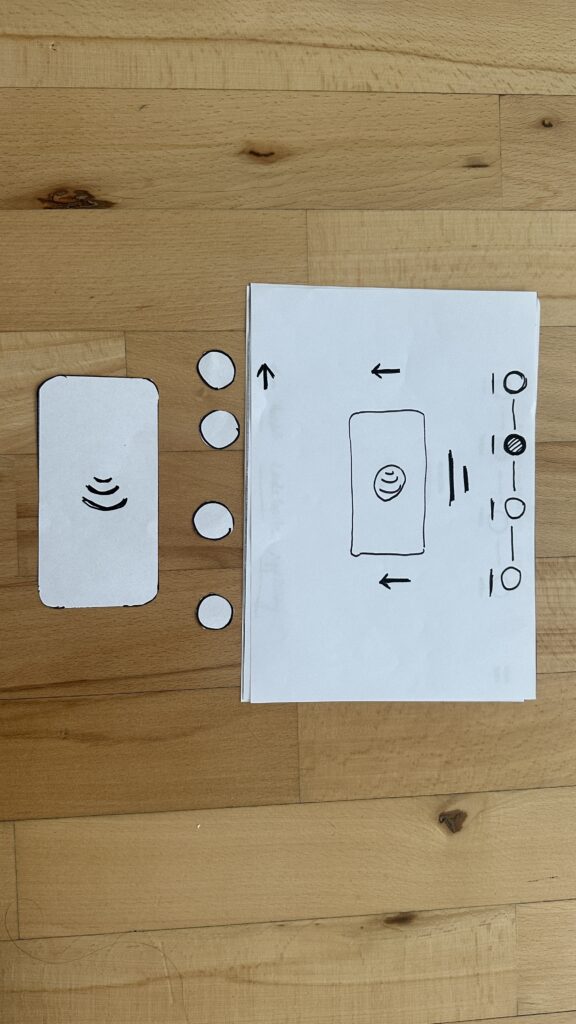
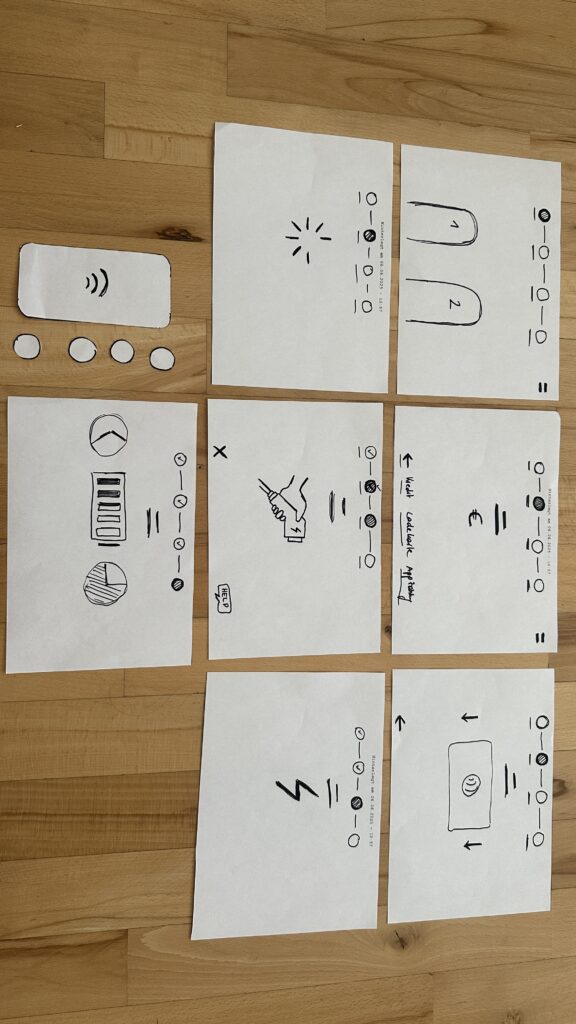
I handed each person a series of 7 low-fidelity sketches in the correct order. Next to the paper “station” was a bottle (the charger) and a taker (the EV). Below each screen sketch sat four real buttons. I asked them to imagine they’d just pulled up to a public charger and needed to top off their battery.

User Test 1: Sophie

  1. Choose Charger
    Sophie thought the paper screen itself was the touchscreen. She tried tapping the display until she noticed the real buttons below. Because the screen elements were so faint, she assumed she was already in the payment step and held her credit card to the empty reader.
  2. Verify Payment
    Once she realized the three payment buttons lived below, she quickly picked “Credit Card” and instantly understood she needed to tap her card.
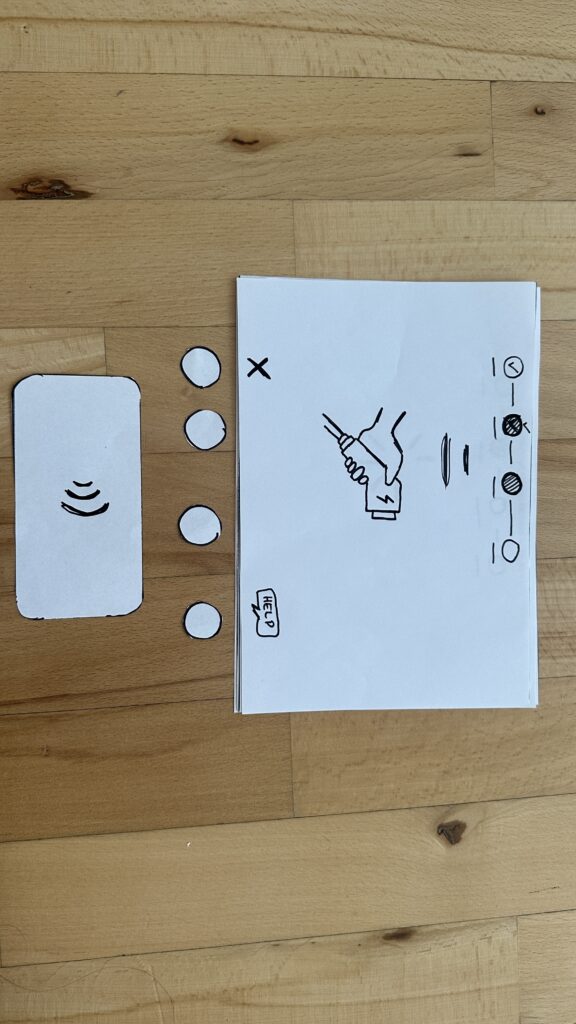
  3. Plug In
    The cable illustration on screen made sense immediately. When I “lit” the screen green for success, she smiled and said, “Great—now it’s actually charging.”
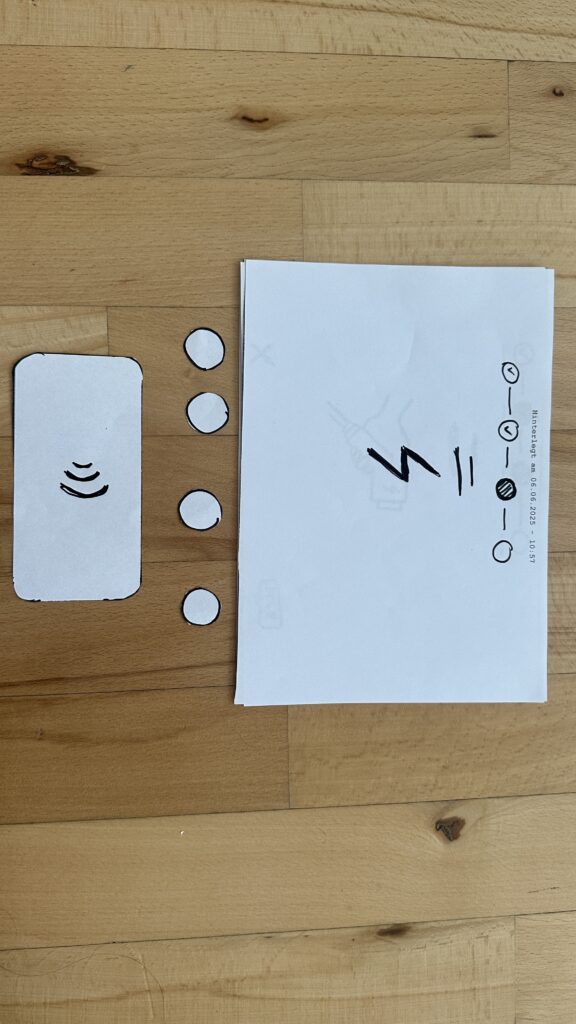
  4. Charging Overview
    Sophie grasped the countdown timer and energy bar at once. She even joked she’d never mind waiting with such clear feedback.

Key takeaway: Sophie’s background with touchscreens made her expect the whole area to be tappable. I need stronger visual cues, bolder borders or shadows, so she spots the physical buttons first.

User Test 2: Kathi

  1. Choose Charger
    Kathi also tapped the screen, then grew impatient and pressed every button in turn, her usual “I don’t know what to do” tactic. After a few presses, she landed on “RFID Charge-Card” and paused.
  2. Verify Payment
    She tried to tap her card again before any prompt appeared. When nothing happened, she read more closely and picked her button first, then held her card when prompted.
  3. Plug In
    She confused the static “Charging” screen, thinking the top progress bar might also be buttons, until I introduced the cable illustration. Then it clicked.
  4. Charging Overview
    Once the final screen lit up with time remaining and a moving bar, Kathi relaxed and said, “Okay, I get it.”

Key takeaway: Kathi needed clearer icons on the first screen to recognize the charger slots. She also misread the progress bar as interactive.

Charging the EV

What I Learned

  • Visual Clarity Matters: Make charger-slot outlines, icons, and buttons bold.
  • Step Prompts: Add a short text label—“Step 1: Pick Charger” instead of just a number.
  • Non-Touch Expectations: Users often expect the whole screen to be tappable. I’ll accentuate the physical buttons with shadows or color bands.

Next Iteration

  1. Bold Icons & Labels: Draw clear charger shapes and label each step in large text.
  2. Highlight Active Buttons: Only light up the relevant payment button when it’s time.
  3. Test with Accessibility in Mind: Invite a visually impaired or wheelchair-using participant to see how the interface holds up.
  4. Prototype On-Station Mock-Up: Build a cardboard station with real cables at the right height and angle—so I can check reach, screen glare, and button feel.

My next post will share those refined sketches and fresh user-test results. Until then, I’ll keep iterating and learning from each tap, click, and cable plug. Stay tuned!

07_Projection in the Corner

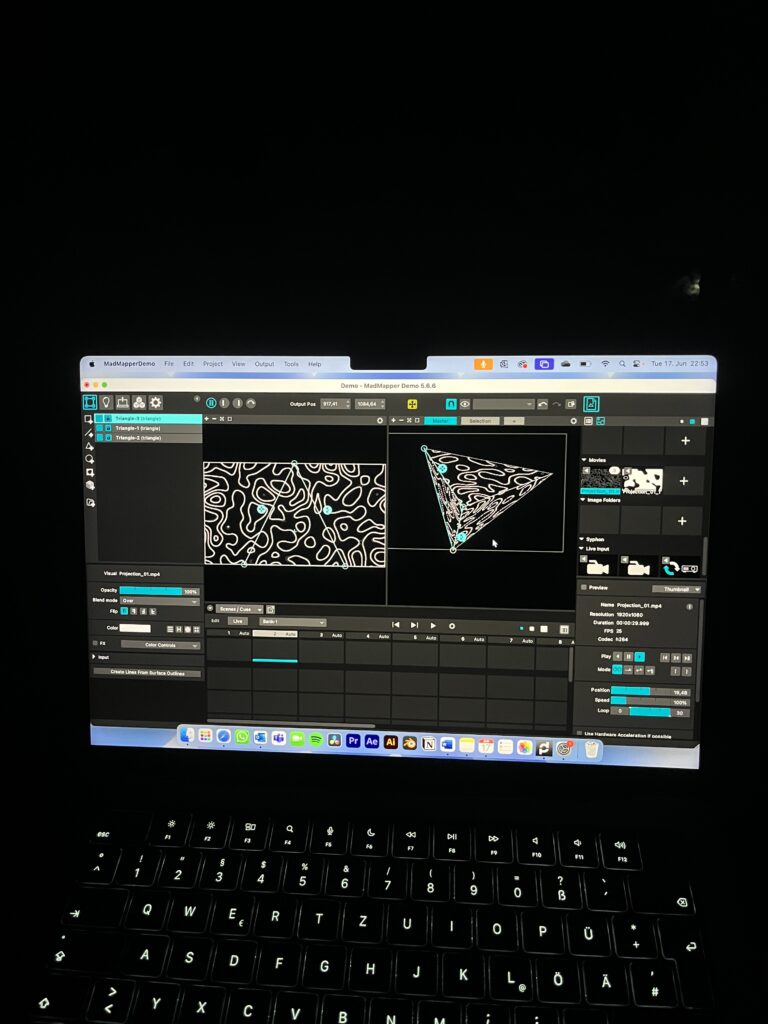
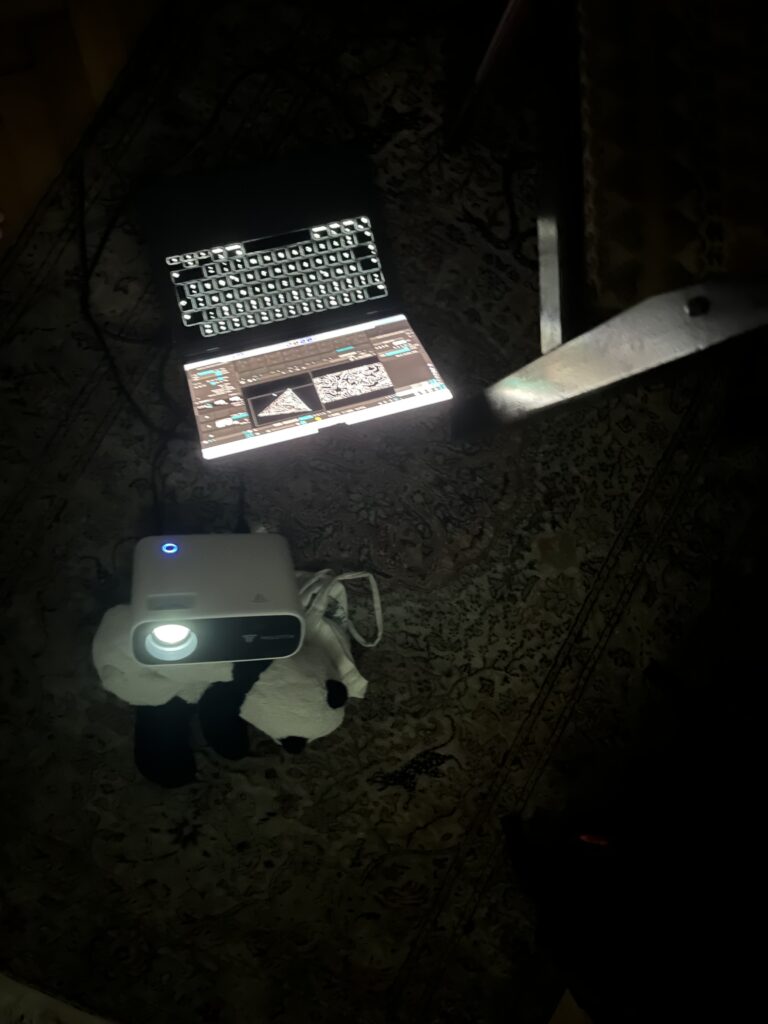
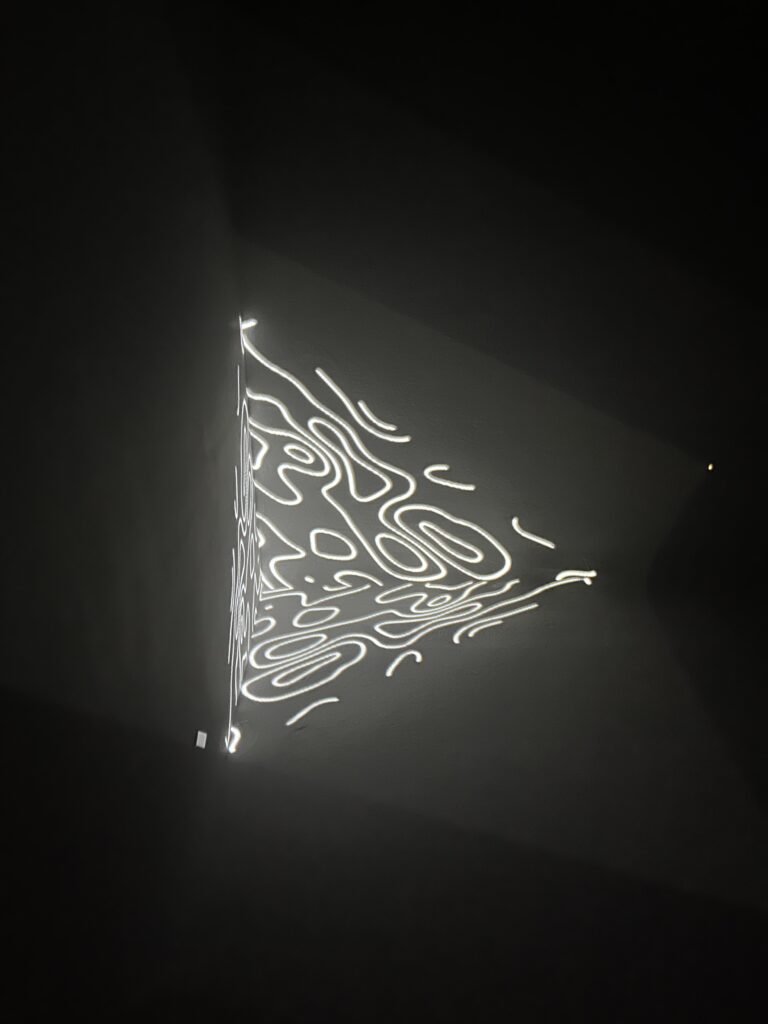
After all the tests on flowers and organic forms, I wanted to see how projection mapping works when the surface isn’t soft or round – but sharp, structured, or even broken up by corners. So I started experimenting with projecting onto walls, especially corners and edges, to see how that would change the way the animations behave. Corners introduce a physical break in space, which in turn changes how moving images behave when projected. What interested me most was the possibility of creating a three-dimensional effect relying purely on the existing geometry of the room and the way light reacts to it. I again used a the same looping animation with abstract line structures, resembling topographic patterns or fluid motion. These visuals were mapped in MadMapper onto three triangular shapes that met in the center of the corner, forming a pyramid-like projection. The projector was placed at an angle, ensuring both walls and the corner edge were evenly lit. Aligning the shapes precisely was essential. The corner created a sharp visual interruption, which affected the animation in subtle ways. The flowing lines changed their rhythm at the edge, appearing to bend, break, or stretch depending on the viewer’s position in the room. From certain perspectives, the shape seemed to float, detached from the architecture. From others, it flattened completely. 

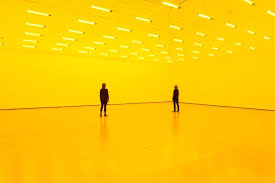
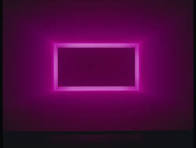
Thinking about this approach it led me to consider artists who also integrate space into their visual work. For example an artisit I have been reading about a lot, James Turrell’s installations, he often uses light to define architectural features or even erase them altogether. In works such as Raemar Pink White (1969), walls and corners dissolve, and the viewer is left with an experience of light as form. Turrell’s work highlights how light can transform a neutral space into something immersive and perceptually complex. Another great artist, Olafur Eliasson takes a similar approach, using reflection, refraction, and color to change how space is understood. In Room for One Colour (1997), he shifts the viewer’s experience of an ordinary room by bathing it in monochromatic light, revealing how easily our perception adapts to manipulated environments. Both of these artists treat space not as a container for content but as an active component of the visual experience. 

Working with a corner also brought up some new questions. The same animation looked different depending on where I stood. From the front, it formed a clean shape. From the side, the lines stretched or collapsed. That made the projection feel less like an image and more like something connected to the room. The movement was influenced by the space, not just by the animation itself. Comparing it to previous tests on flat surfaces, this setup felt more spatial. The projection wasn’t just placed on a one surface. The edge of the corner changed how the visuals behaved.

#13 Which direction?

To come up with good ideas for a master thesis was a bit difficult for me. I found myself wanting to do everything and nothing at the same time. The previous researching I had done was about sustainable living, biodiversity loss, area neutrality, and all the problems and solutions regarding these.

Recently, I have gotten more and more into community living. This is still a huge topic under all the previous topics, but I found it to be very interesting, and something I believe can be part of the solution to the many problems we face. But what is community living? For me it encapsules a lot of different aspects:

  • something that makes people interact more, which can create stronger bonds and love between people
  • a way of living that lessens your footprint on this planet
  • a way of living that fights the loneliness epidemic
  • a way of living that provides help for the different life stages people go through

to mention some. I am also at the point where I am interested in trying this lifestyle myself – in one way or another. So perhaps this is the direction for me to go with my thesis as well.

A current thought provoker for me is a book I read called “All about love” by Bell Hooks. This book is a visionary essay about the topic of love. This book discusses the interconnectivity of race, class, and gender and their ability to produce and perpetuate systems of oppression and domination – and how these are the opposite of love. Even though the author often makes powerful, decisive statements that left little room open for argument, I agree on the notion that love can be a transformative power that heals individuals, communities, and even public policies and institutions if prioritized over greed. This realisation, left me with a desire to deep further into how to enable more love in this world.

By introducing lovelessness, as Bell Hooks called it, as the fundamental problem that humanity faces together today, I can steer my topic in the direction of working against it. Maybe even community living could be looked at as a solution for this, by creating a living space that fosters love and care for each other, help for your neighbours, and offers an escape from the world we are struggling in right now.

I see this post as my foundation for what ever direction I will go in. What is most important for me is to do something that actually can create change.

#11 Lofi Prototyping and Speed Dates

Introduction

At the start of the semester I was at a state where I was in desperate need of scoping down my project. And for this course we were to use prototyping as a tool to make our research project more tangible – perfect for me! So… how to make a prototype for my problem statement: “how to save the world”?

The Prototype

For Birgits speed date session, we were to create a lo-fi prototype of something random or something regarding our thesis. Since I did not know which of the 1000 problems regarding mye current topic to attack, I chose to prototype something random.

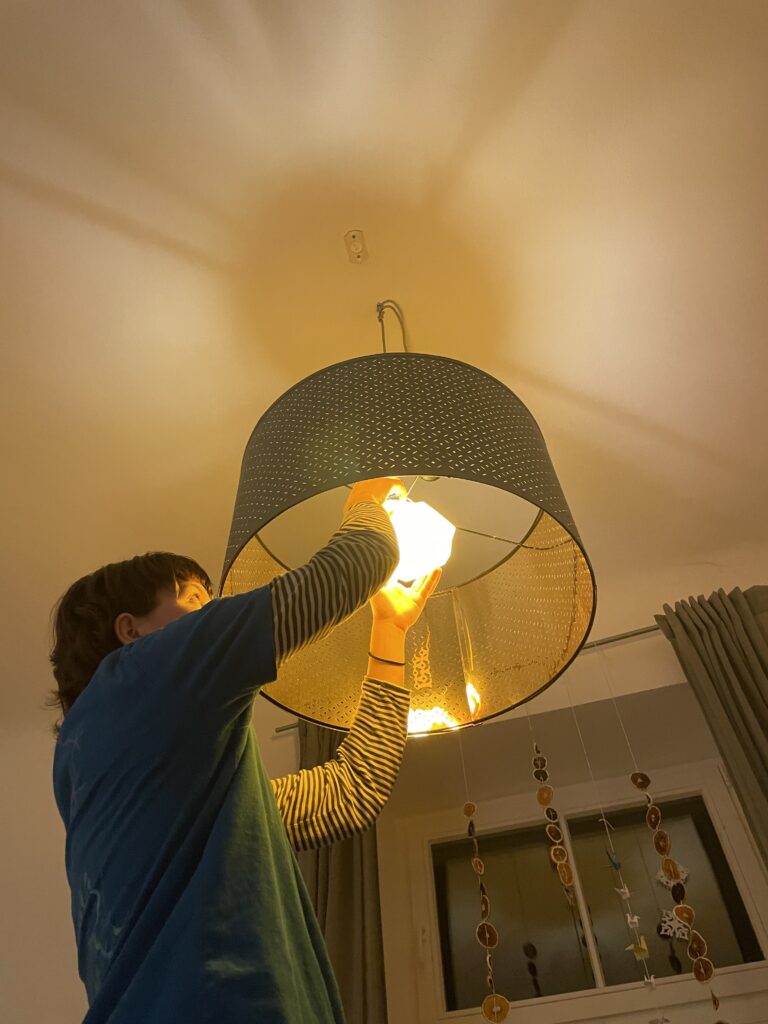
In my case, I wanted to make something physical that I could actually have use for. Something that would solve a very tangible problem. Thats why I prototyped a lampshade.

The Process

The problem I have, is that the lamp in my room is very, very bright, and very, very white. Nothing I did with this room could make it cozy – I always felt like I was sleeping in a hospital room. So how to make a quick and cheap solution to this?

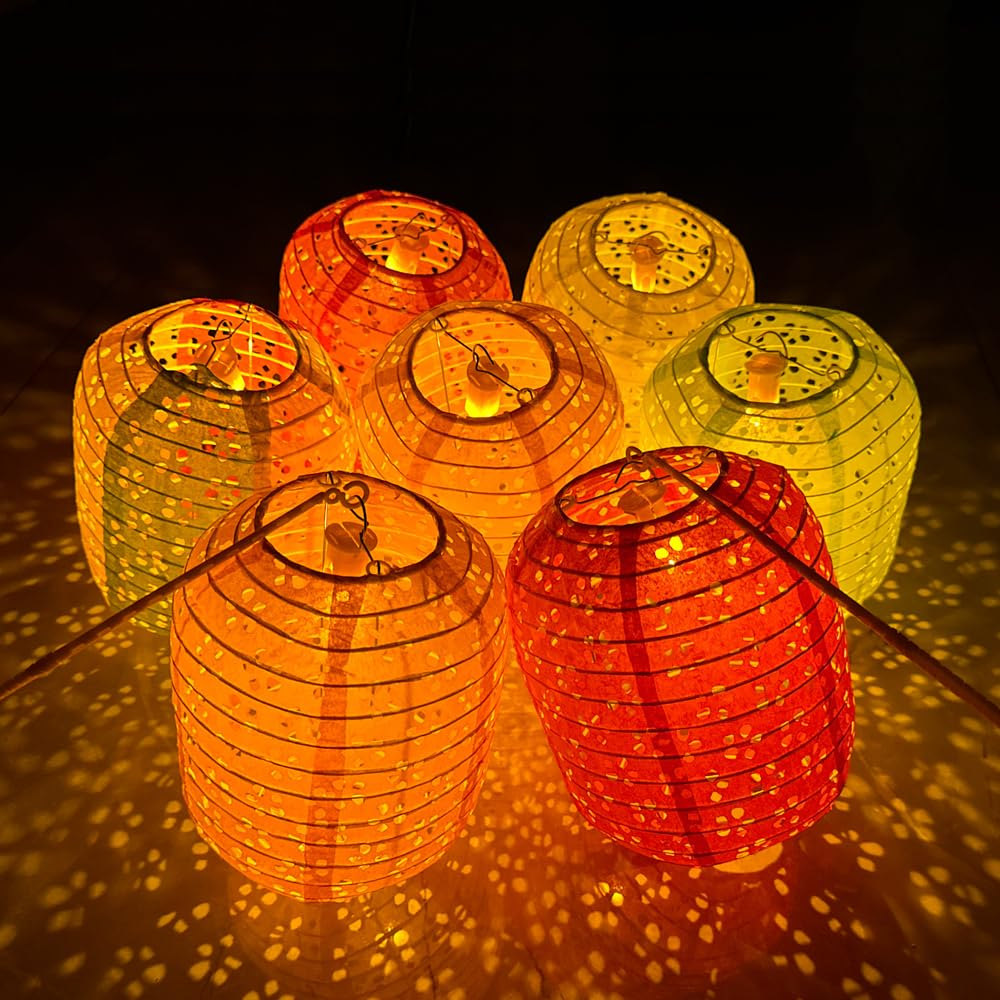
My vision was to use something partly seethrough, with a warm colour, to cover the bright white lightbulb with. It could be fabric, paper or anything with these attributions. I found inspiration in chinese paper lanterns, which always gives a warm and cozy vibe.


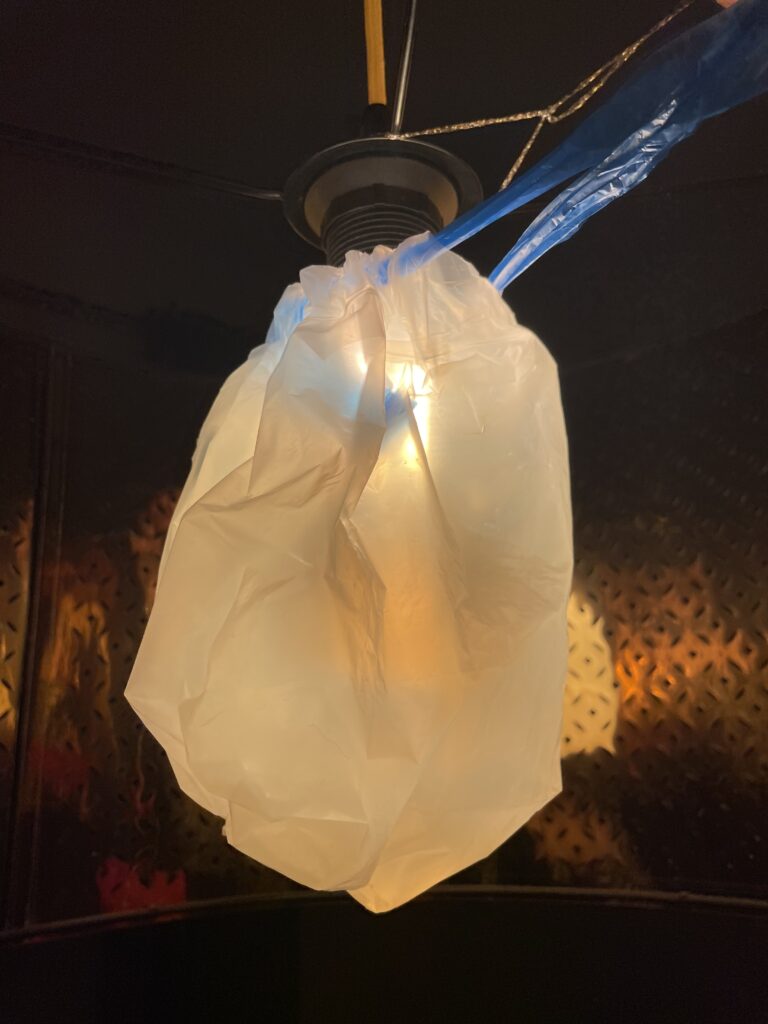
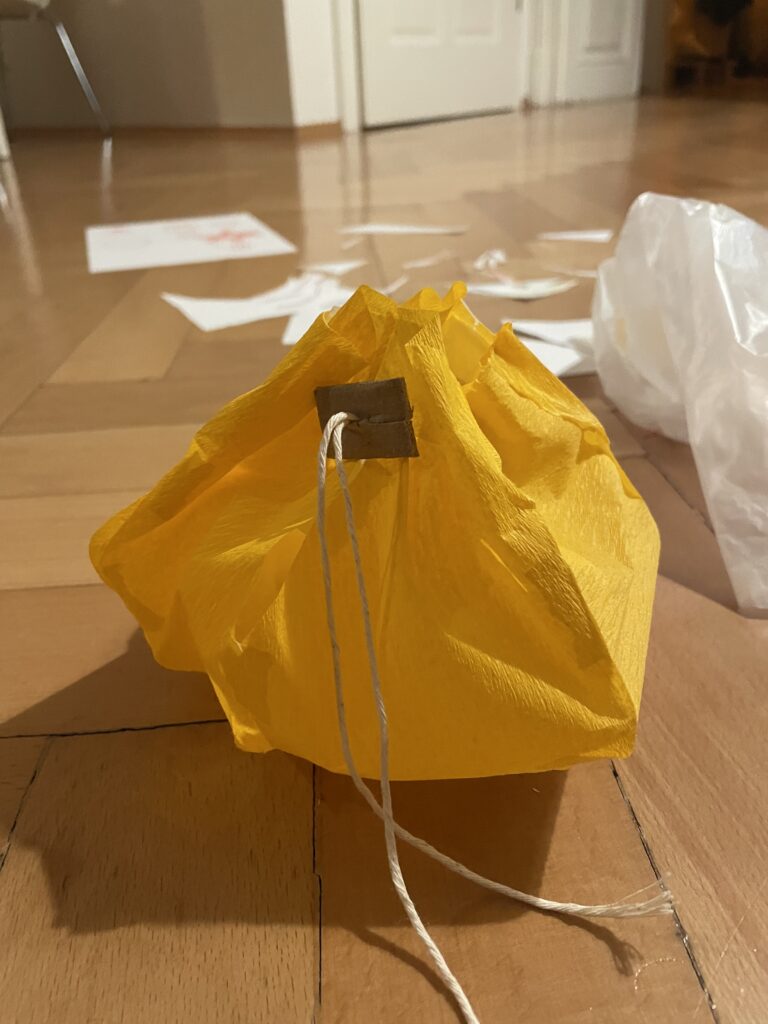
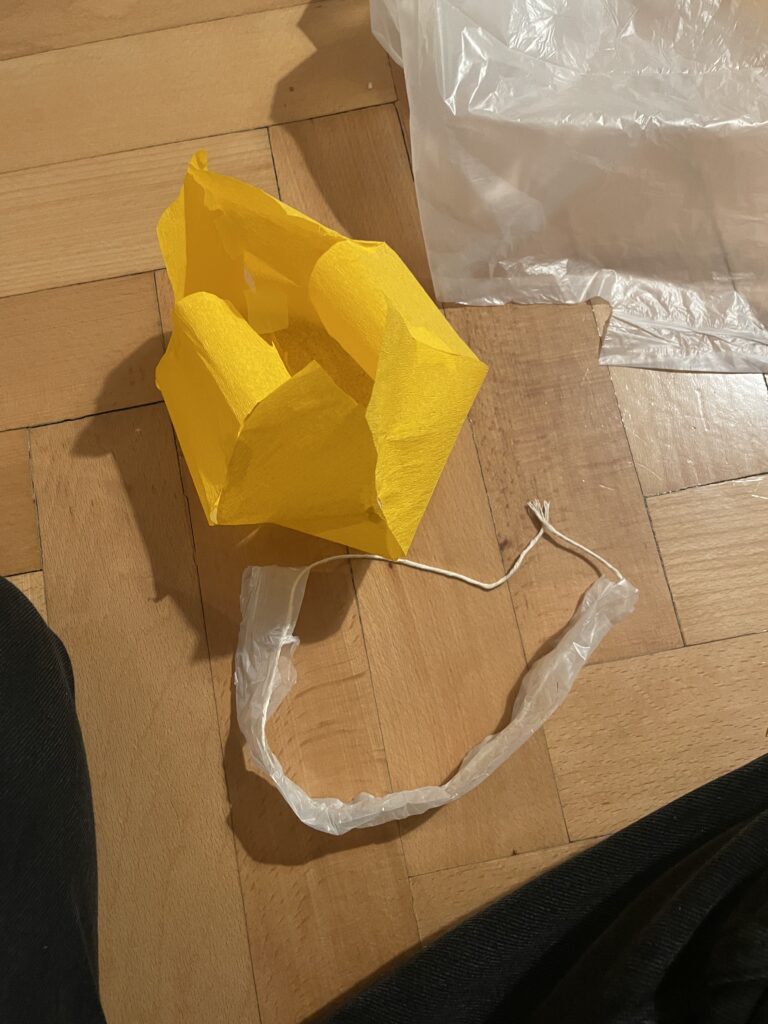
My first prototype was made of a trashbag and tape, and was made in 2 minutes. This was to test functionality of the tightening mechanics.

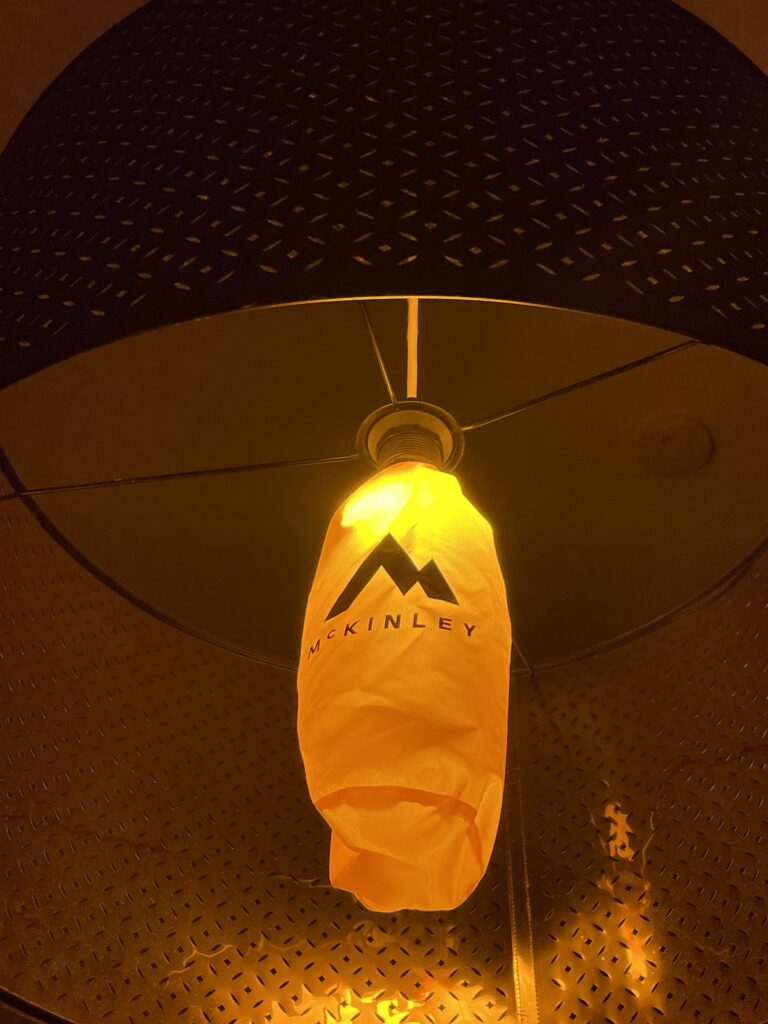
I also tested the color and tightening mechanics of my sleeping mat bag. This worked surprisingly good!

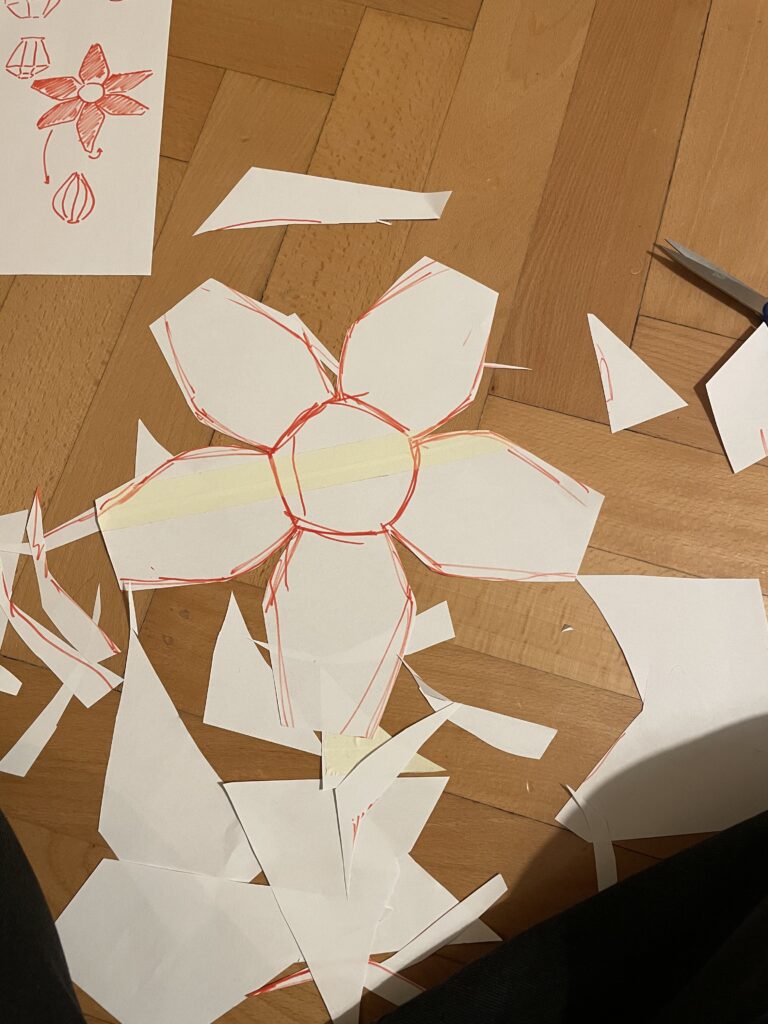
Further on I made a prototype of regular paper and tape, to try and figure out a shape that could work but also look ok.

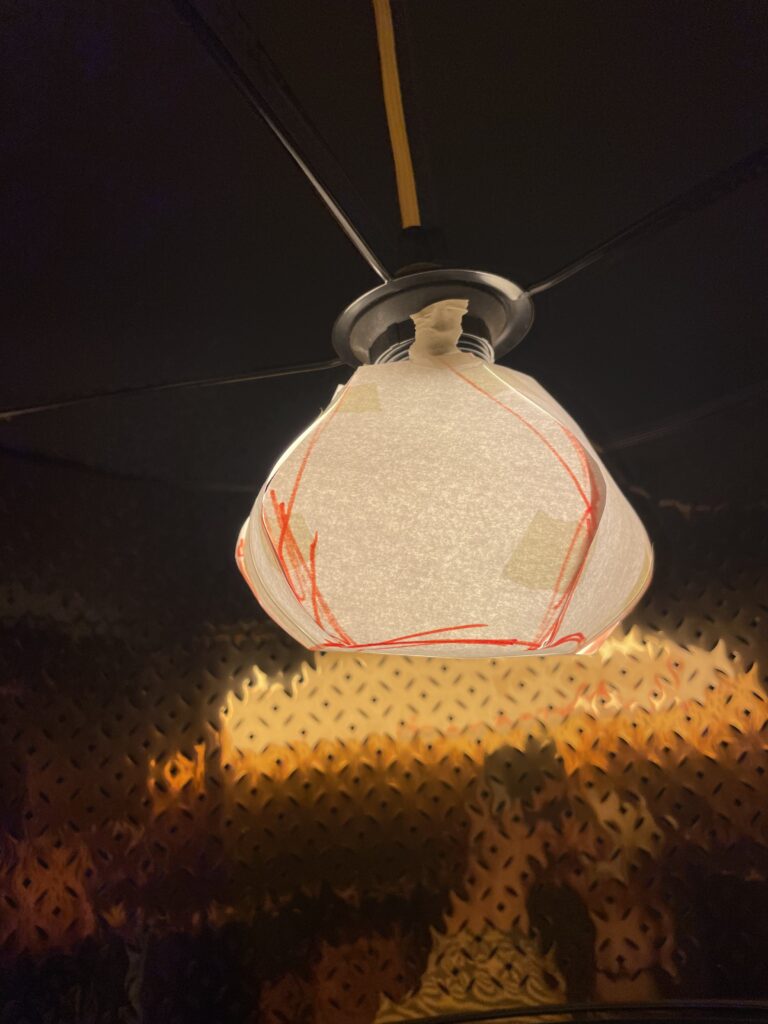
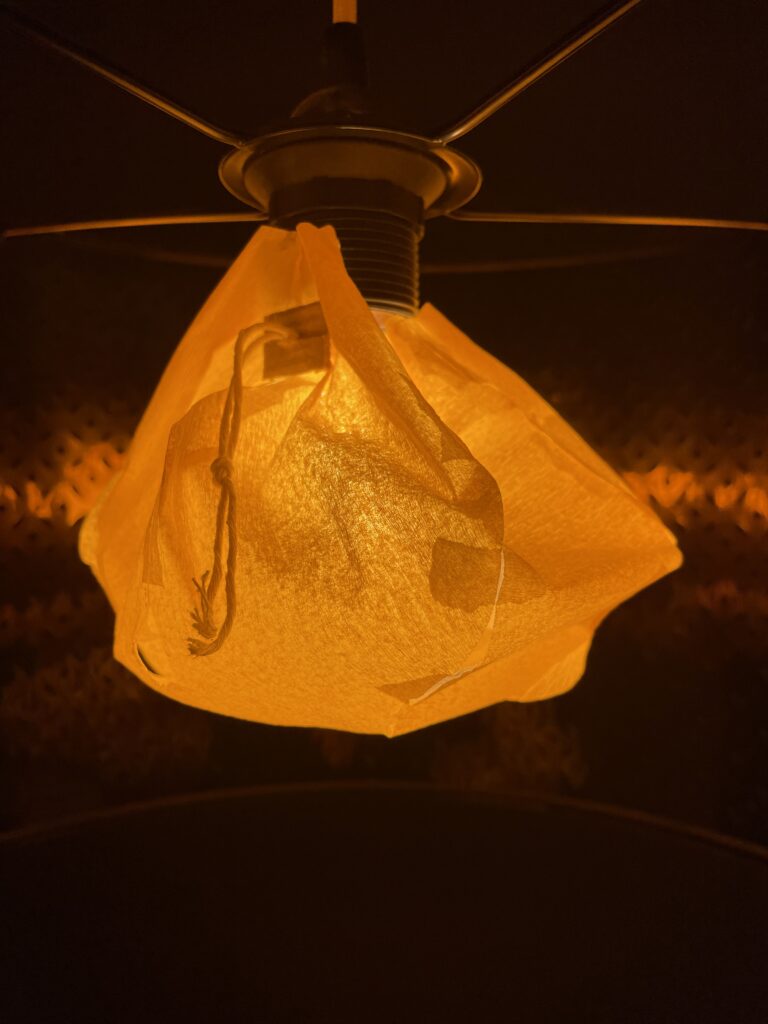
Then I finally made the final prototype, using thin silk paper, as the chinese lamps would have. This prototype ended up working pretty well, and looking decent.

The end product. Is still used on my big light until this very moment.

The Speed Dating

Through the speed dating session, we let our classmates test and review each others prototypes. From this, we were able to get a lot of feedback in a short period of time. Something I will take with me for my final thesis. Speed testing is a valuable tool, especially in the startfase, where you really just want to test the basics of your idea.

Even though I will not continue prototyping my lamp, I am happy for this experience, and hope to find my topic ASAP.

Blog 4: Sketching an Intuitive EV Charging Interface

After my first wild prototype about a 1,000‑floor elevator, I realized I really want to stick with mobility. EV charging stations are such a timely, real‑world challenge plus, I’ve experienced the pain myself! My girlfriend’s dad owns an EV, and I’ve helped him charge it only to run into confusing screens and awkward cables. Others I chatted with have plenty of frustrating stories, too. So I decided: let’s start by sketching a super‑simple, button‑based interface and see how two real users feel about it. (User Testing Informationen available in the next Post)

Four Clear Steps

On paper, I drew these low‑fidelity screens, focusing on clarity over bells and whistles:

  1. Choose Your Charger
    • A simple map shows two plugs at a station.
    • Green plug: available. Red plug: occupied.
    • A progress bar at the top displays “Step 1 of 4”, so you always know where you are.
    • Why? Users often fumble for which port is free. Clear colors and a step indicator keep anxiety low.
  2. Verify Payment
    • Three big buttons let you pick Credit Card, RFID Charge‑Card, or App‑QR Code.
    • A Back button (which lights red if you tap it) lets you switch methods at any time.
    • Once you choose, a screen prompts you to hold your card or show the QR code.
    • Why? Real stations offer multiple payment options. Lumping them into three buttons matches user expectations and avoids tiny menu lists.
  3. Plug In Cable
  • An animated cable slides out of the station.
  • A simple diagram shows “Cable → Car Port.”
  • If it clicks in correctly, the station glows green. If it fails, it glows red. A gentle blue pulse means “charging.”
  • Why? Physical actions need instant feedback. Color and motion reassure the user that they plugged in correctly.

    4. Charging Overview
  • Time Remaining: Counts down so you know when you’re done.
  • Battery Icon + Bar: State‑of‑charge advances in real time.
  • Power Delivered (kW): Shows exactly how fast you’re charging.
  • Big buttons: “End Session,” “Help,” “Info,” and “Language.”
  • Why? These are the four most‑asked questions: How long? How full? How fast? And what if I need help or another language?

Design Choices & Future Accessibility

  • Physical Buttons vs. Full Touchscreen: Early users can look, press, and go (no searching menus)
  • Progress Bar: Keeps people calm by showing exactly where they are in the flow.
  • Language Toggle: Always visible in case you need English, German, or any other option.
  • Text‑to‑Speech Future: With a long press on a touchscreen button, an image‑to‑speech API could read the label aloud for visually impaired users.

I’ll soon interview blind or wheelchair‑using drivers to see what adaptations they need. In a world of self‑driving cars, everyone should be able to charge their own vehicle of course.

Next: Real‑World User Tests

As a next step, I’ll ask some volunteers to walk through these sketches:

  • Where do they pause?
  • Which buttons feel unclear?
  • Do they spot the back arrow or language switch easily?
  • How do they react to red/green/blue feedback?

I’ll refine the flow based on their comments, then build clickable wireframes or maybe a cardboard prototype with LEGO. Iteration will tell me what works best.

Early References & Inspiration

  • Intuitive UI example: technagon.de/intuitive-user-interface-laden-kann-so-einfach-sein/
  • EV station UX tips: altia.com/2023/08/16/enhancing-ev-charging-station-ux-and-why-it-matters/
  • Payment variety today: ekoenergetyka.com/blog/how-do-ev-charging-stations-work/
  • Kempower design guide: kempower.com/user-experience-ev-charger-design/

These resources helped me understand real pain points and best practices. I’ll keep updating this blog as I refine the design and test with real users because the journey from sketch to screen is just beginning.

#3 Nächste Schritte

Warum?
Ich gehe im nächsten Schritt mal mit der Forschungsfrage:
“Welche visuellen und narrativen Gestaltungsmuster eignen sich besonders, um marginalisierte Biografien in einem digitalen Medium überzeugend und respektvoll zu vermitteln?”

Mir gefällt die Frage, weil ich mich hier um die Dinge kümmern kann, um denen es mir eigentlich im designen geht: wie gestalte ich das am besten, dass es zu dem passt, was ich sagen will. Oftmals geht es bei den Forschungsfragen so um “viel Aufmerksamkeit generieren” usw, oder Leute davon zu überzeugen, dass mein Medium das beste ist und lesen keiner mehr tut. Ich bin der Ansicht, dass es gern Leute geben darf, die lieber ein Buch lesen und auch welche, die sich lieber eine interaktive, digitale Darstellung ansehen.

Vorgehensweise

  • Laufende User Testings bzw. Insights von Testpersonen machen und einarbeiten in meine Arbeit.
  • Erst mal eingehende Einarbeitung in Literatur zu Digital Storytelling, narrativen Strukturen und Visualisierungsmethoden
  • Analyse bestehender Projekte um wiederkehrende Gestaltungsmuster zu identifizieren
  • Auflisten visueller Elemente (Parallax-Scrolling, interaktive Zeitleisten) und narrativer Techniken (First-Person-Voice-Over oder ähnliches)
  • Prototypische Umsetzung: Auswahl von ein paar Mustern, Implementierung in Web-Prototypen (React & D3.js) mit Biografien aus „Beklaute Frauen“
  • Evaluation mittels leitfadengestützter Interviews und kurzen Fragebögen, um Glaubwürdigkeit, Respekt und Empathie zu erfassen
  • Kombinierte Auswertung: Qualitative und quantitative Analyse zur Bewertung vom Nutzererlebnis

Originalität

  • Bislang eher wenig erforschten Schnittstelle zwischen Gender Studies, Digital Humanities und UX-Design
  • Fokus auf die Wahrnehmung respektvoller und authentischer Gestaltungsansätze, nicht nur auf technische Umsetzung
  • Übertragbarkeit der Muster auf weitere Medienformate als digitales Exponat z.B. auf Ausstellungen

#2 New Idea!

Oke ich hatte eben eine neue Idee.
Darum erst nochmal kurz zusammengefasst, was mein bisheriges Thema was (Blogpost #1 diesen Semesters kann man vergessen):

Recap
Die Arbeit handelt über die mangelnden Sichtbarkeit unterrepräsentierter Künstlerinnen – insbesondere Frauen und queerer Personen – in der Kunstgeschichte. Die zentrale Forschungsfrage lautet: Wie kann man die Geschichten dieser Künstlerinnen digital zugänglich und emotional erfahrbar machen? Ziel ist es, durch digitales Storytelling und interaktive Gestaltung ihre Werke und Biografien in einem zeitgemäßen Format zu präsentieren.

Herausforderung/Problem
Eine Challenge, die bei der aktuellen Projektidee besteht, ist für mich das auffinden und recherchieren von qualitativ hochwertigen Informationen zu unterrepräsentierten Kunstler:innen, die auch damit an die Öffentlichkeit gehen wollen. Das würde ev. sogar in den investigativen Journalismus fallen und damit nicht meiner Expertise entsprechen.

Lösungsvorschlag
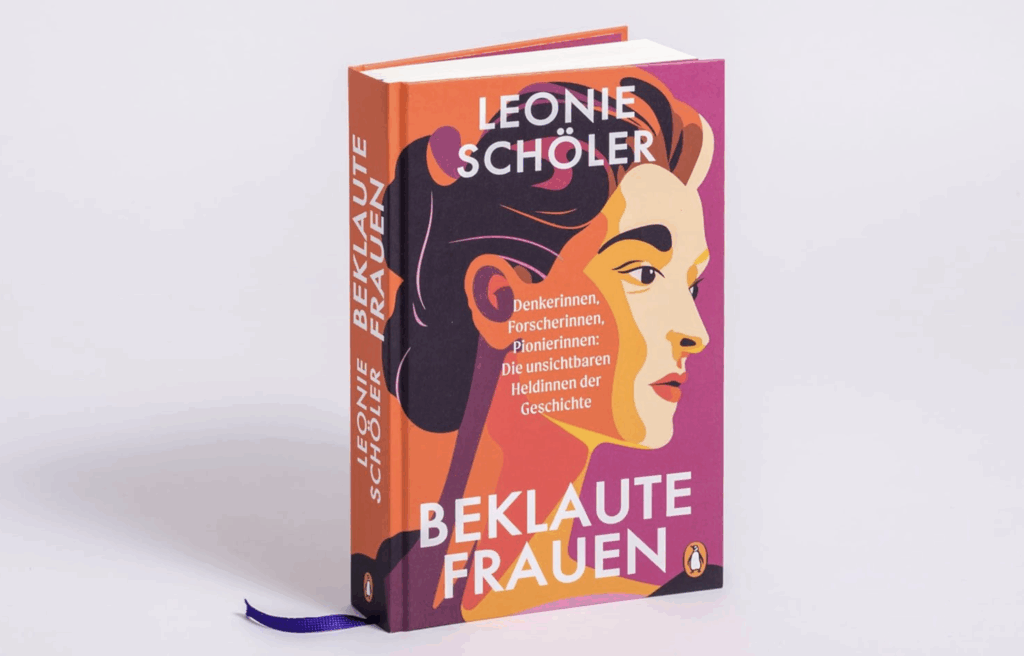
Um dieses Thema zu umgehen, wäre aktuell meine Idee, sich mit der Visualisierung auf ein bereits bestehendes literarisches Werk zu beziehen. Aktuell lese ist das Buch “Beklaute Frauen. Denkerinnen, Forscherinnen, Pionierinnen: Die unsichtbaren Heldinnen der Geschicht” und finde es suuper spannend und ehrlich viel besser aufbereitet, als ich mir das selber zutrauen würde. Naja logisch, die Autorin Leonie Schöler (nicht viel älter als ich) ist auch deutsche Journalistin, Historikerin und Literaturwissenschaftlerin. In ihrem Buch schreibt sie zwar nicht nur über bildende Künstlerinnen sondern auch über Wissenschaftlerinnen und Autorinnen usw., aber die finde ich auch nicht weniger relevant.

Das heißt meine aktuelle Idee wäre das Buch “Beklaute Frauen” digital erlebbar zu machen.
Ziel wäre zu erforschen, wie digitale Storytelling-Formate (immersive Webseite) die Wahrnehmung und das Erinnern von marginalisierten Biografien verändern.

Ideen für Forschungsfrage dazu:

  • Welche visuellen und narrativen Gestaltungsmuster eignen sich besonders, um marginalisierte Biografien in einem digitalen Medium überzeugend und respektvoll zu vermitteln?
  • Wie beeinflusst ein interaktives, multimediales Storytelling-Format die emotionale Bindung der Nutzer*innen an die Biografien unterrepräsentierter Frauen im Vergleich zu einem klassischen Textformat?

Was halten wir davon?

Infos zur Authorin: https://de.wikipedia.org/wiki/Leonie_Sch%C3%B6ler