LS EX #7 Insta Page

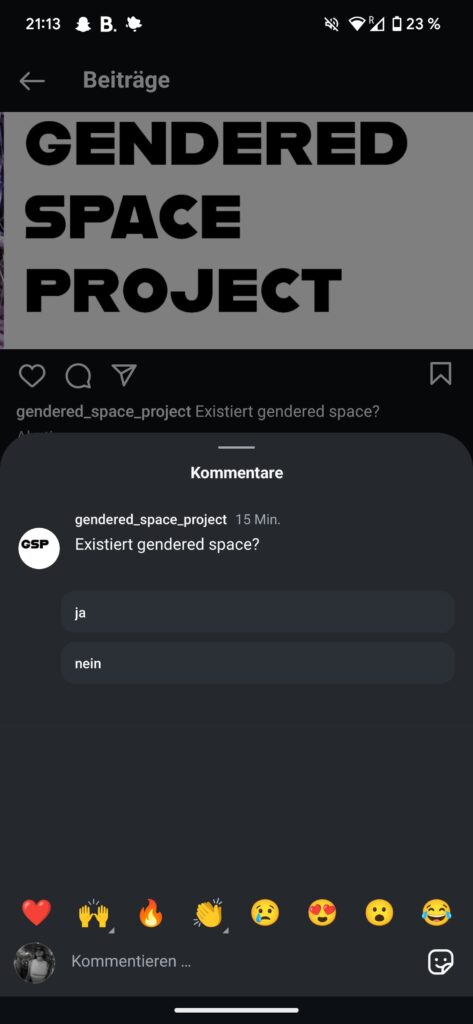
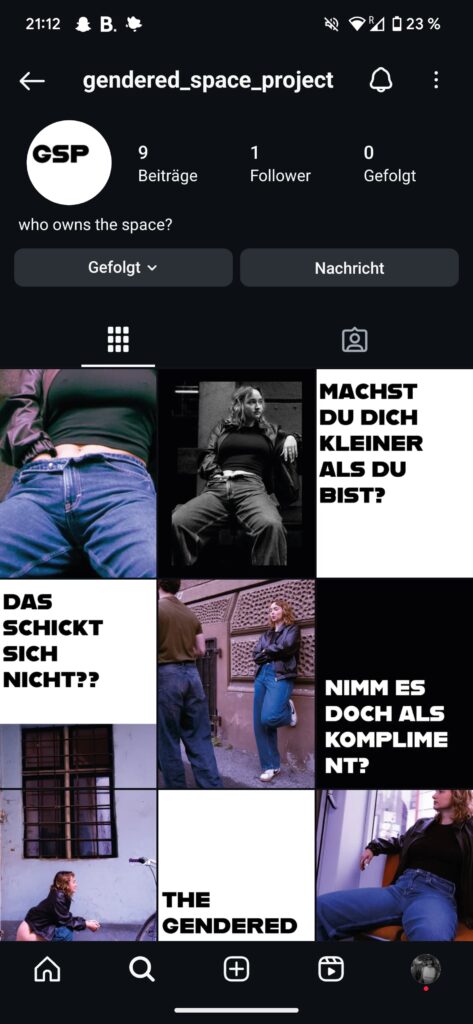
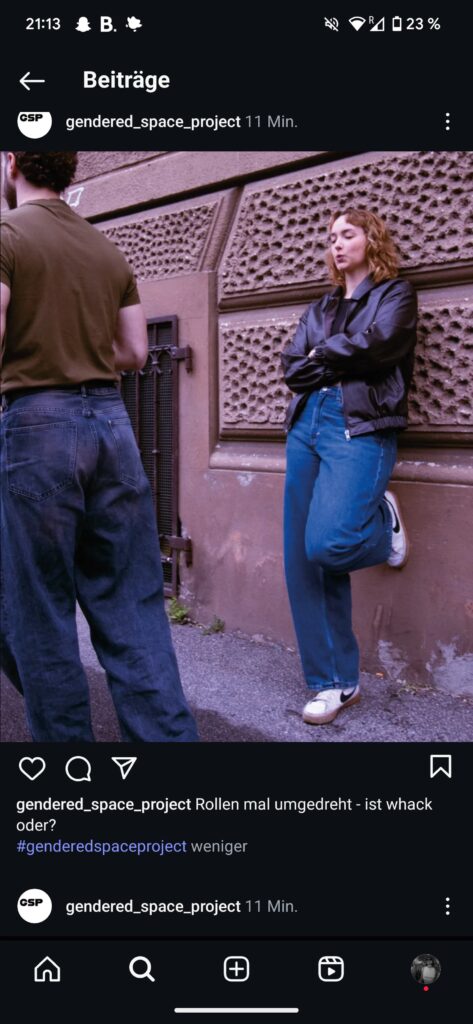
As part of my ongoing Gendered Space project, I recently created a small Instagram page:
@gendered_space_project

The idea behind it was simple, I wanted a space to share fragments of the work, especially the posters and the short phrases that emerged from interviews, observations, and everyday moments. But in practice, putting this work online felt more complex than expected.

The posters deal with how people, especially those perceived as female, navigate public space and how they make themselves visible or invisible. And posting them on social media felt like a continuation of that question: how much space do I allow myself to take up online?

Even though this is part of the research, I found myself hesitating. I overthought what to post, how to phrase things, whether something might be “too much” or “too direct.” There was a sense of vulnerability, a little bit the kind you feel when you say something out loud that you’ve always just quietly thought. And that hesitation is exactly what the project is about.

This tension between wanting to say something and being afraid of saying too much again shows so much of gendered behavior. We learn to be polite, subtle and to make room for others. And those rules don’t stop when you open Instagram.

So the Instagram page is part of the research and exploring itself. On it, I’m sharing picgures/ photos of the posters and short phrases like: “Machst du dich kleiner als du bist?” “Das schickt sich nicht.” “Nimm es doch als Kompliment.”

These are not simply slogans, they’re real sentences I’ve heard or collected during my conversations. They capture the ways in which people are told to behave. I pulled these sentences out of context and place them into public space physically and digitally and I’m actually curious to see what happens. Will people recognize themselves? Will they respond or ignore?

The posters will be installed soon in semi-public places, each one with a QR code leading to the Instagram page.This will help me collect actual real life feedback from real life. I’m not expecting viral reactions, as it is not a big project of course but I’m looking for small, meaningful responses. Or even silence which is a response too.

Creating this account turned out to be another small act of “taking space.” Not loud but honest and part of the process.
#2.05 Refined Prototype & Some more thoughts

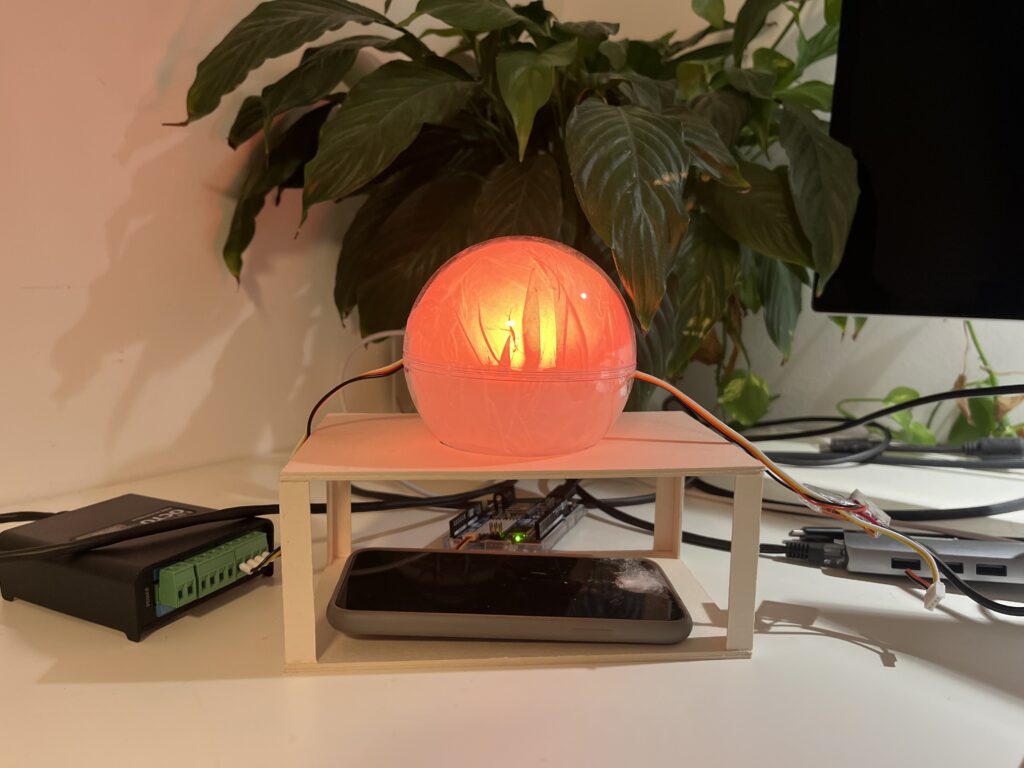
I’ve proceeded to improve the lamp’s physical design and technical implementation after creating the initial proof of concept to test the fundamental interaction loop. The objective at this point is to make the prototype more like the final experience, which I envision to be soft, ambient, emotionally soothing, and user-friendly.

Shifting from ZigSim to Arduino + Sensor

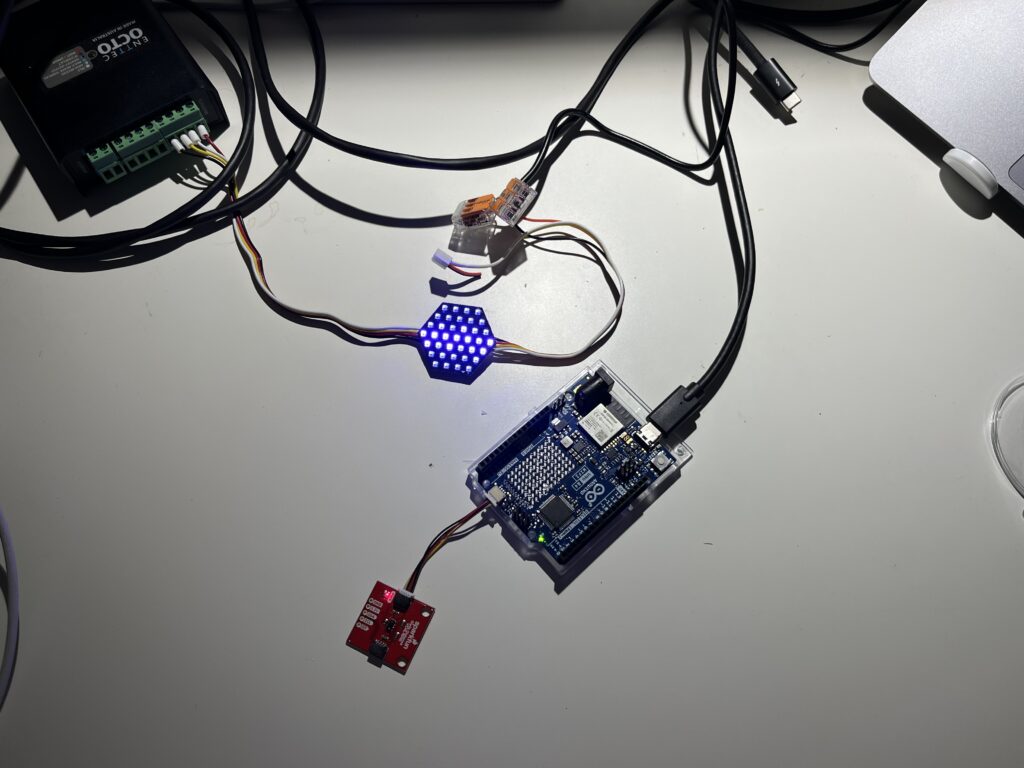
In this step of the prototype, I moved away from using ZigSim with the mobile sensor, to using an Arduino board with a proximity sensor. The sensor detects when the phone is placed in the dock and sends this data to Max/MSP, which then triggers visual feedback in Resolume Arena. This allowed for a more modular and scalable system: the phone becomes a passive actor in the setup, while the lamp actively reflects the user’s engagement or disengagement with it.

Redesigning the Dock

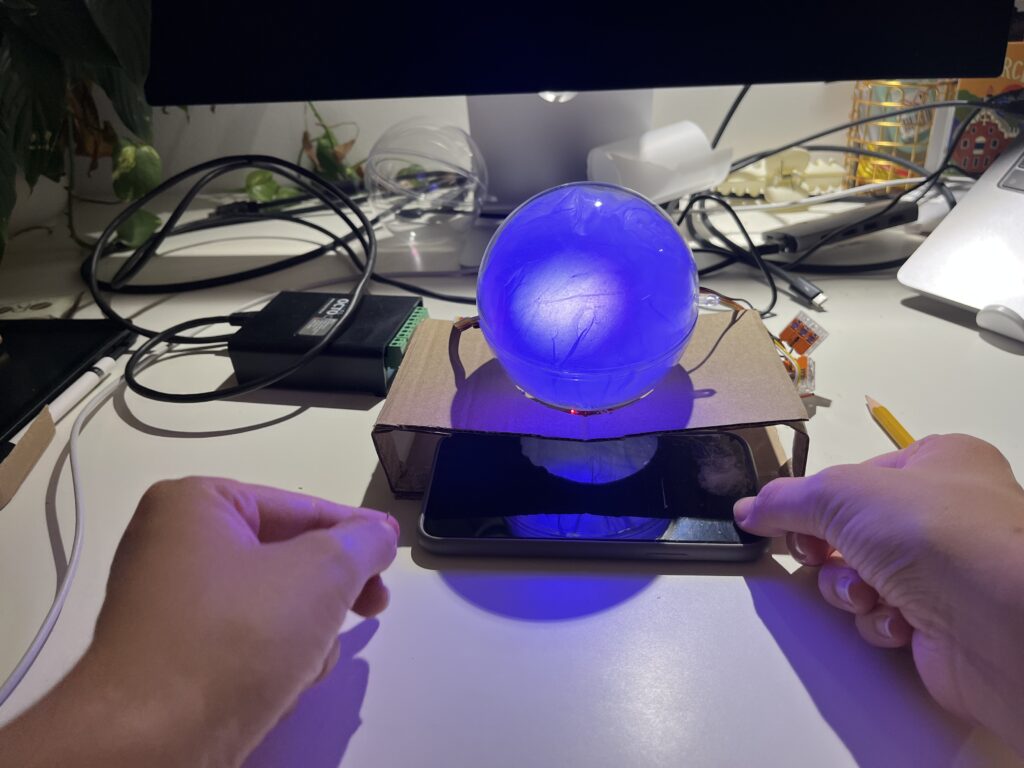
Since the first prototype of the dock was too big and bulky, I shifted toward a rectangular, low-profile dock that takes up less space and fits more naturally into the physical environment of a desk. When I built the second prototype, I realized that it wasn’t high enough, because you almost couldn’t put the phone in it. When I built the third prototype, I made it a bit higher so that you could put the smartphone in easily.

The lamp

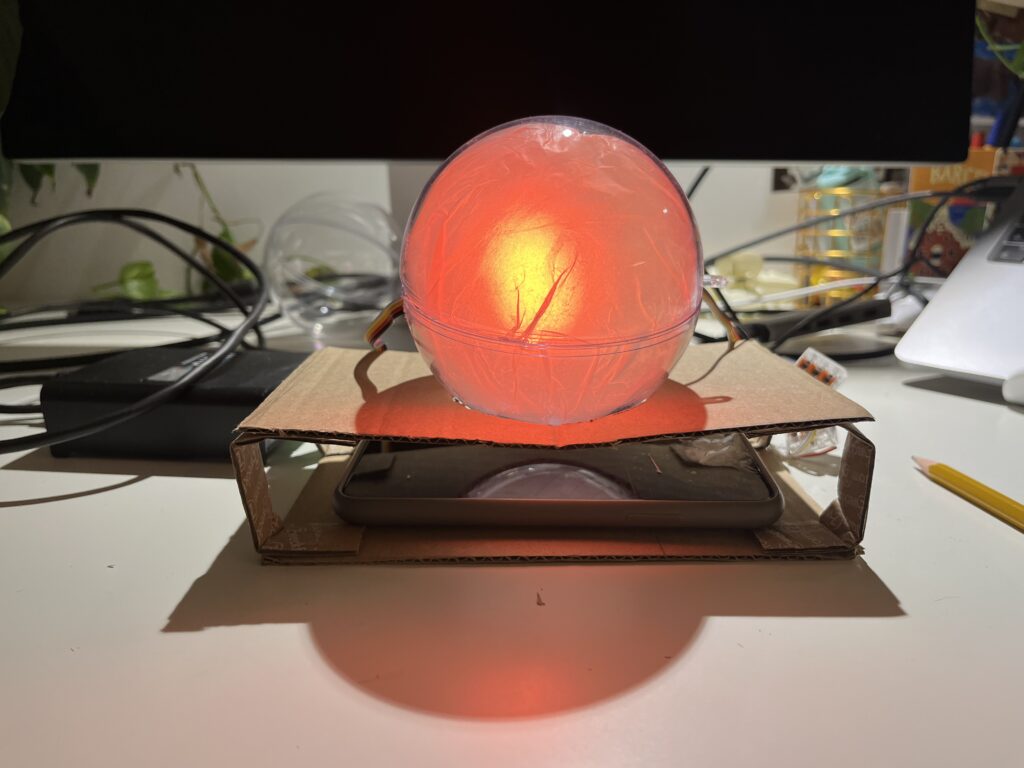
In the first prototype, I experimented briefly with using transparent paper to diffuse the LED strips, and I decided to take that idea further. For this version I put a LED hexagon into a see-through sphere. To avoid hard and direct light, I lined the inside of the sphere with transparent paper, softening the light and creating a much more ambient, almost lantern-like glow. This resulted in a less like “technology” and more like calming object. The light is still the primary feedback. When the phone is placed on the dock, the LED hexagon glows with a gentle, diffused light, signaling the beginning of a focus session. Is the phone removed the color of the light changes – not to shame the user, but to offer a reflective signal. This fits the principles of Calm Technology: feedback is present but not dominant. The lamp becomes a kind of behavioral mirror – always gentle, never forceful.

Some more thoughts – Creative Prompts

In the last session Birgit suggested an interesting shift in perspective – what if distraction wasn’t always something negative, but could actually hold meaning? That idea really stuck with me. I haven’t implemented it into the prototype yet, but I’ve been thinking a lot about it, especially because I know how common it is, especially in creative fields, to feel guilty when we’re not being “productive” or working on something for school. That guilt is exactly what I don’t want people to feel when they use the Focus Lamp.

As someone who works creatively, I’ve often noticed how much time I can end up spending on my phone, especially on social media. And after a while, I started to feel like I was losing a bit of my spark and creativity. That feeling is part of what inspired this project in the first place. So now I’m considering integrating an app after all, not as the main feature, but as a gentle companion to the lamp.

The idea is that if someone is in focus mode and still picks up their phone, instead of being punished or shamed, they’re offered a creative prompt. Something light and inspiring to nudge them in a different direction during that moment. For example: “Draw what’s around you for 10 minutes,” “Read 10 pages of something,” or “Stretch for a few minutes.”

It’s not about blocking the phone or enforcing discipline. It’s about helping people reconnect – with their creativity, their bodies, their curiosity – especially in those moments when they’re about to drift into passive scrolling. It should just be a small nudge, maybe in the right direction.

Testing & Iterating using Lean UX: ‘Macro’ Steering Dashboard

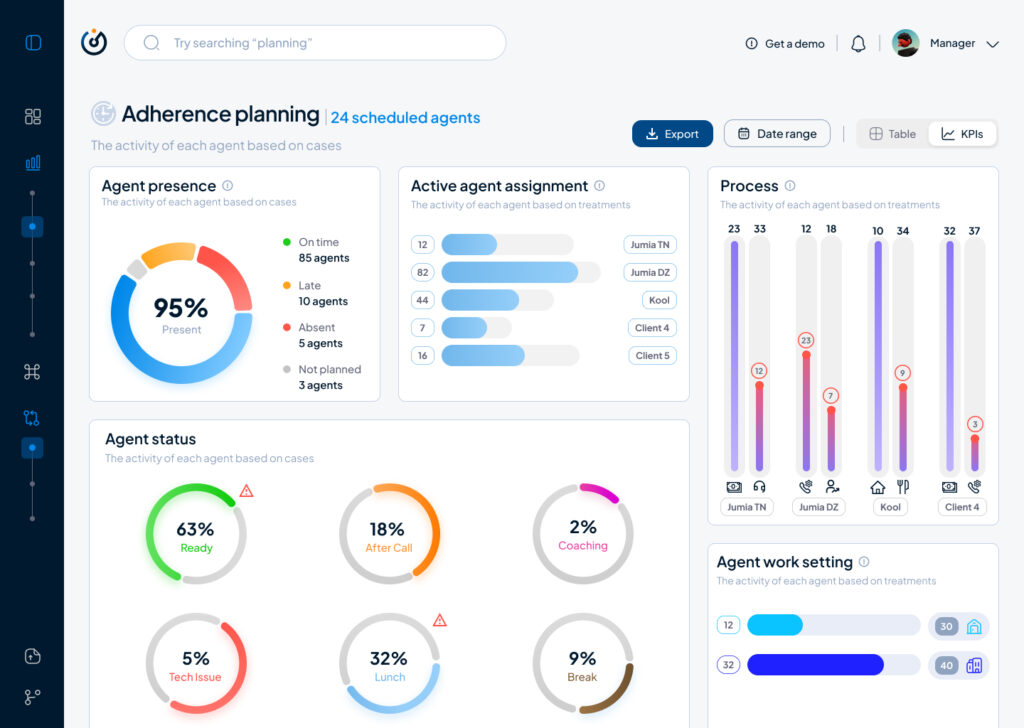
As part of my SaaS project, one of the user interfaces that had to be done is the Steering dashboard but it required a lot of back and fourth of feedback, iterations and meetings to finally come to a great enough version in terms of functionality and business but as a product designer and using Lean UX as a methodolgy , at some stage I had to do an iteration test.

Macro and Steering are the fundamentals of what consists this interface, they serve the business internally as much as they serve it externally with clients and prospects.

Macro: refers to the holistic overview of an insights dashboard and its part of the macro-micro dynamic that I’m using as a system thinking for the whole project.

Steering: provides a real-time view of every KPI needed to make better decisions and steer the business towards a better course.

This testing/iteration process shows the first level of a user interface that required little user interview, user feedback and zero iteration but it served as a good foundation and a stepping stone to a later version that will pave the way to the “final” iteration.

The first version was even called ‘Adherence Planning’ which was an innacurate term of what we are trying to achieve and also because it defined only one aspect of the whole dashboard.

It had the basic insights that we want to show without much output but it was limited, inefficient and not value driven on a business level.

So after much stakeholder’s feedback we iterated that version to a much effective version that visualised the data in a much more functional manner and I did that through designing the work force performance gauge chart, rearranging the cards to suit the data monitoring priority, tweaked the charts and their colors on a UI level for more effective anomaly identification, streamlied the data visualisation with proper alerts identification and finally made the 3 dots ‘kebab’ compartment the drawer where every additional setting is hidden, and here is where I arrived:

The Steering Dashboard is now much more structured and serves the decision making business goal on a decent level, every KPI can be checked and monitored in real time along with checking the business performance in terms of profit and loss through the “Work force performance” gauge.

What I learned

A disruptive data vizualisation product can never be done, but through proper UI UX design, testing, iterating and coming up with the optimal solutions, it can reach a certain level of efficient structure that will propel it to achieve some of the business goals that were far further in the roadmap of the product experience and all of the above can only be done through collaboration and proper communication within a team.

All and all, I’m just getting started and i’m thrilled to work more on the refinement of both my skills and everything that I get involved in

Proto03 // Booking an appointment for donating blood

I have a confession: I have never donated blood in my life. I have donated plasma around 4 times during my early 20s but my main motivation here was the 40€ that were offered after the donation. I have wanted to donate blood often but it always seemed like a lot of work. There was never the time, the places were too far away or I had just recently got a piercing or tattoo which forbid me to donate…the usual excuses. But I never really actively tried to book an appointment or go to a donation campaign when i was eligible to do so.

In my dream world where there is an e-health application for all things medical, blood donation would be an easy and accessible process where you get a notification every couple of months to remind you to donate blood at a place near you. Not an extra app, website or random instagram post you see and then forget it exists.

How to book an appointment

Option 1: Web

In a quick google search “blut spenden graz” I was directed to the website of the Red Cross. Overall I was pleasantly surprised by how simple it was to book the appointment via the browser. The only thing that was annoying was that the initial page to see available appointments was all appointments in Styria and not filtered by Graz. I would also have loved to have a map and see my location to see where exactly the locations were because I don’t know my way around Graz that well jet. But apart from the fact that the design was a little outdated the process was pretty simple and within 5 minutes I had my appointment booked.

Available appointments in Styria, a little overcrowded.
Simple radio button selection

Option 2: Mein Blut App

Next I downloaded two apps from the Red Cross. I was a little confused that there were two apps and I still don’t really know whats the difference but more on the other one later. The Mein Blut app downloaded faster so thats the one I tried first. I quickly created an account and was onboarded into the app. I really liked that different sections were highlighted.

I liked the map feature so I could choose the closest location to me. But even though i granted permission to the app to use my location, I wasn’t able to see my location in the app and had to find my closest location by zooming in from the entirety of the whole Austrian map.

Overall the app had a simple design and was easy to navigate through. Booking an appointment was straightforward but unfortunately I was not able to fill out the questionnaire in this app. I was directed to the “Meine Blutspende” app. Annoying!

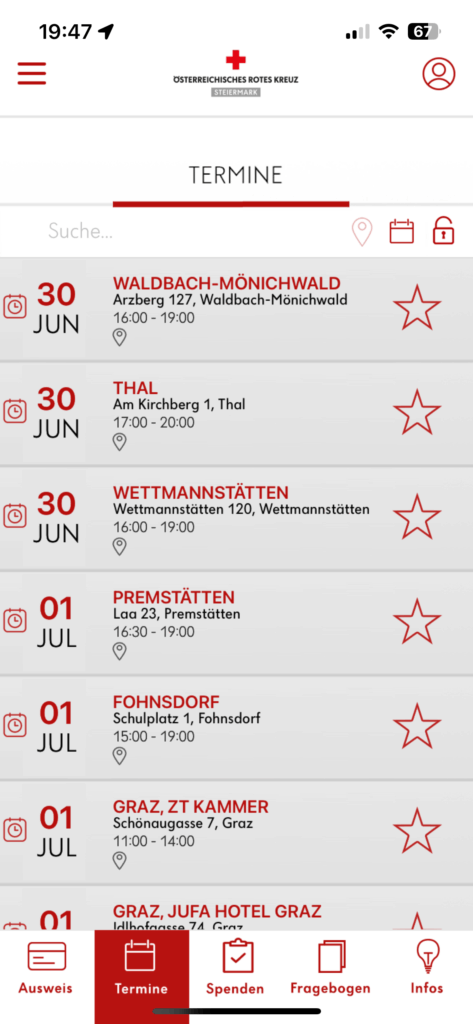
Option 3: Meine Blutspende App

I’m guessing that this is the more “official” app. At first glance it seems more outdated. “Mein Blut” is much more modern but I’m assuming that it’s not available in Styria.

Selecting process was weird because you had to click the very unnoticeable gray “Auswahl übernehmen” Button
Again not filtered by exact location despite me granting the app my GPS
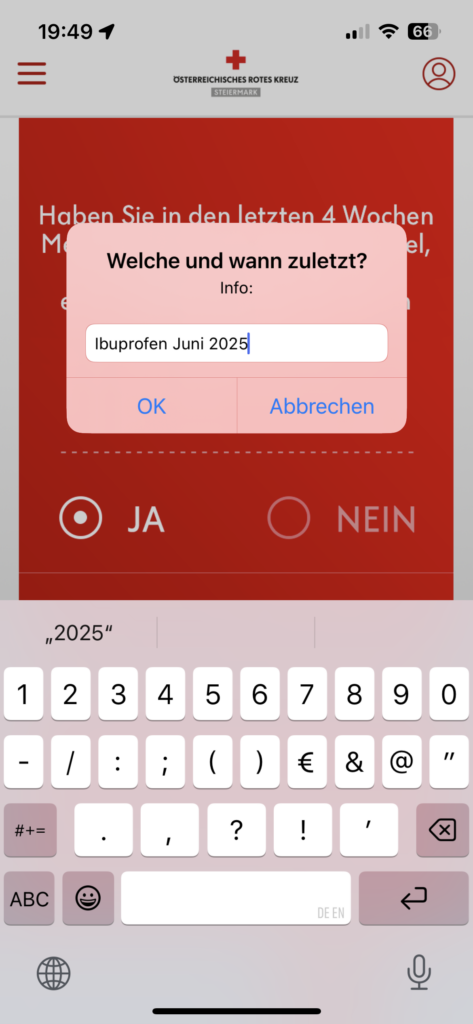
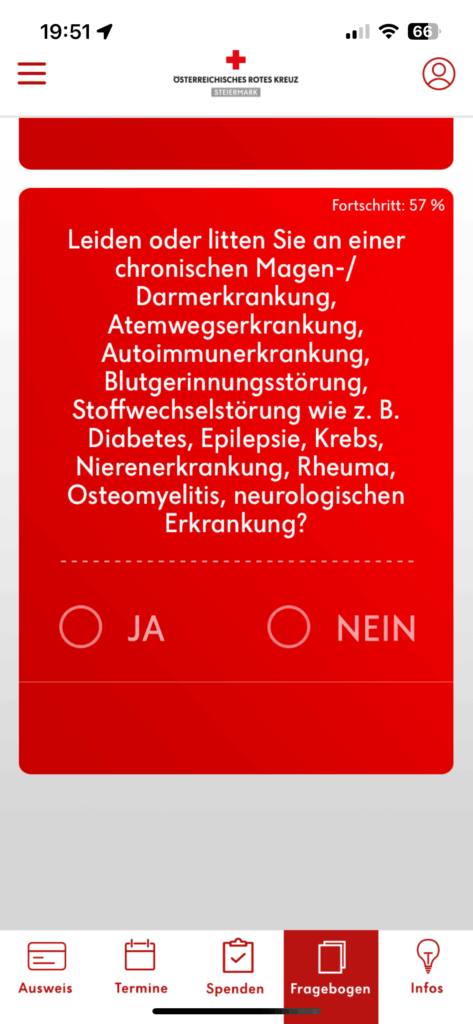
Very strange input of mandatory data

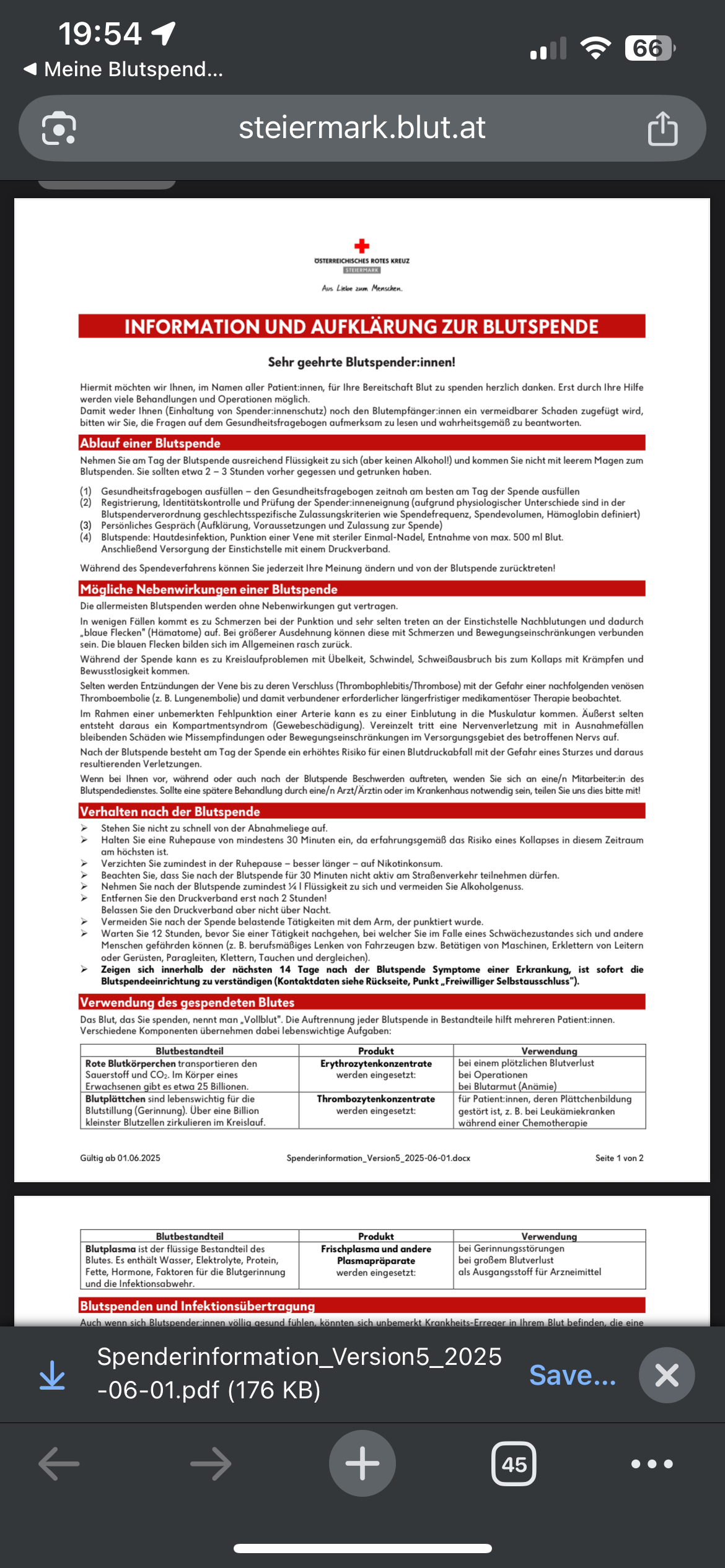
Terrible formatting. Very hard to read because of the red background, font and the center aligned text.

Reading about agreeing to the conditions and about the process inside this pdf was just simply horrible. I think this should be part of the app and structured in a more readable way.

QR Code after completing the questionnare revealed that this is only valid for one day. I was not aware of this and now I will have to do the whole thing again the day before my appointment. Annoying!

After testing the different ways for booking donation appointments I can conclude that there is lots of room for improvement with the booking process. Let’s see what I will come up with in my next blog post.

LS EX #6 “I Make Myself Smaller” aka some conversations about gendered space

This blog post is part of my early research for the Gendered Space project. But I just finished those interviews and wanted to share some of the recurring themes and personal reflections that came up in the beginning of the semester but also now. The project itself is still evolving but these conversations already gave me a lot to think about, and they’re definitely shaping how I move forward visually and conceptually.

What stood out most were not dramatic incidents, but small, repeated behaviors and things that we often don’t even notice ourselves: stepping aside, waiting our turn, not interrupting, sitting small.

Internalized Behavior

Many people (people perceived as female) I spoke to described how their relationship to space (especially inpublic space) has been shaped since childhood. Expectations like “be polite,” “don’t talk back,” or “be nice” are still a thing in adulthood.

“I think it’s in us from the beginning. As girls, we’re told not to talk back, to be respectful. That’s just the default.”

This idea came up a lot: how deeply certain behaviors get embedded. One person even said:

“Even if I woke up as a man tomorrow, I think I’d still let people speak over me. That’s just how I’ve learned to exist.”

It made me think about the blurry line between personality and conditioning and how hard it is to unlearn something that feels like second nature.

Where It Shows Up

The situations people described were strikingly similar. Most of them weren’t “big moments”  just the daily, automatic negotiations we make to keep the peace, avoid conflict, or not take up “too much” space.

Some recurring examples:

  • Sitting tight while the man next to you spreads his legs across half the bench.
  • Feeling the need to step aside on the sidewalk — even when you technically have the right of way.
  • Being interrupted or talked over, especially in mixed-gender groups.
  • Stopping mid-sentence so someone else can take over.

“It’s not even aggressive most of the time,” one participant told me. “It’s just assumed. Like, of course I’ll be the one who moves.”

Why This Matters for the Poster Series

These kinds of insights are exactly what I want to translate into the Gendered Space poster series. As I said in previous posts, the project is not about visualizing big protests or loud rebellion it’s about quiet defiance, everyday reversals.

So I’m working with scenes where women take up space deliberately:
spreading out, staying still, not flinching, not moving aside.

Through limited settings and gestures, I’m trying to make this internalized choreography and reinforced genderroles visible and gently disrupt them.

Prototype video and reflection

As I researched the development of web art, I became fascinated by its growth in the early 2000s. At that time platforms like Flash helped web art thrive. But as Flash was discontinued and web optimization, e-commerce and SEO became more important, web art started to fade, becoming a smaller part of the internet.

For my prototype, I wanted to see if it’s possible to bring web art back in a new way—through vibecoding, a method where creativity guides coding to produce art. Because I didn’t have enough time to fully create a web art website, I decided to let participants make small digital art artifact using p5.js. With the help of ChatGPT and DeepSeek, three people created their own art in just 15 minutes.

The participants were diverse in terms of age and experience: one was 60 years old and had never used AI for coding before; another was 25 with no coding experience; and the third was 24 and knew basic JavaScript. After the activity, I asked them about their experience and how they felt during the session.

What I learned from this experiment is that with a little guidance and some basic knowledge of the subject, AI can make it easier for people to get involved in web art. Even with limited experience, the participants were able to create their own pieces quickly. AI and vibecoding, therefore, can open the door for anyone to join the world of web art.

Looking at this, I think web art might be ready for a comeback. Thanks to AI tools, more people can now experiment and contribute, even without advanced skills. The time could be right for web art to return and gain new life.

Proto02 // The Blood Donation Shortage

So even though I really liked working with the Pomodoro timer / physical prototyping I’ve decided to move forward in this Blog with the Blood donation App since it ties closer with my idea for my Master’s Thesis.

In this post I want to give a little bit of a summary about why blood donations are important and why we/ Austria struggle with having enough blood reserves.

In short

  • Blood donation shortage; one is needed every 90 seconds (1,000 daily).
  • Reduced donor participation due to the pandemic and summer vacations.
  • Hospitals require more blood especially in summer (higher risk of injuries)
  • Donations last a maximum of 42 days, requiring constant replenishment.
  • Eligible doners: Ages 18 to 70, must meet health and legal criteria.
  • Expanded to include intersex, non-binary, and some previously excluded individuals after assessment.
  • Donation takes around 10 minutes
  • Donation is about 465 ml of blood
Image Source: APA/ERWIN SCHERIAU

Austria is currently facing a shortage of over 5,000 blood donations. Experts are stressing the urgent need for donations, urging all Austrians to show solidarity and donate blood, as each donation can save a life. Tanner noted that soldiers and civilian staff are leading by example in this initiative, with a total of 135 blood donation events planned across all nine federal states this year.

The demand for blood is constant, with a blood donation needed every 90 seconds for surgeries, emergency situations, and chronic illness care. The number of donations tends to drop significantly during the summer months due to vacations, even though the need remains high. New eligibility criteria introduced in June aim to enhance donor safety but may restrict donation frequency for some individuals. Therefore, the Red Cross emphasizes the importance of encouraging young people to donate blood. [1]

New regulations for blood donation in Austria have been introduced to enhance safety and increase donor eligibility. Despite the life-saving importance of blood donations, only 3.4% of the population donates regularly. As of early June, individuals are now allowed to donate less frequently—men can donate four times a year, while women can donate three times. This change is based on scientific findings that highlight the risk of iron deficiency from excessive donations.

The new rules have expanded the pool of eligible donors, allowing intersex, non-binary individuals, and those without gender designation to donate. Additionally, people who have previously had malaria or autoimmune diseases can now donate after a medical assessment, as they were previously excluded.

As summer approaches, the Red Cross is particularly urging potential donors to step forward, as the need for blood increases during this season due to a higher incidence of accidents. Blood has a limited shelf life of 42 days, making it essential to maintain a steady supply.

Donating blood not only helps others but also offers health benefits for the donor, as blood is tested, and individuals are notified if any issues are detected. [2]

How does a blood donation work?

The blood donation process begins with the decision to help others, followed by a visit to a donation center where potential donors complete a medical questionnaire. Medical assessments are conducted, including checking blood pressure and hemoglobin levels. The actual donation is quick, taking about 10 minutes, after which donors can relax and enjoy snacks and drinks. [3]

Next steps

I would like to analyze the various methods available for booking a blood donation appointment and assess the user-friendliness of the process. Additionally, I want to explore the motivations behind why individuals choose to donate blood, as well as the factors that deter them from doing so. It is important to consider whether the donation process is perceived as complicated or if there are accessibility issues that may hinder potential donors.
Sources

[1] https://www.derstandard.at/consent/tcf/story/3000000275687/kritische-lage-bei-blutspenden-5000-konserven-fehlen
[2] https://burgenland.orf.at/stories/3308213/
[3] https://www.roteskreuz.at/news/aktuelles/die-blutlagerstaende-sind-zu-niedrig

10_Final Reflections

After weeks of experimenting with MadMapper, testing different objects, and creating animations, I finally wrapped up my projection mapping project. For this last post, I want to keep it short and mostly show the video. It’s a mix of different surfaces that I used to project onto, from flat walls and analog photos to plants like monstera and lavender. Throughout the process, I tried out different animation styles to see what works best with each shape. For example, bold, linear animations worked really well on the big monstera leaves, while more delicate moving lines looked better on smaller flowers like lavender. I also experimented with masking techniques to highlight only specific parts of images or objects, which added a more dynamic effect.

One thing I learned is that projection mapping doesn’t have to be super complex to be effective. Sometimes, simple animations combined with an interesting surface create the strongest impression. It’s also really satisfying to see how digital visuals can bring analog objects to life.

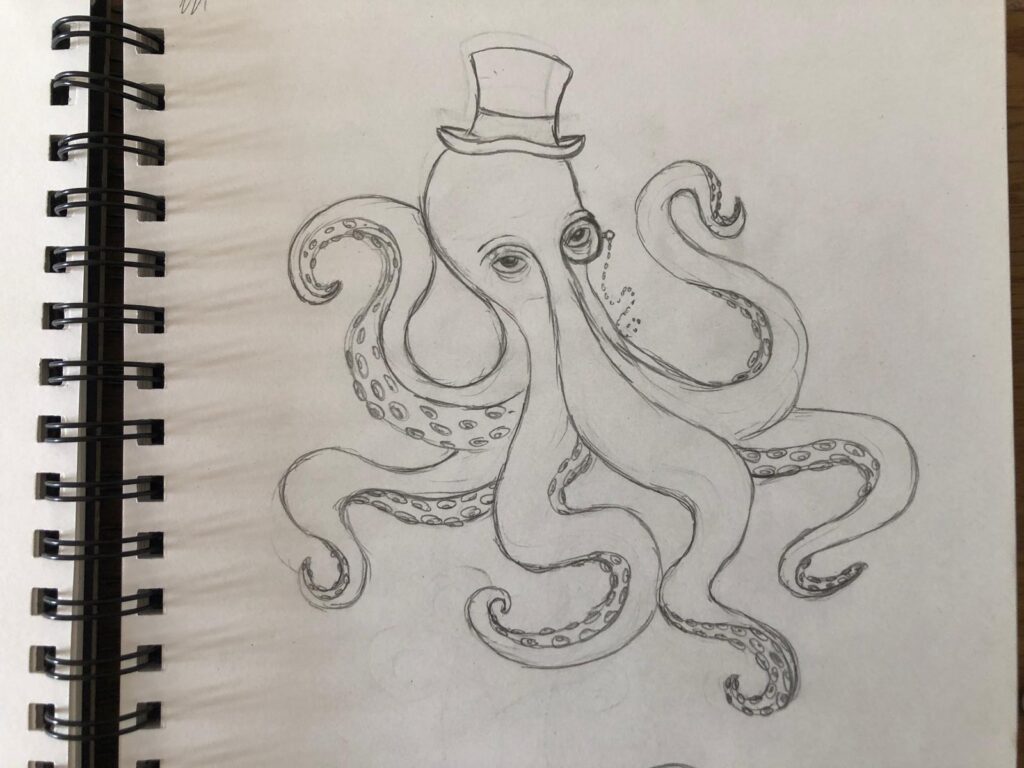
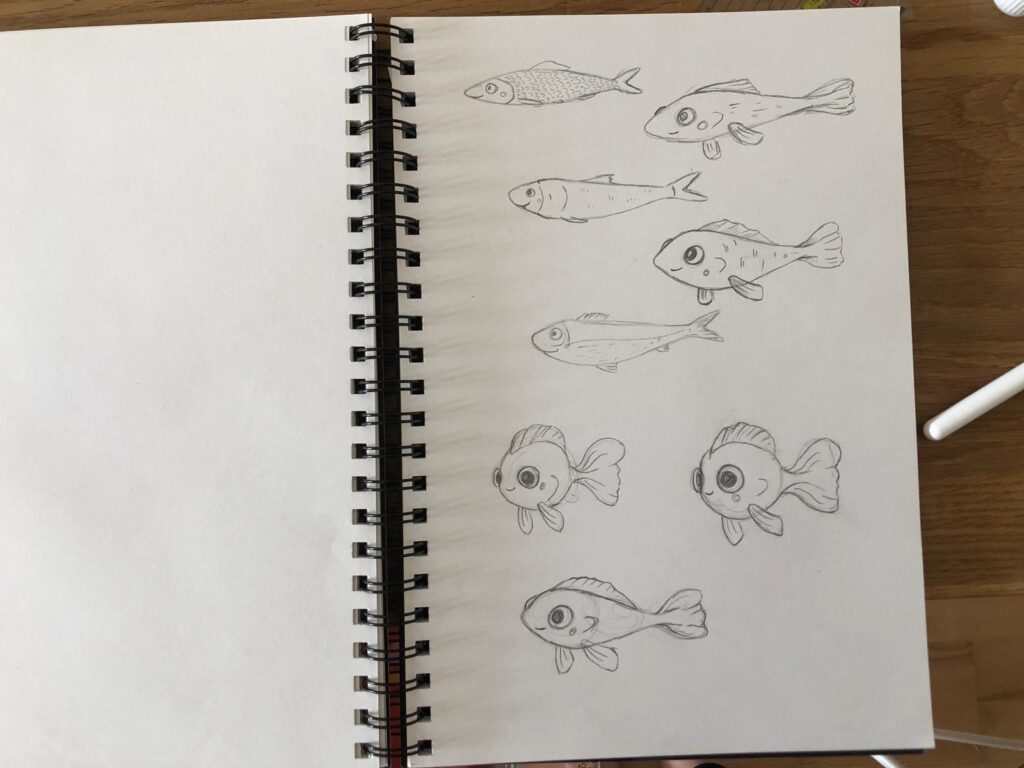
#8 Creative Experiments: Developing Animal Characters

Whether in picture books, animated films, or comics: animal characters have always had a special place in illustration. Personally, I’ve started exploring this topic more deeply because I want to improve my skills in character design. Since illustrating stories is something I’m passionate about, learning how to develop compelling and expressive characters (especially animals ) feels like an essential step for me. Animal characters can be cute, funny, majestic, or intimidating – and that’s exactly what makes them so exciting to experiment with.

Why Animals?

Animal characters serve as projections. They allow us to express human traits in exaggerated or symbolic ways, often with more emotional distance than human figures. A fox can be clever, a bear cozy, a cat proud. These associations are culturally shaped and can be used intentionally or subverted creatively.

Experiment: Make a list of ten random animals and combine them with ten unusual personality traits or professions. What comes out of it? A shy shark, a philosophical hedgehog, a dancing seagull?

Sometimes the story comes first, sometimes the animal. When experimenting creatively, it can be fun to flip the process: Start with an animal (maybe even an unusual one) and ask yourself how it would behave in a particular role. What would a melancholic armadillo look like? Or a hyperactive snail?

Body, Shape and Silhouette

In illustration, the first impression counts. A strong silhouette tells us a lot about a character – posture, proportions, energy. With animal characters, exaggeration is your friend: A large head can seem childish and cute, long limbs can appear goofy or graceful, a round body suggests comfort.

Experiment: Sketch a range of silhouettes of the same animal with drastically different proportions. How does the personality change? Which variations spark your imagination the most?

Expression and Emotion

Animals don’t have the same facial features as humans, but to make them emotionally readable, some anthropomorphism is often necessary. The trick is finding the right balance: How much “human” does your animal character need? Big eyes? Eyebrows? A wide grin?

Tip: Observe animals in motion or watch videos. What does a suspicious dog really look like? How does a nervous rabbit move its ears?

Clothing, Accessories & Setting

Depending on the setting, an animal character may not need any clothes – or it might wear a full tuxedo. Clothing is not just a stylistic element but also a tool for storytelling. The same goes for environment: Does your character live in a fantasy metropolis? A peaceful forest? A cozy bakery?

Experiment: Take one animal character and redesign it in three different genres: Fantasy, science fiction, and Victorian drama. How does the character evolve?

Final Thoughts

Developing animal characters is a creative playground full of possibilities. There are no fixed rules – only guidelines that you can twist or break as you wish. What matters most is that your character feels alive, with quirks, edges, personality, and charm.

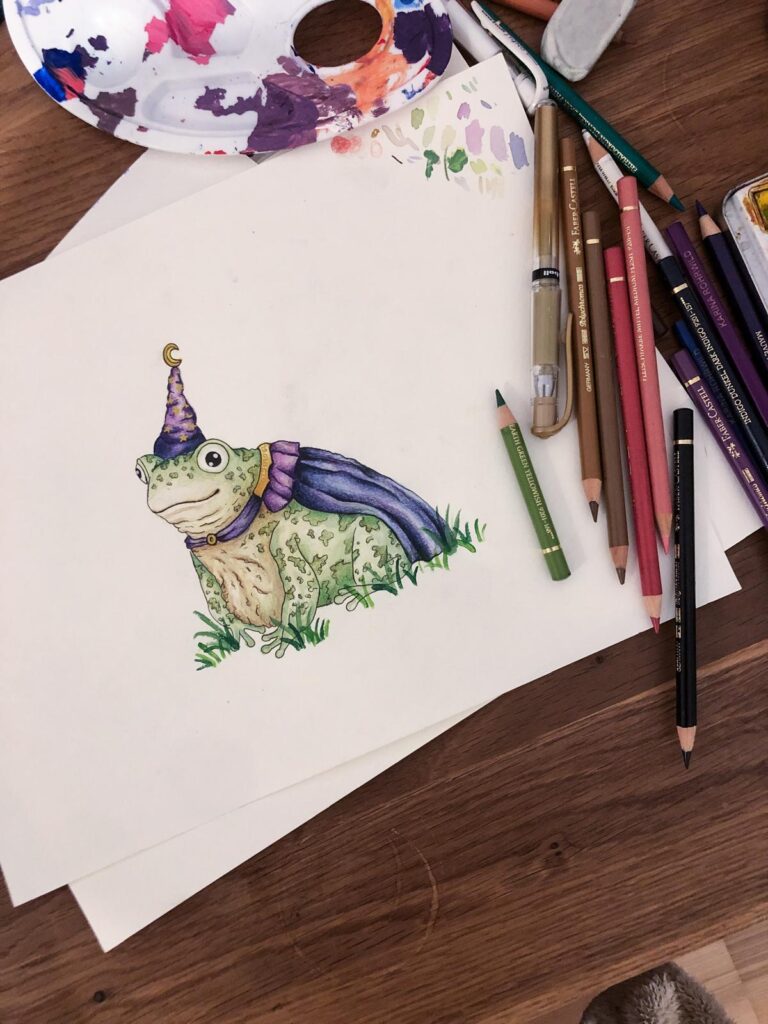
For this Experiment I tried to design my own Charakters and here you can see my outcomes.

Democratising Web Art with Vibecoding

What happens when you give someone just 15 minutes to turn a creative idea into a web artwork — without planning, rules, or polish? Can you, without prior knowledge of coding create something meaningful in a short amount of time?

That’s exactly what my prototype is trying to explore.

The Idea

In this prototype, participants are invited to sit down, open Processing, and bring a web-based art idea to life. They have only 15 minutes — no tutorials, no perfection. I want to bring people from different experience levels to this session to compare the results.

How It Works

  1. A person joins the session.
    They bring an idea for a small digital artwork — something they want to try or express.
  2. They have 15 minutes.
    In that time, they generate code for Processing using AI Tools like ChatGPT or DeepSeek to make their idea real. It doesn’t have to be finished or perfect — it just has to feel right.
  3. The results are saved.
    Each step or version they create is collected, so we can see how their idea grows or changes during the session.
  4. A short interview follows.
    After the session, I ask a few quick questions:
    • How did it go?
    • Did the result match what you imagined?
    • What surprised you?

What I Want to Learn

This project is about more than just quick and dirty artworks. I want to understand:

  • How people think creatively under time pressure
  • What kinds of ideas can appear in a short vibecoding session
  • If the vibecoding session finishes with a product that matches the expectations of the participants