IMPULSE #2: Reflecting on the panel discussion Privacy design, dark patterns, and speculative data futures – What if we designed for better data futures on purpose?

The panel at CPDP 2022 on “Privacy design, dark patterns, and speculative data futures” brings together researchers, regulators, and designers to talk about how current interfaces manipulate people, and how speculative design and foresight could help us imagine and build better data futures. This panel was moderated by Cristiana Santos (University of Utrecht, Netherlands) and had speakers like Régis Chatellier, Stefano Leucci, Dusan Pavlovic, Arianna Rossi and Cennydd Bowles.

The core things discussed on this panel is very close to my thesis: on one side, dark patterns and privacy-invasive mechanisms quietly exploit users; on the other side, there is a growing push for transparency-enhancing technologies and privacy-by-design approaches that could give people more control over their digital footprints.​​

One of the clear threads in the discussion is that dark patterns are not accidents; they result from deliberate choices, business pressures, and a lack of ethical guardrails in the design process. Panelists talk about building description schemas and datasets to systematically identify and classify deceptive patterns in interfaces, especially around privacy choices and access to personal data. For my thesis, this reinforces the idea that “ethical design” cannot stay abstract. If I want to help people manage their digital footprints, I need to treat dark patterns and their opposites as concrete, nameable design patterns and counter-patterns that can be recognised, tested, and avoided.​

Another important topic is how law, design, and foresight can work together. Several speakers stress that legal tools and enforcement alone are too slow and reactive to address fast-moving interface manipulation. They argue that designers and product managers hold a lot of power over whether an interface is deceptive or respectful, and that speculative methods can be used to anticipate future harms and design for better outcomes before those harms become normal. This fits directly with my research interest in “effective” ethical design: effectiveness here means not just compliance, but the ability of interfaces to prevent foreseeable harm to users’ data and autonomy.​​

Speculative design appears in the panel as a practical method, not just an art-school exercise. One example the discussion connects to is the use of speculative enactments and design fiction to help designers explore tensions between business goals and privacy rights. By staging hypothetical interfaces and futures, designers can see how certain patterns might feel manipulative or disloyal before they are deployed at scale. For my thesis, this suggests a concrete technique: using speculative prototypes to make digital footprints and their consequences visible, then inviting users or stakeholders to react to these “what if” scenarios.

The panel also raises a warning: speculative design can become trendy and superficial if it is done without a clear purpose or connection to actual decision-making. For ethical design, this means that speculative scenarios should feed into real processes like data protection impact assessments, design reviews, or pattern libraries, instead of staying as cool concept visuals. This is a useful constraint for my own work: any speculative interface I use in my thesis should be clearly tied to decisions about what data is collected, how consent is handled, and how users see and control their footprints.​​

For my research, this impulse does three things. First, it nudges me to explicitly frame dark patterns as “disloyal” design choices that work against users’ interests, especially in how their data is captured and used. Second, it shows that privacy-by-design and speculative design can be combined: speculative futures can help define the guardrails and desirable directions for ethical interaction patterns around digital footprints. Third, it highlights that designers and product teams must be at the center of this work, not just lawyers and regulators, which strengthens my argument that interaction design is a key lever for meaningful digital autonomy.​​

Some accompanying links:

Here is a link to the full panel video, which serves as the core resource for this impulse and gives the complete discussion on privacy design, dark patterns, and data futures:
https://www.youtube.com/watch?v=BbP_SjtGdkk

This conference program entry and description provide context on how the panel fits into a broader event on privacy and data protection, including its goals and questions around law, design, and foresight:
https://researchportal.vub.be/files/97144098/2022.05.22_CPDP2022.pdf

Finally, this related article on “Rationalizing Dark Patterns” explores how designers themselves rationalize or reproduce dark patterns in privacy UX, and proposes speculative enactments as a tool for more critical, privacy-aware design practice, which aligns well with the panel’s themes and my thesis:
http://www.ijdesign.org/index.php/IJDesign/article/view/4117/972

Disclaimer: This blog post was developed with AI assistance (Perplexity) to help with structuring and phrasing my reflections.
IMPULSE4. Immersive Art Isn’t New, And It Isn’t About Tech: What Rafael Taught Me

I recently watched a talk on YouTube called Immersive Installations? Digital Experiences in the Exhibition, with Mollie Dent-Brocklehurst, Felice Grodin, Rafael Lozano-Hemmer, and moderated by Brian Droitcour. Out of all the speakers, Rafael Lozano-Hemmer completely captured my attention. I didn’t expect to feel so inspired or emotionally affected by an online discussion, but his work and the way he talks about art really stayed with me.

Before this, I knew his name but not much about him. Rafael Lozano-Hemmer is a Mexican-Canadian artist who works somewhere between architecture, technology, and performance. He represented Mexico at the Venice Biennale, has exhibitions all around the world, and his works are in MoMA, Tate, MUAC and many more. But honestly, it wasn’t the biography that impressed me, it was the way he thinks.

Border Tuner

The first thing that really moved me was his project Border Tuner (2019). This installation connected people across the US–Mexico border using controllable bridges of light. When two people pointed their lights at each other and the beams intersected, a communication channel opened and they could talk.

This idea is simple but incredibly emotional. Families who were separated got to speak, people flirted through light, strangers made jokes, shared feelings, or told stories. The installation didn’t just enable communication, it created a moment of human connection in a place normally associated with division and politics.

This reminded me that art can and should be political, and it can be political in a very human, poetic way. It doesn’t have to scream; sometimes it just needs to open a space.

You Can Never Predict the Public

Another project he mentioned was Vicious Circular Breathing (2013), a sealed glass room where visitors are invited to breathe the air that previous visitors have breathed. To me, the concept sounds honestly quite nasty, and Rafael admitted that he thought people would refuse to participate. But surprisingly, every single visitor wanted to experience it. People lined up for it.

For him, that unpredictability is one of the things he loves most:
the artwork changes based on how the public responds.
You can never fully control or expect it, and that’s exactly what gives the installation life.

This thought stayed with me because in interaction design we often try to predict every user behavior. But maybe the beauty lies in not predicting everything, in letting people transform the work.

Immersive Art Is Not New

One important point Rafael made was that immersive art is actually not something new. Engaging, participatory art has been around for decades. What’s weird is when museums pretend this trend is suspicious or “too modern,” while at the same time people are spending eight hours a day on screens.

The world changes, and museums should naturally evolve with it. Ignoring immersive digital experiences is almost like ignoring reality. I liked how calmly he explained this, it felt obvious, yet refreshing to hear.

The Cutting Edge of Immersive Installations? Poems.

One part of Rafael’s talk that really stayed with me was when someone asked him what he thinks is currently the “cutting edge” in immersive installations. And instead of mentioning VR, AI, lasers, or anything futuristic, he just said: poem reading.

His point was that the future of immersive art is not about technological development. It’s not about using the newest toy or the most complex software. Technology shouldn’t be the point of the artwork. It should only be there to help express the idea.

And then he said something that I absolutely loved because it was so honest and funny:
he basically admitted that the only reason he works with technology is because he “can’t write shit.”

I found this extremely grounding. It reminded me that interactive art shouldn’t try to look impressive just because of technology. What matters is the thought behind it. The message. The emotion. The reason the piece exists.

Advice for Young Artists: Start Small

At the end, someone asked how young artists should begin. His answer was simple but very practical:
start small and prototype.
Make something tiny first. Play with it. Test it. And then bring that prototype to museums, companies, or organizations. If you try to do it the opposite way, you’ll spend all your time searching instead of creating.

I found that advice really motivating, because it makes the whole process feel much more doable. You don’t need a huge team or a massive budget to begin, you just need a small idea and the courage to try.

Final Thoughts

Rafael’s talk genuinely inspired me. It made me reflect not only on immersive installations but also on my own approach to interactive technologies in art. His examples were emotional, political, poetic, and deeply human. And his way of thinking, valuing meaning over novelty, unpredictability over control, and simplicity over technical showing-off is something I want to carry into my own work.

https://www.lozano-hemmer.com/vicious_circular_breathing.php

https://www.lozano-hemmer.com/border_tuner__sintonizador_fronterizo.php

AI was used for corrections, better wording, and enhancements.

IMPULSE3. Discovering New Senses: What I Learned from 100 More Things Every Designer Should Know About People

I recently finished reading 100 More Things Every Designer Should Know About People by Susan Weinschenk, and honestly, it turned out to be one of the most fascinating design books I’ve read in a while. It’s very simple on the surface, just “facts about people”, but so many of them made me stop and think about how much design actually influences us and how little we understand about the way humans perceive the world.

The book covers everything from how to make people pay attention to specific parts of a design, to what makes people buy things, to how different colors and styles work differently for different genders. But the parts that surprised me the most were the ones about human perception.

For example, I had no idea that some women are tetrachromats, meaning they have four cones in their eyes instead of three. They literally see more colors than most people, but they don’t even know it, because the entire world is designed for “normal” vision. This idea blew my mind a bit. It made me think about how much design assumes an “average user” who doesn’t really exist.

Another thing that shocked me was the fact that movement improves memory. I always thought you had to sit still and concentrate to learn something. But apparently if you walk around or move while learning, you actually remember better. This really made me reflect on museums and how often they expect visitors to stand still, read, stare—and then somehow magically absorb information. Maybe movement should be part of learning.

One thing that made me genuinely happy was the chapter about daydreaming. According to the book, mind wandering is actually very important for creativity. I always noticed that I come up with better ideas when I’m just staring at a wall, spacing out, not forcing myself to think. I thought it was just me being weird or unproductive. But it turns out this is how our brain forms new connections. So now I feel like my way of thinking isn’t wrong—it’s actually useful.

But the part that really grabbed my attention more than everything else was fact number 100. It was about how our brain processes sensory information unconsciously, and that it doesn’t really care where the information comes from. The example was David Eagleman’s “vest” that sends vibration patterns to the body. After some time, without special training, people could understand what the vibrations meant. So the vest basically created a new sense.

This idea amazed me. That we can literally create new senses. That the brain is ready to learn new types of information if we just feed it signals in a consistent way.

It feels almost like science fiction, and I can’t believe this was already happening ten years ago. I haven’t heard much about this vest since then, which is strange, because to me this opens so many possibilities.

For my master thesis, I’m working with interactive technologies in art and museums, and this idea of creating new senses suddenly feels extremely relevant. If the brain doesn’t care where information comes from, then why should art experiences be limited to audio guides and screens?

If people can “learn” a new sense simply through exposure, then maybe museums could help visitors experience art in more immersive and emotional ways. Not just by showing more information, but by expanding perception.

https://dokumen.pub/100-things-every-designer-needs-to-know-about-people-9780136746911-0136746918.html

AI was used for corrections, better wording, and enhancements.

IMPULSE2. A Visit to CoSA: Interactive, Playful, and Sometimes Overwhelming

I visited CoSA in Graz twice this year, first during the free museum night, and later as part of our gamification class. Both times, I was struck by how different this museum feels compared to traditional exhibitions. CoSA is built around interactivity: projections, physical installations, mixed-reality elements, and playful tasks that invite visitors to touch, move, and explore. It’s clearly targeted at a younger audience, probably Gen Z and younger, and it embraces that energy fully.

During my first visit, I went through the financial literacy exhibition, and things went downhill pretty quickly. Very early in the experience, I interacted with a rotating “helicopter” screen that projected information in a spinning, vibrating way. It was visually interesting, but also extremely disorienting. I immediately felt dizzy, and the motion sickness stayed with me for the rest of the day. Normally, I would blame my own system for being sensitive, but after reflecting on inclusive design in my previous blog post, I realized how important it is to account for this. If I struggled, there are definitely people who would struggle even more. Interactivity is exciting, but not every body reacts the same way, and this is something experience designers often forget when creating “wow effects.”

Another challenge I noticed throughout the museum was the amount of information. Many exhibitions were packed with text, explanations, and tasks. As much as it hurts to admit it as a Gen Z person, I found it genuinely hard to focus and stay engaged for long. It reminded me that attention itself is a design material, and designing for young people may require clearer prioritization, pacing, or layering of content.

Despite that, there were moments where CoSA really shined. My favorite installation was a hospital-like scenario where you could assess a patient, analyze blood samples, and make a diagnosis. Another one was a car-building station where you could assemble different parts, load your custom vehicle into a game, and actually drive it. Both experiences captured my attention from start to finish, and they had something important in common: almost no text. They were intuitive, tactile, and driven by action rather than reading.

But even here, I noticed a tension: without the audible explanations from the museum guide, it wasn’t always clear how to start or what the goal was. And this raised a bigger design question in my mind:
How do you balance clarity and playfulness?
Too much text makes everything feel heavy and academic. But no explanation at all can make visitors feel lost. The sweet spot is somewhere in between, and it’s something I want to think more about in my own design practice.

Overall, even though my experiences at CoSA were mixed (and influenced by dizziness, energy levels, and mindset), I still appreciated the museum for what it tries to do. It’s rare to see exhibitions that encourage touch, movement, experimentation, and play. With a bit more balance between interaction and guidance, and more sensitivity to different types of bodies and perception, CoSA could become an even stronger example of how museums can evolve for younger generations.

And next time, I’ll try to visit without triggering my motion sickness first.

Impulse 1.When Responsibility Meets Reality: What I Learned About Inclusive Design at WUC Graz

This year at the World Usability Congress in Graz, one of the talks that stayed with me the most was “When Responsibility Meets Reality: Strategies for Making Inclusive Design Happen” by Nina Hundhausen, Strategic Designer and Accessibility Lead at Deutsche Telekom.

As someone working in interaction design, I spend a lot of time thinking about user needs, empathy, and human-centered experiences. But this talk pushed me to look at inclusive design not only through a design lens, but as something deeply political, organizational, and cultural.

What I appreciated most was how honestly she described the gap between intention and execution. Designing inclusively isn’t just about adding guidelines on top of a project or checking off WCAG requirements at the end. It’s about changing mindsets, shifting team cultures, and making accessibility a shared responsibility instead of a niche specialty. She showed how inclusive design only works when everyone, from product managers to developers, feels ownership and understands why accessibility matters beyond compliance. Her examples from Deutsche Telekom made this feel very real: sometimes progress happens through structured processes, and sometimes through small, persistent conversations that gradually build awareness.

My main takeaway from the talk was that inclusive design becomes possible only when it becomes human. It’s not about designing for “edge cases,” but designing for real people with real lives and remembering that we all move through different levels of ability throughout our lives. I also realized how important it is, as a designer, to advocate for inclusion even when the environment isn’t perfectly set up for it. We can start small, ask the right questions early, and make accessibility part of the normal design conversation instead of an afterthought.

Listening to Nina made me reflect on my own process. I often think about users’ emotional and physical needs in interaction design, but accessibility is something I still tend to treat as a “later” step. Her talk reminded me that accessibility isn’t a separate layer, it’s part of creating meaningful, humane experiences from the very beginning. And even if we can’t solve everything at once, taking responsibility in the small moments can already move a team toward more inclusive outcomes.

AI was used for corrections, better wording, and enhancements.

IMPULSE #1: Reflecting on the book “Designing Interactions” – What responsibility really hides behind an interface?

I got a week with Bill Moggridge’s “Designing Interactions”(huge thanks to Prof. Baumann) and it felt like sitting in a long, honest conversation with the people who built the interfaces we now use everyday. The interviews and case stories walk through the shift from early graphical interfaces and the mouse, all the way to mobile devices, games, and speculative futures, and you start to see how every design decision quietly teaches users how to think about technology. For my thesis on ethical design and digital footprints, this book is a reminder that interaction design is never neutral; it always shapes what users notice, what they ignore, and how aware they are of the traces they leave behind. Some chapters really highlight the ​importance of how design shapes how humans leave digital footprints and it really opened further curiosities.

The early GUI stories around the mouse and the desktop metaphor are a good reminder of how much power metaphors have. Designers were not only drawing icons; they were defining how people imagine “working” inside a computer, using windows, folders, and simple interactions. Translating this to my thesis, I realize current privacy banners, “activity” views, and history logs are also metaphors that teach people what a digital footprint is. If the interface hides most of the trail or wraps it in vague language, users will assume there is not much going on. That is already a design decision, not an accident.

The chapter “From the Desk to the Palm” is where the digital footprint issue becomes impossible to ignore. These chapters walk through how interactions left the desk and moved into pockets, hands, and everyday routines. Once devices became mobile and always connected, data stopped being something people “entered” and became something that is constantly generated in the background. For my work, this underlines a key ethical challenge: people are not always consciously “using” a product when their data is being collected. Ethical interaction design must therefore find ways to surface what is happening in the background without overwhelming people.

Then “Adopting Technology” stories highlight the negotiation between what is technically possible and what is acceptable or understandable for users. Designers keep running into constraints and tradeoffs, and those constraints end up shaping the final product. I see a clear parallel here with privacy-by-design: if ethical constraints and data-minimization rules are built into the process early, they can shape the interaction in the same way as technical limits. This helps me think of ethics not as an add-on checklist, but as part of the design brief.

Also, the “People and Prototypes” chapter gives me a practical hook. He describes a process grounded in talking to people, building quick prototypes, and iterating under constraints. For my thesis, I can borrow this structure and explicitly define “ethical constraints” around data collection, consent, and transparency, then test them through prototypes. Instead of just saying “this design is ethical,” I can show how those constraints influenced specific interaction choices.

There is also value in the more future-focused material. The speculative and “alternative nows” work shows designers imagining other ways technology could fit into society, not all of them comfortable. This inspires me to think about what a future interface would look like if it treated digital footprints as something to be clearly seen and managed, rather than hidden. For example, could a product visualize data trails in real time, or let users rehearse different “data futures” depending on the choices they make?

For my thesis, this impulse leads to three concrete moves: first, to treat metaphors and mental models as central when designing how people understand their digital traces. Second, to adopt a “people, prototypes, constraints” process that includes ethical and privacy constraints from the start. Third, to use speculative scenarios to question today’s defaults and imagine interfaces that actively help people manage their footprints instead of quietly expanding them.


Some relevant accompanying links:

Here is a link to the publisher’s page for “Designing Interactions”, which gives a clear overview of the structure, chapters, and focus of the book:
https://www.penguinrandomhouse.com/books/655668/designing-interactions-by-bill-moggridge/9780262134743

For another perspective, this review summarises the key themes and interviews in the book and helps me cross-check which parts are most relevant to interaction design practice and my thesis:
https://www.pdma.org/page/review_designing_int

Lastly, this introduction to interaction design offers a concise explanation of how interaction design shapes user behavior and expectations, which supports my argument that design decisions influence how people understand their digital footprints:
https://www.interaction-design.org/literature/book/the-encyclopedia-of-human-computer-interaction-2nd-ed/interaction-design-brief-intro


Disclaimer: This blog post was developed with AI assistance (Perplexity) to help structuring and phrasing my reflections.
Impulse #1: Affective Computing, Rosalind W. Picard

The work Affective Computing by Rosalind W. Picard from the year 2000 proposes a fundamental paradigm shift in computer science, challenging the traditional view that intelligent machines must operate only on logic and rationality. Picard’s work provides a comprehensive framework for the design of computational systems that relate to, arise from, or influence human emotions.

In Interaction Design we want interfaces that are easy to use and look good. We spend our time while working on projects thinking about usability, efficiency and aesthetics. For us in design, this means a functional interface isn’t enough anymore. If a system doesn’t register that a user is confused or frustrated, it’s not truly successful. Picard essentially launched a new field dedicated to building technology that can sense, interpret, and respond to human emotional states.

Adaptive Interfaces enhanced by Computer Vision Systems

A central connection between affective computing and my work in emotion detection for computer vision lies in the development of adaptive user interfaces. Picard emphasizes that computers often ignore users’ frustration or confusion, continuing to operate rigidly without awareness of emotional signals. By equipping systems with the ability to recognize facial expressions, stress indicators, or declining engagement, interfaces can dynamically adjust elements such as difficulty level, information density, feedback style, or interaction pacing. This emotional awareness transforms an interface from a static tool into an intelligent communication partner that responds supportively to users’ needs. In learning environments, for example, a tutor system could detect when a student becomes overwhelmed and automatically provide hints or slow down the content. In safety-critical settings, such as driver monitoring, emotion recognition can alert systems when attention or alertness drops. Thus, integrating affect recognition directly contributes to more human-centered, flexible, and effective interfaces, aligning with Picard’s vision of computers that interact with intelligence and sensitivity toward humans.

Computer Vision in UX-Testing

Computer vision–based emotion recognition can significantly enhance UX testing by providing objective insights into users’ emotional responses during interaction. Rather than relying solely on post-task questionnaires or self-reporting, facial expression analysis and behavioral monitoring enable systems to detect in real time when a user experiences frustration, confusion, satisfaction, or engagement. Picard highlights that current computers are affect-blind, unable to notice when users express negative emotions toward the system, and therefore cannot adjust their behavior accordingly. Integrating affective sensing into UX evaluation allows designers to pinpoint problematic interface moments, identify cognitive overload, and validate usability improvements based on measurable affective reactions.

In summary, the intersection of affective computing, computer vision, and adaptive interfaces offers a protential research path for my master thesis. By enabling systems to detect emotional reactions through facial expressions and behavioral cues, UX testing can become more insightful and responsive, leading to interface designs that better support the users needs. Building on Picard’s foundational ideas of emotional intelligence in computing, my research could contribute to developing affect-aware evaluation tools that automatically identify usability breakdowns and adapt interactions in real time.

Impulse #4 – Wreck this journal

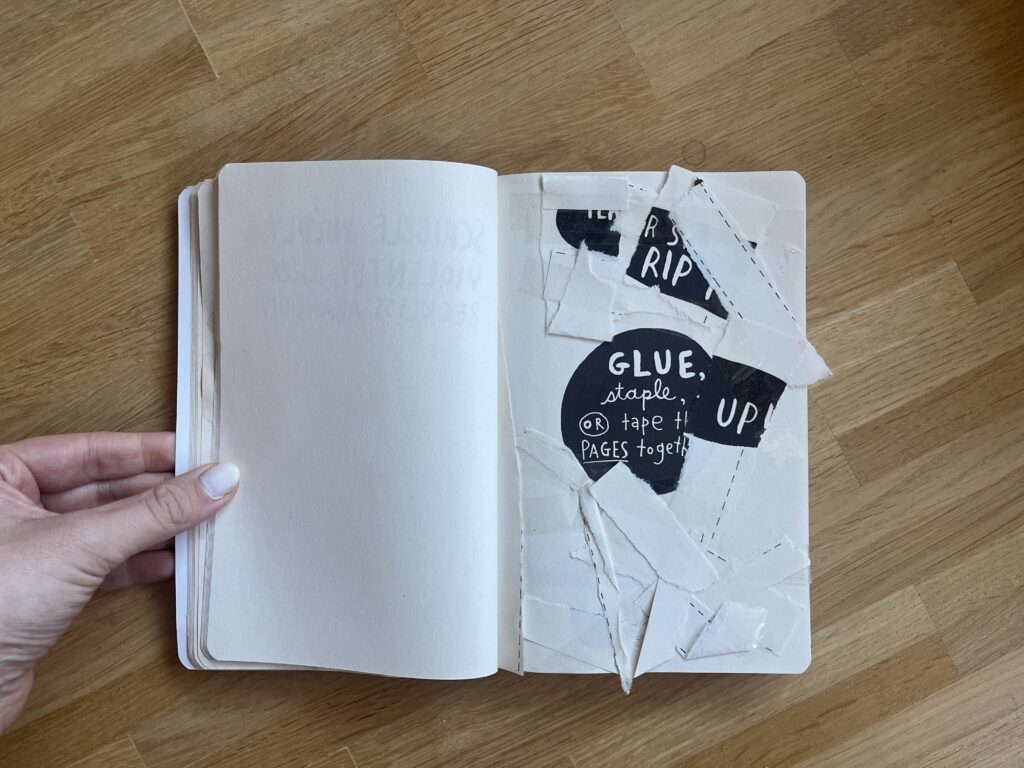
Early this week I found myself procrastinating again and I stumbled upon a book I got for Christmas some years ago: Wreck this Journal by Keri Smith. The author stated in her acknowledgment that this book is dedicated to perfectionists all over the world; and I totally understand why. I would say I am a perfectionist myself and to be honest the idea of “destroying” a totally new book made me feel a bit unwell, but I guess that’s where real creativity and inspiration start, outside of your comfort and what you know.

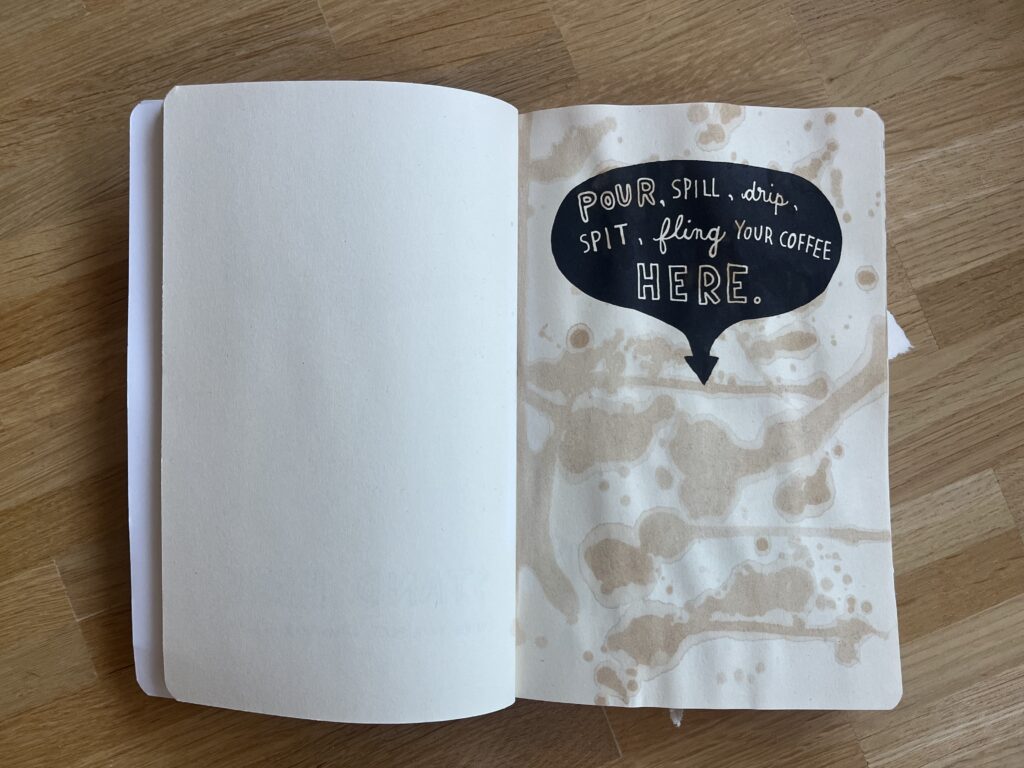
This book has around 220 pages, where each page is a creative prompt, an invitation to mess around, destroy, let loose and have fun, it feels like a permission to play. I journaled a lot in my teenage years and I wanted everything to be perfect especially the first few pages. One of the first prompts was to “spill coffee on this page”. It took me some time to really bring myself to do it, knowing that the coffee will not just spill on this page, but also the rest of the book. I was stressed to be honest. But while doing it, felt quite freeing and fun. I mean there are still some pages, where I am having a hard time doing them, but I guess this is just a process. I am so used to try to make everything perfect and shiny. Every project needs to be efficient and optimized and there is no room for mistakes or failure. So maybe with every page I give myself the permission to just have fun.

I think this book is in a strong relation with the “Do First, Think Later” idea I wrote about in my last blog. The prompts are weird and illogical, like taking the journal to the shower, but it helps to start creating on an impulse without planning it too much. It’s all about just start doing it, get messy and see where the chaos leads. This book forces you to start with your gut instead of overthinking it with your head.

There are also a lot of pages where you need to destroy the page like it ripping it apart, crumbling it up or cutting into several pages. The good thing about having to destroy things is that you basically can’t fail. This removes all the pressure, self-judgement and need for perfectionisms. It’s all about the activity itself rather than the outcome. It’s all about fun and having a good time, embracing the imperfection.

Another important aspect of the book is, that they work with creative constraints like draw the page with glue. Instead of having infinite choices of a blank canvas you can get a silly prompt that forces you to get creative within a given limit or constraint. I think having a clear prompt can prevent the paralysis of endless choices that sometimes block the creativity.

Even though this is an analog book, which gives more ideas to get chaotic, messy and imperfect than a website, but I think the core ideas can be translated into the digital creative playground, and I think this webspace should exactly be a place for creatives to just let go, get chaotic, mess around. It should be a place where not everything needs to be perfect, it should be a place to just have fun and be creative.

AI was used to check spelling and grammar and better clarity.

Impulse #3 War with Myself – Essays on Design, Culture & Violence, Ian Lynam

After finishing Design Against Design, I read Ian Lynam’s War With Myself, and for me it felt like a continuation of the same kind of reflection. It was again a strong reminder of how closely design is connected to the systems around us. Lynam does not only talk about design as a practical activity. He also looks deeply into the cultural and historical forces that influence it. He explains how design still carries traces of empire, violence, and inherited aesthetics, even when we do not want to see them. What we often call “good design” can in fact be part of narratives of power and exclusion.

Similar to Lo, Lynam points out the uncomfortable truth that design is never neutral or only visual. Every decision — a typeface, a layout, or a digital system — belongs to a larger cultural structure. It can repeat old hierarchies, even when we believe we are designing something modern or progressive. The struggle he describes happens both inside and outside the designer. It is the designer questioning their own education, habits, and biases. It is the realization that our work can unintentionally support cultural dominance or aesthetic violence simply by following what we have learned to see as “normal.”

For Lynam, meaningful design is not about showing cultural references or using the language of critique on the surface. Instead, it means asking which histories we continue, whose aesthetics we center, and which voices are missing. He argues that real responsibility in design does not come from performative actions or quick activist gestures. It comes from facing the uncomfortable history of the discipline itself. According to him, design becomes more ethical only when we accept both its problematic sides and its potential — not as a tool for branding or personal style, but as a way to question, disrupt, and rethink how culture is represented.

Lynam’s ideas also raise important questions for digital work. When we look at his arguments through the lens of web design, they become even more relevant, because digital interfaces shape everyday life at a massive scale. To better understand how his thinking can influence our own practice, the following four key learnings show how the themes from War With Myself translate directly into web design.

Design is shaped by history and culture, not only by aesthetics

Lynam shows that design is never created in isolation. It always carries influences from history, politics, and culture — including difficult topics such as colonialism and violence. This means designers must understand the past to avoid repeating harmful patterns in the present.

„Good design“ can still support systems of power

The book explains that even professional, clean, or widely accepted design can reinforce existing hierarchies. Without critical thinking, designers can easily reproduce ideas that exclude or silence certain groups, even if this is not their intention.

Designers must question their own training and assumptions

A central theme is the inner conflict of the designer. Lynam encourages us to reflect on what we learned in school, what we consider “normal,” and where our biases come from. This self-reflection is necessary to understand how our practice might contribute to cultural dominance.

Ethical design requires confronting uncomfortable truths

Lynam argues that real responsibility does not come from surface-level activism or aesthetic gestures. Instead, ethical design means engaging with the uncomfortable history of the discipline, asking critical questions, and being willing to rethink how we represent culture through our work.

Relation to web design practice

For web design, Lynam’s ideas are especially meaningful because digital interfaces have a strong influence on how people see and interact with the world. 

Websites and apps often follow established patterns that look neutral but actually come from specific cultural and historical traditions. This means that web designers also have a responsibility to question their choices and understand the systems they are part of. Whether it is the structure of a navigation menu, the use of certain interaction patterns, or the way content is presented, every decision carries values and assumptions. By looking at web design through Lynam’s perspective, it becomes clear that ethical and thoughtful digital design requires more than good visuals — it requires awareness, critical reflection, and a willingness to challenge what is considered “normal” in the digital space.

Lynam, I. (2024) War With Myself: Essays on Design, Culture & Violence. Set Margins Publications.

AI (Perplexity and ChatGPT as well as DeepL) was used to check spelling and grammar and better clarity.

Hosting Applications (Homelabbing_2) – Impulse #2

In my last blog post I wrote about my first steps in homelabbing, to clarify in homelabbing you try to setup a home server environment to run services, test and learn new stuff. Some examples: Host a cloud service, a picture backup service, a home NAS (Network Attached Storage), your own streaming service or even a Minecraft server. I set up a “home server” an old laptop got it a new operating system and installed the first services.

After this first success, I felt ready to dive deeper. To really host a service, that I can use, maybe even outside of my home network. And the first thing, that came to my mind was a Minecraft server. My cousin had done it, other friends had done it, so it can’t be that hard. And it really isn’t. The documentation is good, all in all it’s just installing java & the basic server run file. I just had one issue, which was exposing a port to the internet, which I could solve after a while of searching through forums. (I ended up finding the answer in the docs, just not where I looked.)

Now, I had used the terminal, I had a service running, why not set up something that I can use in a more productive way? And this one, didn’t go so well. See for a lot of the services most people run on their homelab you need a separate software for them to run properly, most of the time that is Docker. In short, Docker solves the “It works on my machine…” problem, a lot of new software has. (Here is a Network Chuck tutorial explaining Docker in more detail: https://youtu.be/eGz9DS-aIeY?si=aSPVoBCwRwZ6zaLs) It basically creates the perfect environment to run a certain piece of software. And just getting that to work, took me a while, reading documentation, forums, watching video tutorials.

After I had setup Docker and it was running properly, I decided to install a Remote Desktop application, so I could make changes to my home server from where ever I wanted, without having to use the old laptop to do so. I planned to hook it up to my home network and leave it running, without having to open it up to make changes. Through a Reddit post I discovered RustDesk, an open source remote access software, which can be self hosted through Docker. And for the first time, installing a new service just worked. The Docs were easy to follow and in less than an hour, I had RustDesk running.

After this first success I really wanted to have a service running, that would provide a benefit to my day to day life. Three different ones really caught my eye: PiHole, a network wide ad-blocking service, Immich, a Google Photos like picture backup cloud and n8n, a patching tool similar to Max that let’s you create Ai supported automations. (I provided Links to the projects below)

Sadly It was not all fun and games. Like all good homelabbing projects I ran into another problem, which had put this whole experience to a hold. Everything I had done until now ran through the W-Lan of my apartment, which is suboptimal, it clogs up the WiFi for other mobile devices and is slower, compared to a wired connection. Since I planned to put the server somewhere in the apartment and never move it again, I wanted to hook it up immediately. This lead to the laptop not booting, so I couldn’t do anything while it was hooked up to the network, but it would work fine when I unplugged it.

Impact for my Masters Thesis

Thinking back now, when I tried to set up Docker, this actually was my first encounter with a big problem in open source: Bad newcomer onboarding and difficult documentation. As I would find out later, during deepening my research in open source, this is also one of the areas that experts see the most use for UX work, creating an easy to understand onboarding and easy to read documentation. It’s a hit or miss. Sometimes it takes hours to troubleshoot a problem and reading through forum posts, to find the solution, that works for you.

What still stuck with me this whole time, thinking about open source, was the thought of coming into a new area or hobby and trying to solve a problem I don’t truly understand. I have used open source software before, I read docs and learned a lot, still finding a research question or a problem to solve is hard. I guess I need to dive deeper into this whole field to truly understand it. Everything I thought about felt strange, a new person coming in and trying to solve a problem that they read about in some forum or book. This lead me more into the direction of documenting, how to contribute as a designer in the first place or how to run/ start an open source project, since I really like the way of providing a product for others to use and change, best case for free.

Accompanying Links

Here are some links to the different services I mentioned im the blog post:

https://rustdesk.com

https://minecraft.wiki/w/Tutorial:Setting_up_a_Java_Edition_server

https://n8n.io

https://immich.app

https://www.docker.com

https://pi-hole.net