SOUND DESIGN METHODOLOGY

The motivation of using different methodes to do the sound design for this surf movie comes from a lack of surf movies and documentaries that use sound design based on field recordings in this area. With this project I want to showcase how many layers of realness can be added to a surf documentary by using on set field recordings paired with sensor data to convey this experience of surfing on a much deeper level. 
Therefore, the Sound design of this project is not seen as a post-processing effect but as an integral part of how motion and environmental interaction are perceived. The core idea and mission is to treat the surfer’s movement as a gestural performance and dance that modulates audio based on what is actually happening in the image. With the help of Pure Data, a modular synthesis environment, the motion data is mapped on audio processing parameters to underline this immersive and expressive sonic storyline.

Starting with the different sound design inputs that will be used in the Surf film, the primary audio material comes from a contact microphone imbedded in the surfboard. These are real, physical vibrations, bumps, hits, and subtle board resonances create the basic sonic texture of the piece. These raw recordings are used as:

  • Input for audio modulation
  • Triggers or modulating sources for effects like pitch shifting, filtering, and delay

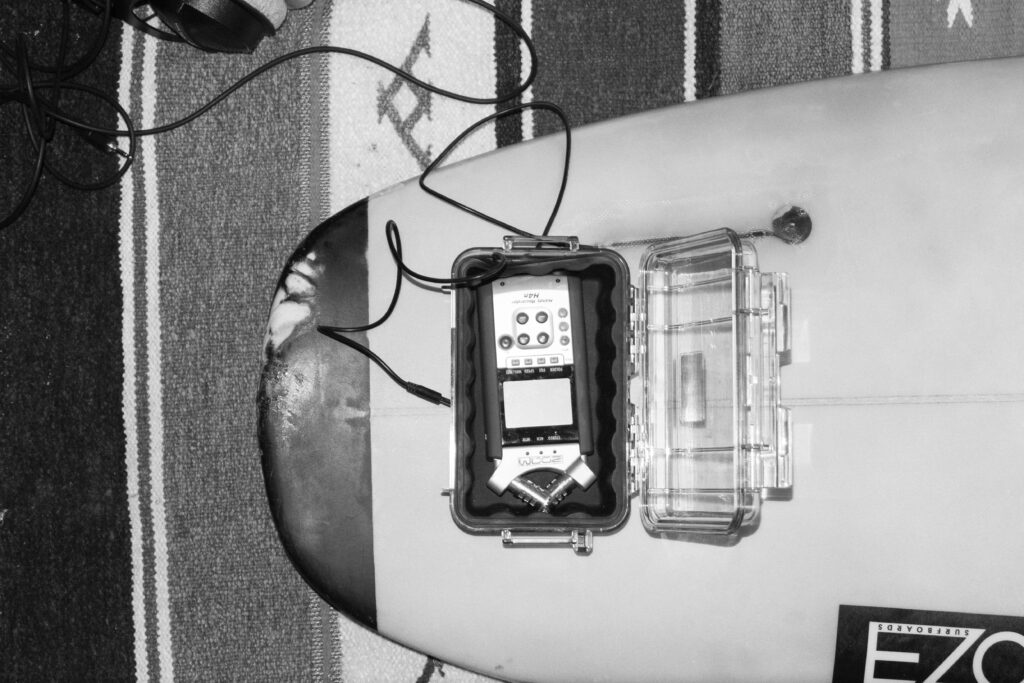
Second core sound source is the Zoom H4n recorder mounted on the nose of the board. Here the focus lies strongly on field recordings in order to capture the raw sonic experience of the surf session. 
Furthermore, the data of the sensor will be adjusting the soundscape, translating raw data into modulation for sound design. 
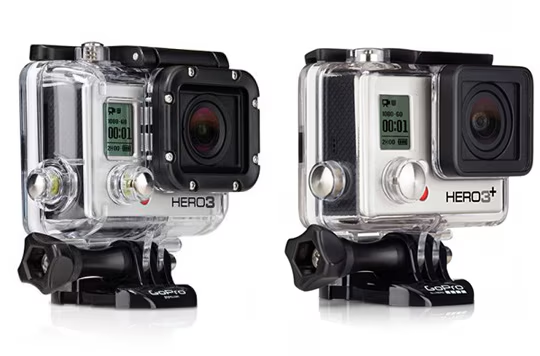
Also, the internal audio of the GoPro Hero3 will be used to synchronize data in post processing and the recorded video will be a visual representation of the full experience.  

Looking at the mapping part of the project, the x-IMU3 sensor provides multiple streams of data like acceleration, gyroscopic rotation, and orientation, that are mapped to sound parameters. Each data of movement is used differently:

Acceleration (X, Y, Z) modulates filter cutoff, grain density, or reverb size. Here the exact usage of modulation parameters will be discussed in the postproduction phase of the project. 

Angular velocity controls pitch shift, stereo panning, or feedback loops. 

Orientation (Euler angles or quaternion) is used to gate effects or trigger events based on the recorded movement thresholds.

The mappings will be adjusted in the following process and are designed to reflect the physical sensation of surfing in the most accurate way possible. Looking at the movement that is most important, the Cutback move, here a sharp move will translate in a spike in angular velocity. This spike can be translated in a big glitch sound effect. Here more research and test will be needed in order to find the best parameter settings for this modulation. 

One possibility of audio modulation in Pure Data will be the granular synthesis. It allows to create evolving textures from short segments, like grain noise of the recorded contact mic sounds. 
Further examples of possible modulations: 

  • Grain size – (short = more textural, long = more tonal)
  • Playback speed and pitch
  • Density and overlap of grains

Looking at the storyline of the surf documentary one can pinpoint the following narrative structure of the sound design: 

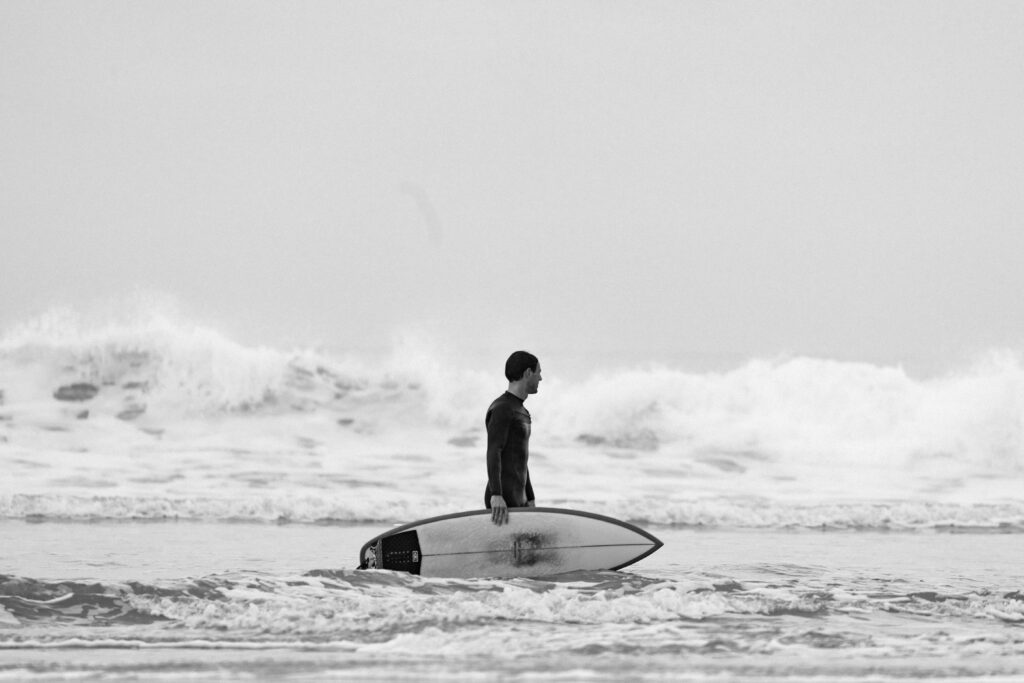
Before the surf / coastline of Morocco

To catch the stressful coastal live of Morocco field recordings will be used to translate this feeling of stress, being overwhelmed (red mind).  Here the recordings will be done by the Zoom H4n recorder. 
Entering the water/ Paddling Phase

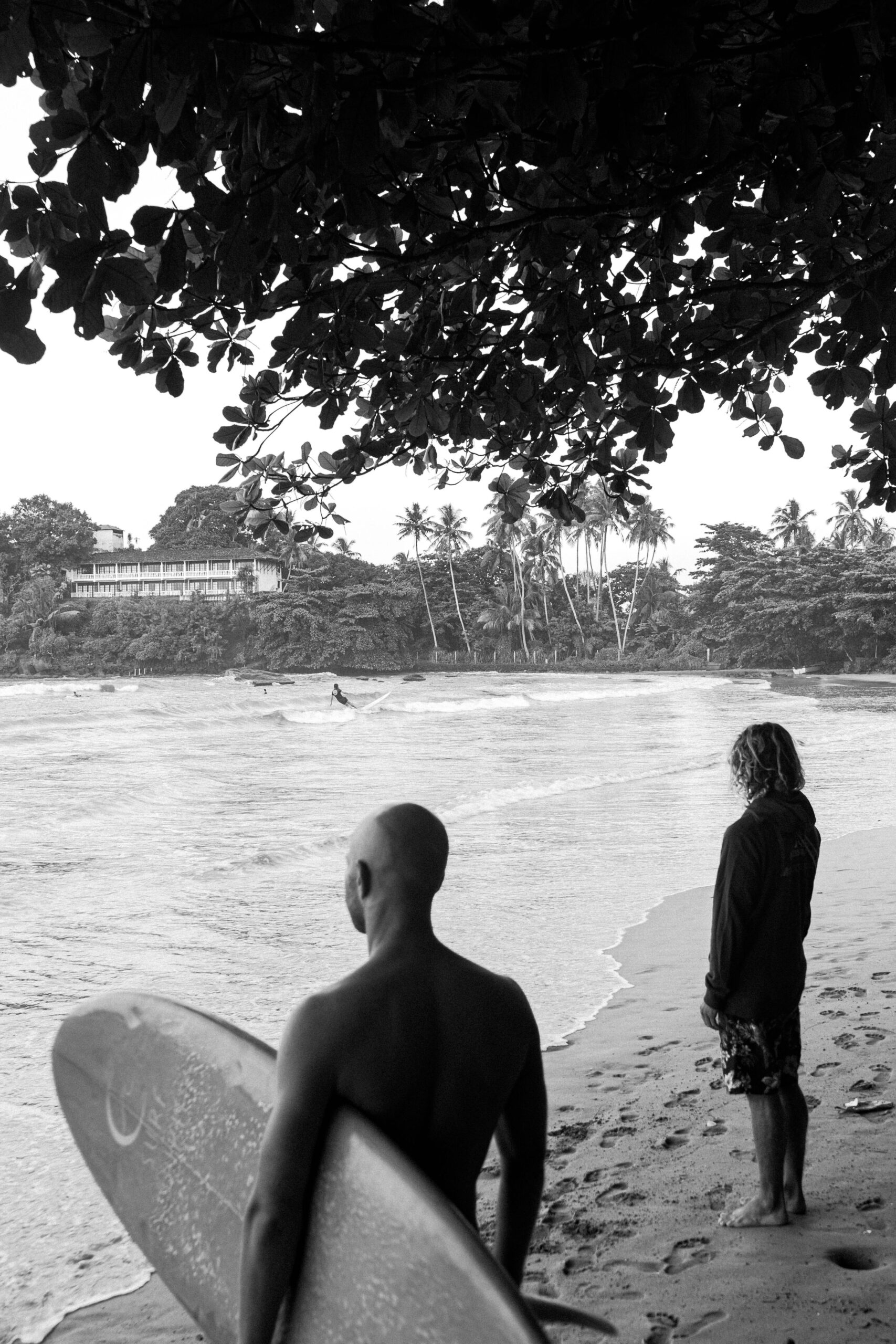
As the surfer enters the water the stressful coastal sounds fade, and the listener will be surrounded by the sound of the ocean. Here it is important to translate the soundscape, which the surfer actually perceives. No further sound modulation is added here. The theory of the blue mind points out how much the noise of the ocean can regulate the nervous system. This will be translated to the sound design of this section of the movie, giving the listener the feeling of being in the present. 

Catching the wave

As soon as the surfer catches the wave and manages to stand up on the wave the dramaturgical main part of the composition begins. This will be initialized by a strong impact on the contact microphone, triggered by the jump of the person. This will also be measurable on the motion sensor with increase of speed. At this point of the composition the sound modulation starts. 
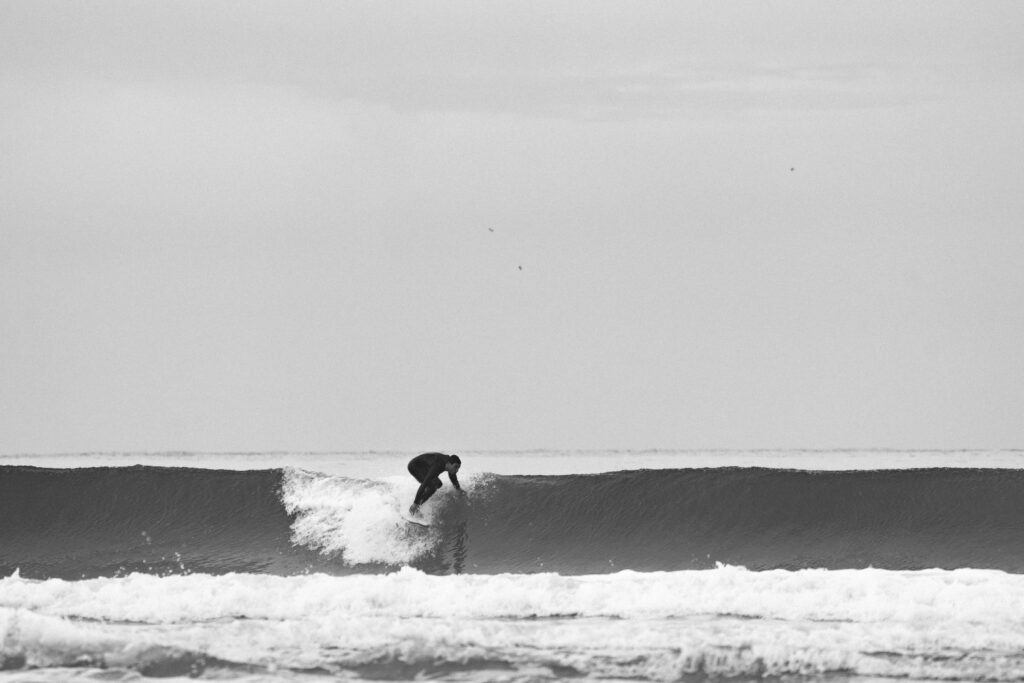
Riding the wave / Cutbacks: At this stage of the movie the person feels a sensation of absolute presence and high focus. This natural high state gives a feeling that is hardly describable in words or images. Here the Sound Desing carries the listener through. Granular synthesis, stereo modulation and filtered resonance reflecting the physical and spiritual intensity in this moment. Here the tool of sound modulation is chosen intentionally to also create a contrast between the paddling stage of the movie.

End of the riding / Hit of the wave

In the end of the movie the surfer will fall in the water creating a strong and impactful ending of the whole experience. This sudden cut will be auditory through a big amount of noise of the underwater recording. Nothing more than muffled wave sounds will be heard to empathize the feeling of being underwater. Sonic textures will decay leaving with a feeling of stillness after this intense movement. 

With the help of this sonic structure both the physical and emotional journey of a surf session is captured and represented.
Considering the final sound piece a stereo format is the first output. Also including spatial depth will be achieved through modulation and stereo imaging based on the recorded motion data. Volume normalization and dynamic range control are applied in Davinci Resolve, however by respecting the intention of the sound piece to add less additional audio modulation by a software and only using techniques of audio manipulation using the sensory data. 

The final audio and movie is intended for headphone or multichannel playback in an installations or possible surf exhibitions.

Playback and Visualization of x-IMU3 Sensor Data Using Python and Pure Data

Moving forward, in this section the documentation of the workflow used to playback recorded x-IMU3 motion sensor data and visualize it as a dynamic graph in Pure Data, is shown. The goal here was to analyze the movement of two specific flips along the X-axis. Therefore a few seconds of this rotation were recorded and then read through the python script, send to PureData and here printed in a visual graph. The confirmation of the accuracy was done through multiple validation layers.

First, data was captured using the x-IMU3 inertial measurement unit. During the recorded session, the sensor was physically maneuvered to do two flips along its X-axis. Then, this data was saved internally by the sensor into a binary format with the extension. ximu3. In order to later find this file again, it was named XIMUA_0005.ximu3 and was stored on an external drive.

Second step was to decode and transmit the recorded motion data. Therefore, I used a Python script named ximu2osc.py. This script was written to read both live and recorded data and transmit it via the Open Sound Control (OSC) protocol. This python script uses the official ximu3 Python library to do file decoding, and the python-osc library for sending OSC messages.

The python script was executed using the following command in the terminal:

Using this script the playback of the sensor recording get initialized by naming the .ximu3 file as input. Looking at the command, the -p argument sets the OSC port to 9000. The -H argument points out the destination IP address, which in this case is 127.0.0.1. The Python script, in the next step, reads and decodes the binary sensor data in real time. Next step, the formatted OSC messages gets send using a clearly defined path.

Focusing on the receiving end, a Pure Data (Pd) patch was created to receive and interpret the data. This patch was configured to listen on port 9000 and processes the incoming OSC messages with the [netreceive -u -b 9000] object. It is capable of receiving UDP packets in binary format. The output from netreceive was then connected into [oscparse] object. OSCPARSE is responsible for decoding incoming OSC messages into usable Pd lists.

[list trim] was introduced in the patch to remove any resisting selectors. As the next step, a set of [route] objects were implemented. There were placed to filter out the gyroscope data, specifically the values from the X, Y, and Z axes. In this process a hierarchical routing structure was used. The first one: [route intertial], followed by [route gyroscope] and finally [route xyz]. The final values were then unpacked using [unpack f f f] to split them into three float values (X, Y, Z). For this test, only the X-axis values were needed.

To have a visual representation of the X-axis values in real time, an array named array1 was created. It functions as a scrolling plot reading the incoming rotation data. This was executed by assigning each X value to a new index in the array [tabwrite array1]. A simple counter system was built using [metro] to write the position in the array. [+ 1], [mod 500]. The [metro] object gets triggered at a 500ms interval, which, in this case served as the sampling rate of the graph. This counter also loops over a fixed range of 500 steps. This is how the circular buffer was build. Now, each new value is being stored in a float object [f] and sent via [s x-index] to its matching [r x-index].

A screenshot of a computer

AI-generated content may be incorrect.

With using this setup, it is possible to visually plot the continuous stream of X-axis values into the array. The result is a dynamic visualization of the sensor’s movement over time. Looking at the playback of the recorded. ximu3 file, the two flips performed on the X-axis are strongly stown as spikes in the plotted graph. This provides a real representation of the motion of the flip along the X-axis. In addition, all values were also printed to the Pd console in order to verify and debugging purposes.

Next step, to ensure the accuracy of the visualization, I compared the received values in three different ways. First, I monitored the terminal output of the Python script. Here every OSC message that was being sent was printed out, including its path and its matching values. Secondly, I checked the values listed inside Pure Data. Here the numbers were compared with the one from the terminal. Thirdly, I opened the. ximu3 file in the official x-IMU3 GUI and therefore exported the data as a CSV file. Analyzing the resulting file Inertial.csv, the “Gyroscope X (deg/s)” column was detected and housing the same values then printed in the terminal, in Pure Data and visually on the graph. This lets me confirm, that the sensor data was transmitted consistently across all three layers: the original file, the terminal stream, and in the end, the Pd visualization.

In conclusion, this test showcasts a successful connection between recorded sensor movement and its visual representation using an OSC streaming data pipeline. A clearly structured, repeatable method was used to analyze a specific gestures or physical event, recorded by the sensor. Furthermore, the system is adaptive and can be easily adjusted to visualize different values. It also sets the ground stone for other possibilities in sound design and audio adjustment in the further process.

Using x-IMU3 Python API for Live USB Data

In addition to decoding files using the x-IMU3 GUI, this project also focuses on utilized the Python library provided by x-io Technologies. Here sensor data can be streamed directly from the device via an USB connection. After successfully installing the ximu3 package with pip3 install ximu3, the provided example scripts of the GitHub repository’s Examples/Python were being used. In particular the usb_connection.py. (https://github.com/xioTechnologies/x-IMU3-Software) In the next step, after installing the ximu3 Python package via pip3 install ximu3, the script usb_connection.py was located and run from the external SSD directory /Volumes/Extreme SSD/surfboard/usbConnection.

To execute the script, the following terminal command was used:
   python3 /Volumes/Extreme\ SSD/surfboard/usbConnection/usb_connection.py

The next step is successfully executed once the x-IMU3 is detected. Here the user is prompted whether to print data messages or not. After enabling this, the terminal now displays live sensor data. This data set includes quaternions, Euler angles, gyroscope, and accelerometer data. It is noticeable, that this method bypasses the GUI and provides a direct access to sensor streams. This step enables a more flexible integration and a more advanced data mapping setup.

The full Python architecture includes modular scripts like connection.py, usb_connection.py, and helpers.py. These are handling low-level serial communication and parsing. This additional access pathway expands the projects versatility and opens doors for a more experimental workflow (x-io Technologies, 2024).

  1.  OSC Data Interpretation in Pure Data

The received OSC data is interpreted using a custom Pure Data patch (imu3neuerversuch22.04..pd), which serves as a bridge between sensor data and visual representation of the data. This patch listens for incoming OSC messages via the [udpreceive] and [unpackOSC] objects, parsing them into sub-addresses like /imu3/euler, /imu3/acceleration, and /imu3/gyroscope.

Each of these OSC paths carries a list of float values, which are unpacked using [unpack f f f] objects. The resulting individual sensor dimensions (e.g., x, y, z) are then routed to various subpatches or modules. Inside these subpatches, the values are scaled and normalized to fit the intended modulation range. For example:

  • Euler angles are converted into degrees and used to modulate stereo panning or spatial delay.
  • Z-axis acceleration is used as a trigger threshold to initiate playback or synthesis grains.
  • Gyroscope rotation values modulate parameters like filter cutoff or reverb depth.

Additionally, [select] and [expr] objects are used to create logic conditions, such as identifying sudden peaks or transitions. This setup allows the system to treat physical gestures on the surfboard—like standing, carving, or jumping—as expressive control inputs for audio transformation.

The modular structure of the patch enables quick expansion. New OSC paths can be added, and new sound modules can be integrated without rewriting the core logic. By structuring the patch in this way, it remains both maintainable and flexible, supporting future extensions such as machine learning-based gesture classification or live improvisation scenarios.

This technical design reflects a broader trend in contemporary media art, where real-world data is used not just for visualization but as a means to dynamically sculpt immersive audio experiences (Puckette, 2007).

SOFTWARE AND DATA PIPELINE

    1.  Data Flow Overview

The data pipeline is structured in three different phases: acquisition, post-processing, and sonification. The first part, Acquisition includes independent capturing of audio (Zoom H4n, contact microphone), motion (x-IMU3), and video/audio (GoPro Hero 3). Then, in the next step, post-processing uses the x-IMU3 SDK to decode the recorded data. This data is then send via OSC to Pure Data and is there translated into its different parameters. 

The sonification and audio transformation are carried out also using Pure Data.

This architectural structure supports a secure workflow and easy synchronization in post.

  1. Motion Data Acquisition

Motion data was recorded onboard the x-IMU3 device. After each session, files were extracted using the x-IMU3 GUI and decoded into CSVs. These contain accelerometer, gyroscope, and orientation values with timestamps (x-io Technologies, 2024). Python scripts parsed the data and prepared OSC messages for transmission to Pure Data. The timing issue is faced with the help of synchronizing big movements in rotation or acceleration during the long recording all devices. (Wright et al., 2001).

The Audio recorded from the contact mic is a simple mono WAV file and is Pure Data and later Davinci Resolve for the audio video final cut. Looking at the recordings, the signal primarily consisted of strong impact sounds, board vibrations, water interactions and movements of the surfer. These recordings are used directly for the sound design of the movie. During the main part of the movie, when the surfer stands on the board, this audio will also be modulated using the motion data of the sensor reflecting on the gestures and board dynamics. (Puckette, 2007; Roads, 2001).

  1. Video and Sync Reference

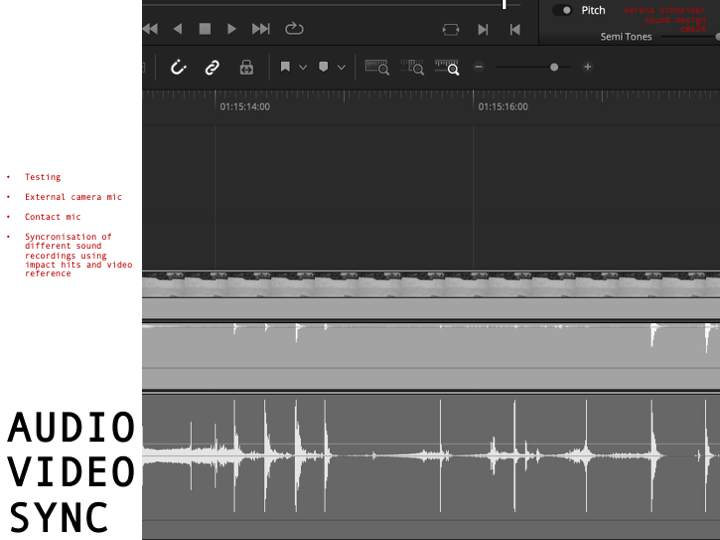
Having all this different not in synchronized time recorded data files leaves a great question of exact synchronization. Therefore, a test was conducted which will be explained in more detail in the section: 10. SURF SKATE SIMULATION AND TEST RECORDINGS. The movement of surfing was simulated using a surf skateboard, on which a contact microphone was mounted on the bottom of the deck. In addition to the microphone also the motion sensor was placed next to the microphone. Now, having the image and the two sound sources (contact microphone and audio of the Sony camera) I could synchronize both recordings in post-production using Davinci Resolve. Here the main key findings were the importance of great labeling of the tracks and clear documentation of each recording. During the final recordings on the surfboard the GoPro Hero 3 will act as an important tool to synchronize all the different files in the end. Another audio output of the GoPro acts as an additional backup for a more stable synchronization workflow. Here test runs on the skateboard are essential to be able to manage all the files in post-production later.  (Watkinson, 2013).

The motion data recorded on the ximu3 sensor is replayed on the GUI of the sensor and can then send the data via OSC to Pure Data. Parameters such as pitch, roll, and vertical acceleration can then be mapped to different variables like grain density, stereo width, or filter cutoff frequency. (Puckette, 2007).

  1. Tools and Compatibility

All tools are selected based on compatibility and possibility to record under this special conditions. The toolchain includes:

  • x-IMU3 SDK and GUI (macOS) for sensor decoding
  • Python 3 for OSC streaming and data parsing
  • Pure Data for audio synthesis
  • DaVinci Resolve for editing and timeline alignment

This architecture functions as the basic groundwork of the project setup and can still be expanded using different software’s of python code to add more individualization during different steps of the process. (McPherson & Zappi, 2015).

  1.  Synchronization Strategy

Looking deeper into the Synchronization part of the project, challenges arrise. Because there is no global time setting for all devices, they have to run individually and then be synchronized in post-production. Here working with good documentation and clear labels of each track helps to get a good overview. Especially the data of the motion sensor will have a lot of information and needs to be time aligned with the audio. Synchronizing audio and video, however, is for sure a smaller challenge, because of the multiple different audio sources and the GoPro footage. A big impact or a strong turn of the board can then be mapped to the audio and video timeline. The advantage of one long recording of a 30 min surf session is for sure, that the possibility for such an event increase over time. Tests with the skateboard, external video and audio from the contact microphone were already successful.


On the image the setup in Davinci Resolved shows the synchronization of the contact microphone (pink) and the external audio of the Sony Alpha 7iii (green). Here the skateboard was hit against the floor in a rhythmical pattern, creating this noticeable spikes in audio on both devices. This rhythmical movement can also be seen on the XIMU3 sensor. 

HARDWARE SYSTEM SURFBOARD


  1. 1.1. OVERVIEW OF THE SETUP
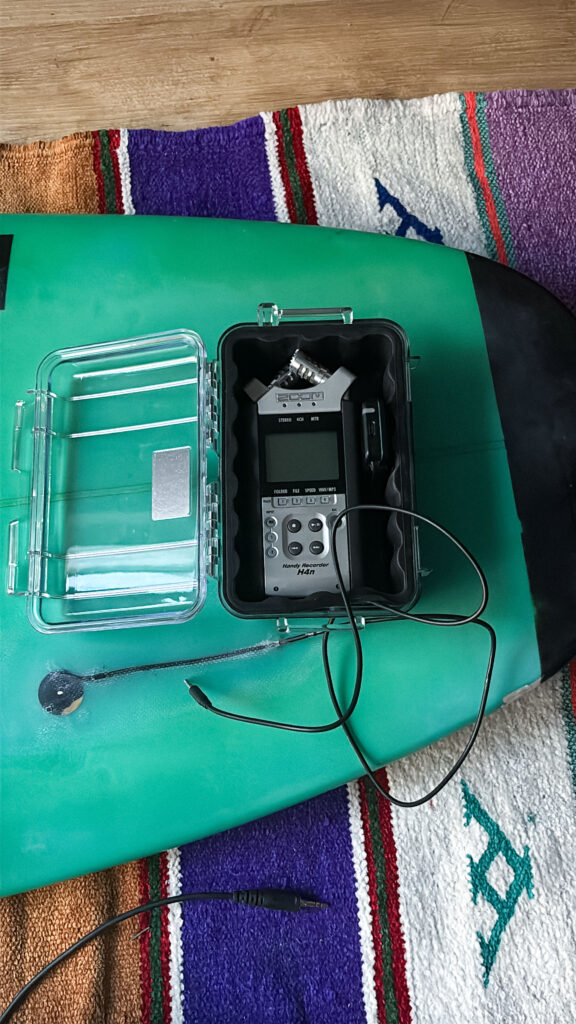
    The hardware setup of this project was developed to function and withstand under the challenging environmental conditions typical for surfing. Therefore, the full equipment needs to not only be made for saltwater exposure, but also be strong enough to handle strong hits and impacts. The sunlight, and hot temperatures also act as another impactor. Therefore, building components were selected based on their stability, mobility, and compactness. The complete system includes a waterproof Pelican 1050 case mounted on the surfboard, containing a Zoom H4n audio recorder, a piezoelectric contact microphone and an x-IMU3 motion sensor. An externally mounted GoPro Hero 3 camera records video and sound. The interior of the Peli case is filed with protective foam to minimize shock and mechanical disturbance. Concluding, the arrangement was optimized to allow a smooth operation during surfing while maintaining robust data acquisition.

1.2. MOTION SENSOR – X-IMU3

The x-IMU3, was developed by x-io Technologies. It is a compact inertial measurement tool (IMU) capable of logging tri-axis accelerometer, gyroscope, magnetometer and orientation data with timestamp precision. For this application, the sensor operated in standalone mode and will be charged by an external small power bank later retrieval. After each recording session, the x-IMU3 GUI and SDK were used to decode. ximu3 binary files into structured CSV datasets (x-io Technologies, 2024). These data streams are then available for the synchronization part with audio and video recordings. Furthermore, these recorded values will be used to manipulate the recorded audio using Pure Data.

The x-IMU3 sensor was selected due to its reliability, sampling rate of up to 500 Hz, and OSC-compatible output structure. This enables later integration with sound synthesis software’s in the later process. The sensor is placed in the box cushioned within protective foam in the Pelican case to minimize noise artifacts caused by board vibration.

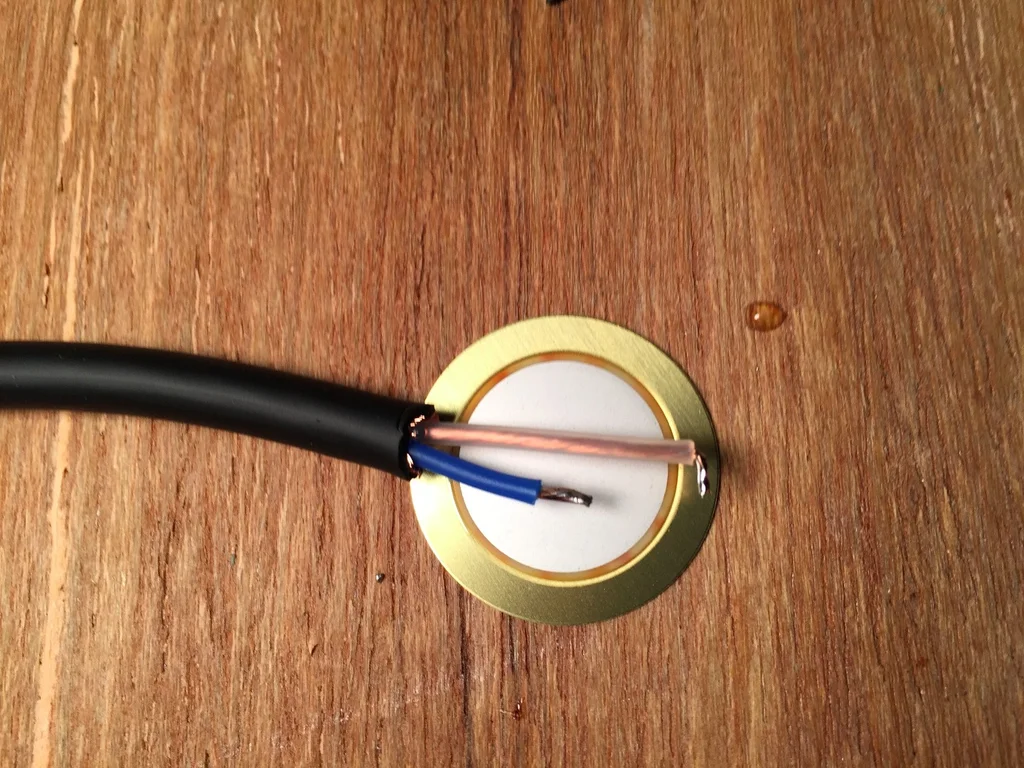
1.3. CONTACT MICROPHONE – PIEZO DISC
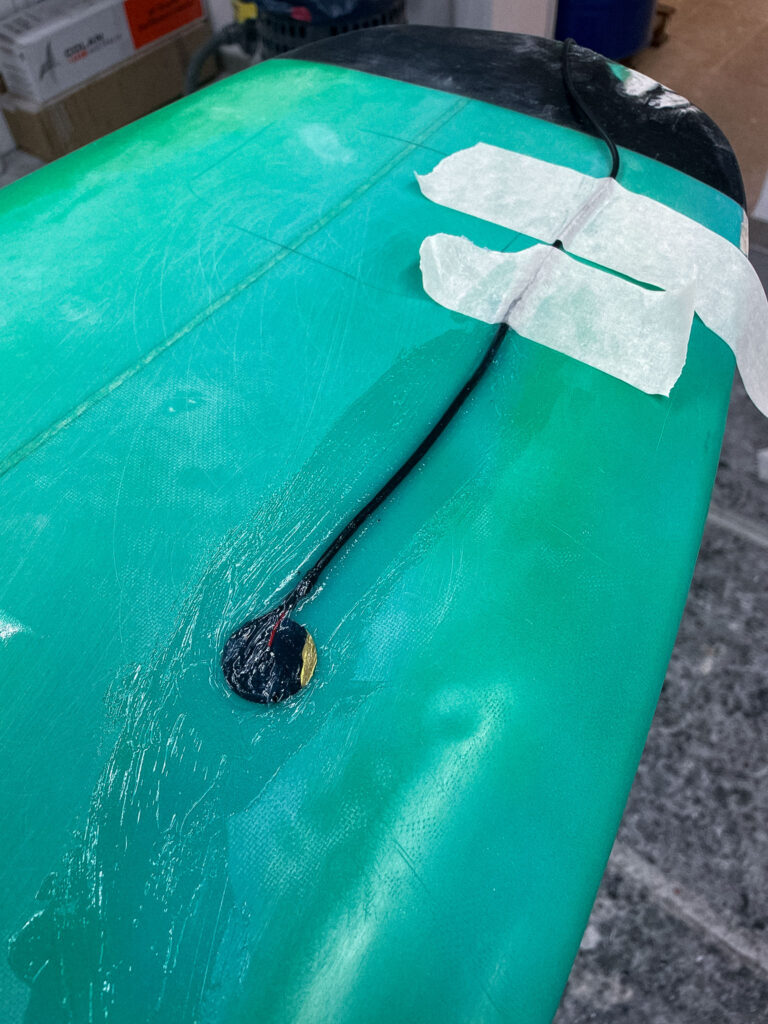
In order to add another dimension to the sound recording by capturing board vibrations and internal mechanical changes, a piezoelectric contact microphone was mounted beneath the surfboard wax layer, at the right side of the nose, near the front foot position. Unlike traditional microphones, piezo elements record vibrations through physical material contact, making them suitable for capturing impactful sound events. Also, due the good implementation movements of the surfer on the board are recorded very well. The sensor is routed to the case using a sealed cable channel and insulation to prevent water from getting in the box or inside the board.
This microphone setup allows for the recording of impactful events such as hits, flex, and frictional interactions between the board, the water and the surfer. These signals, together with the recordings of the zoom, form the primary audio source used in the sonic interpretation of the surf session. This implementation of a piezo mic in a surfboard has not been done or documented before and is therefore an innovative approach which is of course interesting for sound engineers, as well as surfers and surfboard builder (Truax, 2001).

1.4. AUDIO RECORDER – ZOOM H4N
The audio data was recorded using a Zoom H4n Handy Recorder, configured to capture a mono signal from the contact microphone. The recorder was selected for its portability, sound quality (24-bit/44.1 kHz), and dual XLR/TRS inputs. It was housed inside the Pelican case using closed-cell foam to dampen mechanical noise. Battery-powered operation and SD card storage enabled autonomous recording during mobile sessions.
Gain levels were calibrated before each session to preserve signal integrity and prevent clipping. The system was designed to ensure consistent signal acquisition even under dynamic surf conditions (Zoom Corporation, 2023).

1.5. VISUAL SYNCHRONIZATION – GOPRO HERO 3
To also have a video output of the surf session, GoPro Hero 3 camera is mounted at the board’s nose. This video material served as both documentation and reference for synchronization. Here, the synchronization of different audio sources and the sensor data is challenging but will made easier with having audiovisual references. For example, a double tapping on the board can help synchronize image to sound. The GoPro’s audio, while limited in quality, served as another layer reference for alignment.
In addition, the video recordings serve also as a tool to analyze body posture, movement patterns, and spatial context (Watkinson, 2013). The surf movie will be consisting of many shots taken by the GoPro and will support the surf film with an immersive camera angle.


1.6. ENCLOSURE AND MOUNTING
– PELICAN CASE 1050
The Zoom Recorder, sensor, power bank and cables of the contact microphone are enclosed in a Pelican 1050 Micro Case. This model was selected for its IP67-rated waterproof sealing, shock resistance, and small form, making it not too bulky on the board, but still big enough to fit all the necessary equipment.
Moving forward, the case is mounted to the surfboard using strong glue and surfboard wax and is incorporated in the general body of the board. In order to connect the contact microphone from outside to the inside, one hole was made in the box. This hole is again sealed with silicone caulk to make it leak and saltwater proof.

Inside, the box a special Peli foam is inserts to prevent internal motion and a fixation for the sensor and the recorder.
The case and cabling configuration underwent field testing, including simulated riding on a surf skate and controlled submersion for a specific amount of time, to ensure no leakage will occur during recording

Post 1: Listening to the Ocean

– The Emotional Vision Behind Surfboard Sonification

Surfing is more than just a sport. For many surfers, it is a ritual, a form of meditation, and an experience of deep emotional release. There is a unique silence that exists out on the water. It is not the absence of sound but the presence of something else: a sense of connection, stillness, and immersion. This is where the idea for “Surfboard Sonification” was born. It began not with technology, but with a feeling. A moment on the water when the world quiets, and the only thing left is motion and sensation.

The project started with a simple question: how can one translate the feeling of surfing into sound? What if we could make that feeling audible? What if we could tell the story of a wave, not through pictures or words, but through vibrations, resonance, and sonic movement?

My inspiration came from both my personal experiences as a surfer and from sound art and acoustic ecology. I was particularly drawn to the work of marine biologist Wallace J. Nichols and his theory of the “Blue Mind.” According to Nichols, being in or near water has a scientifically measurable impact on our mental state. It relaxes us, improves focus, and connects us to something larger than ourselves. It made me wonder: can we create soundscapes that replicate or amplify that feeling?

In addition to Nichols’ research, I studied the sound design approaches of artists like Chris Watson and Jana Winderen, who work with natural sound recordings to create immersive environments. I also looked at data-driven artists such as Ryoji Ikeda, who transform abstract numerical inputs into rich, minimalist sonic works.

The goal of Surfboard Sonification was to merge these worlds. I wanted to use real sensor data and field recordings to tell a story. I did not want to rely on synthesizers or artificial sound effects. I wanted to use the board itself as an instrument. Every crackle, vibration, and movement would be captured and turned into music—not just any music, but one that feels like surfing.

The emotional journey of a surf session is dynamic. You begin on the beach, often overstimulated by the environment. There is tension, anticipation, the chaos of wind, people, and crashing waves. Then, as you paddle out, things change. The noise recedes. You become attuned to your body and the water. You wait, breathe, and listen. When the wave comes and you stand up, everything disappears. It’s just you and the ocean. And then it’s over, and a sense of calm returns.

This narrative arc became the structure of the sonic composition I set out to create. Beginning in noise and ending in stillness. Moving from overstimulation to focus. From red mind to blue mind.

To achieve this, I knew I needed to design a system that could collect as much authentic data as possible. This meant embedding sensors into a real surfboard without affecting its function. It meant using microphones that could capture the real vibrations of the board. It meant synchronizing video, sound, and movement into one coherent timeline.

This was not just an artistic experiment. It was also a technical challenge, an engineering project, and a sound design exploration. Each part of the system had to be carefully selected and tested. The hardware had to survive saltwater, sun, and impact. The software had to process large amounts of motion data and translate it into sound in real time or through post-processing.

And at the heart of all this was one simple but powerful principle, spoken to me once by a surf teacher in Sri Lanka:

“You are only a good surfer if you catch a wave with your eyes closed.”

That phrase stayed with me. It encapsulates the essence of surfing. Surfing is not about seeing; it’s about sensing. Feeling. Listening. This project was my way of honoring that philosophy—by creating a system that lets us catch a wave with our ears.

This blog series will walk through every step of that journey. From emotional concept to hardware integration, from dry-land simulation to ocean deployment. You will learn how motion data becomes music. How a surfboard becomes a speaker. And how the ocean becomes an orchestra.

In the next post, I will dive into the technical setup: the sensors, microphones, recorders, and housing that make it all possible. I will describe the engineering process behind building a waterproof, surfable, sound-recording device—and what it took to embed that into a real surfboard without compromising performance.

But for now, I invite you to close your eyes. Imagine paddling out past the break. The sound of your breath, the splash of water, the silence between waves. This is the world of Surfboard Sonification. And this is just the beginning.

References

Nichols, W. J. (2014). Blue Mind. Little, Brown Spark.

Watson, C. (n.d.). Field recording artist.

Winderen, J. (n.d.). Jana Winderen: Artist profile. https://www.janawinderen.com

Ikeda, R. (n.d.). Official site. https://www.ryojiikeda.com

Truax, B. (2001). Acoustic Communication. Ablex Publishing.

Puckette, M. S. (2007). The Theory and Technique of Electronic Music. World Scientific Publishing Company.

Proto06 // The blood donation

Today I went to donate blood for the first time. It was honestly so quick and super chill. I even made a playlist filled with songs about blood to accompany me: https://open.spotify.com/playlist/1Q2EIZ1ihrMW9sj9FfyFrH?si=3fcc2c980e81433c

I even met Richard Dank (DesCode) while donating. He gave me lots of expert insights since he has donated over 100 times already. One of his ideas was to incorporate a system for experienced donors to guide them to choose appointments in times when the blood donations are statistically low. I thought this was a great idea and I’m kind of imagining it like something similar to when you choose travel dates and red and green indicating which days are cheapest to travel.

Check out the video to see the process of my prototype!

02.06: Dreiführung

Wie geplant bin ich nun mit den Basics des Motion Design Kurses durch und möchte mich mehr auf Datenvisualisierungen spezialisieren. Dafür habe ich mir den kostenpflichtigen (aber über ein Probe-Abo doch noch gratis verfügbaren) Kurs von Daniel Scott auserkoren, da ich ihn bereits von anderen Tutorials kenne (ich glaube er hat mir Illustrator beigebracht^^) und deshalb ziemlich genau weiß, was ich kriege. Die letzten Tage habe ich also mit ihm (zumindest am Bildschirm) verbrahcht und möchte in den nächsten Blogbeitragen ein bisschen davon berichten. Hier, in der Dreiführung, (unfassbares Wortspiel übrigens, allein dafür sollte die 1 in DesRes stehen) möchte ich, ähnlich wie im Blogpost zuvor einige coole Tricks mit euch teilen, die mir so noch nicht bekannt waren, und die ich in den ersten paar Stunden Tutorial aufgeschnappt habe. Denn auch, wenns anfangs nur um einfach Keyframes ging, irgendwie hat man immer noch irgendwas dabei, das man nicht wusste. Im Blogpost (oder vielleicht auch den nächsten zwei) werde ich dann näher auf ein paar Techniken eingehen, die er nutzt um in After Effects Daten zu visualisieren. Hier nun erstmal die nächsten coolen Tricks:

Audio

Bisher dachte ich eigentlich immer, dass After Effects nur für visuelle Dinge zu gebrauchen ist und habe alles was Sound angeht, also vor allem das ganze Sounddesign immer außerhalb von AE gemacht. Tatsächlich, und mir war das nicht klar, kann man sich aber auch für Audio-Files Dinge wie Waveform, Pegel usw. in AE anzeigen lassen, und rechts gibt es sogar einen eigenen Reiter für Audio. Crazy.

Fonts

Schriftarten waren für mich eigentlich immer etwas das ich nicht gecheckt habe. Als jemand der für die Zeitung arbeitet ist die letzte Frage, die man sich stellt, welche Schriftart verwende ich, da all das in der CI längst vorgegeben ist. Gerade bei meinen eigenen Projekten aus den letzten Semestern musste ich deshalb immer recht schnell feststellen, dass so gut wie alle basic Schriftarten scheiße ausschauen^^ Während ich lange gar nicht wusste wie man überhaupt eine Schriftart installiert (man muss einfach nur auf Google Fonts o.Ä. auf Download clicken, das aufmachen und installieren… don´t judge me) geht Adobe Fonts nochmal weiter. Du gehst einfach auf die Homepage, fügst eine Schriftart deinem Adobe Account hinzu und ohne irgendeinen Download, ja sogar ohne, dass ich mein After Effects irgendwie neu starten oder aktualisieren müsste, ist die Schriftart sofort verfügbar. Richtig praktisch.

Sticky Timeline

Ein Problem in AE, bei dem ich mir oft einfach das Magnet-Dings aus DaVinci gewünscht hätte ist, einen Keyframe auf einer anderen Layer am gleichen Ort zu platzieren wie auf der eigentlichen. Statt das ganze Frame für Frame zu verschieben und sich die Augen zu brechen, kann man aber auch einfach während man durch die Timeline scrollt, shift gedrückt halten und schon snapped der cursor an bestehende Keyframes.

Motion Blur

Das ist vielleicht das krasseste was ich jemals gesehen habe. Statt irgendwelchen aufwendigen Effekten, Presets, Einstellungen oder Ähnlichem ist Motion Blur in AE einfach nur ein einziger Klick… nämlich bei den Layer switches. Dort kannst du für jeden Layer auswählen ob er bei Bewegung Motion Blur haben soll oder nicht, und fertig. Und das sogar für Kamerabewegungen…

Option Drag

Oft kommt man an einen Punkt, wo man eine gewissen Animation einfach mit einem anderen Objekt wiederholen will. Statt die Keyframes zu kopieren und auf das neue Objekt anzuwenden, kann man auch einfach option gedrückt halten und das Neue auf die alte Layer ziehen. Das ersetzt das Objekt, behält aber alle Effekte, Keyframes etc. bei.

Kameras

Eigentlich echt wahnsinn, dass ich mich zwei Semester davor gedrückt habe in AE irgendwas mit Kameras zu machen… dabei ist´s so easy. Die Kamera lässt sich nämlich einfach über die Position animieren, hätt ich das nur früher gewusst…