Setting the Foundation: Key Takeaways from the First Master-Thesis Meeting

Before diving deeper into any research this semester, it was important for me to reflect on last semester, as well as also finally setting up the groundwork for the thesis itself. It was therefore essential to find the right supervisor and contact from a different interdisciplinary field, that could guide me through this ongoing research and testing process. It was particularly important for me to learn and gain knowledge from user testings as well as web-specific content. It was important to find out in advance whether the desired topic was suitable for a Master’s thesis. During a two-hour discussion round with Professor Baumann we were abled to set appropriate milestones for further research. The focus of the first phase of research in this semester will be on a wide range of neurodesign principles that I have already researched in my bachelor thesis. In the further process, five of these categories are to be determined and researched within wireframes in user testing. For this purpose, two different versions of wireframes will be created in the next step. Another big topic we had during our discussion was the title and establishment of the topic:

Moi: Neurodesign combines principles from neuroscience and psychology with design thinking. The idea is to create user interfaces and web experiences that align with how the brain processes information and emotions.

Professor Baumann: Okay, I see. But isn’t design already focused on user experience and interaction? What’s different here?

Moi: That’s exactly where Neurodesign is different. Traditional UX design focuses on usability, accessibility, and aesthetics, but it often relies on intuition, trends, or best practices. Neurodesign, on the other hand, uses data-driven insights from brain science to predict how users will react cognitively and emotionally to design elements.

Professor Baumann: Interesting. But how do you actually apply neuroscience to web design?

Moi: It’s about understanding how users’ brains respond to stimuli like colors, shapes, layouts, and even motion on a website. For example, certain colors may trigger emotional responses, while specific layouts could reduce cognitive load. Neurodesign aims to optimize these responses by using neuroscientific data, like eye-tracking or EEG studies, to inform the design decisions.

Professor Baumann: But how practical is this? How can designers realistically incorporate neuroscience into their workflow?

Moi: That’s where I see a gap in the design community. Right now, most designers don’t use these insights because they seem complex or inaccessible. My thesis aims to change that by advocating for tools and methods that can bridge neuroscience and design. For example, integrating neurodesign principles into widely-used design software or developing educational resources so designers can learn to think more scientifically about user responses.

Professor Baumann: I get your point. But isn’t this too theoretical? How would a web designer practically apply this without extensive knowledge in neuroscience?

Moi: Great question. The goal isn’t to turn designers into neuroscientists but to give them simplified, actionable principles that come from neuroscience. Think of it as adding another layer to their current toolkit. Just like how color theory or usability heuristics are standard knowledge, neurodesign principles could be distilled into easy-to-follow guidelines.

Professor Baumann: So, you’re talking about evolving the design practice by making scientific data more accessible to designers.

Moi: Exactly! It’s about evolving the design community to adopt more research-based, futuristic approaches. Neurodesign could lead to more personalized and engaging web experiences, where sites are not only visually pleasing but also scientifically optimized to fit the user’s mental processing and emotional engagement.

Professor Baumann: Now that makes sense. You’re essentially trying to reform the design community with these forward-thinking approaches. It sounds like you’re paving a path toward more scientifically-backed design methods.

Moi: Yes, and I think it’s a much-needed shift. Right now, design often feels like it’s based on trends or gut feelings as well as very outdated principles that are not questioned enough in my opinion. Who says that in a world that constantly changing, our behaviour isn’t? Another very big factor in pursuing this is simply the want to grow. How can we as a community or artists grow if we don’t leave our comfort zone? Change can only happen when we try something new, not if we keep designing after the same old rules. With neurodesign, we could bring objectivity into the creative process and push the community towards creating truly user-centered experiences, where every design decision is backed by how the brain actually works.

Professor Baumann: Alright, I think I’m getting the bigger picture now. This is definitely an exciting direction. Let’s refine your proposal further and see how you can build a strong case for this shift in your thesis.

Moi: Thank you, Professor. I’m really excited about it too!

The next step in my research will be the A/B Testing with the established Wireframes that have yet to be finished.
2.1. Prototyping & Reflection of the Speed-Dating

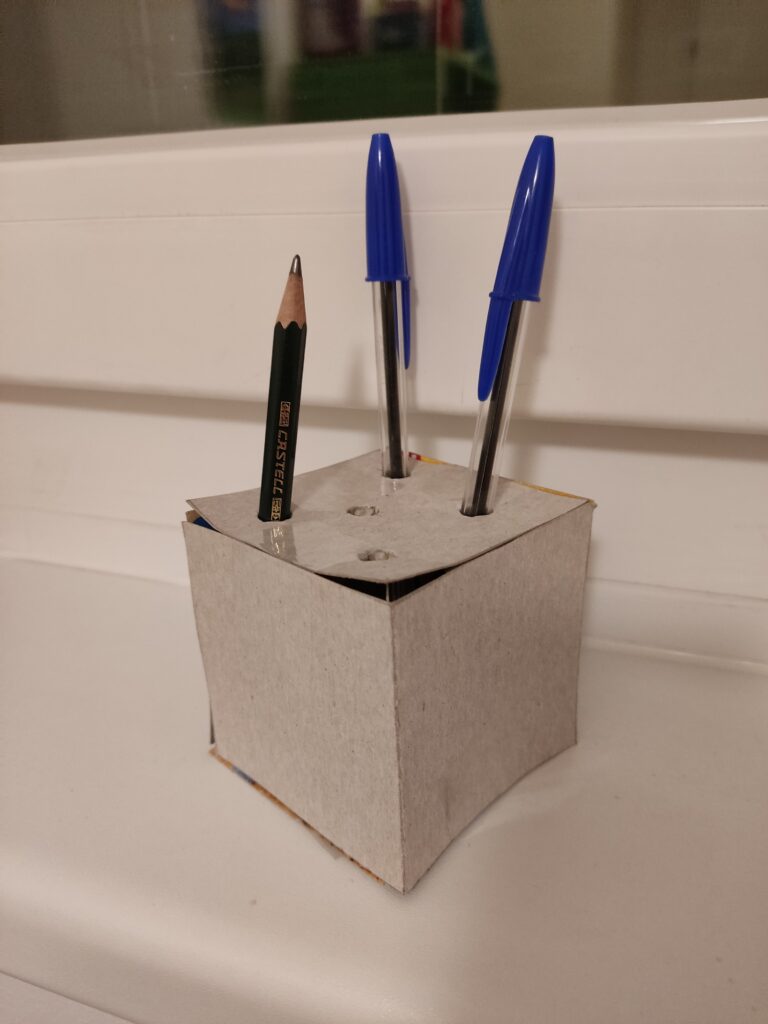
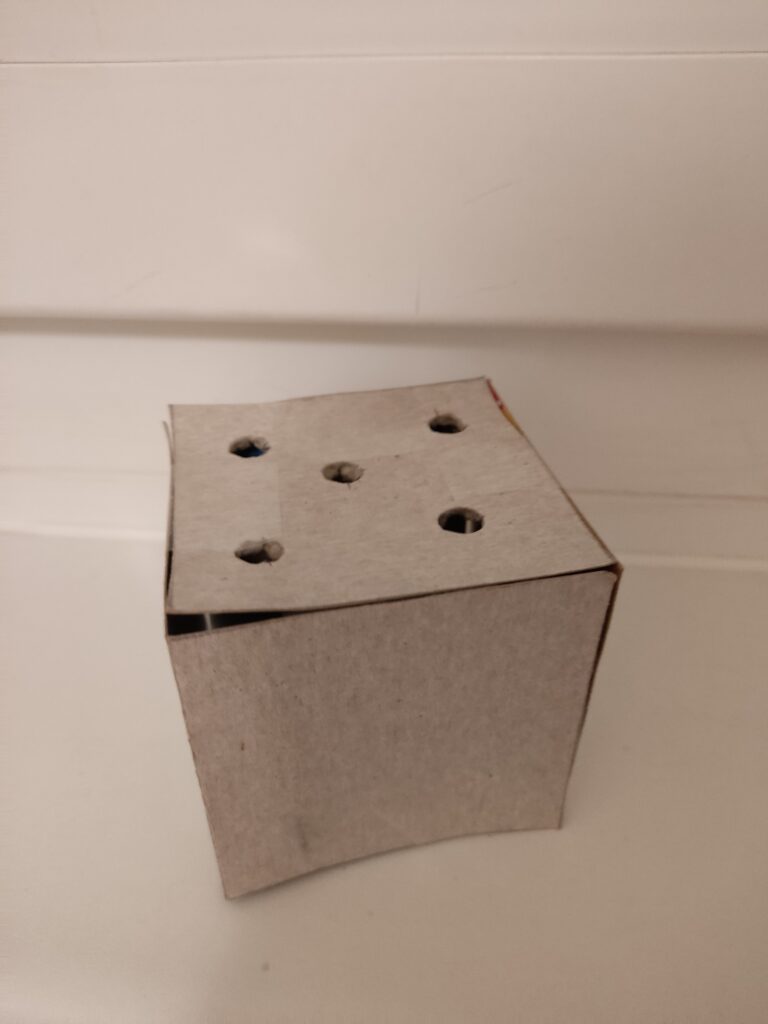
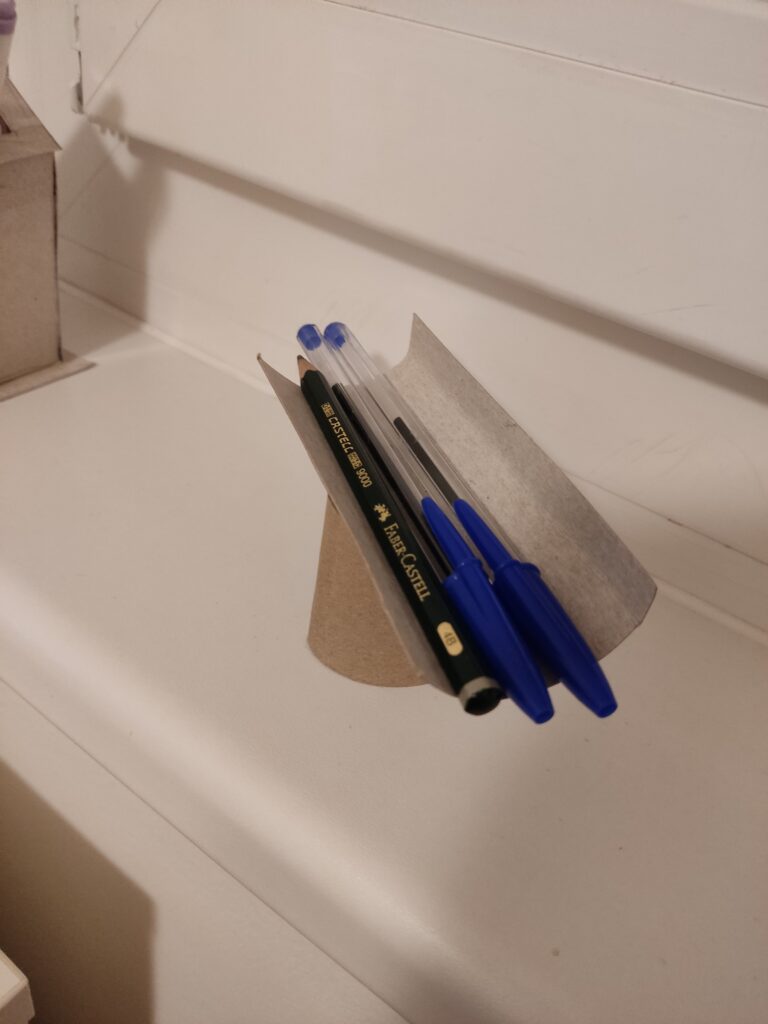
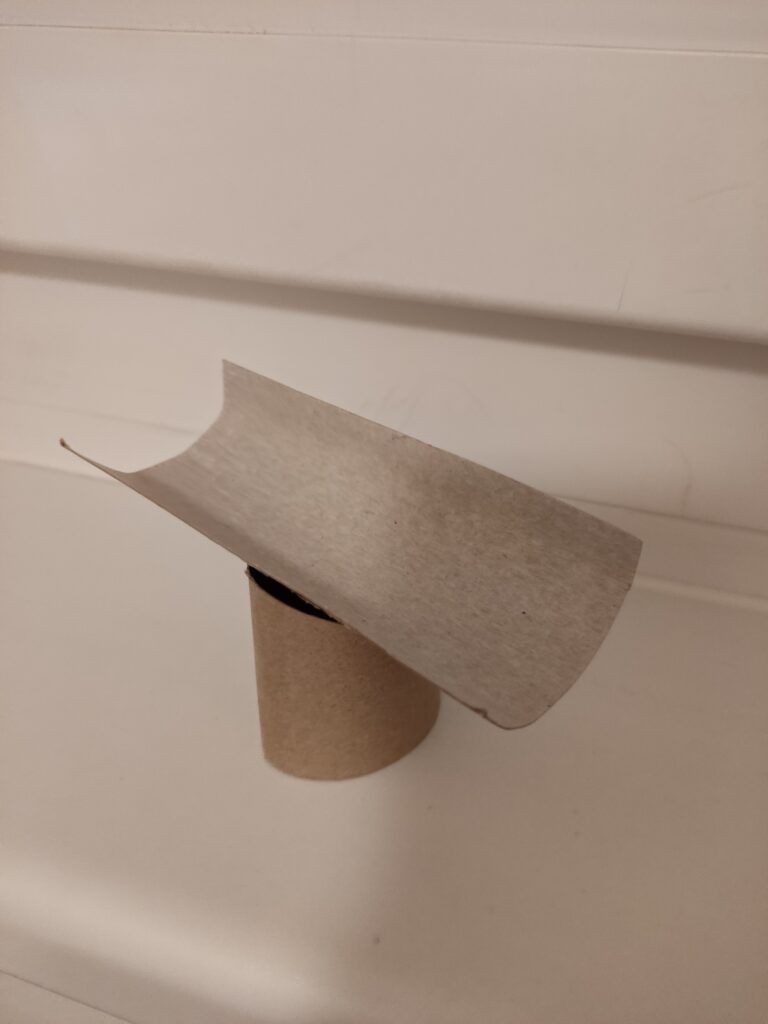
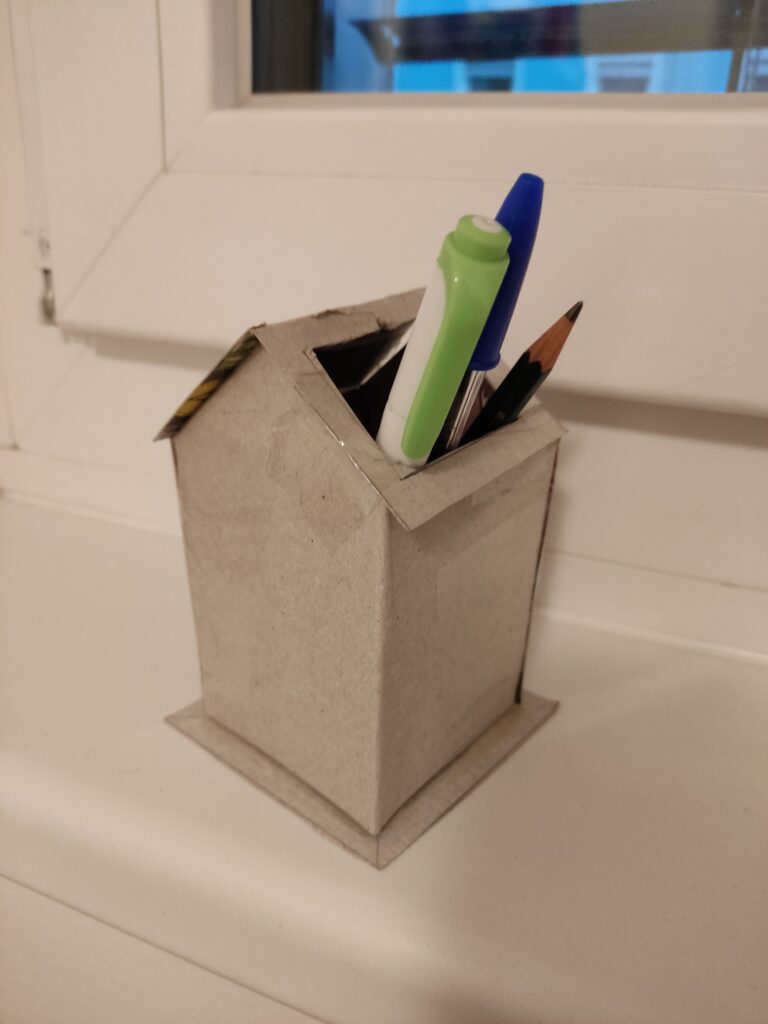
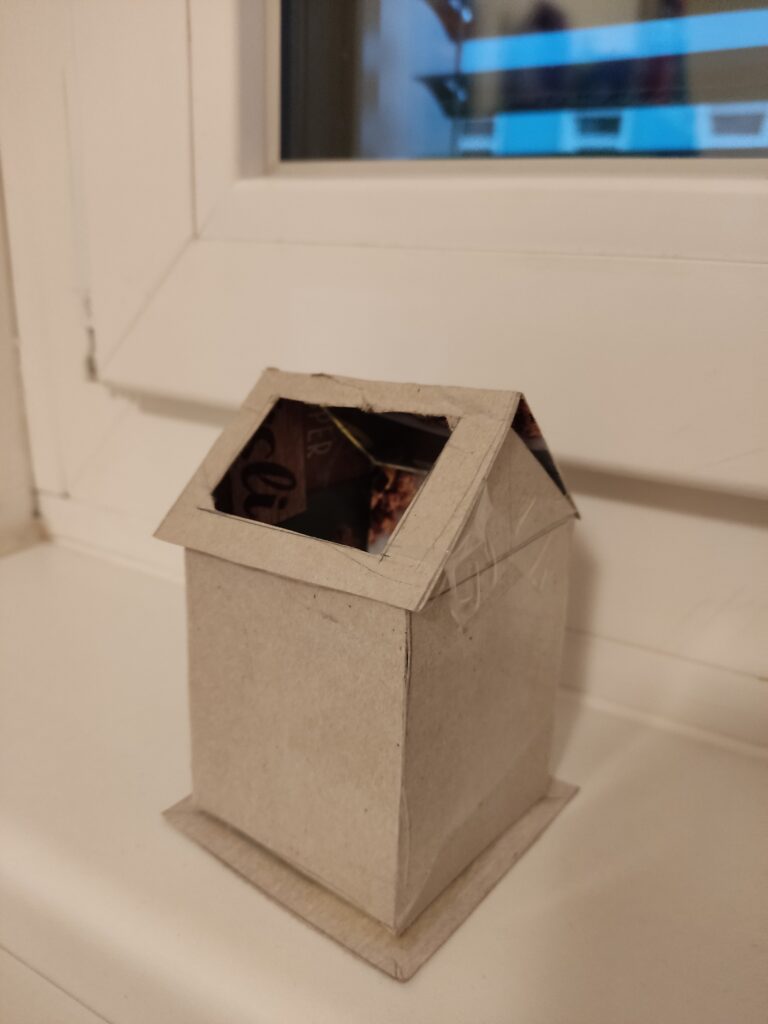
My previous topic focused on the physical and digital worlds surrounding museums. Currently, my research does not provide any concrete ideas on what this entails. So, for this task, my thought process has led me to consider creating something that doesn’t rely on technology for its primary function. As a result, I created a collection of three prototype pencil holders. I chose to work with cardboard as my primary material because it is lightweight, easy to cut and shape, and allows for quick iteration. This choice allowed me to try out different structures and improve my ideas without the limits of more rigid materials.

Prototype 1: The House
The first prototype takes the form of a small house, featuring a hole in its roof for storing pens, pencils, markers, and other writing instruments. This was the most complex design of the three, and due to its complexity, it took the longest to construct as I had to experiment with the angles of the roof and the positioning of the storage opening to achieve the right balance between aesthetics and usability.

Prototype 2: The Cube
The second prototype is a simple cube with five holes on one side, designed to hold pens and pencils perfectly. Its geometric structure made it the easiest to assemble, as I only needed to ensure that the holes were the right size for standard writing tools.

Prototype 3: The Abstract Shape
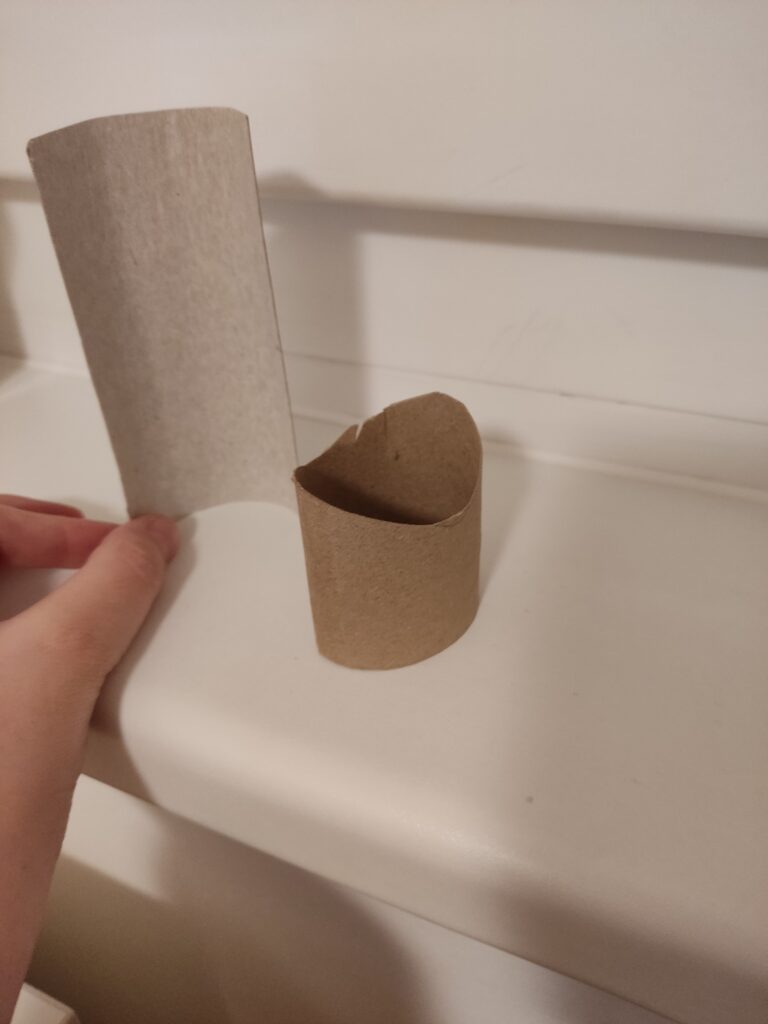
The third prototype differs from traditional forms, featuring a curved plank resting on a cylindrical base. Unlike the first two, which have clear, recognizable shapes, this design leans toward abstraction. Although this was the fastest prototype to construct, it required the most conceptual thinking. I spent a lot of time considering its form and how it could function as a pencil holder. The final piece is a sculpture that sparks interest while also being useful.

Observations from the Speed-Dating Session
For the in-class speed-dating session, I decided to bring Prototype 3. Given its abstract form, I was particularly interested in seeing how people would interpret it without any prior explanation. As the session began, people appeared uncertain about its intended function. Instead of immediately revealing its purpose, I encouraged them to make guesses based on its shape and structure.

Many speculated that it might serve as a rest for the chin or arm, while others imagined it as a support for chopsticks or another type of tool. When I revealed that it was meant to be a pencil holder, people had mixed reactions. Some were surprised, while others wondered if it really worked well for that purpose.

The most valuable feedback from this session suggested refining the concept by focusing on holding a single, special object rather than multiple everyday writing tools. One person suggested that the design could be changed from a typical pencil holder to a display case for a special calligraphy pen or another important writing tool. This idea created new options for how the prototype could become a more meaningful object.

Overall Thoughts
The speed-dating experience proved to be a valuable exercise in the iterative design process. Observing how people engaged with my prototype, interpreted its function, and provided feedback allowed me to rethink my approach and the intended use of the design. I realized that the way something looks affects how people understand and use it. It’s important to create ideas that clearly show what they are for or, on the other hand, encourage people to engage with them through uncertainty.

11-Quick Concept Prototype and Speed Dating Session

Early Prototype: Designing the Home Screen for an Information Scrubbing and Management Tool

From Idea to Prototype

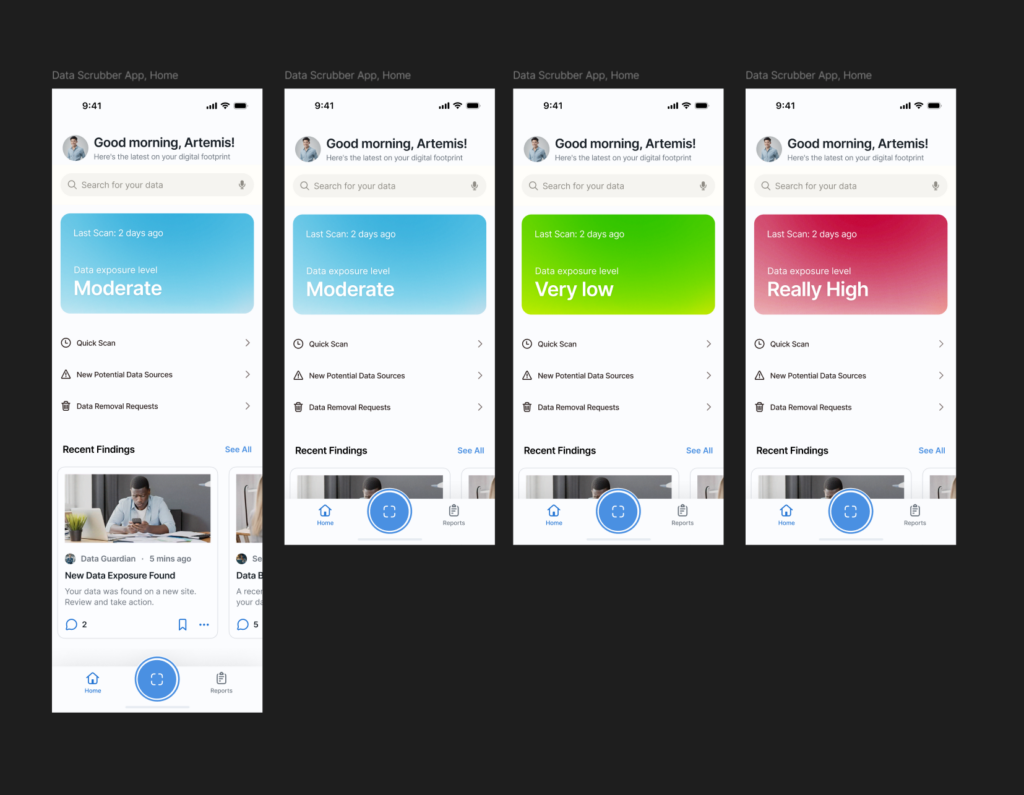
For my latest project work, I started sketching out the home screen/dashboard for an information scrubbing tool, a mobile app designed to help users find and remove their personal data from the internet with ease. For some context, I’m planning on working on a thesis about effectively managing our digital footprints on the internet, and as part of that, I started sketching out the home screen/dashboard for a privacy scrubbing tool—a possible mobile app designed to help users find and remove their personal data from the internet easily. Since privacy management can often feel overwhelming, my goal was to make the interface simple, clean, and user-friendly right from the start.

I created a prototype, exploring the ways users could interact with the tool. Since this is meant to be a mobile app, I focused on layouts that would feel intuitive on a phone screen. The main elements I worked on included:

  • A clear status overview (showing how much data has been found and removed).
  • A quick action button for immediate scanning.
  • Navigation tabs for different privacy tools and settings.

I focused on the layout, content structure, and information hierarchy to see what felt the most natural.

What I Learned from Testing

After creating the prototype, I brought it to class for testing. The feedback was reassuring—most people understood the purpose of the app right away, with very little explanation. That was a good sign that the design was intuitive. There was also curiosity about what additional features could be included in future iterations, which gave me ideas for expanding its functionality.

Speed Dating and Unexpected Insights

During class, we did a fun rapid feedback session where we shared our prototypes in short, fast-paced rounds. Each person I spoke with provided different perspectives, and I got some valuable insights:

  • People grasped the concept quickly, meaning the layout and flow were already on the right track.
  • They were excited about seeing more features, suggesting that users would appreciate a more in-depth look at what the tool could do beyond just scrubbing data.
  • If my project had a “dating personality,” it would be ‘careful’—which makes sense, given that the app is all about privacy and cautious data management!
  • We were asked to give the most unexpected feedback on our prototypes and one date gave feedback that the “scan now” button felt like a button to launch the camera for a QR code scanner (this means the icon definitely needs some work🤣🤣)

This session helped me validate the direction I was going while also giving me fresh ideas to improve the user experience. Next, I’ll refine the prototype based on this feedback and start thinking about more detailed interactions.

Semester Project – Doc Auto:Frei:Tag

The Idea

For this semester’s practical part of the course I decided to plan, film and edit a first, very short documentary-like video in preparation for my documentary project at the end of the Master’s. I want to analyse which steps have to be taken beforehand, how filming something like this might look like and what to keep in mind during the editing. Moreover, I wanted to streamline and optimise my filming setup as much as possible during this first “trial run”, given that I don’t know, how big of a crew I will have to support me for my final project. This means, seeing how much of the work I can do by myself and how to organise help for parts where I need it.
When trying to come up with a topic for the short documentary, I knew I wanted to focus on a group or organisation in Graz that inspires and interests me. This was when I remembered having been to 2 events in the past where people could come together, enjoy drinks and music, generally have a good time, and raise awareness of an important issue at the same time while listening to interesting speeches.

The Topic

Both of these events were held under the name “Auto:Frei:Tag”, which is exactly what the name suggests; an event on a Friday where one or multiple roads get blocked for car traffic and taken over by a small street-celebration. The organisation behind it supports individuals, shops or clubs wanting to organise their own car-free Fridays by providing posters, music, tables, chairs and much more. The idea of it all is to raise awareness to what our inner cities could potentially look like if they were not designed with mainly cars in mind. There is so much space in Graz’s inner city which could be used differently and organising events where this space is taken back, if just for one afternoon, shows how big the problem currently is and what a greener future might look like.

The First Steps

What I have done so far is reach out to the organisation, seeing if they would even be willing to collaborate with me for this project. I have also had a first meeting with some of the members, asking and answering questions about my plans and creating a rough framework as to what the final product might look like. I decided to keep the length of the video under 10min and to focus mostly on presenting what “Auto:Frei:Tag” even is and what they do, without going into too much detail on the issues behind it or trying to convince anyone to completely change their ways, as that would take up too much time in the video. This means that for my target group I have decided to focus mostly on young adults which already have a certain interest and awareness of sustainability topics and are open and willing to learn about new ways they can support certain causes and focus their energy and motivation.

Next Steps

During our meeting, I also got a lot of helpful input on possible sources for information on the topic and experts who might be interested in participating in my documentary. So for my next steps, I want to do some research on the topic of traffic politics in Graz as well as on some of the mentioned experts, as well as reach out to a few of them, asking whether they would be willing to give interviews on the topic.
I want to include interviews with one expert as well as one member of the organisation as well as interviews with visitors and participants of the Auto:Frei:Tag. Moreover, I want to film at one of the car-free Fridays. Due to the very loose organisational structure, these events are sometimes planned quite spontaneously and there is not one planned yet for this year. This means that for filming at an actual event I will still have to wait until I hear from them, but I can plan my shots beforehand as well as do research on the topic and plan and film interviews beforehand.
For my next blogposts I want to focus on researching the actual production process of a documentary film as well as do some research into the topic of my video in order to be able to ask the right questions.

2.1 Documentation & Reflection: Speed-Dating My Lo-Fi Prototype

Last semester, my research focused on how UX/UI design can make mental health apps more calming and accessible, and how AI can provide personalized, empathetic support. I explored micro-interactions, color psychology, and AI-driven emotional intelligence to understand what makes digital mental health tools effective.

This time, I wanted to explore physical, tangible interactions for well-being—something that doesn’t require a screen or notifications but still guides users toward emotional regulation.

The Three Prototypes

For this exercise, I created three lo-fi prototypes:

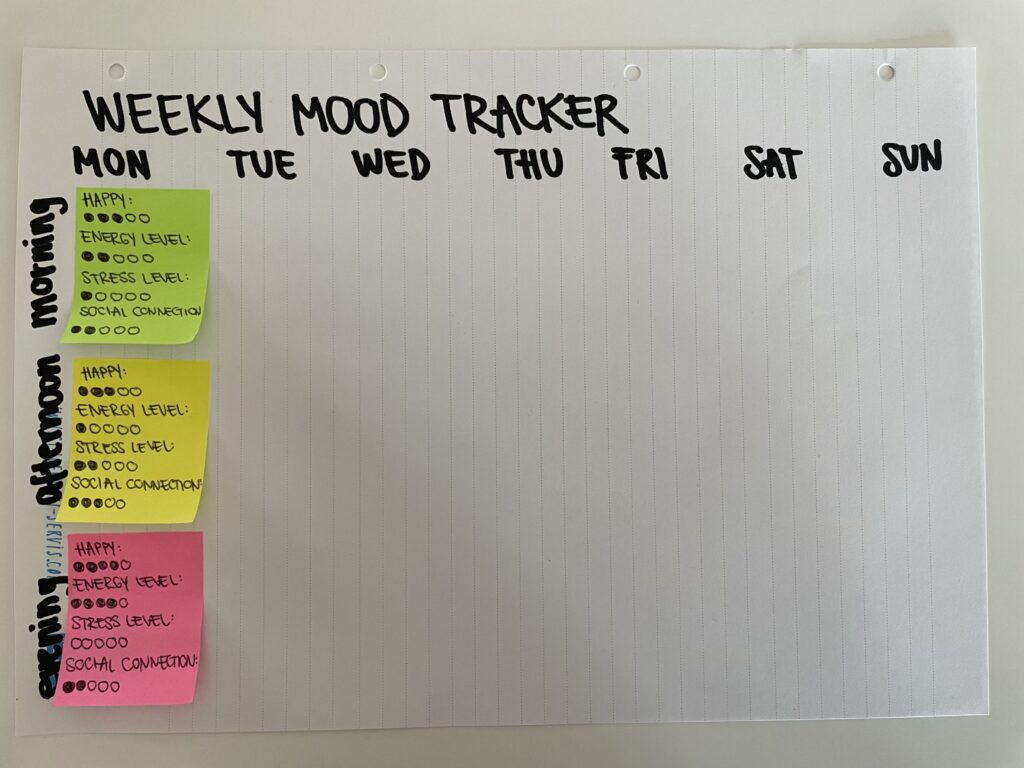
Weekly Mood Tracker: A simple, analog way to log emotions over the week using color-coded entries for easy reflection.

Self-Reflection Cards: A deck of prompts designed to encourage mindful self-exploration and emotional processing.

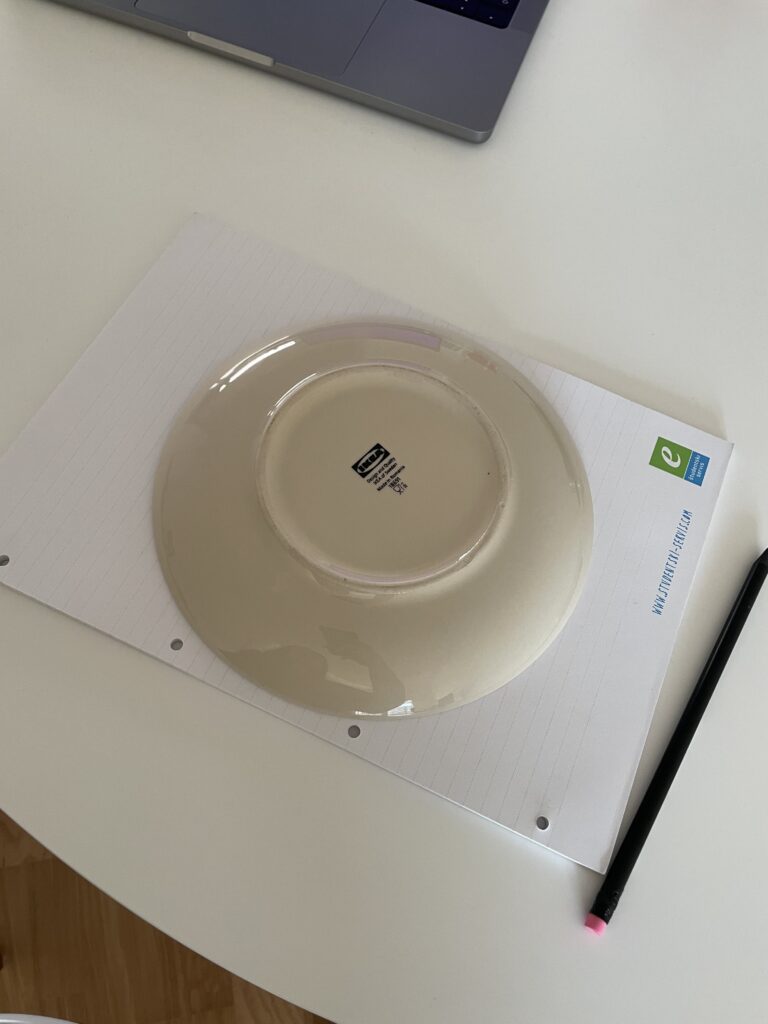
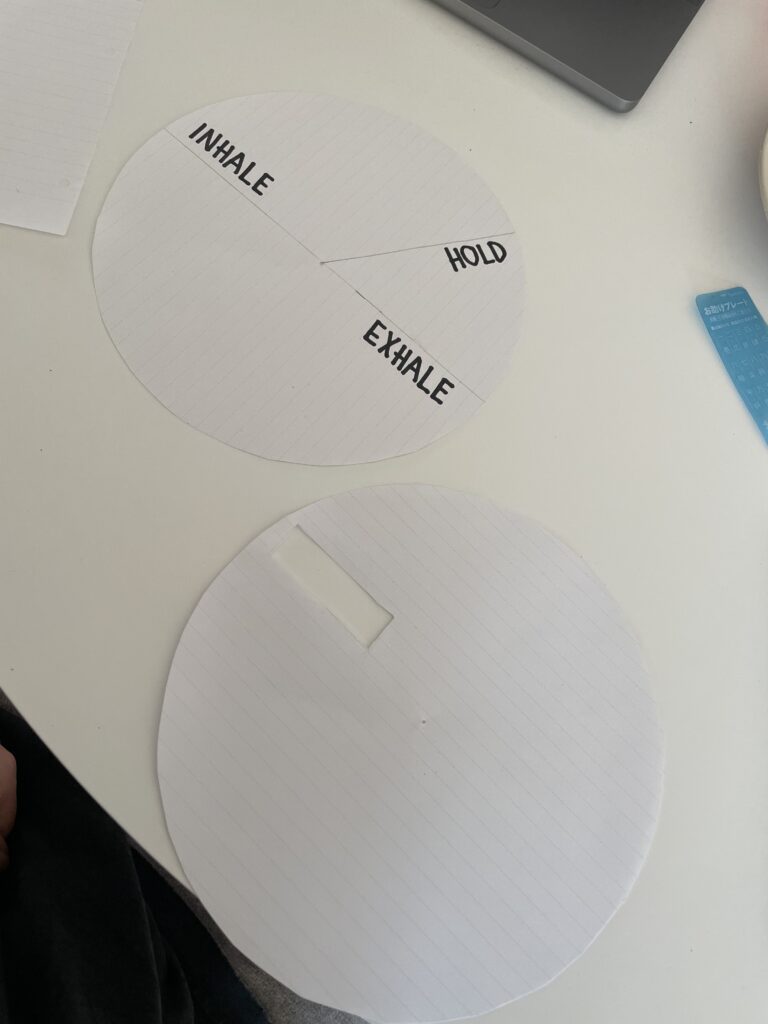
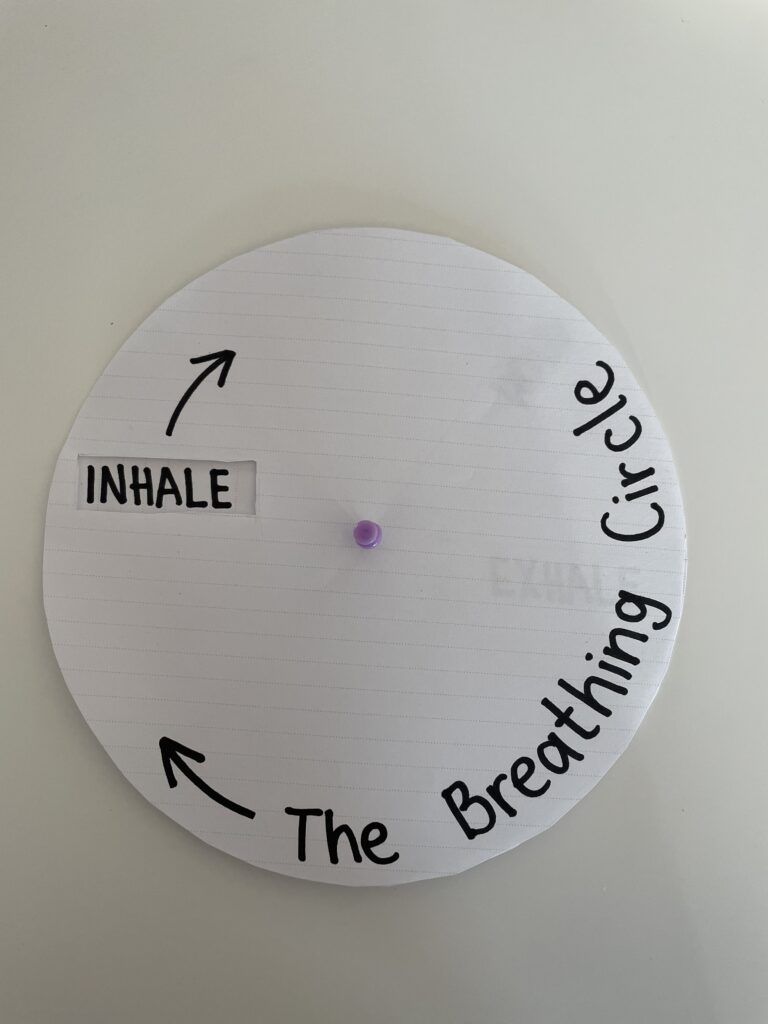
Breathing Circle: A guided breathing tool made of paper, where users rotate a circular element to synchronize their breath with a visual cue.

Choosing the Breathing Circle

While all three prototypes engage users in self-awareness and well-being, I chose to bring the breathing circle to class because it best embodies my research goal: designing interfaces that guide users toward calmness in a simple, intuitive way. Unlike mood trackers or reflection tools, the breathing circle introduces a hands-on, meditative experience that requires minimal effort—ideal for moments of stress.

Speed-Dating My Prototype

In class, we shared our prototypes in a Speed-Dating/Sharing session, presenting them to different classmates in quick succession. This was an exciting way to gather feedback and refine ideas. Some of the key insights from my classmates included:

  • Great for children in schools – One student noted that the breathing circle could be useful in classrooms, similar to a fidget gadget, helping children focus while also providing a calming mechanism.
  • Ideal for bedtime – Another student said they would love to use it before bed to relax, which sparked the idea of making the prototype more tactile with textures and even usable in the dark.
  • A minimalist, portable tool – Someone pointed out that, since it’s thin and can be small, it’s perfect for carrying on public transport or while traveling. Its minimalistic design keeps the focus solely on breathing, without distractions.
  • A sensory experience – A classmate suggested adding resistance to the movement (like a soft fabric hinge) to make turning it feel more grounding.

What is My Prototype Trying to Address?

The breathing circle is designed to address a key challenge in mental health support: how to create intuitive, low-effort tools for emotional regulation. Unlike mood-tracking apps or chat-based AI support, this tool is immediate and physical—it doesn’t require users to think, analyze, or type, just breathe. This prototype is particularly suited for:

  • Commuters and travelers – Its thin, compact design makes it easy to use on the go, whether on public transport, at an airport, or in a waiting room.
  • Children and adults needing focus – It can function as a calming fidget tool, helping with concentration in schools, workplaces, or even at home.
  • People looking for a screen-free relaxation method – No notifications, no distractions—just a simple, intuitive breathing guide.

Potential Features & Future Iterations

Based on the feedback, I’d love to explore:

  • Tactile Elements – Soft materials, textured surfaces, or raised patterns to enhance sensory engagement.
  • Glow-in-the-Dark or Low-Light Adaptation – So it can be used before bed without needing external light.
  • Personalization – Adjustable speed settings, so users can customize their breathing pace.
  • Elastic Resistance – Adding a slight resistance to the movement to make it more grounding and engaging.

If My Prototype Had a Dating Profile …

“Looking for a mindful moment? I’m a simple, no-fuss tool that helps you slow down and just breathe. I work best in quiet moments, whether you’re feeling stressed, anxious, or just need to unwind. Small, discreet, and always ready to help—swipe right for relaxation!”

Final Thoughts

This session reinforced how valuable it is to test even the simplest ideas. The breathing circle started as a basic paper prototype, but through conversation and iteration, it could evolve into something more immersive and widely useful. The feedback also reminded me that not all mental health tools need to be digital—sometimes, the most powerful solutions are the simplest, most tangible ones.

#2.01 Prototyping and Speed Dating

Recap from last semester

In my last ten blog posts I researched about loneliness and social isolation, focusing on how we as interaction designers can combat loneliness and how we can design for connection. I started by defining loneliness and social isolation, discussing how they are measured, and sharing statistics on who is most affected and their impact on mental and physical health. I then introduced the Theory of Third Places, and how important public spaces are for well-being and social connectedness. This led to an exploration of Human-Centered Design for public spaces and how interaction design can help shape these environments to encourage social interactions. Since a large part of our lives takes place online already, I want to take a more analog approach but still does not forego a digital aspect. This brought me to interactive installations and how they can strengthen social interactions in public spaces. I looked at how to design engaging interactive installations and key factors to consider ensuring people participate and connect with each other.


Prototyping

The first task in Design & Research 2 was to create three lo-fi prototypes, ideally linked to our Master thesis. To be honest, I am not sure if I want to continue with this topic for my Master Thesis, but for now my three prototypes are connected to it.


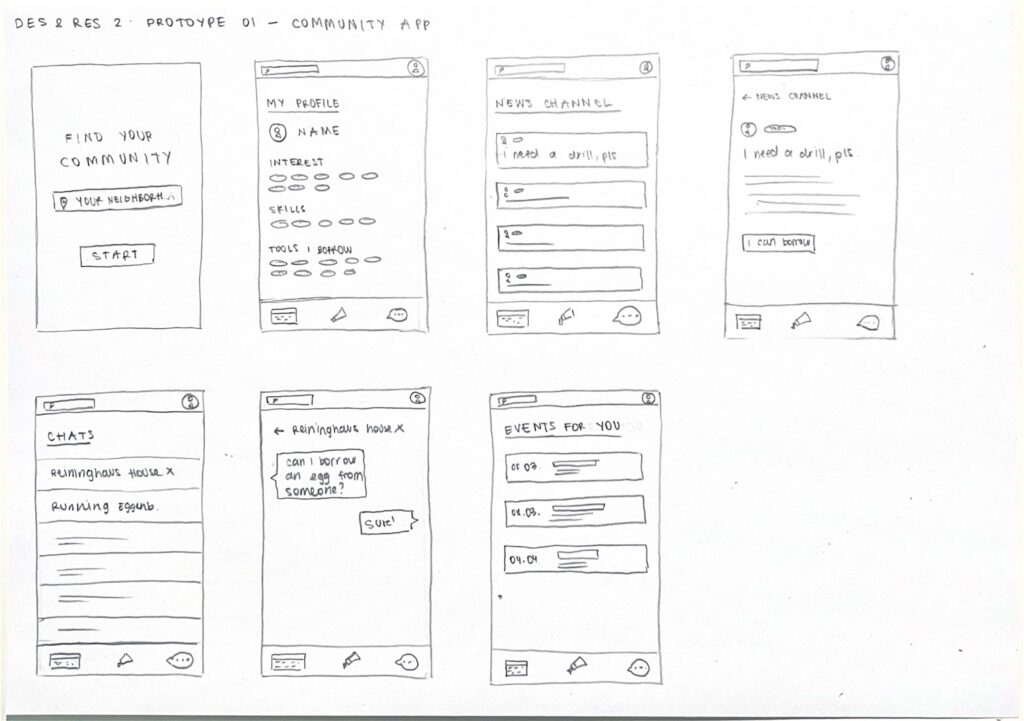
Prototype 01 – COMMUNITY APP

Although I wanted to take a more analog approach to the topic of loneliness, I wrote down all ideas that came to my mind and the first one was a community app. An app where you can connect with people in your neighborhood. You can find people with the same interests and hobbies, borrow tools you don’t own, arrange pet sitters while you are on vacation, get help with household repairs and discover local events.


Prototype 02 – SMART SOCIAL BENCH

A bench equipped with a small display that lights up when someone sits down, signaling an invitation for others to join. The display offers small conversation prompts such as “Tell me about your day” or “What’s your favorite song?” to encourage interaction. Additionally, a two-player mini games are included to further facilitate engagement and interaction.


Prototype 03 – INTERACTIVE INSTALLATION

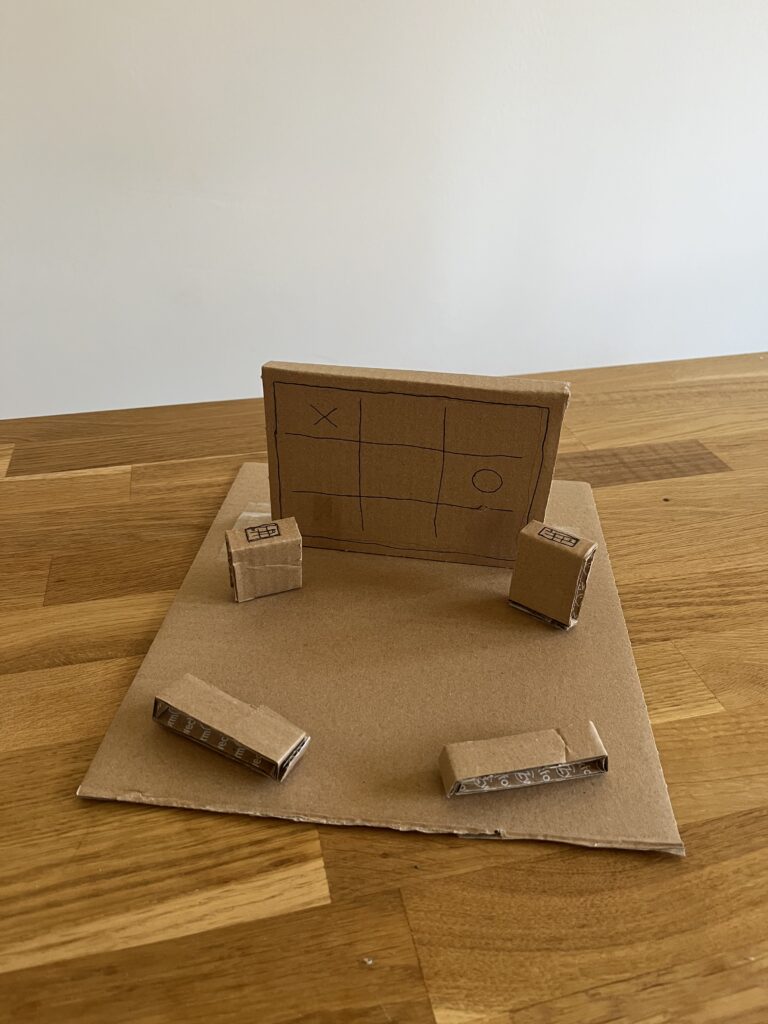
The last prototype is what I already thought about during the first semester – an interactive installation. A large screen installed in a public space, accompanied by two interactive tablets or screens that allow people to play mini games together, such as Tic-Tac-Toe for example. The setup is designed to encourage spontaneous social interactions among strangers or friends passing by. To make the space more inviting and inclusive, seating options are added nearby, providing a comfortable spot for people to watch the game, cheer on players, or even join in when a new round begins. This setup transforms the public space into a casual, engaging meeting point, fostering social connection through play and shared experiences.

Speed Dating

For the next class of Design & Research 2 we had to bring one of our prototypes. Since I already wrote about interactive installations, I brought my third prototype. We did a speed dating where we talked about our prototype with a different person every round to get more different insights, feedback and ideas. In the five rounds we got different task: guessing what the prototype was, suggesting additional features, describing it as if it is a dating profile, imagining a TED Talk about it, and reflecting about the most unexpected feedback.

Insights
  • Everyone I spoke with understood that my prototype is an interactive installation designed for two people to engage with each other.
  • One person suggested that instead of having a large screen with two control elements, I could use multiple small tables with built-in screens, allowing more people to interact rather than just two.
  • The description of the installation’s dating profile would be: Fun hanging out with.
  • Since I want to place the installation in a public space, I need to consider changing weather conditions and use waterproof materials. Additionally, the individual components should be securely built to prevent theft.

EP #4: The Future of Spatial Audio – Accessible, Crowdsourced, Real

The long-term vision of my project is simple:
– Record space.
– Upload it.
– Use it anywhere.

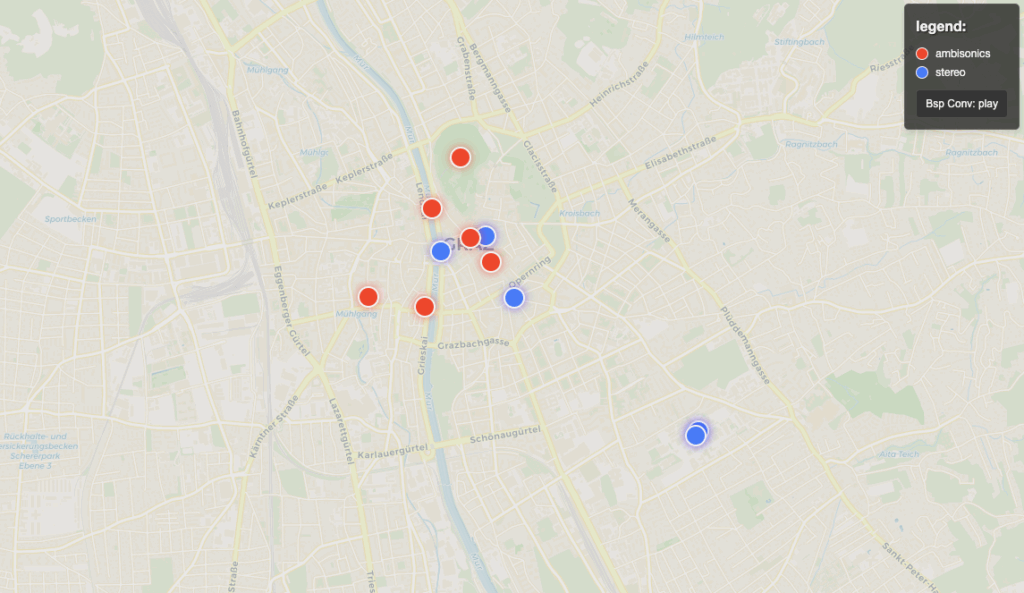
With enough participants, the Soundmap will become a searchable database of real-world acoustics – a kind of Google Street View for sound. Artists, researchers, and developers could then place sounds into acoustically true locations without ever going there.

Whether you want to preserve the sonic fingerprint of a historic building or make your VR app sound real, this approach makes spatial audio design more perceptual, democratic, and creative.

Just as photography changed how we see the world, acoustic photography could change how we hear it.

EP #3: Why Acoustics Matter – Designing Sound with Space

Most audio is designed in a vacuum – recorded dry and later drowned in artificial reverb. But what if we could design sound with real spaces in mind?

With my tool, I apply captured RIRs to original sounds, placing them into their authentic spatial context. A whisper in a cathedral, a guitar in a concrete stairwell, a voice in a silent forest – all can be recreated digitally and realistically.

This goes beyond fidelity – it’s about emotion, presence, and narrative. Sound design becomes site-specific. Just like film locations matter, so do acoustic locations.

Each space has a story to tell. I want to help sound designers listen to it.

EP #2: From Sweep to Space – How I Capture Room Impulse Responses

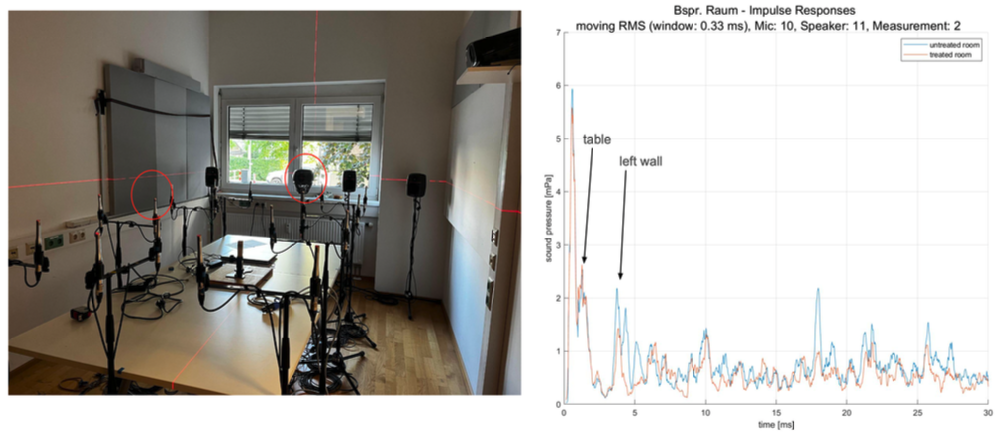
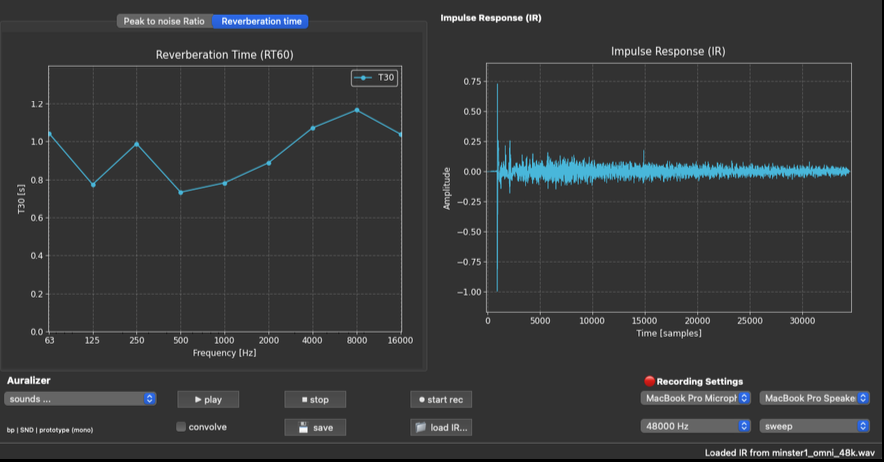
In my first prototype, I’m developing a mobile tool that turns a smartphone into an acoustic camera. Just clap your hands or play a short sweep tone – the reflections tell us everything about how sound travels in the space.

My app records these Room Impulse Responses in 360° using either basic stereo mics or, in the future, Ambisonics capsules. It then uploads the result, together with GPS coordinates, to a crowdsourced global Soundmap.

We’re not just mapping the world visually. We’re learning to map it acoustically.

This could democratize spatial audio for music, game audio, VR, and sound preservation.

Prototype Screenshot:

EP #1: Acoustic Photography – What If We Could Capture a Space?

Have you ever walked into a space and instantly felt its unique sound atmosphere?
Just like photographers capture the look of a space, we can now capture how a room sounds. My current research explores a concept I call acoustic photography – turning the complex echoes, reverberations and reflections of a room into a sonic “picture”.

Using a Impulse Response (IR) – an acoustic fingerprint of any environment – we can recreate its unique auditory qualities. With this, dry recordings can be placed into real acoustic environments using a method called convolution. The result? Audio that sounds like it was recorded in that space.