2.2 First Briefing ProWork Experiment // Semester 2 preview

After a kick-off meeting with Didi Mosbacher, I’ve officially started into the second Semester with transitioning into the experimental phase of my project. Reflecting on the insights gained during the first semester and the research phase, I began to explore how event design can be approached more practically. Instead of just theorizing, the plan was to work with a “real-life example”—something that brings theory to life.

Since we had already planned to go there, the OFFF Festival in Barcelona presented the perfect opportunity. It allows me to dive deep into a live event experience: observing, documenting, and soaking in every detail on site.

My goal is to understand what event design really needs — or doesn’t need — by analyzing best practices from first-hand experience.

The first step in this journey: analyzing OFFF’s online appearance to understand how their digital identity aligns with their on-site presence.

02.02: Mehr als nur Einführung

Nach Absolvierung der ersten beiden “Lessons” des ausgewählten Kurses halte ich es jetzt mal für angebracht im ersten echten Blogpost ein kleines Zwischenfazit zu ziehen und meine Key-Learnings festzuhalten.

Insgesamt haben mich die beiden großen Eingangs-Tutorials nun eine gute Woche gekostet, wodurch ich auch zum Schluss gekommen, nicht den gesamten Kurs zu absolvieren, da mich damit wohl im vierten Semester noch nicht fertig wäre, sondern nur mehr ausgewählte Lessons zu machen und danach hier darüber zu berichten. Aber jetzt medias in res.

Lesson 1: Track Mattes, Masken und erste Paths

Im ersten, kürzeren Tutorial, ging es um die echten Basics von After Effects. Gottseidank bedeutete dies für mich, dass nicht allzu viel neues auf mich zu kam – anderenfalls müsste man auch meinen bisherigen Studienerfolg in Frage stellen. Zu den Key-Learnings zählt aber definitiv die Animation von Masken-Paths, von der ich nichts wusste, da diese meiner Meinung nach auch relativ versteckt ist. Damit ist es aber z.B. sehr einfach gelungen die im zweiten Shot sichtbaren Balken zu animieren, die, einen Schritt weitergedacht, im Grunde für Balkendiagramme genauso verwendet werden können. Außerdem gab es auch bereits eine Einführung in den Graph Editor und Dinge wie Easy Ease um schnell coolere Ergebnisse zu erzielen, die richtige Keyframe Action begann aber erst in Lesson 2.

Für mich außerdem interessant war die Verwendung von Blend-Modes mithilfe derer man im Grunde aus allen Bildern, die irgendeine Textur haben, diese z.B. auf den Hintergrund übertragen kann. Ich bin zwar noch nicht schlau daraus geworden was genau welches Modus jetzt macht, aber sich einfach durchzuklicken, bis einem etwas gefällt kostet auch nicht zu viel Zeit. Das Ergebnis des gesamten Tutorials ist nett, stellt aber wirklich nur eine grobe Einführung dar.

Lesson 2: Ich glaub´ ich kann jetzt alles

So einfach und anfängerfreundlich die erste Lektion auch wahr, richtige Motion Graphic Action gab es erste in Lesson 2, dafür dort aber richtig. Gefühlt kann ich schon nach dieser Einheit die Welt zerreissen und es ist irre wieviele verschiedene Techniken in gerade einmal 2,5h Einheit verpackt sind (auch wenn man beim Nachmachen sicher ein paar Tage dafür benötigt). Die wichtigen Learnings sind kaum an einer Hand abzählbar, deswegen hier ein Best-Of:

  • Der einfachste Weg um Text oder Zahlen zu erstellen, die man dann als Shapes auch manipulieren kann ist nicht durch Shapes selbst, sondern durch das Text Tool. Mit nur einem Klick (create shapes from text) kann man den dann nämlich umwandeln.
  • Über Null-Objekte auf welche man andere parented kann man super schnell eine ganze Gruppe kontrollieren ohne noch einmal zu precomposen.
  • Key-Frame Manipulation im Graph Editor funktioniert im Grunde immer gleich. Zieht man den die Geschwindigkeitskurve zu Beginn auf volle Kanne und dann immer lamgsamer, hat man in 90% der Fälle einen super smoothen look. Falls nicht, einfach umkehren, eins von den beiden ists immer.
  • Der einfachste Weg Objekte über einen definierten Pfad zu bewegen ist diesen mit dem Pen-Tool zu ziehen und dann mit “create nulls from path” direkt ein sich darauf bewegendes Null zu erzeugen, das auch gleich automatisch einen Progress Slider hat. Dieses dann einfach parenten und fertig.
  • Bounce Animations sind brutal scheisse und aufwendig wenn man sie mit einzelnen Keyframes macht, gibt´s da vielleicht etwas einfacheres???? Hilfe!!!!!

Das ganze Video, das sich meiner Meinung nach wirklich sehen lassen kann sieht nun so aus und beinhaltet meiner Meinung nach wirklich alle essenziellen Techniken für smoothe Motion Graphics:

Fazit

Da ich mit diesen beiden Einstiegskursen bereits das Gefühl habe gut dabei zu sein, werde ich mich in Zukunft mehr auf einzelne brauchbare Tutorials beschränken statt den gesamten Kurs zu machen, und bald davon berichten.

#1 Prototyping Session

Der erste Versuch einen Prototypen für die Vorlesung Des Res 2 ist tatsächlich nicht über mein potentielles Masterprojekt, denn ich habe die Aufgabe mehr als eine rapid Prototyping Übung verstanden. Also habe ich ein Problem genommen, das meinen Alltag prägt (eine sogenannte Alltagsunwürdigkeit) und versucht dafür eine Lösung zu finden. 

Das besagte Problem hier zu sehen: 

Und zwar besitze ich in meiner kleinen 50m2 Wohnung keine Speisekammer oder ähnliches, um muss den Großteil meiner Lebensmittel, die nicht in den Kühlschrank gehören, in zwei sehr tiefe Laden stopfen. Fast täglich gibt es die Situation, dass ich auch von hinten in der Lade etwas brauche und beim Versuch dorthin zu gelangen, schmeiße ich an der vordersten Front alles um.  

Darum muss hier eine Lösung her. Und dabei dachte ich an eine Drehscheibe mit Vertiefungen für die Lebensmittel. 


Die Drehfunktion

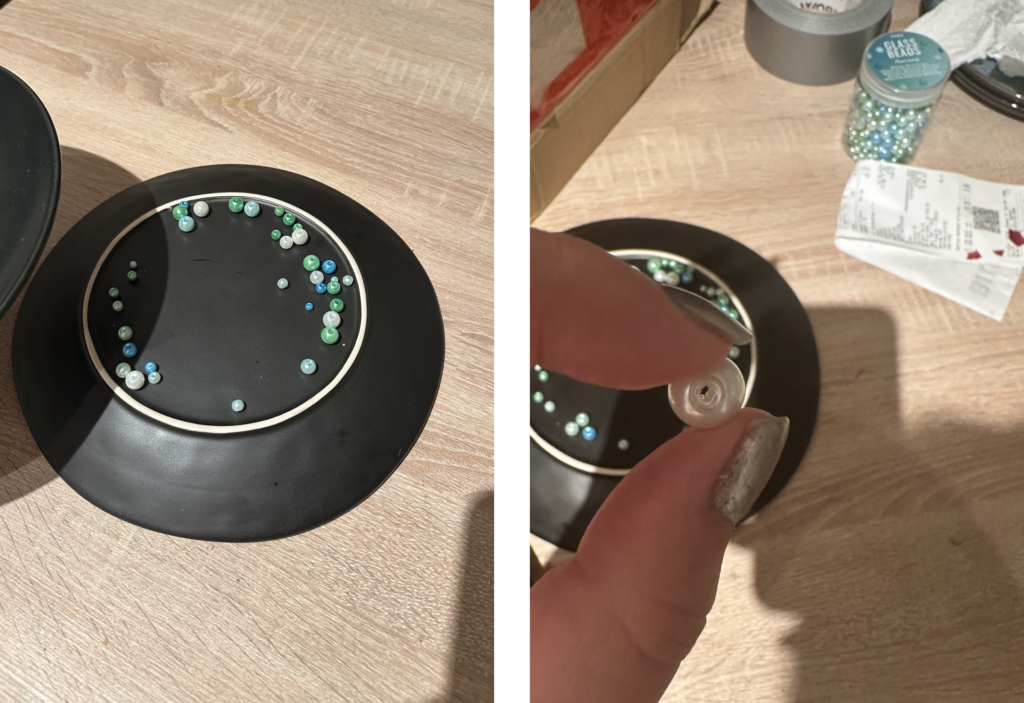
Im ersten Schritt wollte ich dazu zwei Teller nehmen und dazwischen Perlen, die ich bereits Zuhause habe. Quasi ein provisorisches Kugellager. Hat leider eher schlechter funktioniert und sich nicht wirklich gut gedreht. Wahrscheinlich waren die Perlen zu unrund oder nicht alle gleich groß.

Der Inhalt 

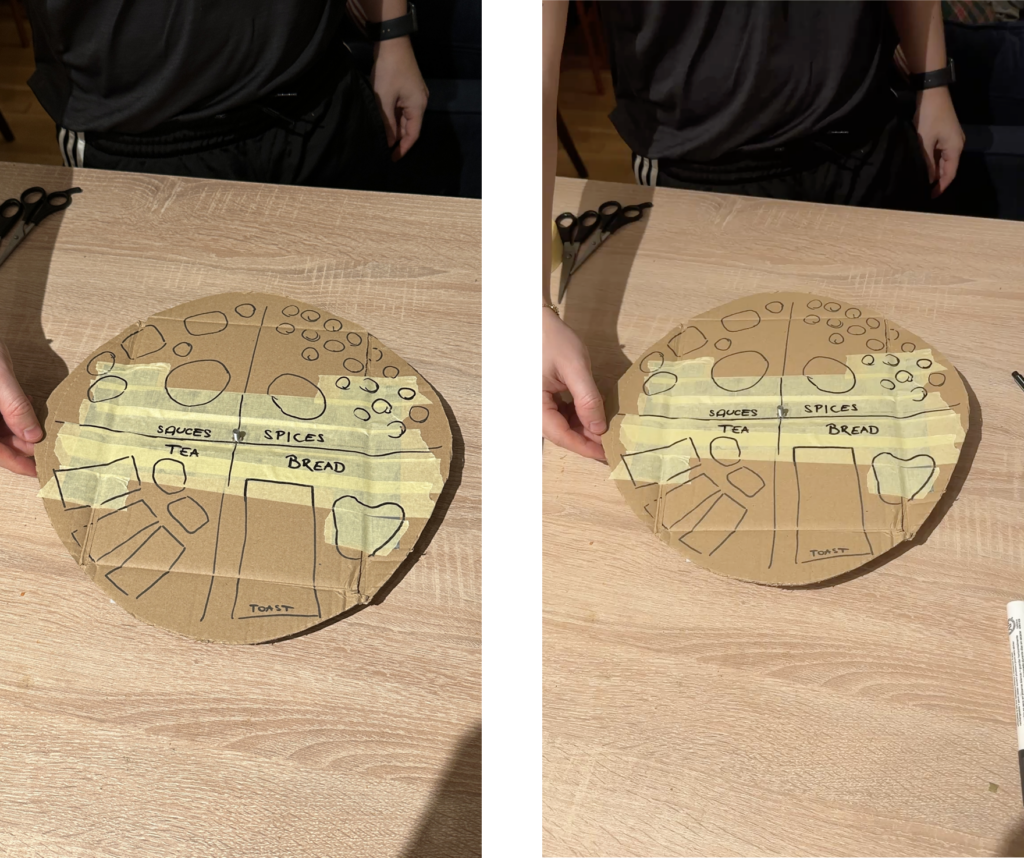
Als erstes wollte ich mich um die obere Lade kümmern. Dafür mussten die einzelnen Lebensmittel kategorisiert werden. Dabei ergaben sich diese 4 Kategorien:

  • Brot
  • Gewürze
  • Soßen
  • Tee

Diese 4 Kategorien nehmen ungefähr die selbe Menge an Platz ein.

Probleme

Während des Prototypings sind einige Probleme aufgetreten.
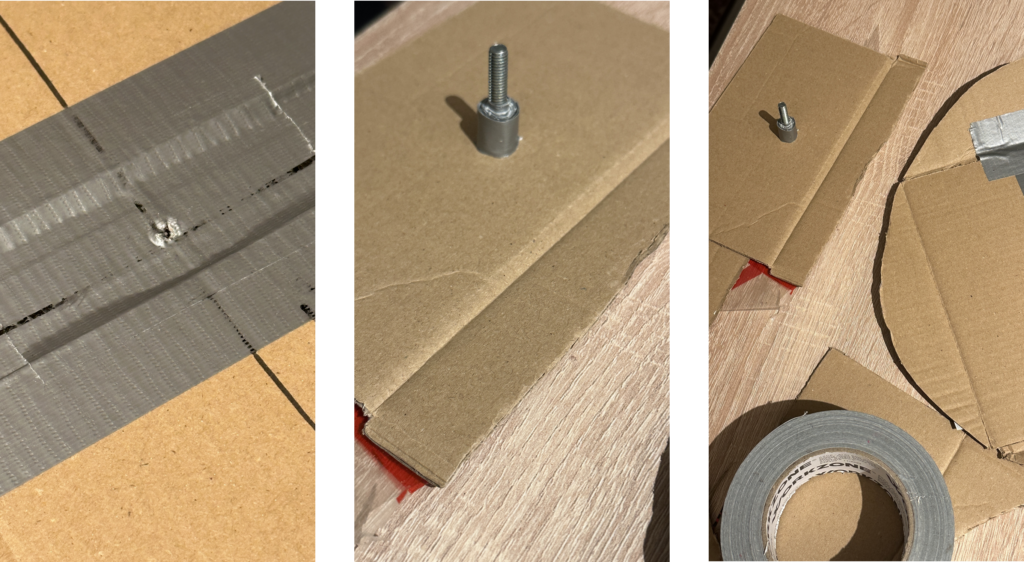
Zum Beispiel, dass der Marker nicht markiert auf dem Panzertape und dass es irgendwie ein Mittelding gebraucht hat, damit zwei Scheiben sich aufeinander drehen. Dafür wurde dann eine Schraube verwendet. Die erste war leider zu lange, mit der zweiten hat die Sache dann schon besser funktioniert.

„Finaler“ sehr Lofi Prototype

Im Endeffekt hatte ich dann eine ganz gut drehbare Scheibe mit Kennzeichnung der einzelnen Bereiche. Meine Kollegen hatten anhand der Beschriftung halbwegs erkannt, was das Objekt machen soll, der Kontext zu meinem Storage konnte aber ohne Erklärung (irgendwie auch logisch)  nicht erkannt werden. 

Fazit

Es hat sehr Spaß gemacht zu tüfteln und kontinuierlich kleine Probleme zu beseitigen. Auch das Speed-Dating war sehr cool. Bin mir nicht sicher, ob ich doch schon an meiner Masterarbeitsidee hätte arbeiten sollen, damit da etwas schneller weiter geht, aber es war auch befreiend, sich mit einem weniger „geladenen“ Thema zu beschäftigen. 

#11 Prototyping – Trial and Error

Prototyping Multisensory Data – From Spaghetti Mountains to Shadowed Insights

The task was to create three quick lo-fi prototypes related to our Master’s research—ideally 5–10 minutes each, with a maximum of 20. The goal was to sketch out ideas, test tangible concepts, and move away from screen-based representations. I managed to create two prototypes. Neither went exactly as planned—but both taught me something valuable.


Prototype #1 – The Spaghetti Schlossberg

For this prototype, I attempted to reconstruct the topography of Graz’s Schlossberg using spaghetti. I had a map with Höhenlinien (contour lines) and snapped pieces of spaghetti to match the elevation levels. The plan was to poke them through holes in a cardboard base to create a physical, touchable model of the hill.

The idea:

To offer a tactile experience of elevation, allowing users to feel the form of the mountain. My long-term vision included vibration feedback: depending on which level the user touches, the surface could respond with different intensities or patterns of vibration—giving sensory feedback about height, slope, or perhaps historical or environmental data.

What didn’t work:

  • The holes had to be the exact right size—too big, and the spaghetti would fall through; too small, and it would snap trying to insert it.
  • The spaghetti broke. A lot.
  • I only managed about half the model before deciding to stop.

What I learned:

  • Spaghetti is a fragile material—not ideal for tactile prototyping.
  • Still, the concept of a vibrotactile elevation model is worth pursuing, maybe with more durable materials like wires, foam, or layered acrylic.
  • There’s something powerful about physically feeling data—especially when it’s enhanced with feedback.

Prototype #2 – The Cardboard Box of Shadows

This idea was more experimental. I took a cardboard box, cut one side open, and inserted a slot for sliding a sheet of paper inside. I placed a light behind it, allowing shadows to appear on the back wall of the box.

The idea:

To explore how data can be made visible through shadows—revealing patterns not through direct representation, but through effect and contrast. Initially abstract, the idea grew into something more tactile and layered.

I then thought: what if you could slide two pieces of paper inside the box—each with different shapes, data patterns, or cutouts? Their overlapping shadows would form a dynamic visual, representing the interaction between two datasets.

What this could evolve into:

  • A lo-fi ambient display where the position and layering of paper affects the final output.
  • A metaphor for data complexity—how meaning emerges not from a single source, but from relationships, intersections, and light.

What I learned:

  • Sometimes we build without a clear purpose, and ideas emerge through doing.
  • Light and layering can be compelling tools in multisensory data design—especially when paired with motion, tactility, or time-based changes.

Reflections

These fast prototypes pushed me to translate data into form—without overthinking or refining too early. Both attempts reminded me that multisensory design is not about perfection—it’s about perception. What does data feel like? Sound like? Look like when it hides, flickers, or resists being seen?

Even though I didn’t finish all three, I left with two ideas I might revisit, refine, or completely rethink—successes in their own right.

Documentation & Reflection of the Speed-Dating/Sharing session

Lo-Fi Prototyping: A Hands-On Experiment with Everyday Materials

In one of our recent classes, we were given an interesting assignment:

Create three lo-fi prototypes of a project idea related to your Master’s research and bring one to class for testing. These prototypes could be iterations of previous work, early drafts of a new concept, or entirely different ideas. The key was to keep the process quick and experimental, spending no more than 20 minutes on each prototype.

Each student approached this task differently. Instead of focusing on my research from last semester, I decided to take a completely fresh perspective. My goal was to experiment with rapid prototyping using only materials readily available at home, creating something practical and functional.

Prototype 1: The DIY Charger Holder

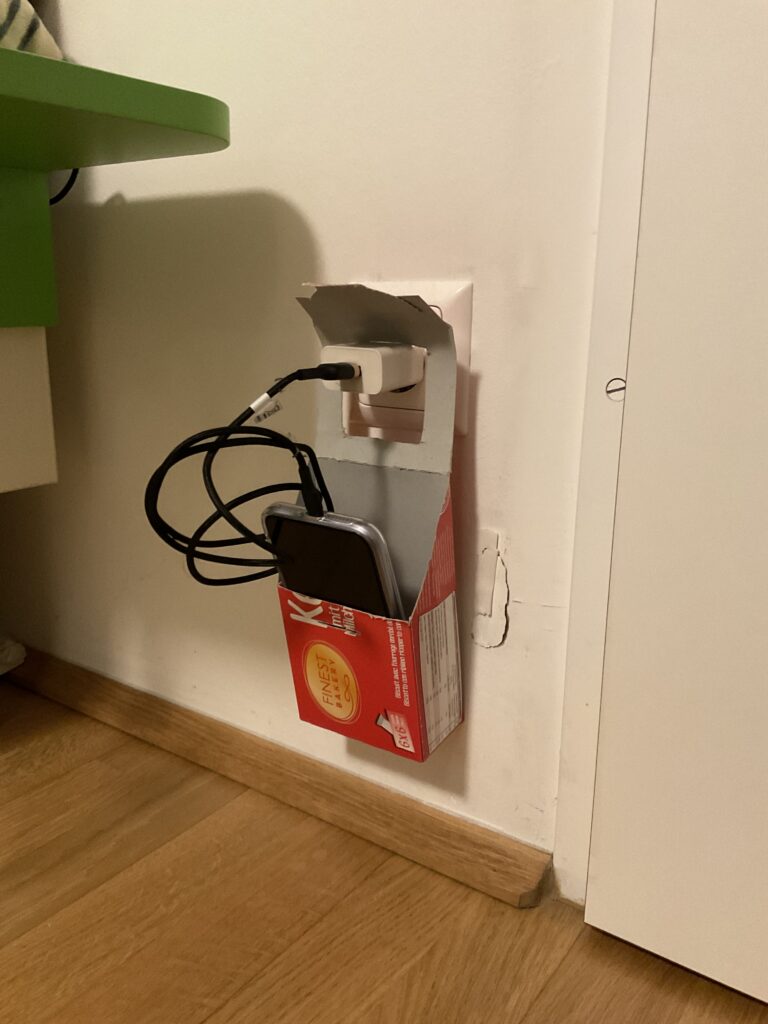
My first prototype was a cardboard charging holder, designed to serve as a portable phone and charger station. The idea came from a common inconvenience—when outlets are located far from tables or shelves, leaving devices on the floor while charging is not ideal. This prototype aimed to solve that issue, especially for travel or spaces with limited furniture.

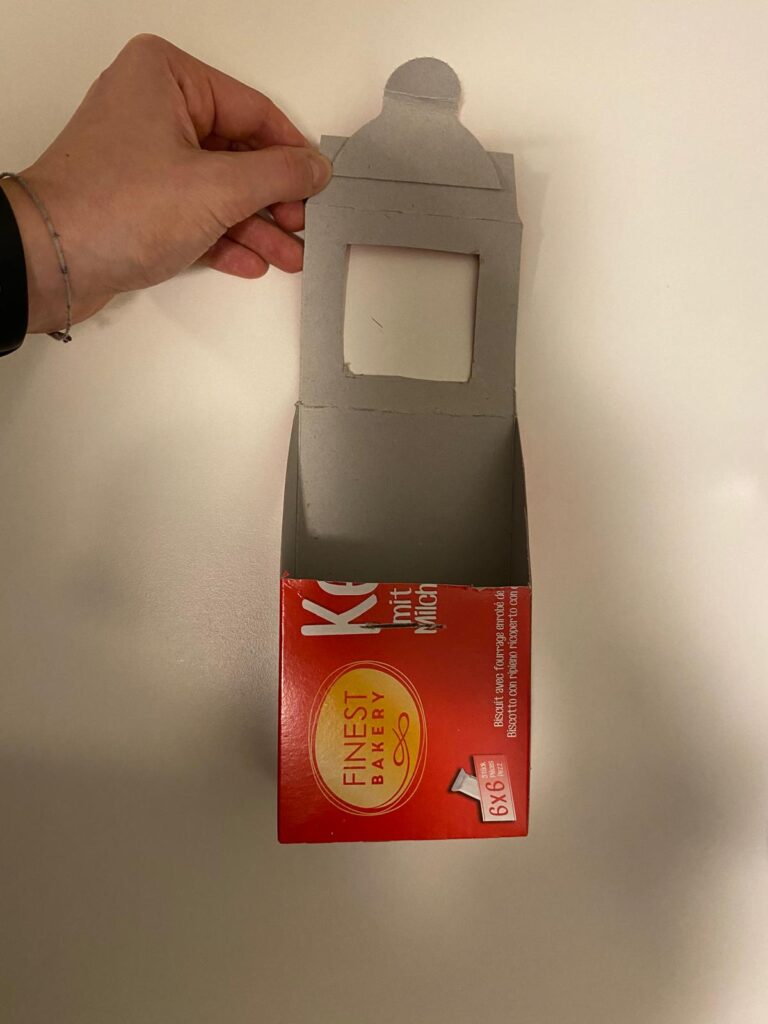
Using an empty cookie box, I cut out sections to create an opening where the phone and charger could be placed. The structure allowed the box to hang securely on a plugged-in charger, keeping the phone elevated and safe from potential damage.

Prototype 2: The Allergy Pillowcase

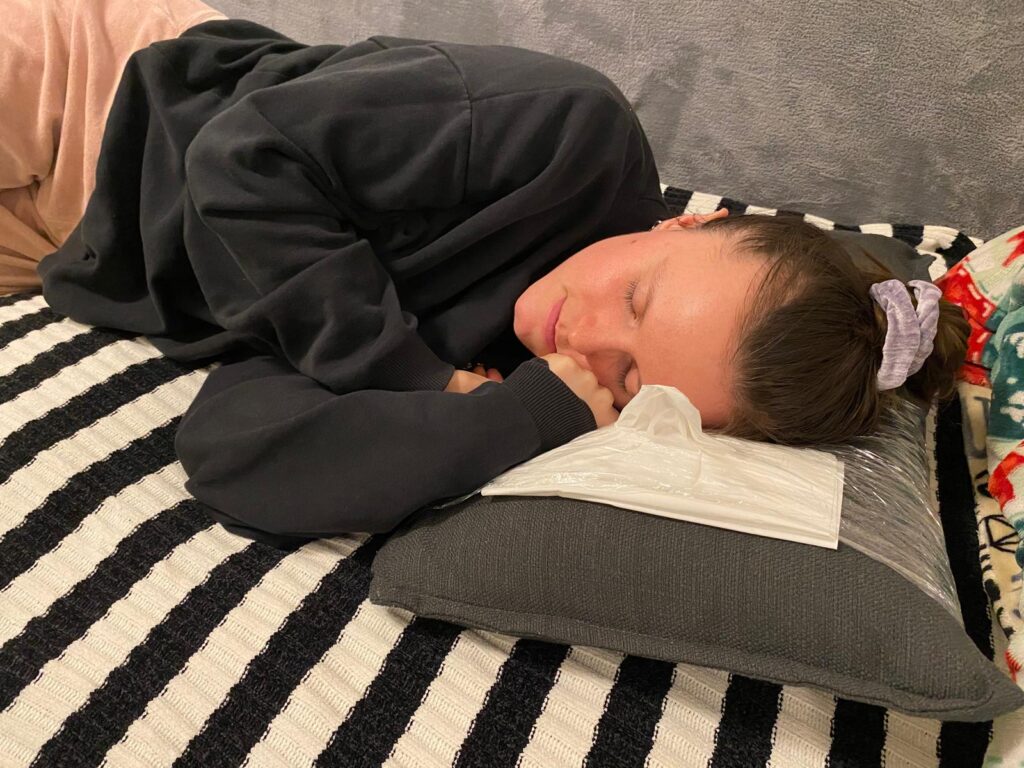
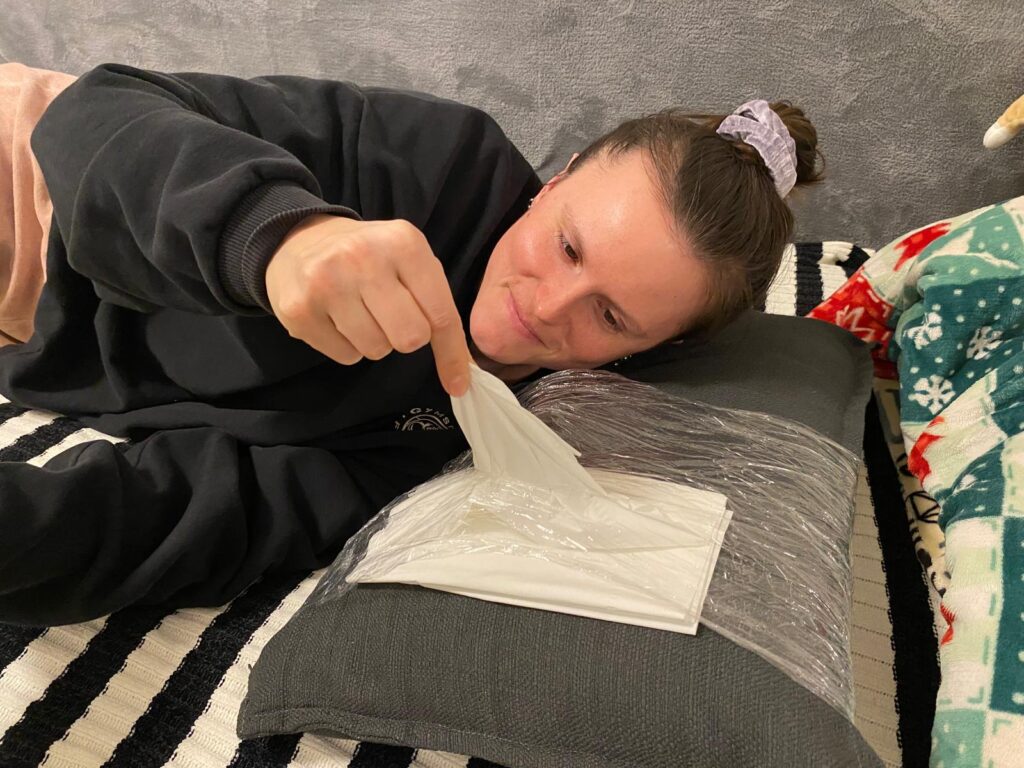
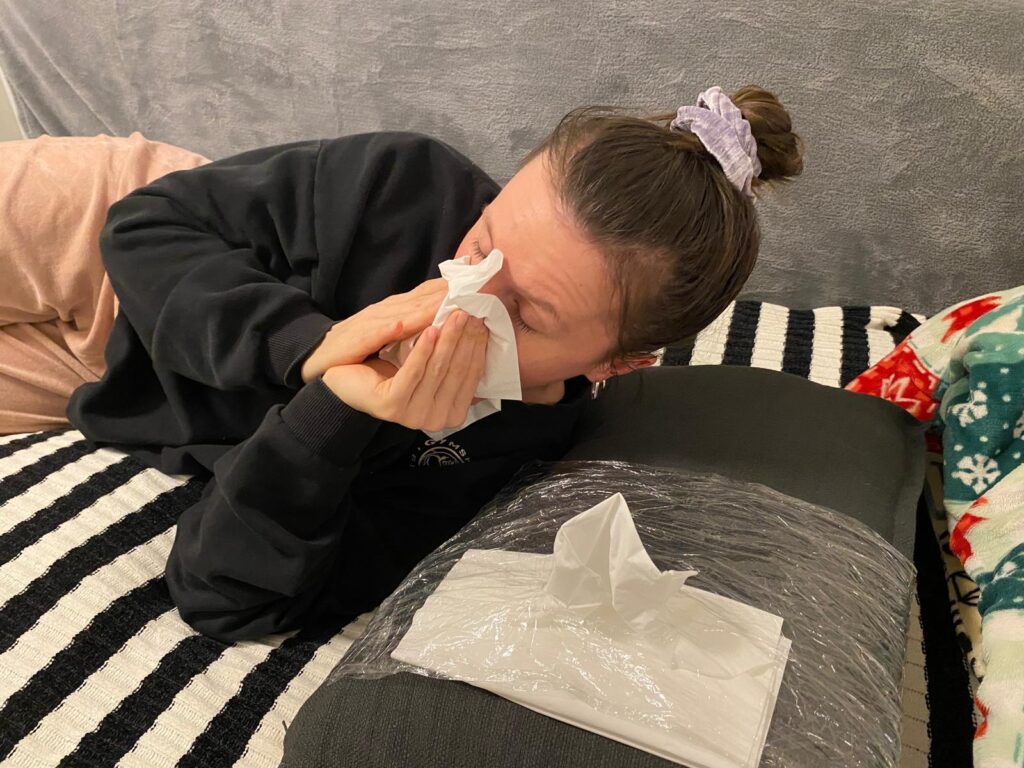
The second prototype was a pillowcase designed for people with allergies or colds. The concept was simple: integrating a small pocket or compartment to store tissues. This would allow users to access tissues quickly during the night without having to get up or search for them in the dark. While the design was basic, the idea addressed a real pain point and could be refined further.

Observations from the Class Testing Session

For the testing session, I brought my first prototype—the cardboard charging holder—to class. What surprised me the most was how difficult it was for my classmates to identify its purpose. Since I had designed it with a clear function in mind, I assumed it would be immediately recognizable. However, when I asked my peers to guess what it was and how it worked, many had no idea.

Only after I provided a small hint—mentioning that it was related to phone chargers—did they start to piece it together. This experience highlighted an important lesson: as designers, we often assume our ideas are obvious because we are deeply familiar with them. However, what seems intuitive to us may not be clear to others.

Key Takeaways

This experiment reinforced a critical principle in design and product development:

  • Early user testing is crucial. By involving users from the beginning, we can uncover misunderstandings and refine our designs based on real feedback.
  • Imperfect prototypes are valuable. It’s better to test a rough, quick prototype than to wait until a product is ‘perfect.’ Iterative design allows for improvements based on actual user insights rather than assumptions.
  • Context matters. A design that seems simple and logical to its creator may not be immediately clear to others. Communicating ideas effectively is just as important as the functionality itself.

Through this rapid prototyping challenge, I realized that testing, even with basic materials, can lead to unexpected insights. Moving forward, I plan to integrate more user feedback earlier in my design process to ensure that my ideas are not only practical but also easily understandable.

This assignment proved that sometimes, the simplest ideas can spark the most meaningful discussions about usability and design thinking

Plane of Emergence – Music between Machines (IRCAM)

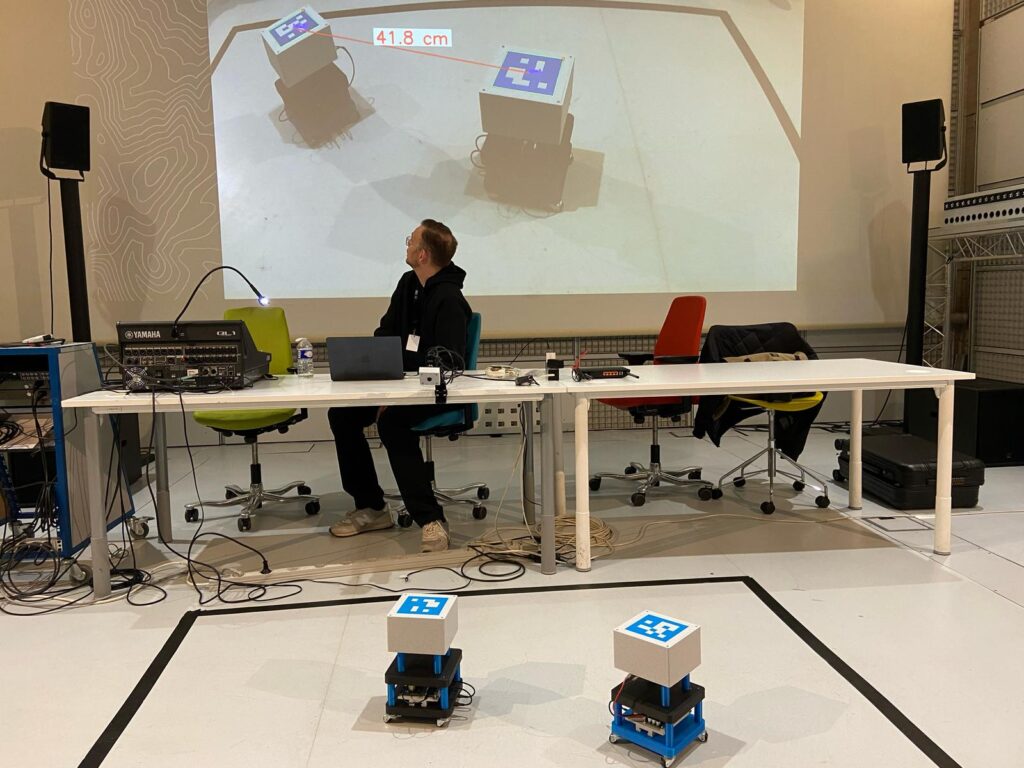
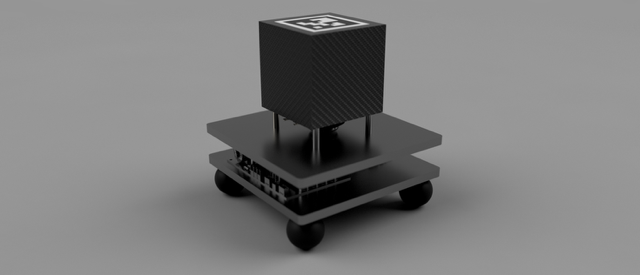
When I arrived at the presentation of Plane of Emergence at IRCAM, the setup looked surprisingly simple at first. On the floor, inside a black marked rectangle, were two small cube-like devices, standing quietly next to each other. A big screen behind them showed a live camera view of the scene. I noticed a line connecting the two cubes on the projection, showing exactly how far they were apart. This was made possible by a motion-tracking camera mounted above, constantly measuring their positions.

The artist explained that these devices were not normal speakers or instruments, but autonomous machines. They were able to listen, react, and transform musical patterns based on how close or far they were from each other. There was no conductor or composer telling them what to play — everything emerged from their interaction alone.

While listening, I could feel how the soundscape was always shifting. Sometimes you could recognize small repetitive patterns, like a rhythm or a melody fragment. But just when you thought something stable was forming, it suddenly dissolved into something new. The artist described this as a balance between “territorialization” — when the devices settle into stable patterns — and “deterritorialization” — when they break free and surprise you with unexpected variations. It felt like watching two creatures communicating and constantly changing their language.

The idea behind it is inspired by the philosopher Deleuze and his concept of the plane of immanence — a space where things don’t follow strict rules but constantly create themselves from within. I liked that you could really hear this concept, it wasn’t just theory.

Technically, the system is based on a previous project called Spatially Distributed Instruments, where the machines not only send sounds but also “listen” to each other without noticeable delay. The sound you hear is not pre-composed, it is created in real-time from their relationship in space.

Unfortunately, as the artist mentioned, only two of the planned interaction methods were working that day. But even with these limitations, it was fascinating to see (and hear) how rich and alive the system already was.

For me, it was less like watching a performance and more like observing a small ecosystem made of sound and technology.

IRCAM Link: https://forum.ircam.fr/article/detail/plane-of-emergence/

A Journey Through Sound – (IRCAM)

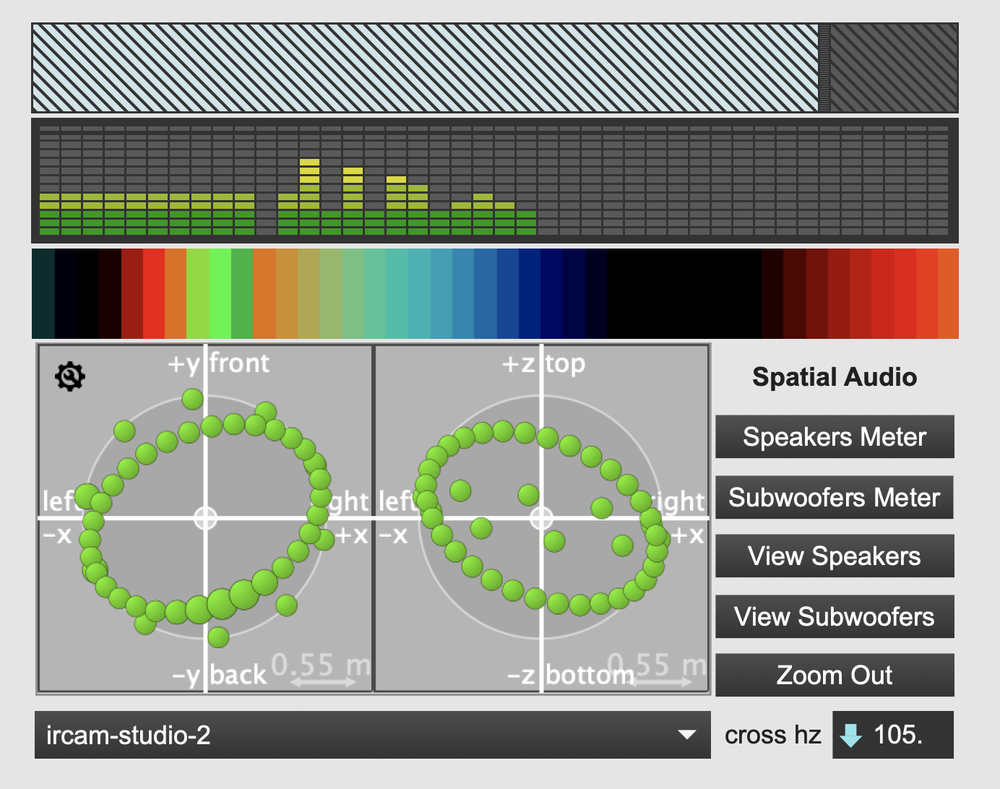
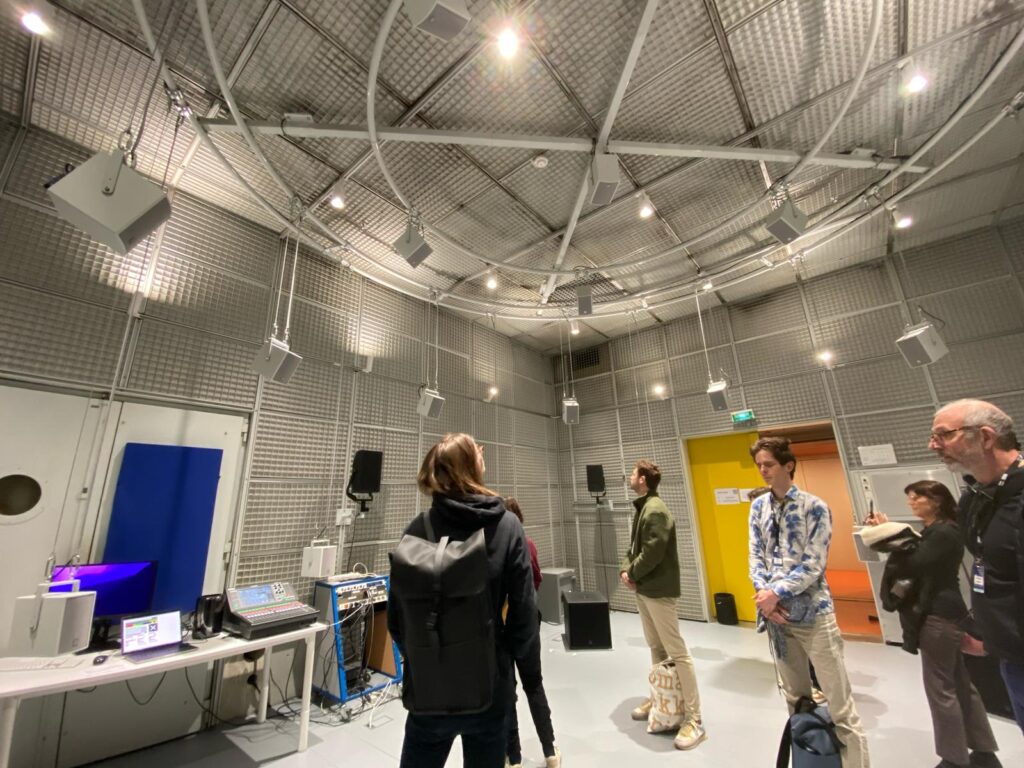
When I entered the installation called ‘Hearing From Within A Crossfade by Lewis Wolstanholme’ at IRCAM, I was immediately surrounded by a very special atmosphere. Sounds were floating through the space — soft, detailed, and constantly changing. It didn’t feel like listening to a normal piece of music. Instead, it felt like the sounds were alive, moving gently around me and transforming into something new all the time.

What made this experience so fascinating was how the sounds seemed to blend into each other without clear breaks. One texture slowly became another, sometimes so smoothly that I barely noticed the change. I later found out that this was made possible by a special technique called Joint Time-Frequency Scattering Transform. This method allows sounds to be transformed and combined in a very natural way, almost like they were breathing.

The installation was created by Christopher Mitcheltree together with IRCAM. He used this technique to make sounds not only change over time but also move through space. Depending on how a sound behaved — for example, how much it was vibrating or how high or low it was — it appeared at different places in the room. This made the whole space feel like part of the music.

For me, it felt like I wasn’t just listening, but actually walking inside a sound. It was a very inspiring and calming experience, and I stayed much longer than I had planned.

IRCAM – Link: https://forum.ircam.fr/article/hearing-from-within-a-crossfade/

From Sketch to Virtual Runway: 

How Hard Is It to Create Your Own VR Clothes?

Virtual fashion has experienced explosive growth because virtual reality (VR) worlds now allow people to express their personal style. Developing VR clothing presents an adventurous creative path for your gaming avatar meetups and digital socializing purposes. Virtual fashion dream translation requires what level of difficulty to execute? Let’s break it down.

As a starting point we need to grasp basic principles of virtual reality clothing

The digital garments of VR are virtual garments which attach to digital avatars. VR clothing design happens through software which enables the production of virtual fabrics alongside textural effects plus motion attributes. VR clothing bypasses traditional fashion limitations through its ability to design unconventional designs with no physical boundaries. Designers obtain full creative freedom because they can experiment with no boundaries.

Virtual fashion design needs proper attention to form elements as well as avatar compatibility and natural movement in addition to technical execution. Inadequate design of clothing products may cause items to penetrate the user’s body structure or create abnormal movements thus interrupting their VR experience.

Essential Tools You’ll Need:

  • 3D Design Software: Programs like Blender, Marvelous Designer, or Clo3D are popular for creating realistic clothing simulations. These platforms provide flexibility in shaping garments and adding details.
  • Texturing Tools: Substance Painter and Photoshop help add colors, patterns, and textures, enhancing the garment’s realism.
  • Rendering and Animation Tools: Software like Unity and Unreal Engine allows you to animate the clothing, simulate realistic physics, and visualize it in a VR setting.
  • VR Platforms: Platforms like Decentraland, Roblox, or Meta Horizon Worlds provide spaces to showcase and sell your designs.

The Learning Curve

VR clothing creation poses distinctive challenges especially to new users who start this process. Substantial creative design along with technical abilities create the productive basis of this process. Learning 3D modeling and UV mapping alongside rigging mechanics for avatar garment attachment and creating textures which resemble reality proves difficult until one gains sufficient practice.

  • For Beginners: The initial learning curve might feel steep, particularly when learning to navigate 3D design software. However, countless online resources, tutorials, and communities can help guide you through the process.
  • For Intermediate Designers: If you have experience in graphic design or fashion design, the skills transfer well. Marvelous Designer, for instance, simulates real-world fabric behavior, making it intuitive for those with garment construction knowledge.
  • For Advanced Users: Professionals can experiment with complex materials, intricate textures, and dynamic simulations to push the boundaries of VR fashion.

Pro Tip: Start with simple projects like t-shirts or jackets to understand the basics before advancing to elaborate designs.

Designing Your First VR Garment

Typically design processes require these sequential phases:

  1. Begin by creating sketches or digital representations of clothing designs during conceptualization. Next evaluate how the design will function and react against the avatar’s body structure.
  2. The base shape creation happens through the use of software such as Blender. Virtual fabric simulation on avatar models works best through the tool known as Marvelous Designer.
  3. Texturing provides the method of applying colorful designs with patterns to finalize the visual creation process. By using Substance Painter users can produce realistic material textures.
  4. Through rigging enable your garment to link up with avatar skeletons then it will follow their motions naturally.
  5. Virtual testing enables designers to position their creations through VR for required modifications.

Experimentation and Creativity

Virtual reality fashion allows creators to transcend physical limitations by developing designs that challenge classical dynamics of physics. Virtual fashion designers craft their designs through excellent ideas such as responsive garments which alter with user movements and through outfits made of glowing dresses or fluid metallic materials. You gain full creative freedom to design nonrealistic concepts and futuristic designs without boundaries.

A person in a long dress

Description automatically generatedA person with a ponytail and a scarf around her neck

Description automatically generated

The virtual fashion marketplaces of several platforms make their appearance to users. Developing a personal commitment to digital fashion allows you to turn your designs into income through digital fashion items as well as NFTs and game skins.

Creative Ideas to Try:

  • Gravity-defying capes
  • Interactive garments that change color
  • Transparent holographic outfits
  • Cyberpunk-inspired metallic suits

Challenges You Might Face

The liberating element of virtual fashion brings both strength and obstacles to users. Some common difficulties include:

  1. Proper avatar compatibility and rigging procedures prove to be technical problems during the process.
  2. The large file size of VR clothing creates management problems which impacts system loading speed and operational performance.
  3. Clients may have to dedicate time and professional skill to reach precise fabric simulation results.
  4. Continuous practice together with persistence enables major improvements in most cases. Designers who work in communities often share their procedures along with offering support to other members.

Conclusion: Is It Easy or Hard?

The process of making VR clothing becomes easier after acquiring experience and learning how to design with the right tools matched to your creative ambitions. The technical complexity initiall Beginning simple projects and increasing practical work and trying diverse styles helps both new and experienced users develop their skill level and confidence.

VR fashion provides unlimited opportunities where personal designers can build their creativity toward establishing a virtual presence including the market. All expert fashion designers began their journey at the beginner level thus becoming experts by starting first.

The Challenges of Creating Virtual Reality Clothing: Where Fashion Meets Frustration

Fashion designers encounter multiple hurdles while developing virtual reality apparel which results in significant challenges during the design process.

New technology in Virtual Reality fashion completely changes our approach to wearing clothes. The fashion world uses virtual reality garments along with virtual avatars to let users express their creativity through sustainable fashion options. The creation of digital clothes involves numerous technical obstacles because of the characteristics of the virtual world. VR fashion developers encounter numerous significant difficulties during their work to create virtual reality clothing.

1. Achieving Realistic Fabric Simulation

The movement dynamics of VR clothing depend on simulated fabric behavior because digital fabrics lack natural attributes of physical textiles. Designers need to duplicate the exact textures and movements of all materials including flowing silk alongside rigid leather. becoming realistic demands scientific mastery regarding material behavior along with high-capacity processing systems. VR designs fail unless simulation programming is precisely accurate since it affects the way virtual characters move through their garments.

2. Balancing Aesthetics and Performance

Duplicating intricate fabric patterns together with high-end textures requires processing equipment with great power intensity. Softwares featuring photorealistic clothing offer better immersion yet they put excessive strain on computing devices. Developing VR content requires developers to strike an ideal stability point that maintains performance speed while showing visually pleasing graphics. The preservation of frame rates through texture simplification or polygon number reduction leads to lowered realistic detail in the virtual environment.

3. Avatar Customization and Fit

Physically produced clothing adjusts to accommodate people of all body sizes as well as shapes. The capability to customize in virtual reality systems remains challenging at present. Programmers develop adjustable clothing systems which handle various sizes of virtual characters through automation. Such systems face technical issues which result in improper clothing conformance and garments that expand abnormally.

4. Physics-Driven Collisions and Clipping

VR fashion faces a major difficulty because clothing frequently intersects with both the avatar and other garments in ways that are known as “clipping.” The detection tools that developers embed in their systems stop clothing from interchanging yet they still have difficulty making interactions between objects work flawlessly particularly when characters execute intricate moves. When collisions are inadequately managed in VR programs they destroy users’ immersion and negatively affect their virtual reality experience.

5. Style Limitations and Creative Constraints

Design capabilities within VR exist without border while the system places specific design constraints on users. The designers have to simplify complex elements which display marginal realism during rendering and animation processes. Processing user interactions such as fabric manipulation becomes difficult within virtual environments because it demands specialized equipment.

6. Sustainability vs. Commercial Viability

Virtual reality fashion has environmental benefits because it cuts out the need for conventional fashion products created from real resources. The development process for high-quality digital garments requires extensive resources to create and demands a team of specialized workers to maintain it. Profitability and sustainable practices exist in constant opposition to each other.

Final Thoughts

To make VR clothing you need both technological ability and creative thinking skills. The multiple challenges of creating VR clothing have started to decrease since real-time rendering and adaptive garment technology combined with AI-driven physics continue to progress. Designer opportunities within the metaverse will expand proportionally to the growth of this virtual realm enabling them to transform virtual fashion limitations.

The initial step towards participating in digital outfit development requires comprehension of these challenges for designers, developers, and fashion enthusiasts alike.

Modellkirche und erste Mapping-Tests

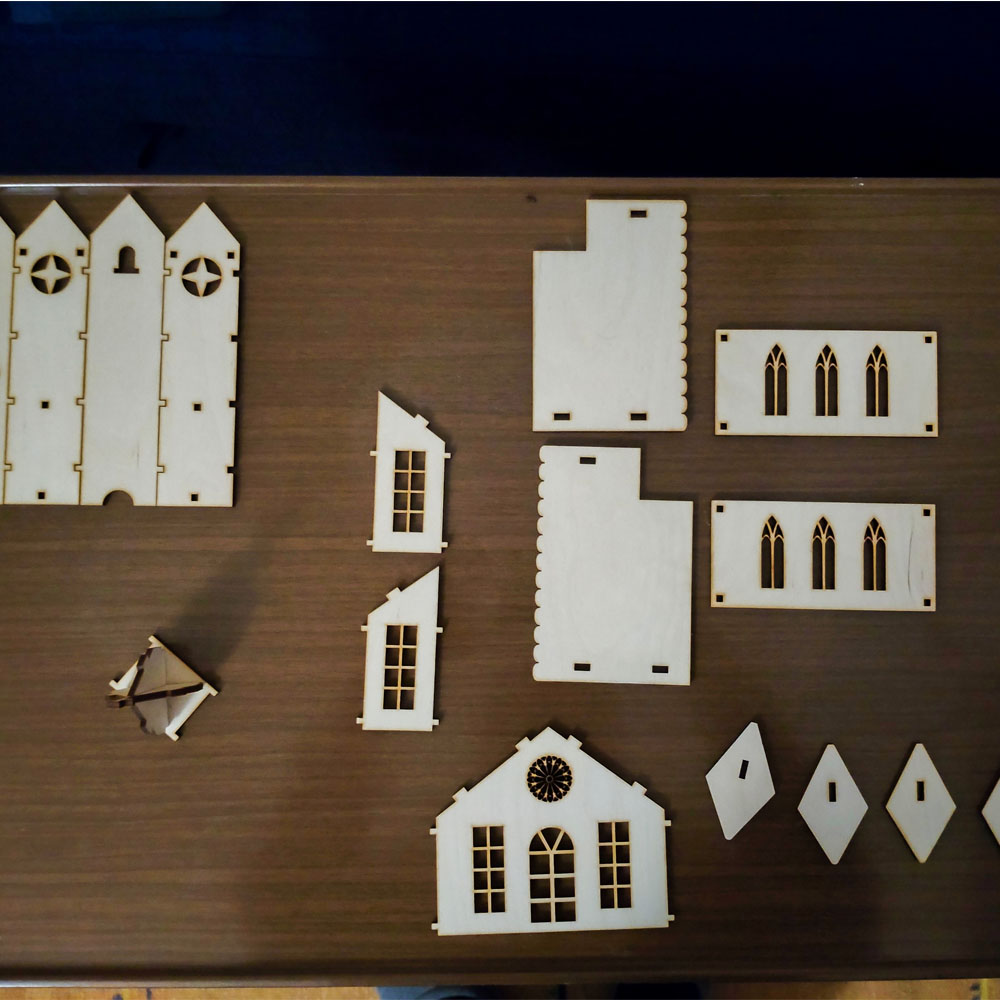
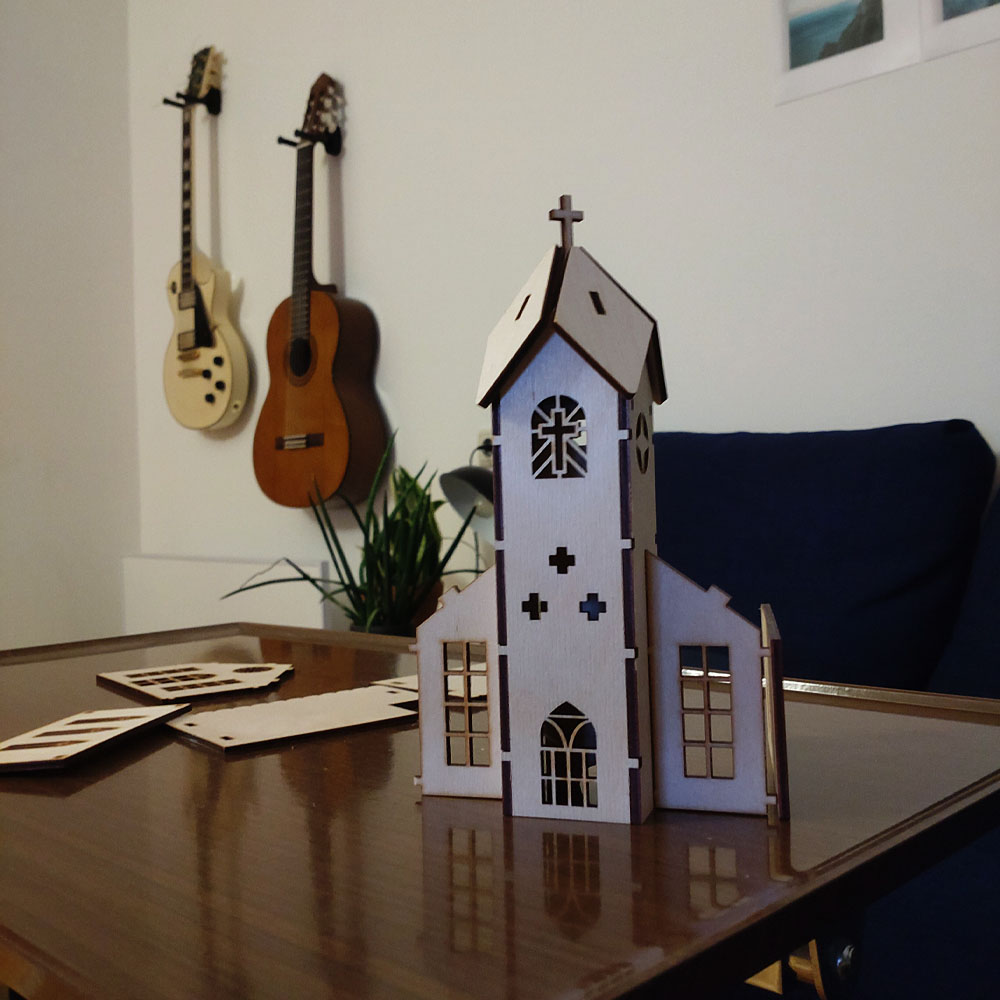
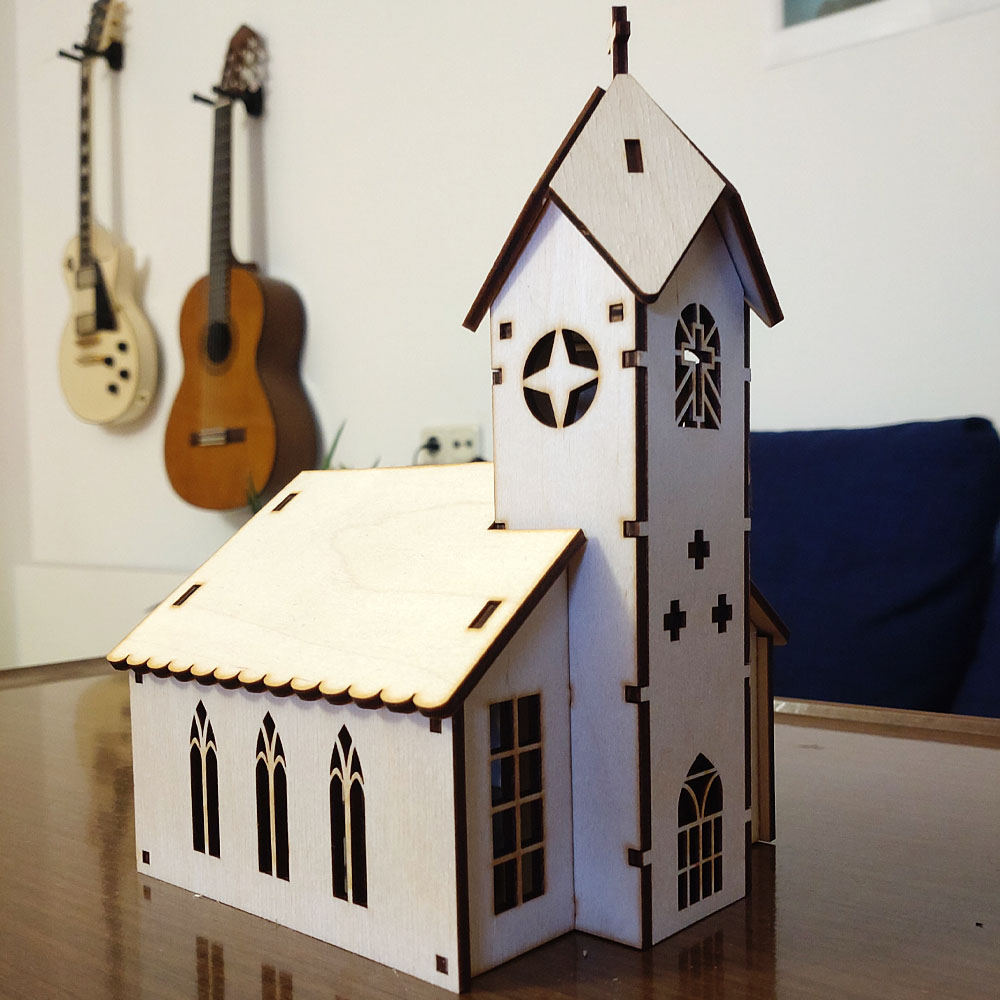
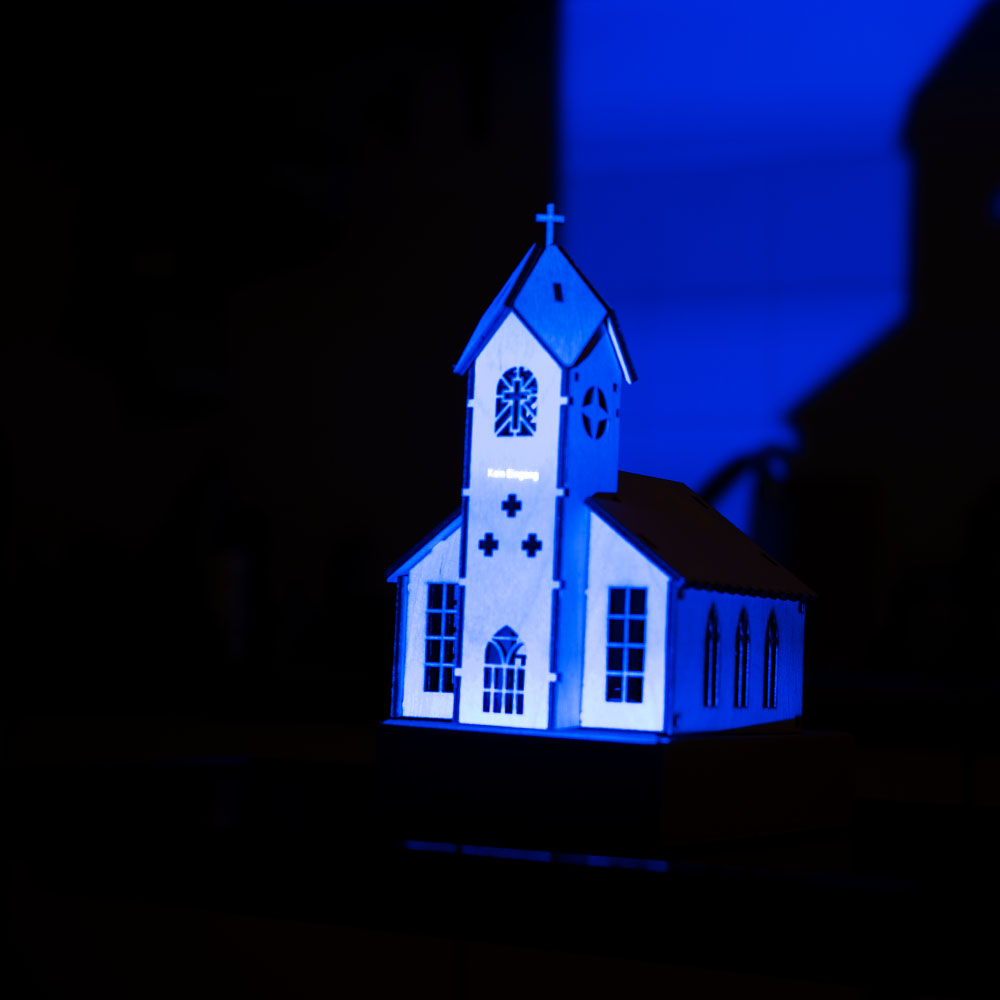
Nachdem die Bauteile für die Modellkirche eingetroffen waren, wurden sie zusammengesetzt, wodurch ein verkleinertes Modell einer Kirche aus Holz entstand. Die Struktur des Holzes erwies sich als leicht faserig mit einem gelblichen Ton. In diesem Zusammenhang stellte sich die Frage, ob ein Anstrich in Weiß vorteilhaft wäre, insbesondere falls sich die ersten Mapping-Tests als nicht erfolgreich erweisen sollten.

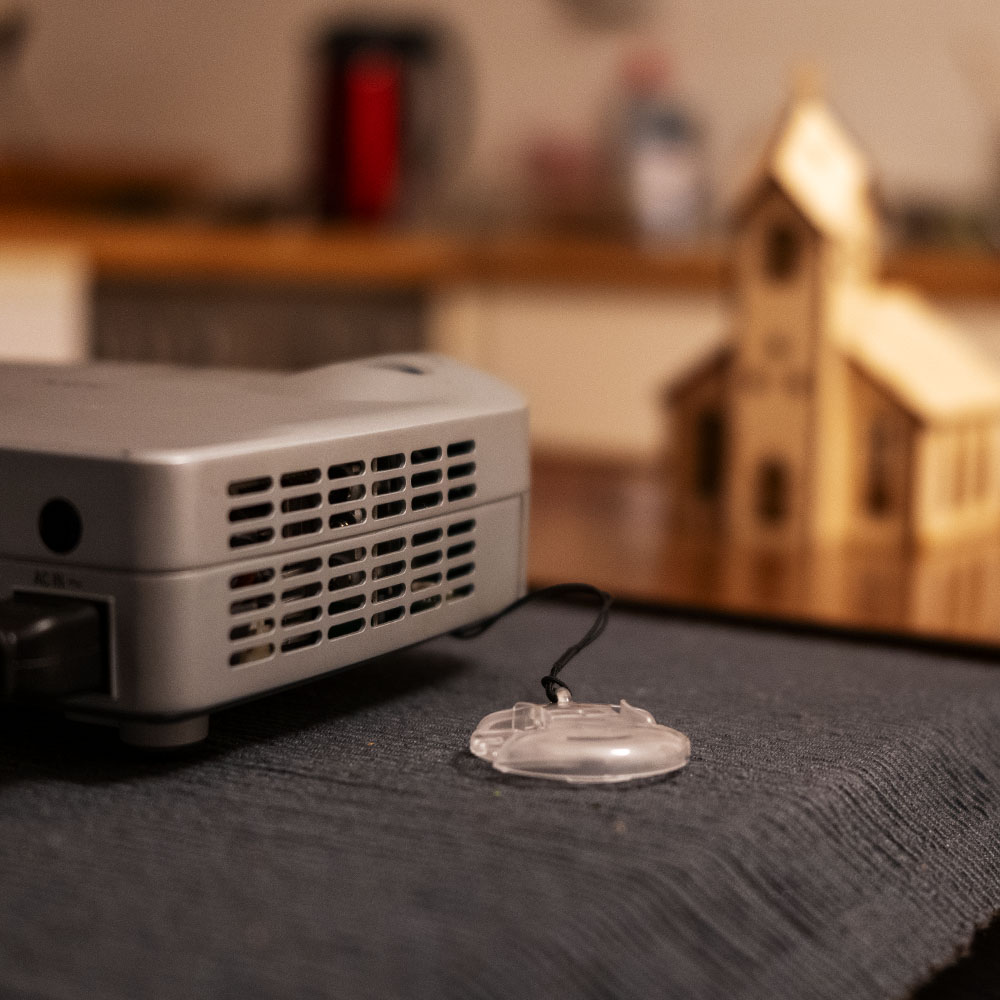
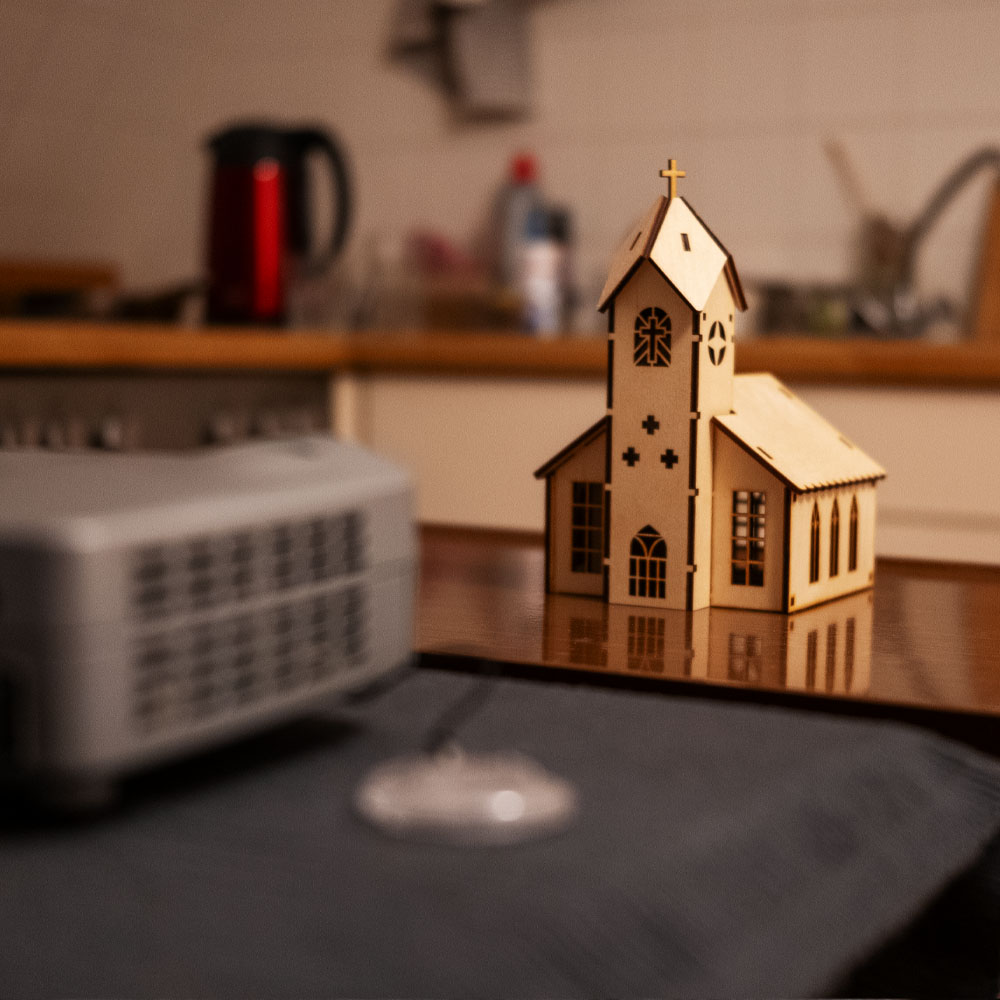
Zur Durchführung der Tests wurde ein Projektor des Modells NEC LT20 aus dem Media-Center entliehen. Dieser mobile Projektor verfügt über einen VGA-Anschluss, weshalb ein USB-C-Adapter erforderlich war, um ihn mit dem Laptop zu verbinden. Erste Tests zeigten eine eingeschränkte Farbwiedergabe, dennoch wurde der Projektor für initiale Projektionen auf das Modell als ausreichend betrachtet.

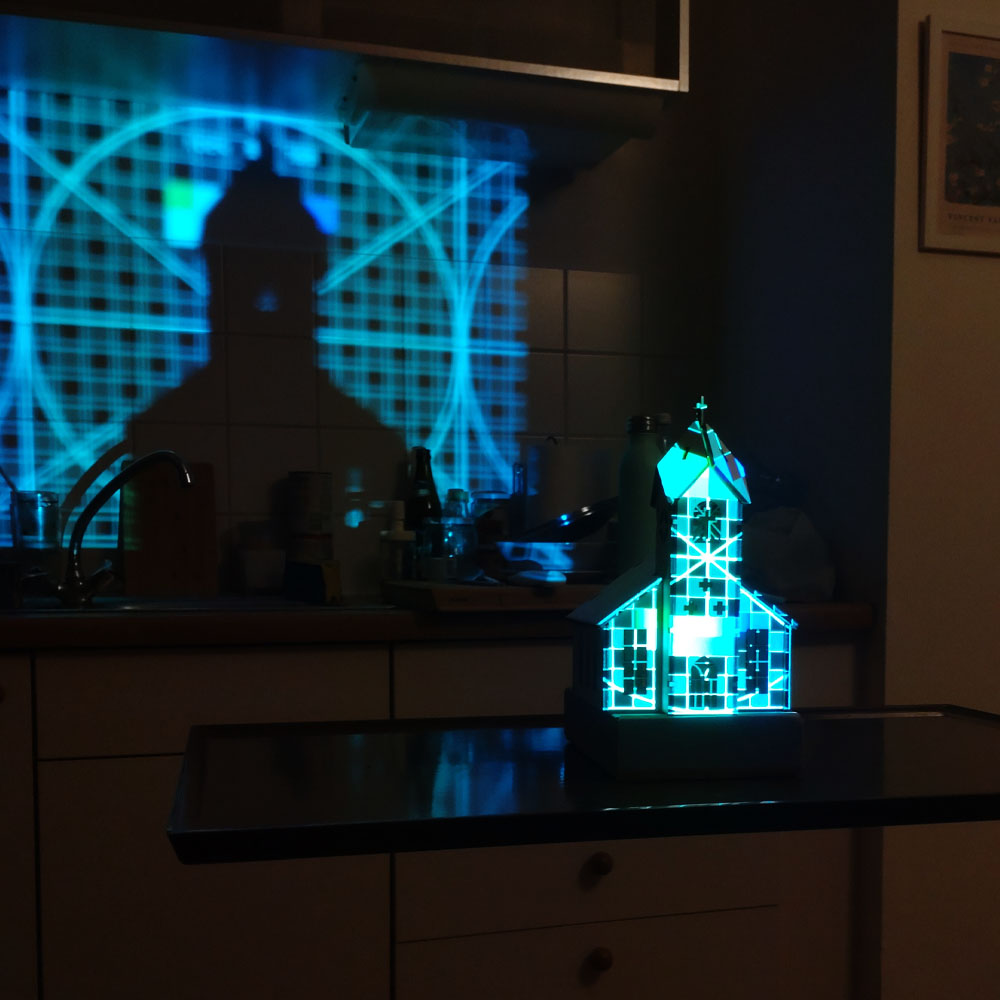
Der Projektor wurde mit dem Laptop verbunden und die Modellkirche so positioniert, dass eine möglichst hohe Pixeldichte erreicht wurde, ohne die Proportionen des projizierten Bildes zu verzerren. Anschließend wurden in der Software HeavyM erste Masken erstellt, zunächst rudimentär für die Dächer, Fenster und Seitenteile. Unterschiedliche Shader wurden angewendet, variiert in Helligkeits- und Geschwindigkeitsstufen, um die Lesbarkeit und Klarheit der Projektion auf dem Modell zu evaluieren.

Die vorliegenden Foto- und Videoaufnahmen dokumentieren, dass trotz der begrenzten Leistungsfähigkeit des Projektors eine zufriedenstellende Projektion erreicht werden konnte. Dies lässt darauf schließen, dass das Modell als Grundlage für weiterführende Tests geeignet ist. Verschiedene Animationstypen und Mapping-Methoden könnten in weiteren Experimenten systematisch untersucht werden.

Der nächste Schritt besteht in der digitalen Rekonstruktion der Kirche als 3D-Modell, um gezielt 3D-Mapping-Techniken zu erproben. Zudem ist geplant, audioreaktive Animationen zu integrieren. Langfristig wäre es denkbar, ein detailreicheres Modell zu entwickeln und leistungsstärkere Projektionstechnologie einzusetzen.

Bereits die gegenwärtigen Ergebnisse zeigen, dass selbst mit einem einfachen Modell und einem veralteten Projektor aussagekräftige Resultate erzielt werden können. Die bisherigen Erkenntnisse bieten eine solide Grundlage für die Weiterentwicklung der Untersuchung.


Disclaimer zur Nutzung von Künstlicher Intelligenz (KI):

Dieser Blogbeitrag wurde unter Zuhilfenahme von Künstlicher Intelligenz (ChatGPT) erstellt. Die KI wurde zur Recherche, zur Korrektur von Texten, zur Inspiration und zur Einholung von Verbesserungsvorschlägen verwendet. Alle Inhalte wurden anschließend eigenständig ausgewertet, überarbeitet und in den hier präsentierten Beitrag integriert.