Product XI: Image Extender

From Notebook Prototype to Local, Exhibitable Software

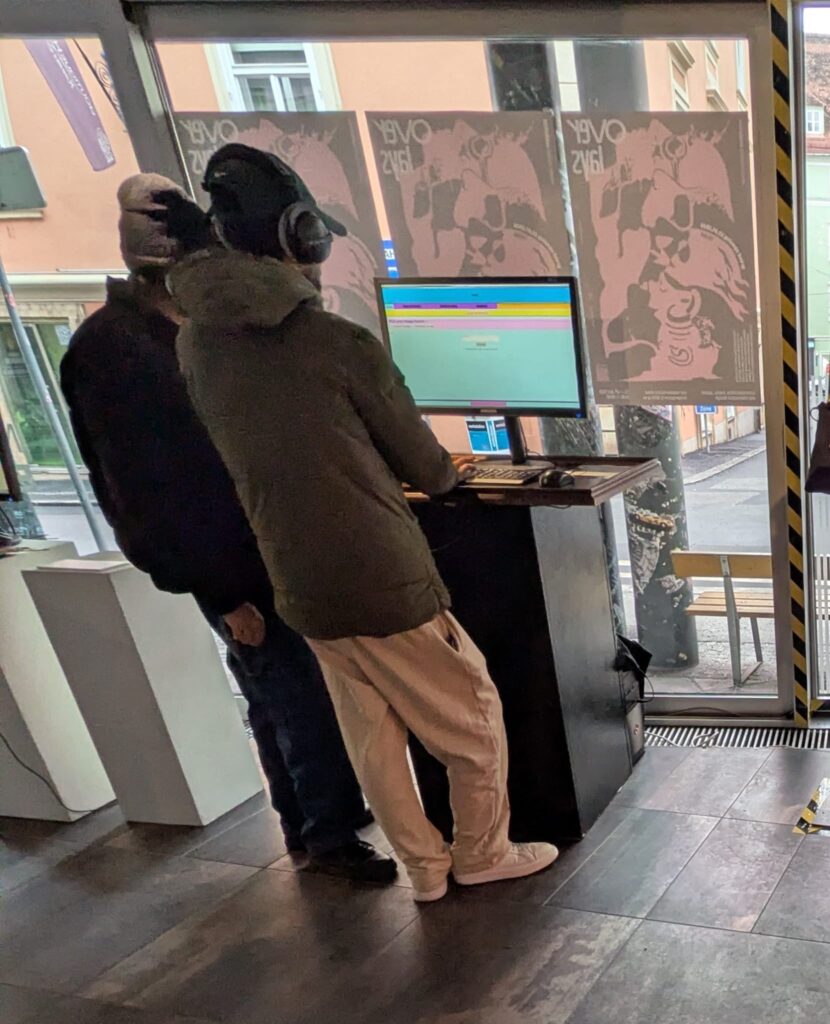
This iteration was less about adding new conceptual capabilities and more about solidifying the system as an actual, deployable artifact. The core task was migrating the image extender from its experimental form into a standalone local application. What sounds like a technical refactor turned out to be a decisive shift in how the system is meant to exist, be used, and be encountered.

Until now, the notebook environment functioned as a kind of protected laboratory. It encouraged rapid iteration, verbose configuration, and exploratory branching. Moving out of that space meant confronting a different question: what does this system look like when it stops being a research sketch and starts behaving like software?

The transition from Colab-style execution to a locally running script forced a re-evaluation of assumptions that notebooks quietly hide:

  • Implicit state becomes explicit
  • Execution order must be deterministic
  • Errors can no longer be “scrolled past”
  • Configuration must be intentional, not convenient

Porting the logic meant flattening the notebook’s narrative structure into a single, readable execution flow. Cells that once assumed context had to be restructured into functions, initialization stages, and clearly defined entry points. This wasn’t just cleanup, it was an architectural clarification.

In the notebook, ambiguity is tolerated. In running software, it accumulates as friction.

Reduction as Design: Cutting Options to Increase Clarity

One of the more deliberate changes during this phase was a reduction in exposed settings. The notebook version allowed extensive tweaking, model switches, resolution variants, prompt behaviors, fallback paths, all useful during development, but overwhelming in a public-facing context.

For the exhibition version, optionality became noise.

Instead of presenting the system as a configurable toolkit, I reframed it as a guided instrument. Core behaviors remain intact, but the number of visible parameters was intentionally constrained. This aligns with a recurring principle in the project: flexibility should live inside the system, not on its surface.

Adapting for Exhibition: Y2K as Interface Language

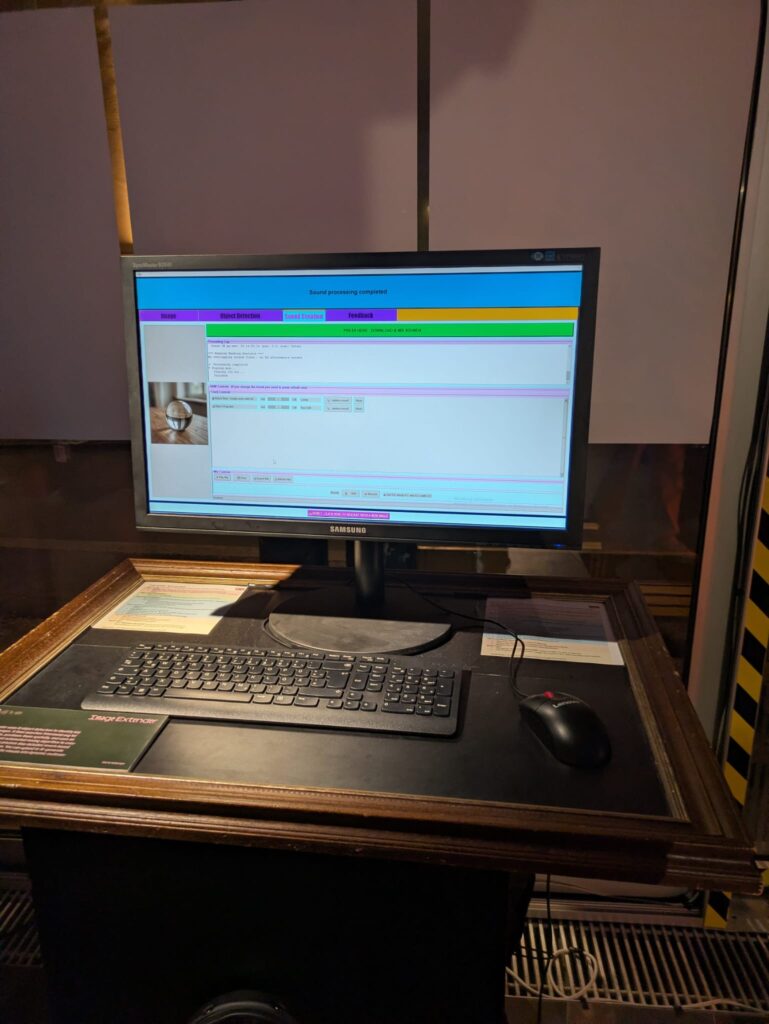
Alongside the structural changes, the interface was visually adapted to match the exhibition context. The decision to lean into a Y2K-inspired color palette wasn’t purely aesthetic; it functioned as a form of contextual grounding.

The visual layer needed to communicate that this is not a neutral utility, but a situated artifact. The Y2K styling introduced:

  • High-contrast synthetic colors
  • Clear visual hierarchy
  • A subtle nod to early digital optimism and machinic playfulness

Rather than competing with the system’s conceptual weight, the styling makes its artificiality explicit.
Stability Over Novelty

Another quiet but important shift was prioritizing stability over feature expansion. The migration process exposed several edge cases that were easy to ignore in a notebook but unacceptable in a live context: silent failures, unclear loading states, brittle dependencies.

Addressing these didn’t add visible functionality, but they fundamentally changed how trustworthy the system feels. In an exhibition setting, reliability is part of the experience. A system that hesitates or crashes invites interpretation for the wrong reasons.

Here, robustness became a form of authorship.

Reframing the System’s Status

By the end of this iteration, the most significant change wasn’t technical, it was ontological. The system is no longer best described as “a notebook that does something interesting.” It is now a runnable, bounded piece of software, designed to be encountered without explanation.

This transition marks a subtle but important moment in the project’s lifecycle:

  • From private exploration to public behavior
  • From configurable experiment to opinionated instrument
  • From development environment to exhibited system

The constraints introduced in this phase don’t limit future growth, they define a stable core from which growth can happen meaningfully.

If earlier updates were about expanding the system’s conceptual reach, this one was about giving it a body.
Reasearch Matrix Post: Computer Vision-Assisted UI Validation Framework

Validating a User Interface (UI) has traditionally been a bottleneck. While we can easily automate functional tests to see if a button works, determining if that button is aesthetically correct or follows established design principles has always required a human expert. My current research aims to enhance the speed of human expertise by developing a Computer Vision-Assisted UI Validation Framework.

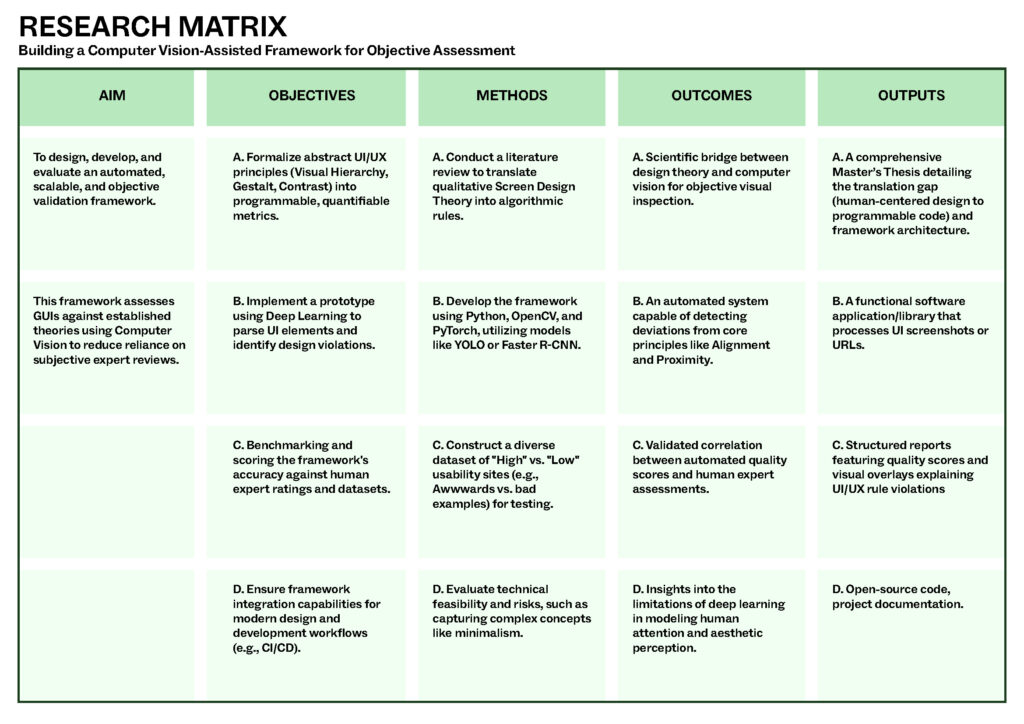
AIM

The primary goal is to design, develop, and evaluate a framework that uses Computer Vision (CV) to objectively assess User Interfaces based on established UI/UX theories. It specifically targets the current problem where UI validation is too resource-intensive and subjective.

OBJECTIVES

Translate Theory: Convert abstract principles like Visual Hierarchy, Gestalt Principles (Proximity/Similarity), and Color Theory into quantifiable metrics.

Build Prototype: Create a tool that can Parse elements (buttons, text), Evaluate them against rules, and Score the results.

Integration: Ensure the framework can be used within existing development workflows, such as CI/CD tools.

METHODS

Research through Design: A four-phase approach involving literature review, dataset construction, implementation, and evaluation.

Technical Stack: Utilizing Python with libraries like OpenCV and PyTorch, specifically employing deep learning models like YOLO for object detection.

Data Sourcing: Building a dataset from award-winning sites (e.g., Awwwards) to compare against “bad” design examples.

OUTCOMES

Objective Validation: An enhancement for subjective human observation to a scalable, automated visual inspection mechanism.

Correlation Findings: Determining the extent to which automated scores can successfully mirror human expert assessments.

Technical Insights: Identifying risks regarding whether high-level concepts like “minimalism” can be truly captured by algorithms.

OUTPUTS

The Workpiece: A software application or library that takes a URL or screenshot and generates a structured report.

Visual Overlays: Heatmaps or overlays on the UI that point out exactly where rules (like alignment or contrast) are violated.

Master’s Thesis: A formal document covering the translation gap between UX and Computer Vision.

Product differentiation and innovation with UI UX Design

According to Forester, every dollar invested in UX brings 100 dollars in return which means a whopping 9,9% ROI. Unfortunately, only 55% of companies currently attempt to invest in UI and UX design, costing businesses a loss of an estimated $2 billion every year owing to bad user experience.

What is product innovation?

Product innovation involves creating new or improved products that meet customers’ changing needs and expectations. It consists in identifying new market opportunities, developing new product ideas, and bringing those concepts to market through research, development, testing, and marketing.

Product innovation can be driven by various factors, including changing customer preferences, technological advances, and increased competition. Companies that continuously innovate their products are able to stay ahead of the curve, meet the evolving needs of their customers, and achieve a competitive advantage.

What is product differentiation?

Product differentiation is a marketing strategy that aims to make a product different and better, and stand out from similar products offered by competitors.

It involves creating a unique value proposition for a product and setting it apart from others in terms of design, features, benefits, quality, and other factors important to customers.

By differentiating a product, companies increase their market share, attract new customers, retain existing ones, and outperform their competitors. It also increases brand recognition, customer loyalty, and higher profits.

Product differentiation vs. product innovation

Product differentiation and innovation are aspects of product strategy that strive to create a solution to the user’s problem and distinguish it from similar solutions. Product innovation deals with creating and introducing new products or improving existing outcomes. In contrast, product differentiation focuses on spotlighting these innovations to users and letting them understand why they should pick this product over the competitors. As a result, the two work hand in hand, creating a solid solution and keeping the prospects aware of the features.

Importance of UI and UX to product innovation

UI and UX designs are critical components of the software development process, as they play a significant role in determining the success of a product. They boost product adoption, increase customer satisfaction, and drive growth.

How UI and UX design drive digital product innovation

UI and UX design is designing and improving a user’s overall experience with a product or service. It involves understanding the needs and expectations of the users, as well as researching and testing various design solutions to create a functional and enjoyable product. Killer UX design considers a user’s entire experience with a product, including usability, accessibility, and overall satisfaction with the product.

In the next posts, I will discuss in detail how exactly UI and UX design drive digital product innovation.

Conclusion

In today’s competitive business environment, UI and UX design are crucial in building product differentiation and innovation, both for startups and well-established brands. By creating great products with an exceptional user experience, businesses can stand out from the competition and build a loyal consumer base. Companies such as Google, Apple, Slack, and Discord are great examples of how UI and UX can drive product differentiation and innovation. They prioritize the user experience in their product development process and continually use research to improve their products. In doing so, they have been able to create products that are both functional and enjoyable to use. As businesses prioritize UI and UX in their product development, we can expect continued innovation and differentiation in the marketplace.

References

Designing for Product Strategy by O’Reilly Media, Inc.

Essential UX Statistics — Everything You Need to Know by Julija A.

Robbio Alex, User Experience Is Now Your Business Strategy, Forbes 2019

Shatny Alex, Top UX KPIs and UX Metrics to Measure the Success of Your Design, Softteco.com 2022