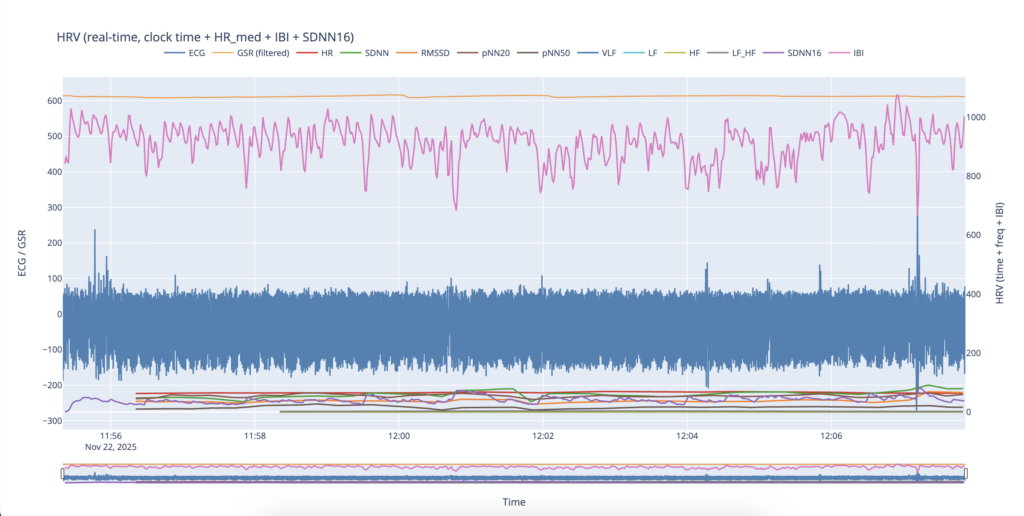
The first test recording during a civil defense siren was conducted on November 22. Data acquisition started at approximately 11:52. In retrospect, the recording was initiated too late, which significantly limited its analytical value. As a result, this dataset could not be used for systematic comparison between pre-siren and post-siren phases. Nevertheless, it served as a functional test of the recording and analysis pipeline. Additionally, the raw recording contained substantial motion-related noise at both the beginning and the end of the session. Approximately the first three minutes of the recording were removed during preprocessing, as the signal quality in this segment was insufficient for reliable analysis. Despite these limitations, the remaining portion of the recording provided useful preliminary insights.
Even in this shortened test recording, several initial assumptions were supported by the data. The most immediately noticeable change was a rapid increase in heart rate following the onset of the siren at 12:00. This abrupt rise suggests an acute physiological response triggered by the siren signal.
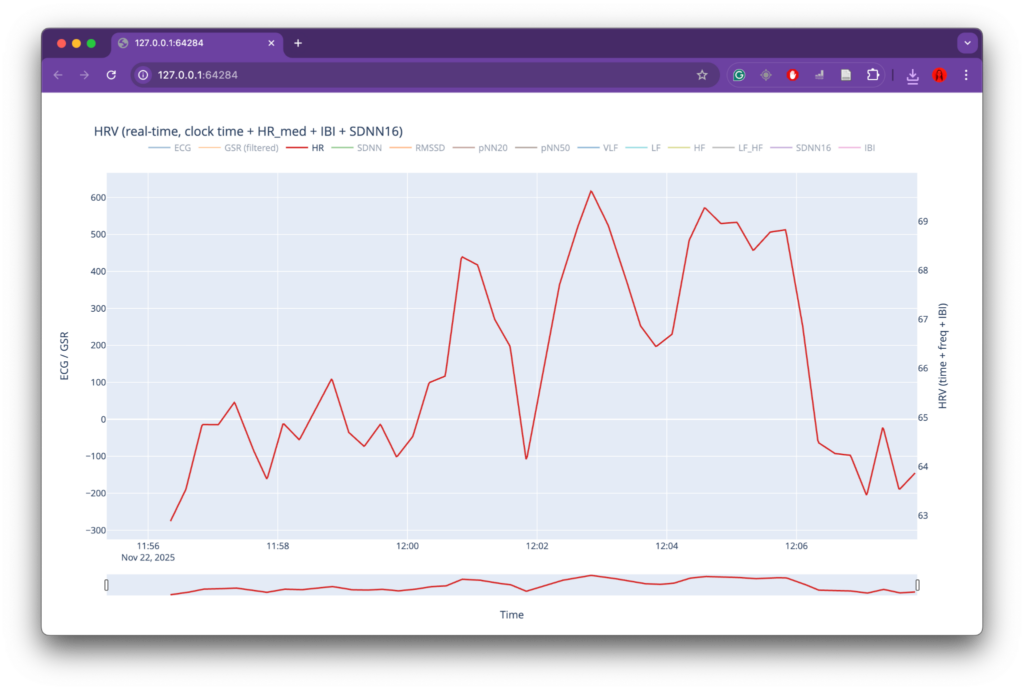
Heart rate response during the initial test recording.
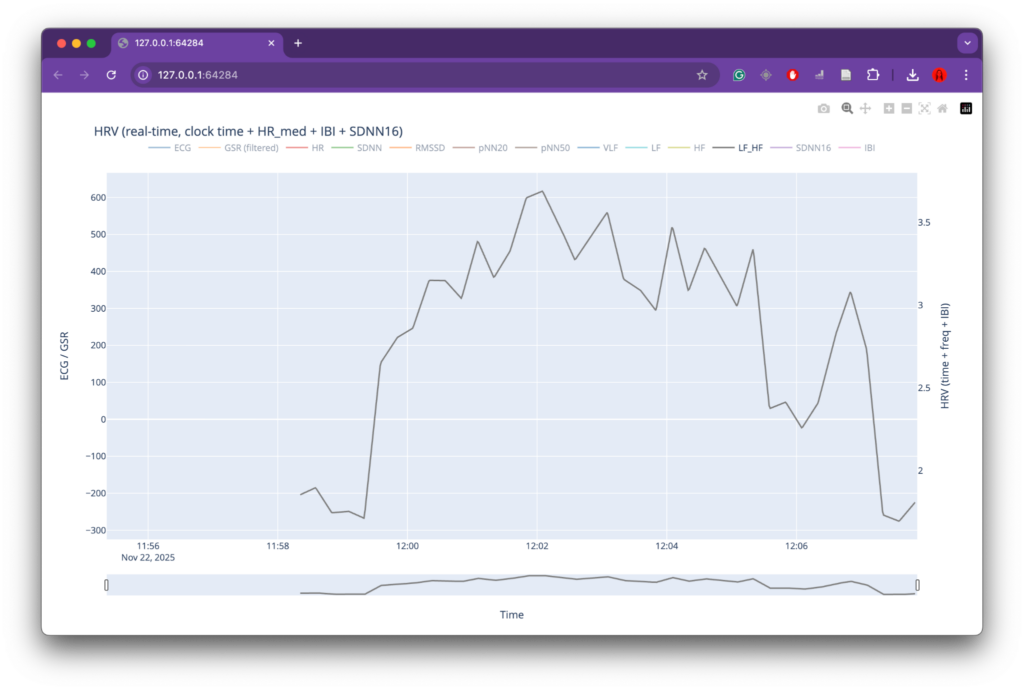
LF/HF ratio during the initial test recording.
A similar pattern was observed in the LF/HF ratio. The increase in this metric following the siren onset is commonly interpreted as a shift toward sympathetic nervous system dominance, which is associated with stress and heightened arousal. Although this observation aligns with the working hypothesis that the siren acts as a stressor for a person with lived experience of war, the short duration of the recording and the absence of a clear baseline phase prevent any strong conclusions at this stage.
The behavior of the GSR signal was particularly striking. At the moment the siren began, the GSR signal showed a sharp drop in values, indicating a rapid change in skin conductance. This response occurred faster than the corresponding changes observed in heart rate–related measures. Such behavior is consistent with the role of skin conductance as a fast-reacting indicator of autonomic arousal and attentional activation. Civil defense sirens are explicitly designed to capture attention, and the immediacy of the GSR response may reflect this design principle. Similar abrupt drops were visible later in the recording; however, due to the limited contextual information and short recording window, their exact causes could not be clearly identified.
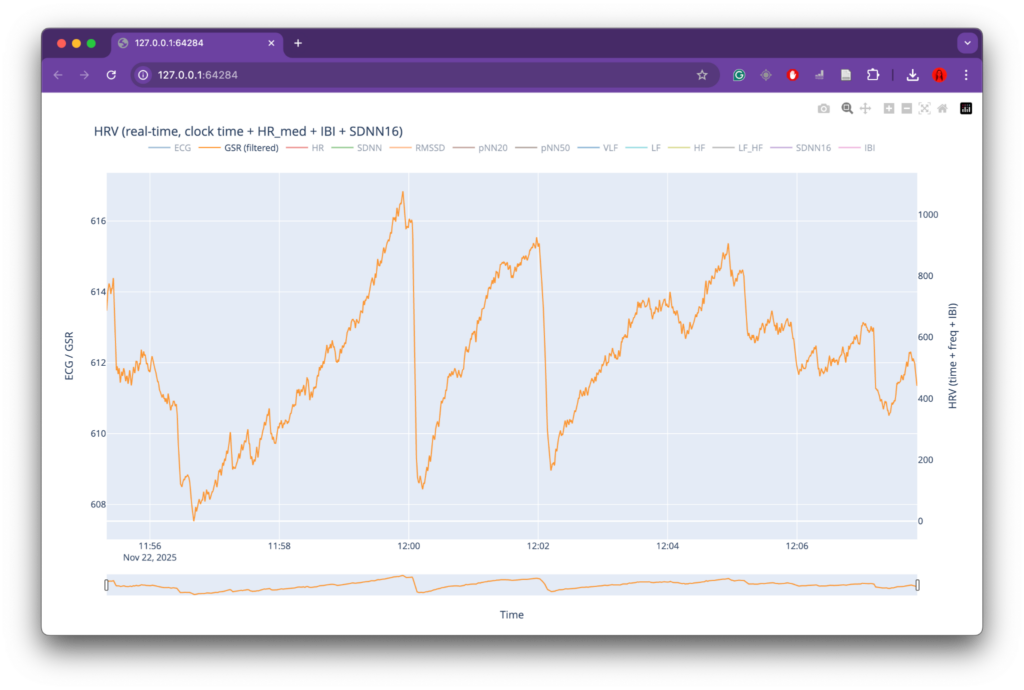
GSR signal over time during the initial test recording.
Other computed HRV metrics did not show clear or interpretable changes in relation to the siren onset within this test recording. For this reason, these parameters were not analyzed in depth at this stage and were deprioritized in subsequent analyses.
Overall, this first test recording confirmed the technical viability of the system and provided early qualitative support for the project’s core hypothesis. At the same time, it highlighted the need for longer recordings with clearly defined baseline periods and reduced motion artifacts, which informed the design of subsequent data acquisition sessions.