WebExpo Talk #2: Elis Laasik

Beyond Design Tools: Prototyping in code

In this second post, I want to recap the talk of Elis Laasik at WebExpo 25, where she discussed the topic of design prototyping in code. Elis, with her extensive experience in the field, explained how prototyping using basic HTML, CSS, and JavaScript—along with some JavaScript frameworks—can be an efficient way to approach web development. She highlighted that this method is especially valuable in professional contexts, where prototyping plays a crucial role in shaping the user experience, testing ideas, and ensuring that the final product aligns with business goals.

One of the main points that Elis emphasized was that these prototypes don’t require a backend or a database. Instead, the focus is entirely on the front-end elements, like the user interface and customer journey. This approach allows teams to test how the website or app behaves in real time, which can be much more useful than static design mockups. Since the prototype is coded directly, it is much closer to the finished product, giving stakeholders a more accurate sense of how the final product will look and function. The fact that it’s interactive and responsive adds another layer of realism to the process, which can be especially valuable in understanding the user experience.

This approach to prototyping really stood out to me, as it closely mirrors the way I work on personal projects. When I’m building a website on my own, I tend to start coding right away, rather than creating a design in tools like Figma first. I find that coding a prototype feels more “real” because I can see the project develop as I work on it. It also allows me to directly address how the website will behave, rather than just looking at a static design. I could relate to what Elis was saying because, for me, starting to code early gives a more authentic sense of the project’s progress and helps me figure out how the website will work from a functional perspective.

Elis also mentioned that prototyping in code can be particularly useful when dealing with complex user interactions or when there is no shared vision across the team. By coding the prototype, it’s easier to explore different solutions and test how users will actually engage with the site or app. This kind of flexibility and control can be crucial in situations where the design needs to be flexible or constantly evolving.

That said, Elis pointed out that there are certain scenarios where using code for prototyping might not be the best approach. For smaller projects or when branding design is a significant focus, she suggested it might be better to start with a traditional design tool like Figma. In these cases, the need for high-fidelity visuals or design accuracy might take precedence over functionality in the early stages. I completely understand this perspective, especially when the main goal is to define the visual identity of a brand before diving into the technical aspects.

In conclusion, Elis’ talk provided a lot of valuable insights into the practical use of code-based prototypes. It was interesting to see how this approach is applied in professional environments and how it can be a useful tool for creating realistic, interactive designs. For me, it reinforced the idea that prototyping with code isn’t just about creating something functional—it’s about exploring possibilities, improving user experience, and aligning the product with business objectives.

WebExpo Conference Talk #1 – Data Visualization

As someone who is very interested in visual design, data visualization and interdisciplinary topics, mixing design and science or values and aesthetics, I was really curious about Nadieh Bremers talk „Creating an Effective & Beautiful Data Visualisation from Scratch”. I wasn’t sure what to expect, since I have found that „beautiful data visualization“ often just means clear and structured, but I was more that positively surprised to see how much artistic creativity she was able to incorporate into her visualizations while still maintaining the data to communicate. What I was also surprised by and really broadened my view on the topic was her approach and angle to how she creates her visualizations. I had never heard of the tool she uses (coding it in D3.js) and thought it was so cool to create truly interactive pieces with the actual data in the background instead of using visual tools like Illustrator, which I was more used to when it comes to creatively visualizing data.

What I also thought was a great starting point was her emphasis on storytelling through data. Rather than beginning with tools or templates, she encouraged designers to start with the narrative: what is the data trying to say? This approach really aligns with interaction design principles, where the goal is not just functionality but clarity, emotion, and user connection. Sketching ideas before coding is sort of like prototyping in UX or any other visually creative field, reminding us that visual thinking is critical to problem solving. I really enjoyed that she considered aesthetic and emotional engagement. I feel like many visualizations aim for neutrality or objectivity, but in her case the work also aims to be expressive, and fun. She challenged the idea that beauty is just decoration. Instead, she argued that beauty and clarity are not mutually exclusive, and that well-designed visuals can help users stay curious, linger longer, and feel more connected to the data. This view aligns with interaction design’s attention to emotional and engaging user experiences and human centered design.

As mentioned her use of D3.js was also very interesting for me. By building a data visualization from scratch in a live coding session, she nicely demonstrated what a workflow can look like, which I found really helpful. What made this talk especially valuable was watching her iterative process. Trying something to see what happens, then continuing from there, changing things along the way and making mistakes. Her process reminded me of the iterative prototyping cycles in interaction design: test, tweak, refine. Even a small change in data structure or layout can significantly shift the meaning of a visualization. It was a really eyeopening creative process and a reminder that you don’t need a perfect or exact vision to start and then go through with, but rather develop an idea of what works along the way. This process also showed me how D3 (and coding in general) can empower designers to go beyond their visual tools and create more immersive and interactive experiences while still maintaining the aesthetics.

Prototyping a Data Visualisation Installation

In this second part of the IDW25 recap I want to talk about the prototype I created of my CO2 project. The goal for me was to build an installation to interact with the data visualisation. For this I chose makey makey and built a control mechanism with aluminium foil and a pressure plate. To send the data from processing to the projector I used Arena Resolume. My concept was based on the CO2 footprint. So you activated the animation with steping on the pressure plate. Here are first sketches of my idea.

I thought about making an interactive map where you step on different countries and realease fog in a glas container. But that was too much to create in one week so I reduced the concept to projecting the boundary I showed in my last blog post. I kept it simple and connected the makey makey to aluminum foil to control the time line with a finger tap. The processing output is being projected on the wall.

Conclusion

It was interesting to get to know the possibilities of the used technology to visualise data and therefore I had a lot of fun during production. I will definitly keep working on this project to see where it can go. Also expand the data set to compare more countries. In the first part of the blog post I mentioned that there are probably better programs to make more visually appealing animations for such a topic. But for a rough protoype this was completly fine.

Data Visulisation with Processing

The International Design Week 2025 is over and this first part of the blog will be a recap of my process. I joined the workshop #6—Beyond Data Visualisation with Eva-Maria Heinrich. The goal was to present a self chosen data set on a socio-political topic. I chose a data set on the Co2 emission worldwide per country (https://ourworldindata.org/co2-emissions). The process started with evaluating the data span I want to show and the method of visualisation. Because the task of the workshop was to present data in an abstract way and to step back from the conventional methods, to make the experience more memorable.

Cutting the Data with Python

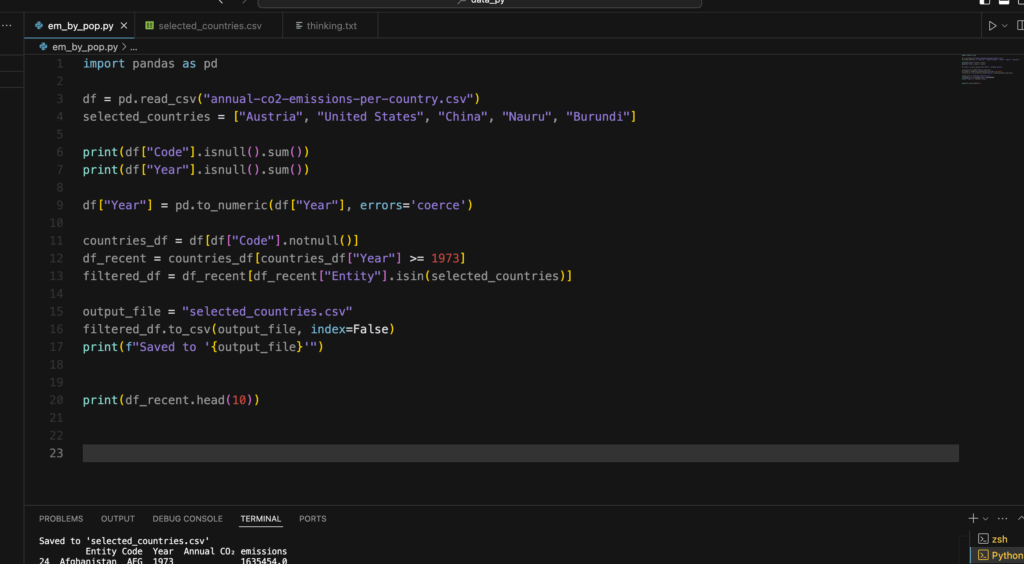
So to get a specific range of data to make a prototype i used python to cut the csv file to my liking. I used the pandas tool for python to manipulate the file. At first I wanted to compare three countries, but later in the process I realized that this goal was a bit too much for the given time, since I haven’t used python like this before. It was a nice way to get to know the first steps of data analysis with coding.

I created a new csv file with a selected country, in this case it was Austria in a time span from 1900—2023. Now it was time to visualise it.

Let’s get creative!

In my research on how CO2 was being visualised before I looked up some videos of NASA showing how the emission covers the world. I got inspired by this video.

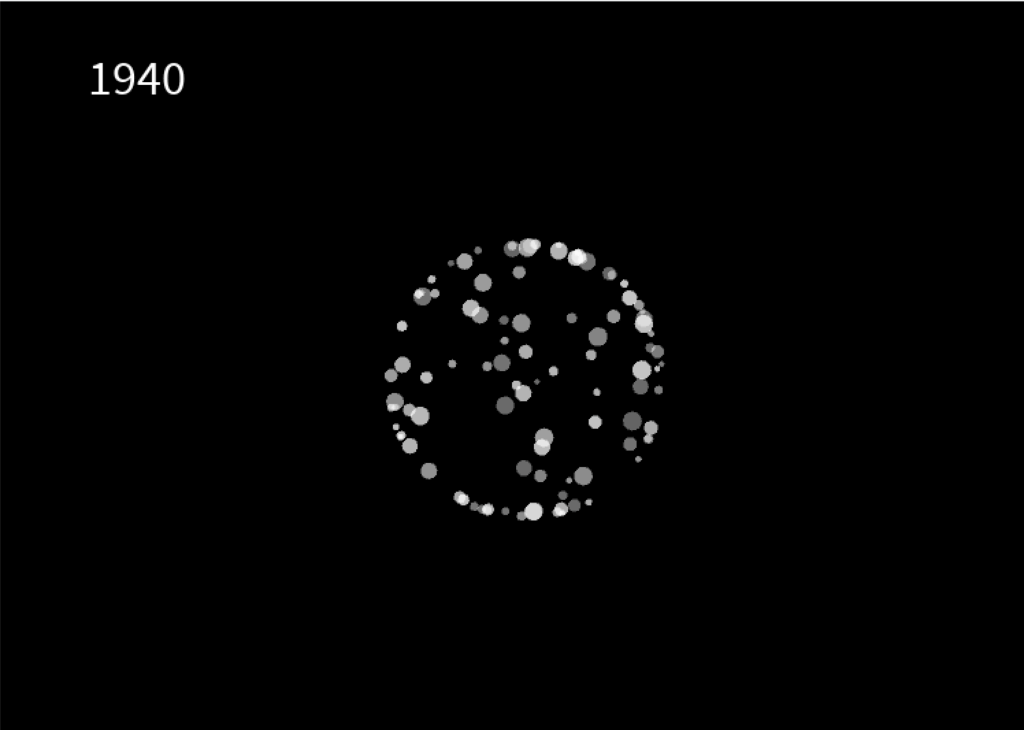
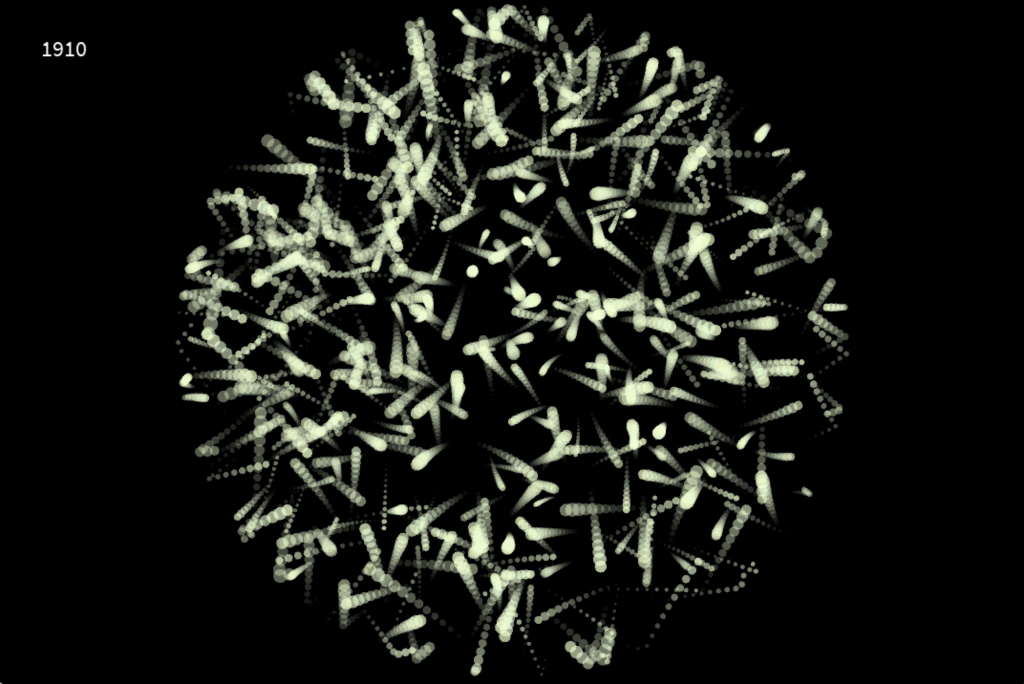
I chose processing to create my own interpretation of visualising emission. In hindsight, there are probably better tools to do that, but it was interesting to work with processing and code some visuals relative to a data set. I created a radial boundary which is invisible. Inside this shape, i let a particle system flow around which is relative to the CO2 emission in the specific year, shown in the top left corner. This visualisation works like a timeline. You can use your LEFT and RIGHT arrow keys to go back and forth in 10 years steps. The boundary expands or be reduced, which depends if the emission of that year is higher or less. The particle system also draws more or less circles, depending on the amount of CO2.

After the workshop was done I tried out other methods to make the particle system flow more and create a feeling of gas and air.

Conclusion

The whole week was a nice experience. I got to try out new techniques and tools and create something i never done have before. A problem I encountered was the time. It’s hard to estimate what you can do, if you try out something completly new. The presentation day at the end was really inspiring and emotional to see what the all the other students have created and talking about their process and results.

Prototyping VI: Image Extender – Image sonification tool for immersive perception of sounds from images and new creation possibilities

New features in the object recognition and test run for images:

Since the initial freesound.org and GeminAI setup, I have added several improvements.
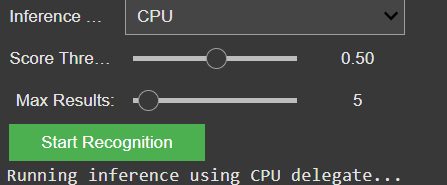
You can now choose between different object recognition models and adjust settings like the number of detected objects and the minimum confidence threshold.

GUI for the settings of the model

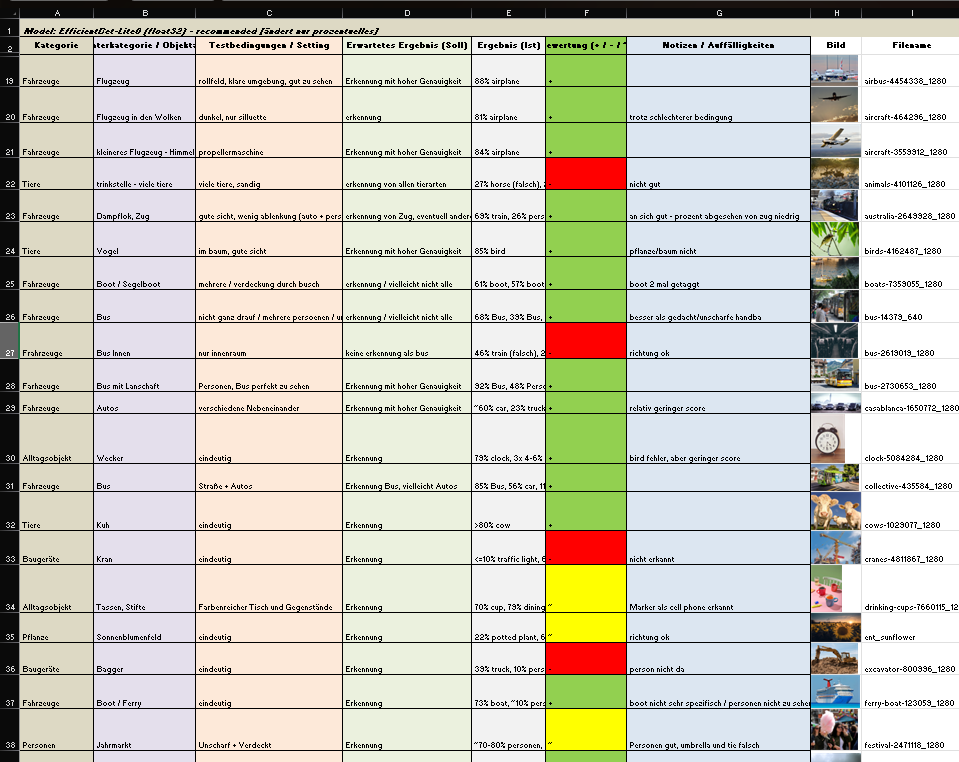
I also created a detailed testing matrix, using a wide range of images to evaluate detection accuracy. Due to that there might be the change of the model later on, because it seems the gemini api only has a very basic pool of tags and is also not a good training in every category.

Test of images for the object recognition

It is still reliable for these basic tags like “bird”, “car”, “tree”, etc. And for these tags it also doesn’t really matter if theres a lot of shadow, you only see half of the object or even if its blurry. But because of the lack of specific tags I will look into models or APIs that offer more fine-grained recognition.

Coming up: I’ll be working on whether to auto-play or download the selected audio files including layering sounds, adjusting volumes, experimenting with EQ and filtering — all to make the playback more natural and immersive. Also, I will think about categorization and moving the tags into a layer system. Beside that I am going to check for other object recognition models, but  I might stick to the gemini api for prototyping a bit more and change the model later.