2.5. Building My First Phygital Prototype: A Touch-Based Story Map of Graz

After testing the Touch Board’s basic functionality, I began developing a full working prototype that links place, sound, and interaction into a tactile map of hidden Graz stories. The idea? Visitors touch different points on a map to reveal short audio snippets, each one tied to a local legend or curious landmark. Below, I’ll walk you through the full process of bringing this lo-fi phygital experience to life.

Creation of the Map

From Idea to Interaction
I knew I wanted each touchpoint to reveal a different layer of the city. Something you wouldn’t notice in a regular guided tour. The early concept centered around a physical map enhanced with conductive elements that trigger audio clips. The experience needed to be screen-free, intuitive, and portable.

Core goals:

  • Highlight unusual or forgotten spots in Graz
  • Keep the setup simple and playful
  • Combine touch, sound, and visual storytelling

Deciding on the Content
I wanted the experience to feel like a walk through Graz’s secret personality, curious, playful, sometimes surreal. I avoided the most obvious tourist sites and instead chose places that are either tucked away, easily missed, or rich with local legend. Each spot adds a different tone or texture to the map:

  • Der Kleine Elefant
  • Glockenspiel
  • Double Spiral Staircase
  • Kunsthaus Graz
  • Der Türke

Together, these five spots form a kind of “hidden Graz sampler”, part folklore, part urban oddity, part emotional landscape.

Designing the Map
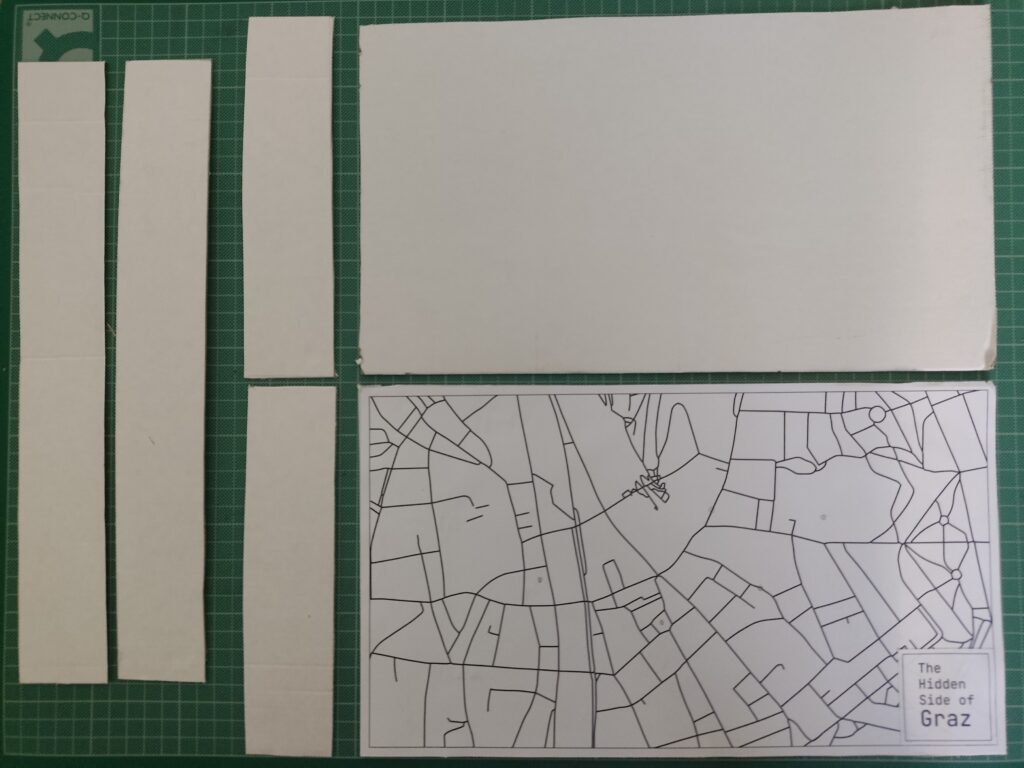
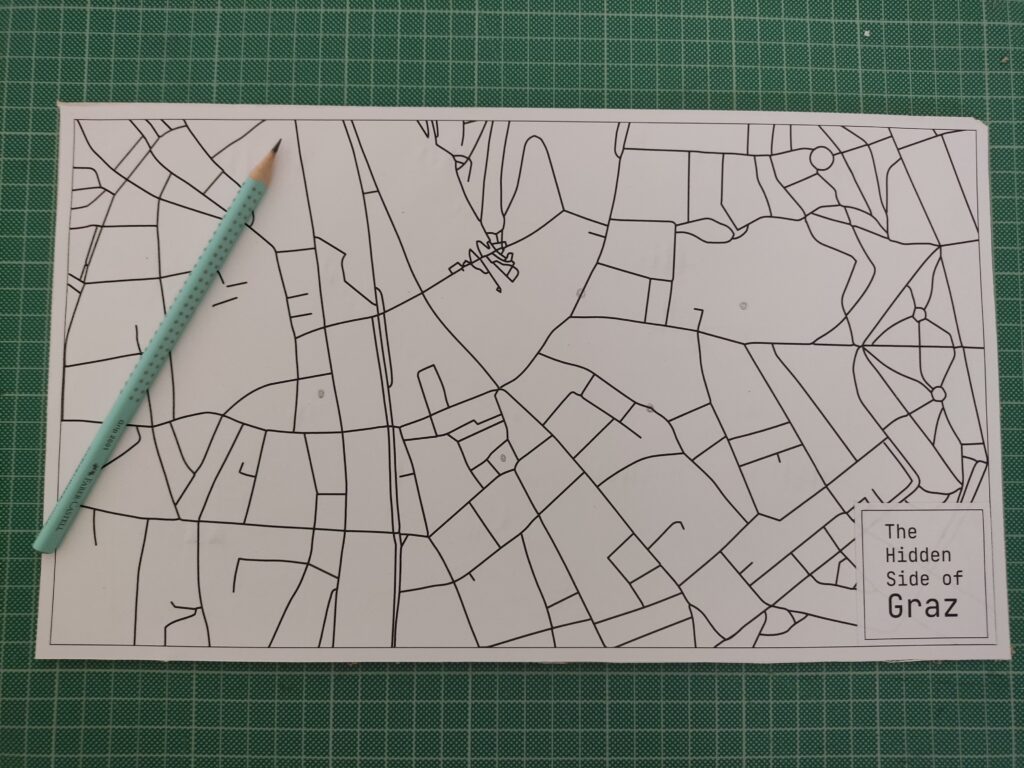
To keep the locations roughly geographically accurate, I used Snazzy Maps to pin my selected places. There are many styles to choose from, so I picked a minimal line-drawing style. I took a screenshot, imported it into Illustrator, and used Image Trace to vectorize the lines for a cleaner look.

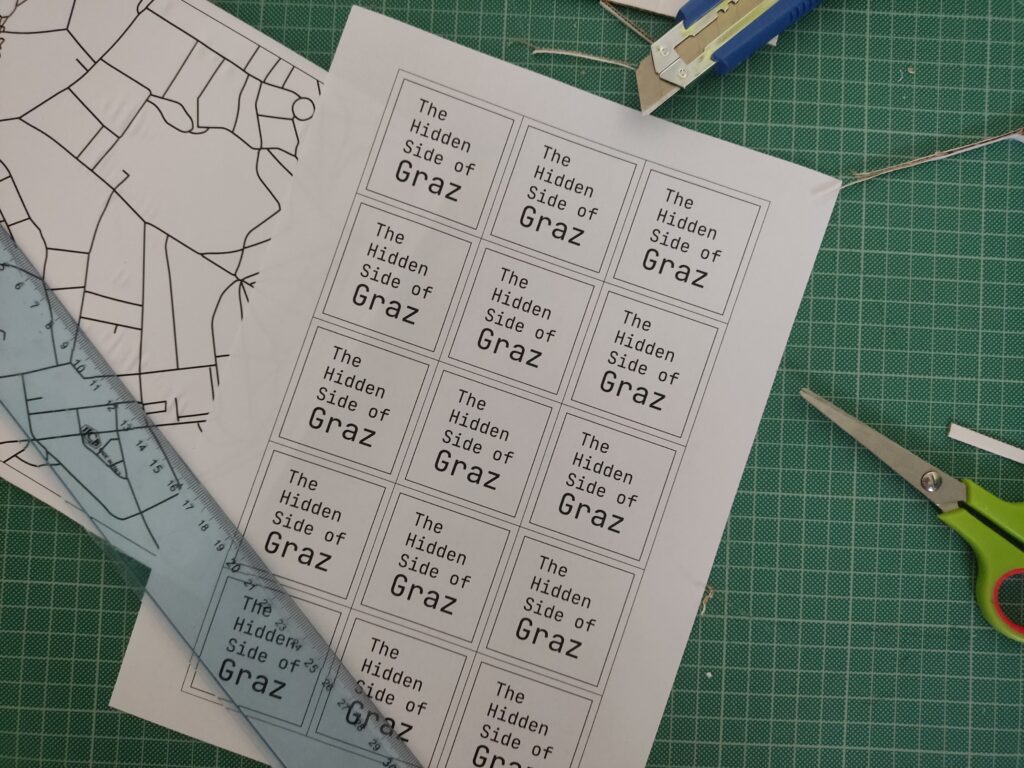
I also added custom name tags for each spot, arranged everything into an A3 layout, and sent it to print.

Each location was represented by a small circle symbol on the printed map. I used copper tape and stick them directly on paper, then connected them to the Touch Board’s electrodes using crocodile clips and jumper wires.
Crafting the Audio
I wanted the audio to feel charming and a bit mysterious, so I wrote short descriptions for each location and turned them into narrated clips using an online text-to-speech AI tool. Each clip is around 20 seconds long. To make them more immersive, I layered in soft background sounds using Premiere Pro.

Tools used:

Here are the short audio texts:

Der Kleine Elefant
Tucked high above a quiet Graz street, a tiny stone elephant watches the world go by. It’s a gentle echo of 1629, when a real circus elephant marched through the city, astonishing everyone. This little statue keeps that memory alive.

Glockenspiel
In the heart of Graz, when the clock strikes 11, 3, or 6, wooden shutters creak open high above Glockenspielplatz. A boy and a girl twirl to the chime of 24 bells, and at the end, a golden rooster flaps its wings and crows. It’s like a music box tucked into the rooftops.

Double Spiral Staircase
Inside an old building, two stone staircases spiral like vines, crossing paths again and again. They separate, meet, part, and rejoin, like two people forever drawn to each other. Built in 1499, they’re called the “stairs of reconciliation”, a quiet dance carved in stone.

Kunsthaus
Across the Mur, among red-tile rooftops, lives a blue, blob-shaped creature. It looks like it came from space. Locals call it the “Friendly Alien”, a living sculpture, glowing with energy. Inside, the art is always changing.

Der Türke
Look up at Sporgasse 2. There’s a wooden man in a turban watching the street. Legend says that during the 1532 siege, a cannonball crashed through a window and struck a Pascha’s roast. Shocked by the blast, the Turks fled Graz. The figure still stands there, watching… and remembering.

Wiring & Materials

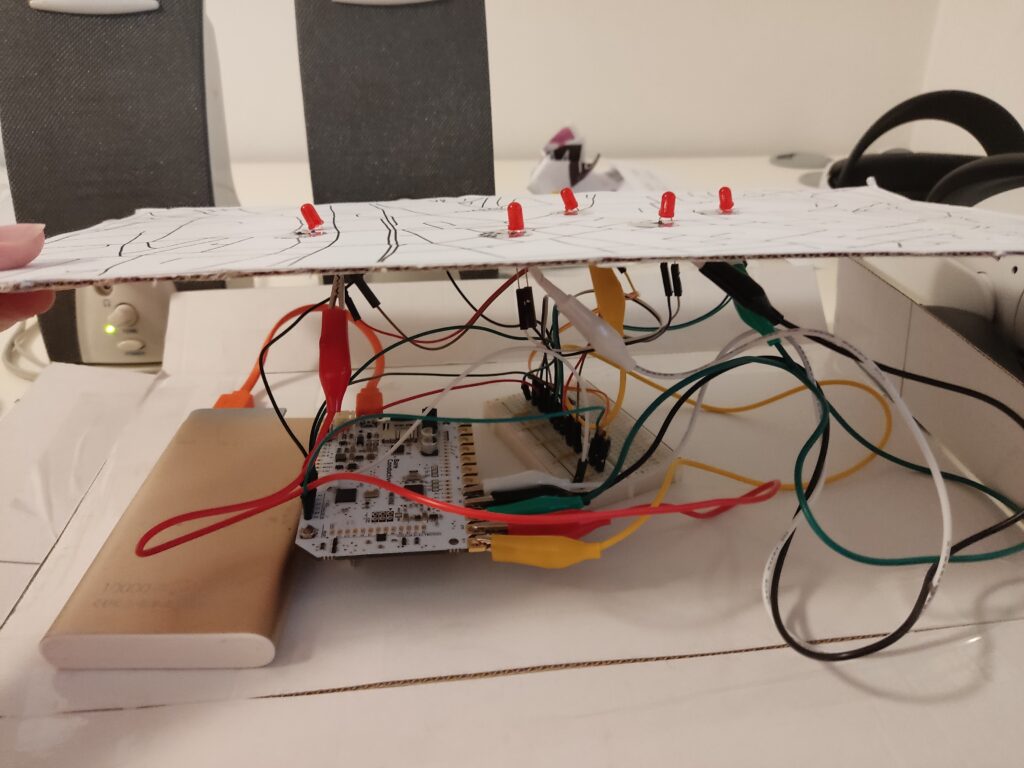
  • 1x Touch Board
  • 1x microSD card
  • 1x microSD card reader
  • 1x Speaker
  • 1x USB power bank (for portability)
  • 1x USB cable (for power and code upload)
  • 5x LED (for basic feedback)
  • 5x 220 Ohm resistor
  • 1x Breadboard
  • 21x Jumping Wires
  • 5x Crocodile Clips
  • Bare Conductive’s “Touch MP3 with LEDs” example code

To enhance the presentation, I created a cardboard box to hide the microcontroller, battery, and all the wires. The result features a map on top, with circle-shaped copper tape marking the interactive areas. By hiding the components inside the cardboard box, this setup made the experience feel more like an artifact than a technology demonstration.
User Test

I brought the prototype to a few friends and watched how they used it. Here’s what I noticed:

What worked:

  • Most people figured it out without explanation
  • They were surprised by the sounds and intrigued by the stories
  • The LED made the experience feel “alive”

What could improve:

  • Some conductive areas needed more pressure to respond
  • People held their finger down the whole time instead of tapping once
  • Audio volume was a bit low in noisy environments

Reflections

Building this prototype showed me how simple tech, when well-combined, can lead to memorable interactions. The most exciting part wasn’t the circuitry; it was watching someone touch a spot on a map and hear something they didn’t expect. That brief surprise, that moment of discovery, is what I want to design more of.
2.3. Exploring Technology for My Lo-Fi Phygital Prototype

In my previous post, I explored phygital experiences that connect visitors to cultural content through tactile and digital storytelling. Now, I’m moving into the prototyping phase, and to bring these kinds of interactions to life, I’m turning to microcontrollers.

At the same time, I’ve been thinking more about the story I want my prototype to tell. Since my focus is on history and cultural heritage, and because I’m still fairly new to Graz, I saw this project as a unique opportunity to explore the city through this design challenge. My initial idea was to highlight the city’s well-known landmarks, but that felt too predictable. Instead, I want to uncover the hidden, quirky, and lesser-known places that give Graz its unique character. My goal is to create a lo-fi prototype that invites people to touch and listen, triggering short sounds or spoken fragments linked to unusual locations and landmarks in Graz.

Why Microcontrollers?

Microcontrollers offer a way to bridge physical input (like touch or proximity) with digital output (like sound, light, or video). They’re lightweight, flexible, and ideal for low-fidelity prototypes, the kind that let me quickly explore how interaction feels without fully building the final experience.

For a museum-like experience or an interactive city artifact, microcontrollers allow subtle, intuitive interactions, like triggering a sound when you place your hand on a surface, or activating a voice from an object when you stand near it. They’re perfect for phygital storytelling rooted in emotion, mystery, and place.

What My Prototype Needs to Do

To support this narrative direction, I want to create an experience that allows people to uncover hidden details about Graz through sound. Each interaction will trigger a short audio response that reveals something unexpected or overlooked.

Technically, it needs to:

  • Input: Detect touch or proximity
  • Output: Play short audio clips
  • Interaction: Simple, screen-free feedback
  • Portability: USB- or battery-powered
  • Expandability: Easy to add more spots and sounds

Why Sound?

For this project, sound will serve as the main storytelling layer. 

Each interaction might trigger:

  • A whispered story or urban myth
  • A short audio poem or phrase
  • Field recordings from that specific location
  • A strange or surreal audio cue (like an echo, animal noise, or machine hum)

Unlike visuals or text, sound allows for immediacy and interpretation. People don’t just hear, they imagine. And that makes it ideal for revealing the hidden soul of a place like Graz.

Microcontroller Options

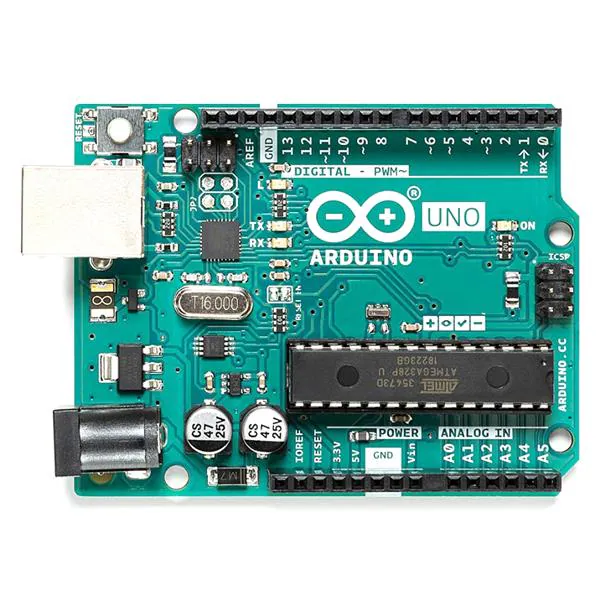
Arduino UNO
+ Compatible with sensors and DFPlayer Mini, well supported.
– Requires extra components for audio, more setup.

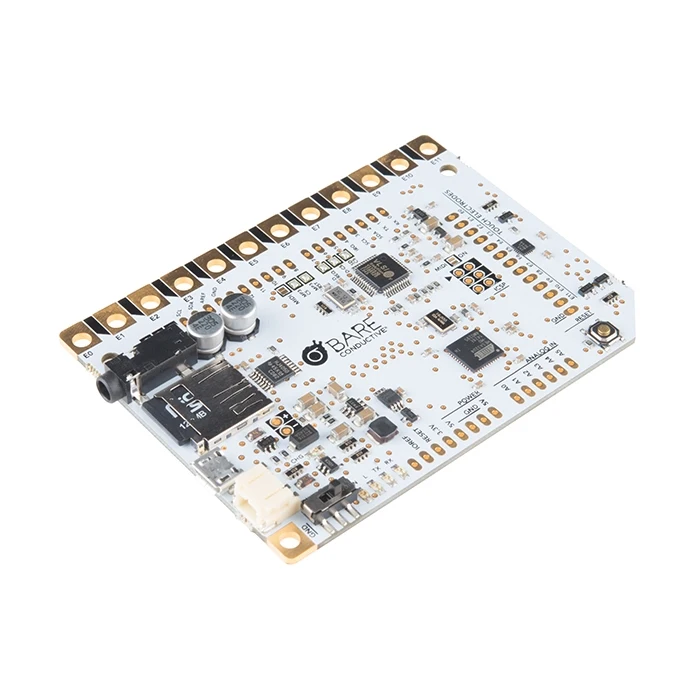
Touch Board (Bare Conductive)
+ 12 built-in capacitive touch sensors, MP3 playback from microSD, perfect for touch-based sound triggers.
– Slightly bulkier and more expensive, fewer I/O pins.

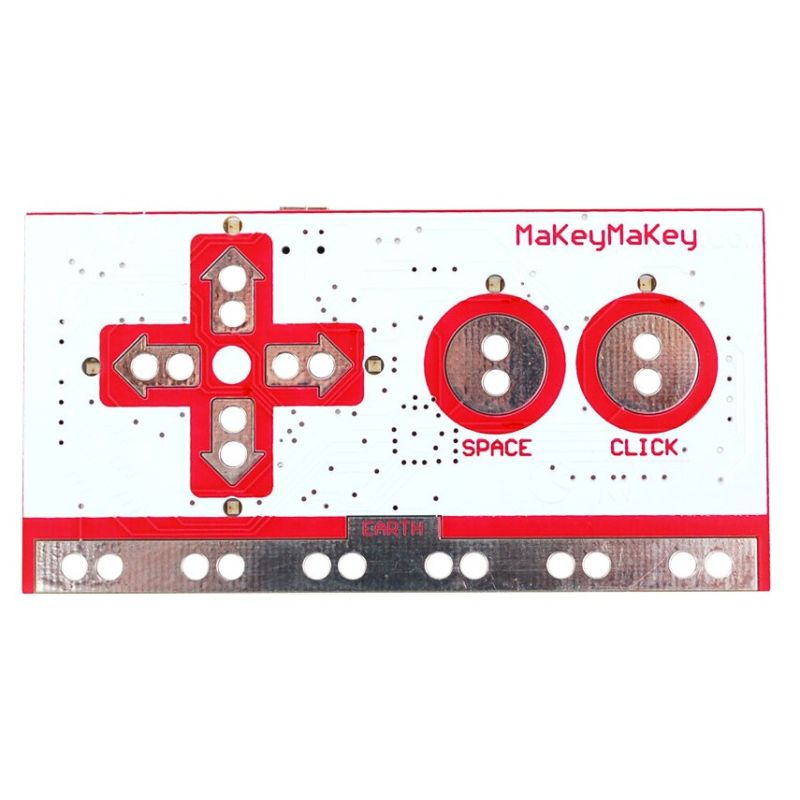
Makey Makey
+ Very fast and beginner-friendly.
– Needs a computer, limited interaction types, not standalone.

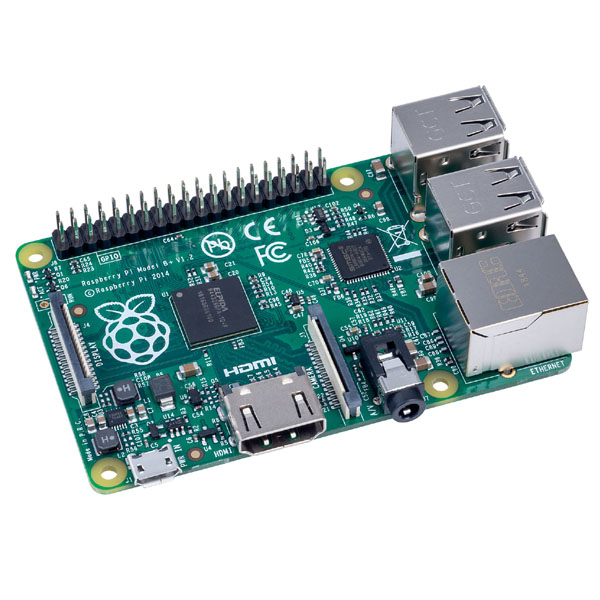
Raspberry Pi
+ Great for future audio-visual expansion.
– Too complex for lo-fi prototyping, more fragile.

What’s Next

After this research, I’ve decided to use the Touch Board for my first prototype. It’s specifically designed for sound-triggered, touch-based interactions, making it ideal for what I want to create: a playful and poetic interface that reveals hidden stories through sound. Its built-in MP3 playback and capacitive touch support mean I can keep my setup compact and focus on designing the experience, not just wiring the tech.

My first test setup will include:

  • Input: Touch sensor (built into the board)
  • Output: MP3 sound through speaker/headphones
  • Feedback: A single LED to show when a sound is playing
  • Goal: When someone touches a marked location on the map, a sound plays, revealing part of Graz that’s normally overlooked.

This early version will help me test the feeling of the interaction before I scale up to a full map or multi-point layout.

2.2. Returning to where I began

Reframing My Focus: Designing Phygital Interactions for Cultural Spaces

In my first post, I shared the process behind three pencil holder prototypes I designed. While that exercise helped me develop hands-on design skills, I’ve realized that the topic didn’t truly excite me. What does drive my curiosity is how phygital interactions, those that blend the physical and digital, can reshape the way we experience museums and cultural spaces.

Last semester, I began exploring this direction and outlined some guiding categories for my research:

  • Define the audience
  • Select an area of content interest
  • Explore physical + tangible interactions in depth

While these categories helped structure my thinking early on, I now find the idea of defining a target audience too limiting, especially for museum contexts, where visitors come from a wide range of backgrounds and ages. So, I’ve decided to narrow my focus to content, interaction methods, technology, and prototyping.

My New Direction

For this course, my goal is to develop a physical prototype that investigates how phygital approaches can make themes like history and cultural heritage more engaging, playful, and emotionally resonant. I’m especially interested in designing interactions that draw in people who might not typically connect with traditional exhibits.

To inform my design process, I’ve been researching successful case studies of museum installations focusing particularly on phygital projects. Each of these case studies provides valuable insights into how various interaction modes influence the visitor experience.

Phygital Experiences related to history and cultural heritage

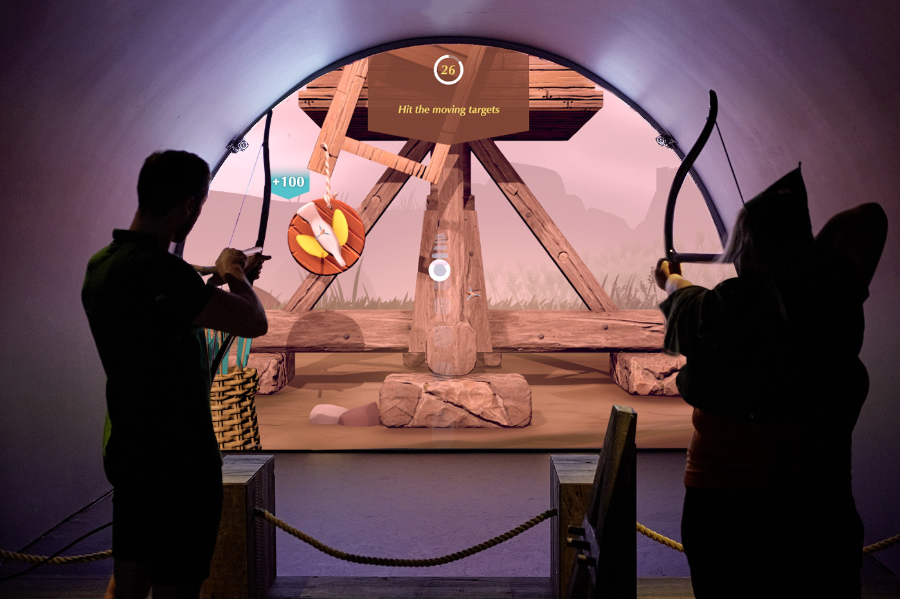
Longbow & Quarterstaff” (Tangible Interaction)

The Longbow & Quarterstaff [1],[2] experience is a phygital, motion-tracked exhibit that blends physical play with digital storytelling to bring Nottingham Castle’s Robin Hood legends to life. It’s a full-body interactive game where visitors use real medieval-style weapons, safely reimagined, to trigger digital reactions on-screen, learning skills and stories as they go.

Key Characteristics

  • Visitors physically draw a longbow or wield a quarterstaff, mimicking medieval training exercises.
  • Responds in real time. Sensors track movement and trigger animated, story-driven challenges like dueling Little John or mastering archery.
  • Teaches by doing. Combines fun with history. No reading panels, just action-based learning.
  • Inclusive and intuitive. Designed for all ages and abilities, no prior gaming experience needed.
  • Blends heritage and innovation. Reframes historical content through immersive, hands-on play.
  • Keeps visitors engaged longer, encouraging exploration and return visits.
  • Makes memories. Creates moments of laughter, achievement, and embodied storytelling.
  • Durable hardware and responsive tech withstand high traffic without compromising experience quality.
“Sen” (Virtural Reality)

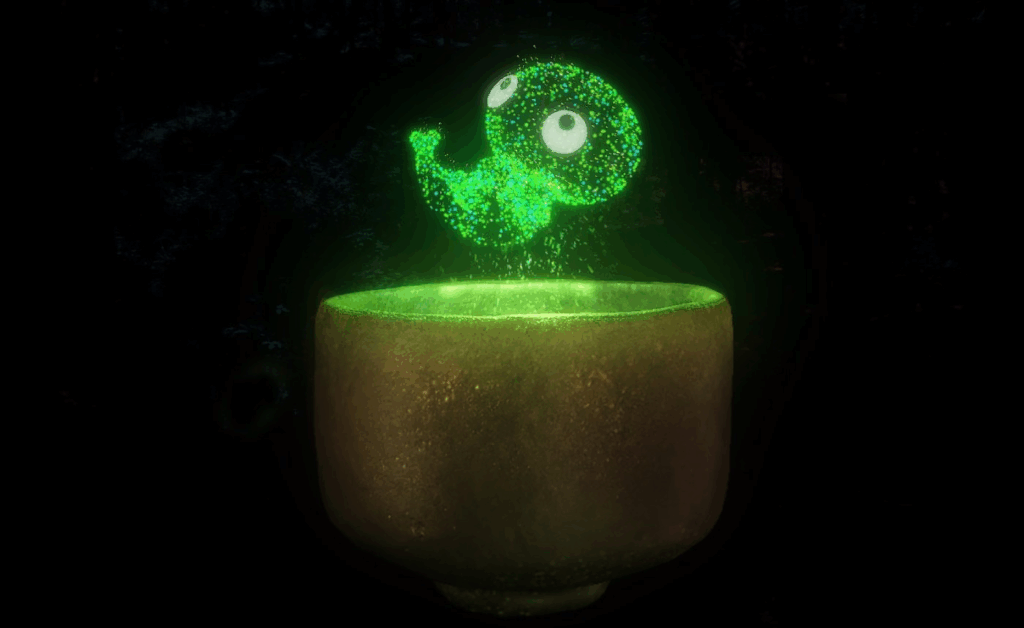
Sen [3], [4] is an immersive virtual reality experience that reimagines the Japanese tea ceremony through the perspective of a tea spirit. Created by Japanese VR artist Keisuke Itoh and produced by Cinemaleap, the 15-minute experience invites participants to embody “Sen,” a tiny lifeform born from within a handcrafted Raku tea bowl. As the spirit, the viewer observes and drifts through a poetic world, experiencing cycles of life, death, and rebirth—symbolizing the transience of existence and the meditative essence of Chado (the Way of Tea).

Key characteristics:

  • Meditative tone inspired by the Japanese tea ceremony and Zen philosophy
  • Non-verbal storytelling that emphasizes emotion, atmosphere, and symbolism
  • Themes of reincarnation, impermanence, and spiritual connection to nature
  • Handcrafted visual style, blending traditional Japanese aesthetics with digital craftsmanship
  • Technology: High-resolution Virtual Reality using a VR headset and spatial audio for full sensory immersion
  • Viewers hold a physical replica of the tea bowl while in VR, which becomes the central object in the experience triggering Sen’s journey and deepening tactile connection without buttons or controllers
A Forest Where Gods Live (Projection Mapping)

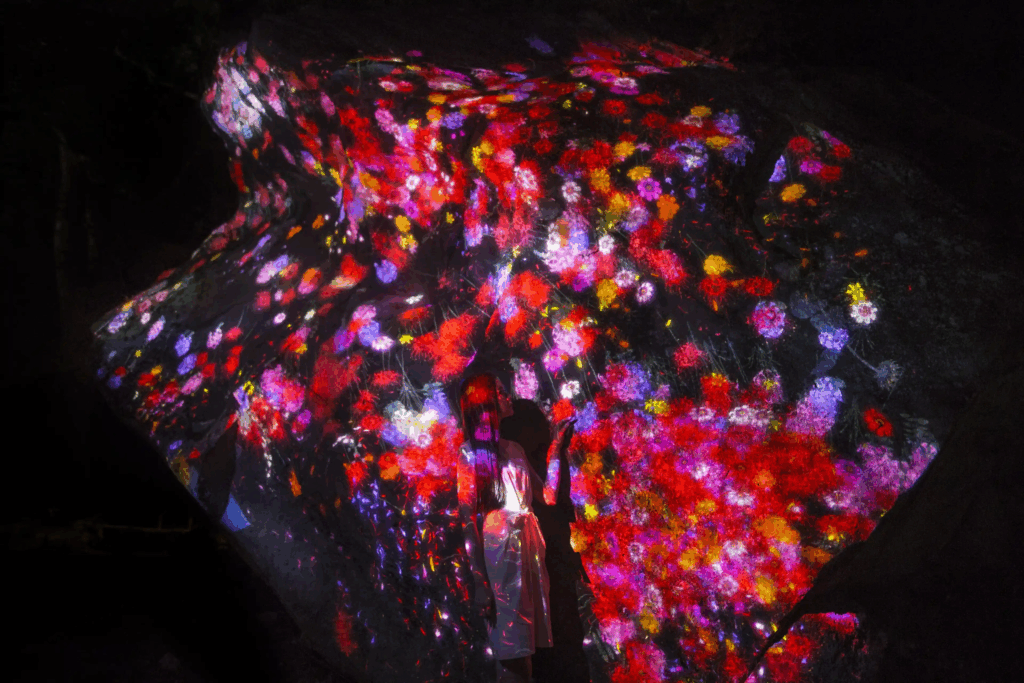
teamLab’s A Forest Where Gods Live [5] is an immersive digital art exhibition set in Mifuneyama Rakuen, an ancient Japanese forest and garden with deep spiritual significance. The project blends interactive technology with cultural heritage and nature, creating a respectful dialogue between the past and the present.

Key Characteristics

  • Digital artworks are projected onto real trees, rocks, and ruins, transforming the natural environment without altering it. The forest becomes the canvas.
  • The experience changes based on where you walk, how you move, and even the time of day. Flowers bloom, animals appear, and lights shift in real time.
  • The project honors Shinto beliefs that spirits inhabit nature. Instead of overwhelming the site, the art quietly coexists with its sacred atmosphere.
  • The visuals evolve with weather, seasons, and time, offering a different experience with every visit, echoing the Japanese idea of impermanence (wabi-sabi).
  • Carefully placed soundscapes and ambient lighting deepen the sense of wonder and connection with the natural surroundings.
“Experience Guide” (Environmental Sensing + Feedback)

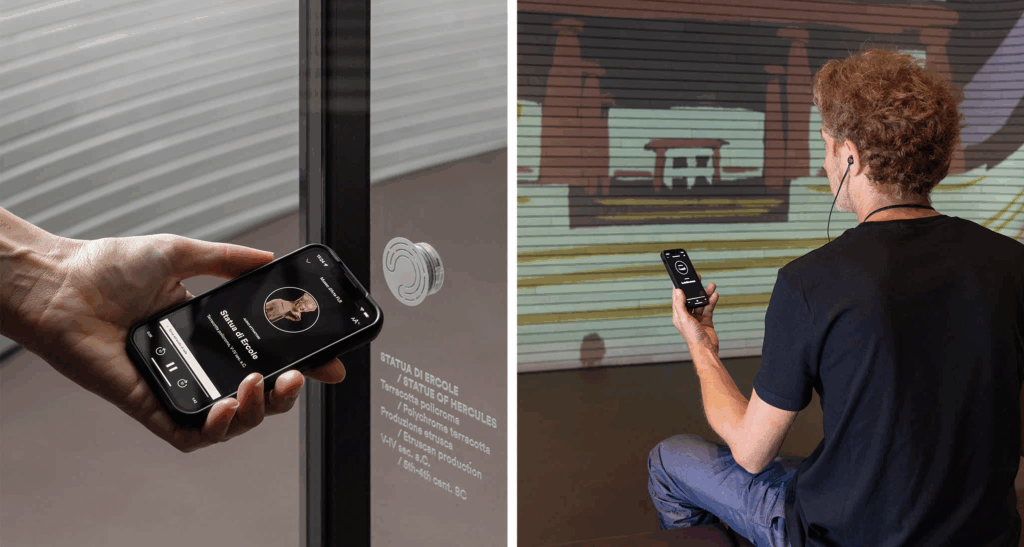
The Experience Guide [6] is a fully integrated digital system designed to enhance both visitor engagement and museum operations. It’s a smart platform that uses indoor positioning technology to deliver personalized, real-time content to visitors’ smartphones as they move through a museum. It also helps museum staff manage and analyze visitor behavior and exhibit conditions from a single system.

Key Characteristics

  • Acts like a smart, invisible guide. Delivers personalized, location-based audio-visual content to visitors’ smartphones.
  • Automatically plays relevant audio and visual content based on where you are in the museum.
  • Replaces the need for QR codes, physical guides, or borrowed devices.
  • Includes features like ticketing, real-time updates, and accessibility support.
  • Continues the experience post-visit with summaries or reports.
  • Centralizes data on visitor flow, exhibit usage, and system performance.
  • Integrates with CRM, ticketing, and content management.
  • Supports staff in planning, maintaining, and improving the visitor journey.
“Botanical Atlas” (Digital)

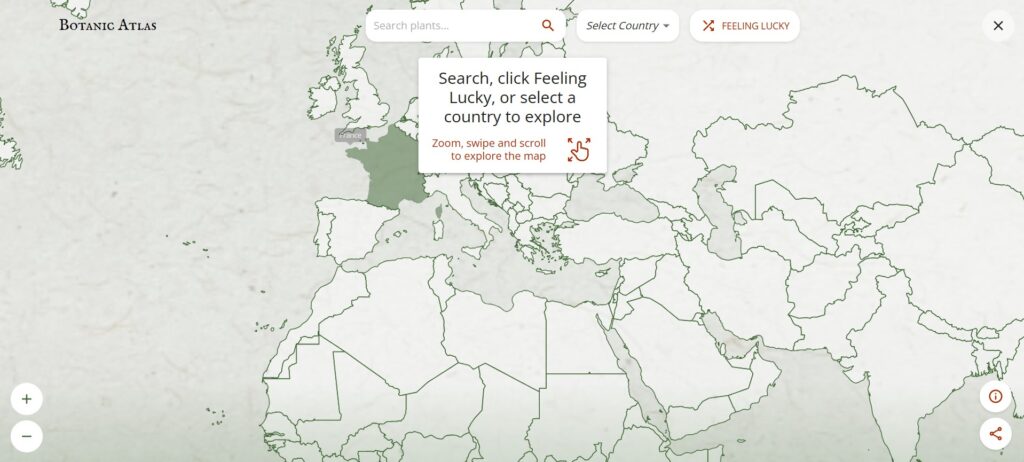
The Botanic Atlas [7] is an interactive online platform developed by Google Arts & Culture in collaboration with institutions like the Botanical Research Institute of Texas, CRIA in Brazil, and the University Herbarium of Cambridge. It showcases over 30,000 plant species through a dynamic world map powered by Google AI, allowing users to explore botanical specimens from various regions.

Key Characteristics

  • Purely Digital Platform: Accessible online via Google Arts & Culture, with no physical component—fully immersive and interactive.
  • Uses Google AI to showcase over 30,000 plant species from around the world on a dynamic map.
  • Combines scientific research (botanical specimens, taxonomy) with cultural heritage (historical and artistic stories).
  • Users can select different perspectives like Woodland Explorer, Botanical Scientist, Forest Activist, or Tree Historian to customize their experience.
  • Highlights the cultural significance of plants, botanical art history, and regional forest stories.
  • Designed to educate a global audience through immersive storytelling, interactive exploration, and rich multimedia content.
  • Covers diverse ecosystems and plants from many countries, emphasizing the global importance of botanical knowledge.

Common Aspects of Interaction Methods and Technology

  • Emotion-driven storytelling: Focus on playful, memorable learning rather than info delivery.
  • Seamless physical-digital integration: Tangible actions directly trigger digital responses.
  • Real-time responsiveness: Sensors and tracking enable immediate, dynamic feedback.
  • Multisensory engagement: Combines touch, visuals, and sound for immersive experiences.
  • Context-aware design: Respects and enhances cultural and physical settings.
  • Inclusive and intuitive: Easy to use for all ages and abilities, minimizing barriers.
  • Personalized content: Adapts to visitor location, interests, or pace via smart tech.
  • Robust technology: Durable hardware/software for consistent, high-quality use.

What’s Next

This framework can help guide me in developing my prototype by emphasizing the following key areas:

  • Creating physical touchpoints that trigger rich digital responses.
  • Ensuring interactions feel natural and immediate.
  • Designing for diverse visitors with simple, engaging interfaces.
  • Embedding experiences meaningfully within a cultural context

The upcoming blog post will focus on selecting a topic related to history and cultural heritage, as well as researching technology and making choices for my prototype.

Sources

[1] PRELOADED, “Longbow & Quarterstaff – Nottingham Castle,” PRELOADED, 2025. [Online]. Available: https://preloaded.com/work/longbow-quarterstaff/

[2] K. A. Oliver, “Nottingham Castle,” kaioliver.co.uk, Portfolio. [Online]. Available: https://kaioliver.co.uk/?portfolio=nottingham-castle.

[3] ArtScience Museum, “SEN,” Marina Bay Sands, ArtScience Museum Exhibitions. [Online]. Available: https://www.marinabaysands.com/museum/exhibitions/sen.html.

[4] MuseumNext, “SEN: A transcendent virtual tea ceremony exploring reincarnation,” MuseumNext. [Online]. Available: https://www.museumnext.com/article/sen-a-transcendent-virtual-tea-ceremony-exploring-reincarnation/.

[5] teamLab, “teamLab: A Forest Where Gods Live,” teamLab Exhibitions. [Online]. Available: https://www.teamlab.art/e/mifuneyamarakuen/.

[6] Dotdotdot_it, “The first fully integrated digital system customised to visitor and museum needs,” Medium, Oct. 27, 2022. [Online]. Available: https://dotdotdot-it.medium.com/the-first-fully-integrated-digital-system-customised-to-visitor-and-museum-needs-a2661079dfce

[7] Google Arts & Culture, “Botanic Atlas,” 2025. [Online]. Available: https://artsandculture.google.com/experiment/botanic-atlas/xwFwFQ2goojMUw.