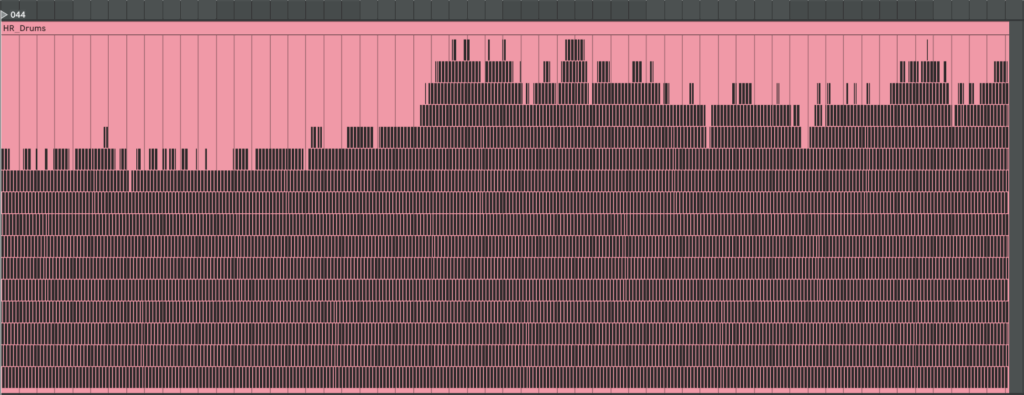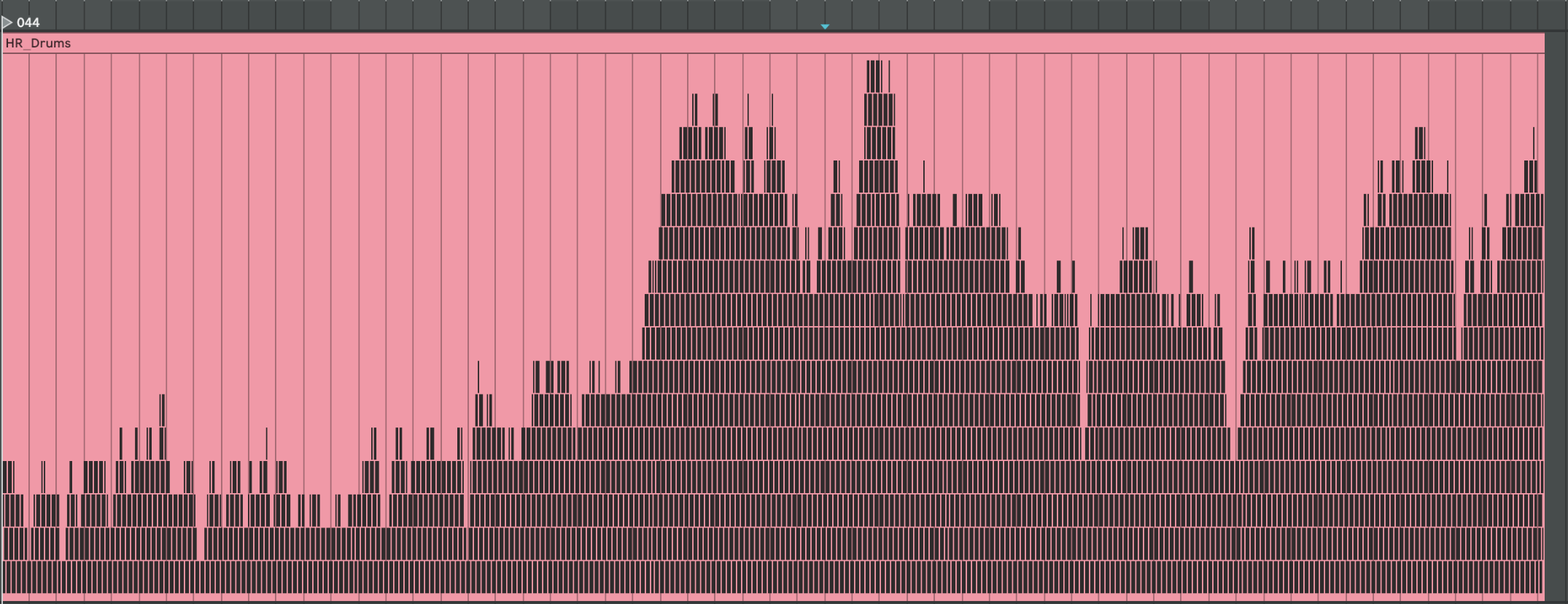
To generate heart-rate–driven drums I set out to write a script that builds a drum pattern whose density depends on HR intensity. I fixed the tempo at 75 BPM because the math is convenient: 0.1 s of data ≈ one 1/32-note at 75 BPM. I pictured a bar with 16 cells and designed a map that decides which cell gets filled next; the higher the HR, the more cells are activated. Before rendering, a helper scans the global HR minimum and maximum and slices that span into 16 equal zones (an 8-zone fallback is available) so the percussion always scales correctly. For extra flexibility, the script also writes SDNN and RMSSD into the MIDI file as two separate CC automation lanes. In Ableton, I can map those controllers to any parameter, making it easy to experiment with the track’s sonic texture.
Let’s take a closer look at the code. If you want to see the full, visit: https://github.com/ninaeba/EmbodiedResonance
This script converts raw heart-rate data into a drum track.
Every 0.1-second CSV sample lines up with a 1⁄32-note at the fixed tempo of 75 BPM, so medical time falls neatly onto a musical grid. The pulse controls how many cells inside each 16-step bar are filled, while SDNN and RMSSD are embedded as two CC lanes for later sound-design tricks.
Default configuration (all constants live in one block)
 STEP_BEAT = 1 / 32  # grid resolution in beats
 NOTE_LENGTH = 1 / 32  # each hit lasts a 32nd-note
 DEF_BPM = 75    # master tempo
 CSV_GRID = 0.1   # CSV step in seconds
 SEC_PER_CELL = 0.1   # duration of one pattern cell
 SIGNATURE = "16/16" # one bar = 16 cells
 CC_SDNN = 11    # long-term HRV
 CC_RMSSD = 1    # short-term HRV
The spatial order of hits is defined by a map that spreads layers across the bar, so extra drums feel balanced instead of bunching at the start
CELL_MAP = [0, 8, 4, 12, 2, 10, 6, 14, 1, 9, 5, 13, 3, 11, 7, 15]generate_rules slices the global HR span into sixteen equal zones and binds each zone to one cell-and-note pair; the last rule catches any pulse above the top threshold
 def generate_rules(hr_min, hr_max, cells):
  thresholds = np.linspace(hr_min, hr_max, cells + 1)[1:]
  rules = [(thr, CELL_MAP[i], 36 + i) for i, thr in enumerate(thresholds)]
  rules[-1] = (np.inf, rules[-1][1], rules[-1][2])
  return rules
Inside csv_to_midi the script first writes two continuous-controller streams—one for SDNN, one for RMSSD—normalised to 0-127 at every grid tick
 sdnn_norm = clip((sdnn − min) / (range), 0, 1)
 rmssd_norm = clip((rmssd − min) / (range), 0, 1)
 add CC 11 with value round(sdnn_norm × 127) at time t
 add CC 1 with value round(rmssd_norm × 127) at time t
A cumulative-pattern list is built so rhythmic density rises without ever muting earlier layers
 CUM_PATTERNS = []
 acc = []
 for (thr, cell, note) in rules:
  acc.append((cell, note)) # keep previous hits
  CUM_PATTERNS.append(list(acc)) # zone n holds n+1 hits
During rendering each bar/cell slot is visited, the current HR is interpolated onto that exact moment, its zone is looked up, velocity is set to the rounded pulse value, and only the cells active in that zone fire
 hr = interp(t_sample, times, hr_vals)
 zone = first i where hr ≤ rules[i].threshold
 vel = int(round(hr))
for (z_cell, note) in CUM_PATTERNS[zone]:
if z_cell ≠ cell: continue
beat = (bar × cells + cell) × STEP_BEAT × 4
t0 = beat × 60 / bpm
write Note(pitch=note, velocity=vel, start=t0, end=t0 + NOTE_LENGTH in seconds)
Before any writing starts the entry-point scans the whole folder to gather global minima and maxima for HR, SDNN and RMSSD, guaranteeing identical zone limits and CC scaling across every file in the batch
 hr_min, hr_max = min/max of all HR values
 sdnn_min, sdnn_max = min/max of all SDNN values
 rmssd_min, rmssd_max = min/max of all RMSSD values
 rules = generate_rules(hr_min, hr_max, cells)
Run the converter like this:
python ecg_to_drum.py path/to/csv_folder --tempo 75 --time-signature 16/16Each CSV becomes a _drums.mid file that contains a single drum-kit track whose note density follows heart-rate zones and whose CC 11 and CC 1 envelopes mirror long- and short-term variability—ready to animate filters, reverbs or whatever you map them to in the DAW.
Here are examples of generated MIDI files with drums. On the left side, there are drums made with individual mapping for every patient separately, and on the right side, mapping is one for all patients. We can see they resemble our HR graphs.