Voluntary Service & Open Source- Impulse #3

Continuing from the last blogposts, where I talked about what got me interested in open source as a master’s thesis topic: homelabbing. In this post, I want to talk about an intrinsic motivation, that kept me moving towards this.

Voluntary work is part of my day to day life. Since 2014, I have been part of the scouts, first as a child now as a guide. Once a week I run meet-ups for children form 7 to 10 years old, where we go out into the forest, play and teach them to be come a valuable part of society. Doing work like this takes much more time, than one would think, there is planning those 2 hour sessions, preparing before the kids come and cleaning up after they leave. There are weekend camps and a big summer camp to organise, the groups home needs to be tidy and there even is a course a scout leader must take, learning about communication and pedagogy. I give a huge part of my free time to the scout movement, and all for no pay.

In addition to big voluntary movements like the scouts, there are small communities like the “UX Graz” Community, which organise a meet up for people interested in UX design, every third Tuesday of the month. Everything is organised and run by volunteers. Every meet up is held at a different company, which provides the location, food and drinks, and there are two parts in every meet up, first there are some talks and second networking. For people attending it is completely free. Free food, free drinks, free knowledge transfer and free new contacts. (I have recently joined the organising team swell, so this is my second voluntary work.)

In my mind, there are a lot of parallels between voluntary work and open source. A small amount of people does work or creates something, that benefits a lot of others. And the work these people do is often overlooked. They act in the background often earning nothing more than respect and thanks from others. Especially in these times, it is hard t have a job, that doesn’t pay you money, next to your regular day job. Due to different reasons most people cant’t afford to work for free, still there are a bunch of people who do.

I hope to find a reason for people to work for free. In my opinion voluntary work provides a lot to society. Although sometimes I feel like the work volunteers do is under appreciated, especially youth organisations. Although to be fair, open source doesn’t mean free and open source projects aren’t always maintained by volunteers who aren’t getting paid. What drives people to give away their product for free? How can the value of voluntary work be communicated? Looking into the psychological and social aspect of people doing work just for the benefit of others, is something I would want to get into more.

Accompanying Links

A link to the UX Graz Meetup: https://www.meetup.com/uxgraz/

A link to the website of the Austrian scout movement: https://ppoe.at

Hosting Applications (Homelabbing_2) – Impulse #2

In my last blog post I wrote about my first steps in homelabbing, to clarify in homelabbing you try to setup a home server environment to run services, test and learn new stuff. Some examples: Host a cloud service, a picture backup service, a home NAS (Network Attached Storage), your own streaming service or even a Minecraft server. I set up a “home server” an old laptop got it a new operating system and installed the first services.

After this first success, I felt ready to dive deeper. To really host a service, that I can use, maybe even outside of my home network. And the first thing, that came to my mind was a Minecraft server. My cousin had done it, other friends had done it, so it can’t be that hard. And it really isn’t. The documentation is good, all in all it’s just installing java & the basic server run file. I just had one issue, which was exposing a port to the internet, which I could solve after a while of searching through forums. (I ended up finding the answer in the docs, just not where I looked.)

Now, I had used the terminal, I had a service running, why not set up something that I can use in a more productive way? And this one, didn’t go so well. See for a lot of the services most people run on their homelab you need a separate software for them to run properly, most of the time that is Docker. In short, Docker solves the “It works on my machine…” problem, a lot of new software has. (Here is a Network Chuck tutorial explaining Docker in more detail: https://youtu.be/eGz9DS-aIeY?si=aSPVoBCwRwZ6zaLs) It basically creates the perfect environment to run a certain piece of software. And just getting that to work, took me a while, reading documentation, forums, watching video tutorials.

After I had setup Docker and it was running properly, I decided to install a Remote Desktop application, so I could make changes to my home server from where ever I wanted, without having to use the old laptop to do so. I planned to hook it up to my home network and leave it running, without having to open it up to make changes. Through a Reddit post I discovered RustDesk, an open source remote access software, which can be self hosted through Docker. And for the first time, installing a new service just worked. The Docs were easy to follow and in less than an hour, I had RustDesk running.

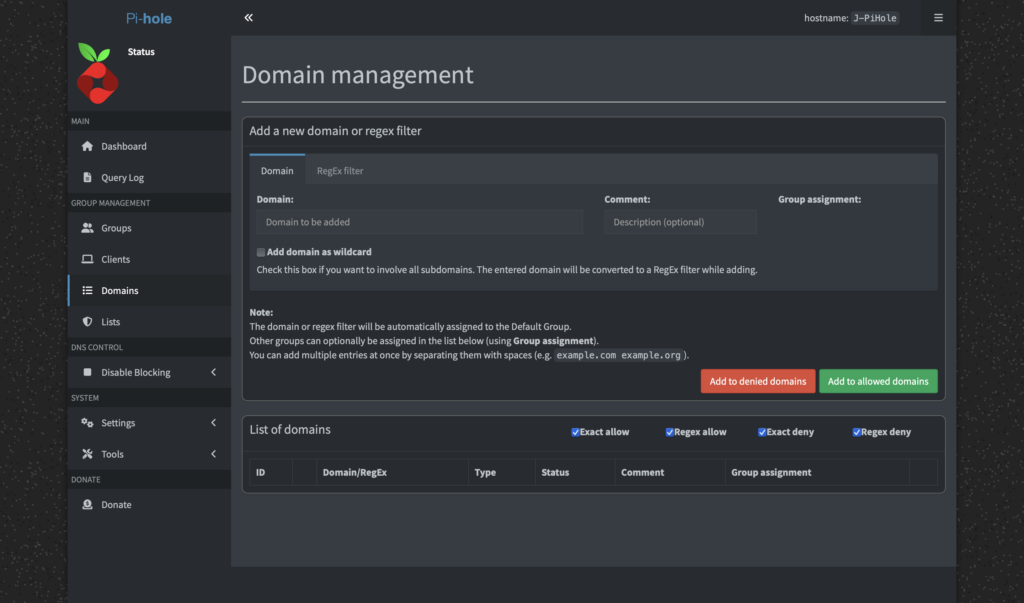
After this first success I really wanted to have a service running, that would provide a benefit to my day to day life. Three different ones really caught my eye: PiHole, a network wide ad-blocking service, Immich, a Google Photos like picture backup cloud and n8n, a patching tool similar to Max that let’s you create Ai supported automations. (I provided Links to the projects below)

Sadly It was not all fun and games. Like all good homelabbing projects I ran into another problem, which had put this whole experience to a hold. Everything I had done until now ran through the W-Lan of my apartment, which is suboptimal, it clogs up the WiFi for other mobile devices and is slower, compared to a wired connection. Since I planned to put the server somewhere in the apartment and never move it again, I wanted to hook it up immediately. This lead to the laptop not booting, so I couldn’t do anything while it was hooked up to the network, but it would work fine when I unplugged it.

Impact for my Masters Thesis

Thinking back now, when I tried to set up Docker, this actually was my first encounter with a big problem in open source: Bad newcomer onboarding and difficult documentation. As I would find out later, during deepening my research in open source, this is also one of the areas that experts see the most use for UX work, creating an easy to understand onboarding and easy to read documentation. It’s a hit or miss. Sometimes it takes hours to troubleshoot a problem and reading through forum posts, to find the solution, that works for you.

What still stuck with me this whole time, thinking about open source, was the thought of coming into a new area or hobby and trying to solve a problem I don’t truly understand. I have used open source software before, I read docs and learned a lot, still finding a research question or a problem to solve is hard. I guess I need to dive deeper into this whole field to truly understand it. Everything I thought about felt strange, a new person coming in and trying to solve a problem that they read about in some forum or book. This lead me more into the direction of documenting, how to contribute as a designer in the first place or how to run/ start an open source project, since I really like the way of providing a product for others to use and change, best case for free.

Accompanying Links

Here are some links to the different services I mentioned im the blog post:

https://rustdesk.com

https://minecraft.wiki/w/Tutorial:Setting_up_a_Java_Edition_server

https://n8n.io

https://immich.app

https://www.docker.com

https://pi-hole.net

Reinstalling (Homelabbing_1) – Impulse #1

Quite a while ago I found an old laptop at my parent’s place. A very old machine, I used back when I was like 15 years old. Not very flashy but at that time a good device to do what I needed to do, which was school work and playing Minecraft. At that time I was really into home automation, doing things myself, creating my own NAS (Network Attached Storage) or hosting other applications. So after getting my old Laptop, I started to test some stuff. The first thing, I noticed was that the laptop was very slow. I don’t know what 15 year old me did to that thing but it sure wasn’t the best for the hardware.

After doing a little research, on how to breathe life into an old laptop, I stumbled across Linux. For those who don’t know, Linux is a light weight open source, mostly free, operating system. Just like Windows or MacOS. And let me tell you, choosing the right Linux distribution to run on my machine was another rabbit hole, since there are so many. There are ones optimised for hacking, or to look like MacOS, or to be very light weight (ArchLinux). In the end I decided to use the most common Linux “Distro” (short for distribution): Ubuntu. Which is supposed to give me a similar experience to windows and is one of the most widely used Distros. (Which comes in handy, when trying to troubleshoot anything, since someone most likely already fixed that same problem.)

Next steps included, going through old data and clearing out old junk, erasing all data and installing a fresh installation of Ubuntu. And I got to say getting to this point too a while, but after the laptop booted into the home screen of Ubuntu it felt great! But what to do now? One of the “simplest” thing I could think of was trying to connect the laptops storage to my home network, so I could use the old guys storage capacity to exchange data from one device to another, without plugging in an USB stick, or saving backups of very important data. To accomplish this, I used Samba (another open source project), which let me expose a folder to my network. Setting this up took a lot of trail and error, as well as a lot of terminal commands. But now I can get data from my MacBook to my Windows PC without attaching and detaching anything.

Starting this project was a lot of fun. A bunch of new things to learn and new possibilities arise. After this first success I got a bunch of other ideas which I could now host on my own, a cloud service, a Minecraft server or a google photos like application to save and share pictures.

Impact for my Masters Thesis

But what does this have to do with my masters thesis? A lot of the software used when creating a home lab is free and open source. Additionally the freedom to host your own services for free, because someone created free software for you to use, is great! Nevertheless it is a fun project, to get into computers and hosting one’s own cloud service feels great and has a lot of advantages (and disadvantages).

All those possibilities got me thinking, why and how do people create software used by thousands and millions of users? What drives open source projects? How are they financed? So in short this was the start of my interest in open source and the reason, why I want to dive deeper into this topic in my masters thesis. I am sure, there is more to uncover, to try out and to learn.

Accompanying Links

If you start to build your home lab, there is a bunch of stuff you need to know about and Network Chuck provides an amazing overview of most relevant topics. From explaining Linux to n8n (an Ai automation software) to hosting your own NAS. The videos are easy to follow and beginner friendly, in other words the perfect start for newcomers.
Here is a link top his YouTube channel: https://www.youtube.com/networkchuck

When trying to do anything on Linux you will need to use the terminal. Installing apps, bluetooth doesn’t work, advanced settings. open the terminal. As a beginner, I didn’t understand what I was writing in this text input. So I used this website: https://explainshell.com/# (another open source project), that explains every command that is put into the terminal.

The last link I want to share is the website of samba, the software I used to open up a folder to my home network. As they say on the website: “Samba is an important component to seamlessly integrate Linux/Unix Servers and Desktops into Active Directory environments.”
https://www.samba.org

Evaluation of a Master’s thesis

Autor: Matthias Müller, BSc
Titel: Applying Service Design on Free Open Source Software (FOSS)
Erscheinungsjahr: 2017
Hochschule: Graz University of Technology
Master: Software Development and Business Management
Quelle: https://repository.tugraz.at/publications/yq1qq-qwe76

This master’s thesis takes a closer look at how open-source software projects actually work. While open-source tools are built “by users, for users” and have changed the tech world in many ways, their success often depends on more than good code. The author uses service design methods to explore the Austrian open source project “Catrobat”, mapping everyone involved, their roles, and how they work together. The goal is to find out what helps or holds back open-source projects and how better collaboration and understanding can lead to more innovation long-term success.

Presentation quality 

Overall, the master’s is well made, the layout is simple yet fitting, since the layout itself probably wasn’t part of the scope. Simple paragraphs, some graphics and pictures, highlighted quotes, nothing special, although you could find some gaps in the text due to the full justification. Long, bloated sentences and swollen language make the text difficult to read. But the arguments made follow a logically form, from explaining the open-source context to applying service design tools.

Degree of innovation & independence

What stood out to me is how service design is connected to the world of open-source software, since any design practices are usually hard to be implemented into open source projects. The work shows a high level of independence, especially in how the author adapts existing design tools to fit the unique dynamics of Catrobat. Although making assumptions for the whole world of open source might be a bit farfetched, since open source projects can be very different, not only in size but number of users, supporters or funders, distribution channels and much more. Meaning this is a great case study but doesn’t really contribute to making the open source more design friendly.

Organization and structure 

The thesis is well structures, although sometimes hard to understand. The author is very thorough, service design & Catrobat are both very well defined and explained. Before using a service design tool, the author explains the reason for using it first, explains the process, shows the results and their conclusion in the end. The flow of the work seems natural, and additionally the usage of graphics and pictures, as well as bullet points really help to clarify.

Communication 

Like I have said before, the language is hard to understand, or in other words very academic. However, this might just be due to my background being in design and not more science driven studies, like computer science or information technology. In the eyes of a student of the technical university of Graz, the tone might be common.

Scope 

The topic is handled with an appropriate level of detail overall, although personally I would have pot emphasis on different topics, as the author did. Catrobat is explained in a lot of detail, while user research or testing of proposed improvements fell short, although those are key elements of servicer design.

Accuracy and attention to detail 

Citations are well made, if they are taken word by word, they are visually different from the rest of the text. Footnotes as well as inline citations are flawless and all figures are accurately described. I also couldn’t find any grammar or spelling mistakes, luckily writing software like microsoft word gets better at catching those mistakes.

Literature 

The literature review is solid, with relevant sources from design, service research, and technology studies. It combines classic design theory with more recent publications about open collaboration. The references are well integrated and show that the author understands the academic conversation around the topic

My personal reason to pick out a master’s thesis like this one was to get a better grasp on open source in general, since I want to write my thesis about the same topic, although with a different scope. I used this exercise to get more insight into the opinions of non designers working on open source software. But as I pointed out, grasping the topic and the conclusion was hard, due to me not being able to understand and comprehend the way sentences were written.

Disclaimer:
This blog post was supported by AI (ChatGPT) to help with structuring and phrasing.