After extensive experimentation with the Touch Board, I’m excited to share a short video showcasing the final prototype in action. This interactive map invites people to discover Graz through touch and sound. Each spot on the map hides a small surprise: a sound, a memory, a piece of the city waiting to be heard. Everything you see here was designed to feel handmade and screen-free, turning simple tech into something a little more magical.
Watch the video to see how it all comes together.
And here’s the video with all the sound stories. Hope you enjoy 🙂
After testing the Touch Board’s basic functionality, I began developing a full working prototype that links place, sound, and interaction into a tactile map of hidden Graz stories. The idea? Visitors touch different points on a map to reveal short audio snippets, each one tied to a local legend or curious landmark. Below, I’ll walk you through the full process of bringing this lo-fi phygital experience to life.
Creation of the Map
From Idea to Interaction I knew I wanted each touchpoint to reveal a different layer of the city. Something you wouldn’t notice in a regular guided tour. The early concept centered around a physical map enhanced with conductive elements that trigger audio clips. The experience needed to be screen-free, intuitive, and portable.
Core goals:
Highlight unusual or forgotten spots in Graz
Keep the setup simple and playful
Combine touch, sound, and visual storytelling
Deciding on the Content I wanted the experience to feel like a walk through Graz’s secret personality, curious, playful, sometimes surreal. I avoided the most obvious tourist sites and instead chose places that are either tucked away, easily missed, or rich with local legend. Each spot adds a different tone or texture to the map:
Der Kleine Elefant
Glockenspiel
Double Spiral Staircase
Kunsthaus Graz
Der Türke
Together, these five spots form a kind of “hidden Graz sampler”, part folklore, part urban oddity, part emotional landscape.
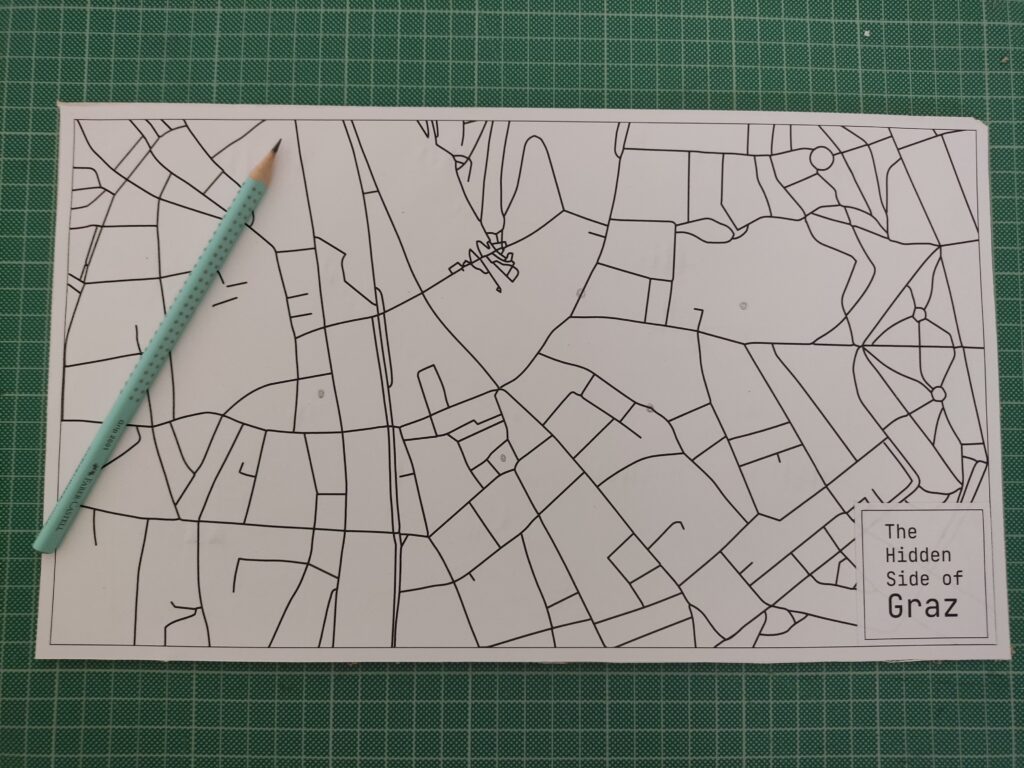
Designing the Map To keep the locations roughly geographically accurate, I used Snazzy Maps to pin my selected places. There are many styles to choose from, so I picked a minimal line-drawing style. I took a screenshot, imported it into Illustrator, and used Image Trace to vectorize the lines for a cleaner look.
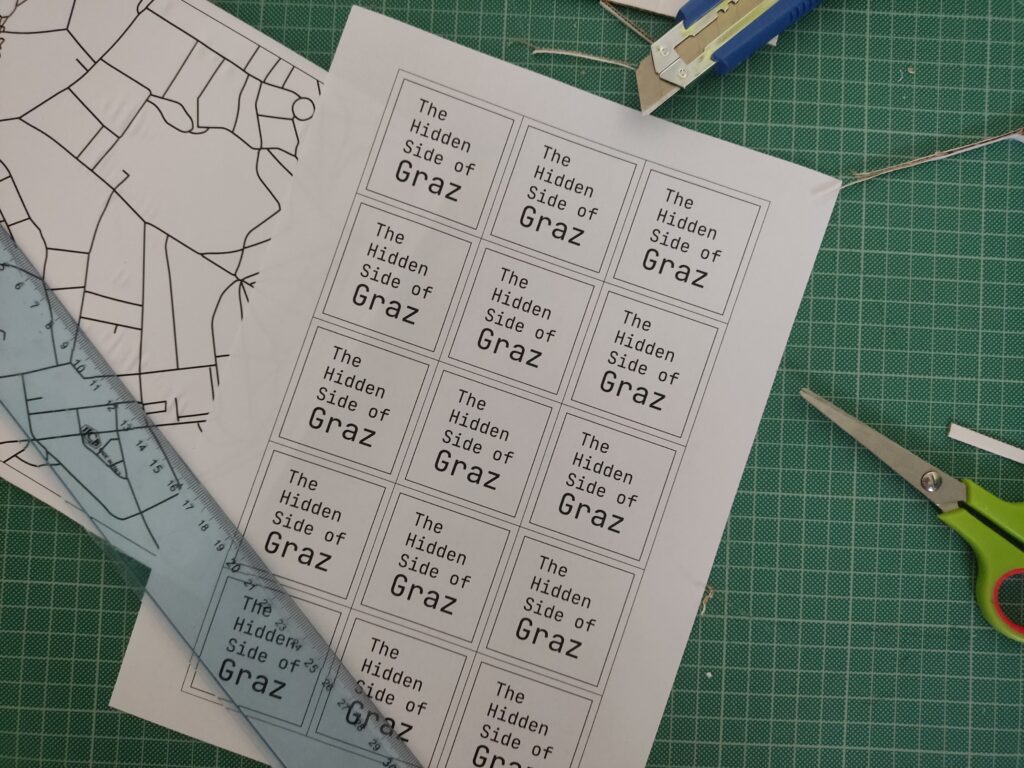
I also added custom name tags for each spot, arranged everything into an A3 layout, and sent it to print.
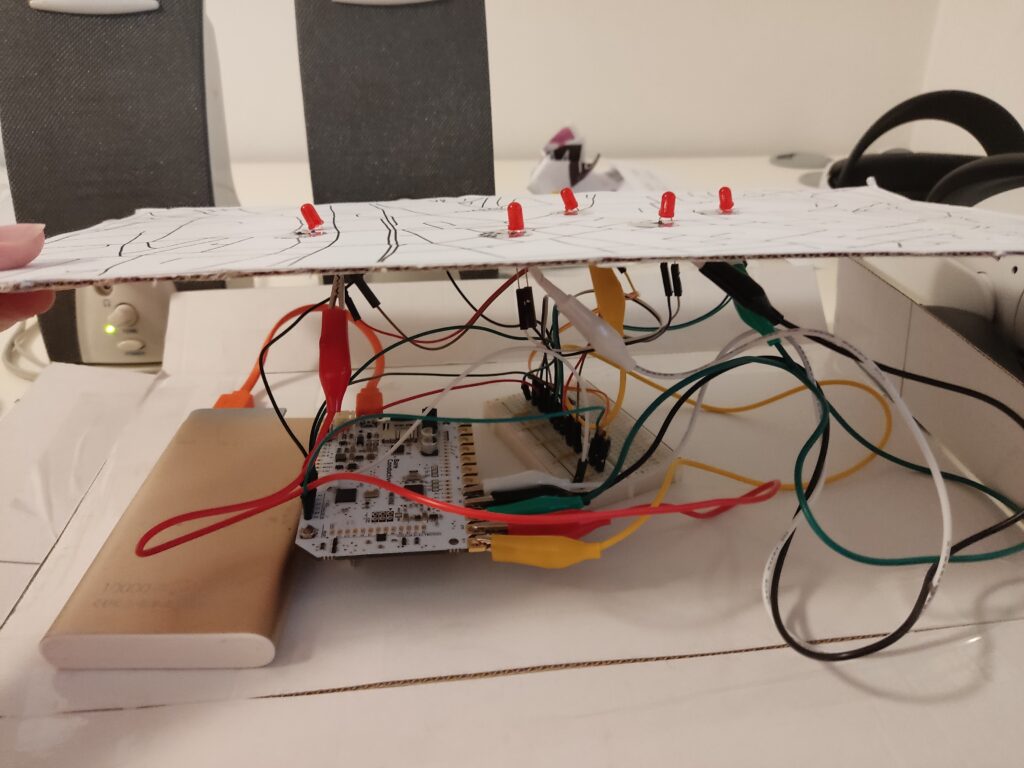
Each location was represented by a small circle symbol on the printed map. I used copper tape and stick them directly on paper, then connected them to the Touch Board’s electrodes using crocodile clips and jumper wires.
Crafting the Audio I wanted the audio to feel charming and a bit mysterious, so I wrote short descriptions for each location and turned them into narrated clips using an online text-to-speech AI tool. Each clip is around 20 seconds long. To make them more immersive, I layered in soft background sounds using Premiere Pro.
Der Kleine Elefant Tucked high above a quiet Graz street, a tiny stone elephant watches the world go by. It’s a gentle echo of 1629, when a real circus elephant marched through the city, astonishing everyone. This little statue keeps that memory alive.
Glockenspiel In the heart of Graz, when the clock strikes 11, 3, or 6, wooden shutters creak open high above Glockenspielplatz. A boy and a girl twirl to the chime of 24 bells, and at the end, a golden rooster flaps its wings and crows. It’s like a music box tucked into the rooftops.
Double Spiral Staircase Inside an old building, two stone staircases spiral like vines, crossing paths again and again. They separate, meet, part, and rejoin, like two people forever drawn to each other. Built in 1499, they’re called the “stairs of reconciliation”, a quiet dance carved in stone.
Kunsthaus Across the Mur, among red-tile rooftops, lives a blue, blob-shaped creature. It looks like it came from space. Locals call it the “Friendly Alien”, a living sculpture, glowing with energy. Inside, the art is always changing.
Der Türke Look up at Sporgasse 2. There’s a wooden man in a turban watching the street. Legend says that during the 1532 siege, a cannonball crashed through a window and struck a Pascha’s roast. Shocked by the blast, the Turks fled Graz. The figure still stands there, watching… and remembering.
Wiring & Materials
1x Touch Board
1x microSD card
1x microSD card reader
1x Speaker
1x USB power bank (for portability)
1x USB cable (for power and code upload)
5x LED (for basic feedback)
5x 220 Ohm resistor
1x Breadboard
21x Jumping Wires
5x Crocodile Clips
Bare Conductive’s “Touch MP3 with LEDs” example code
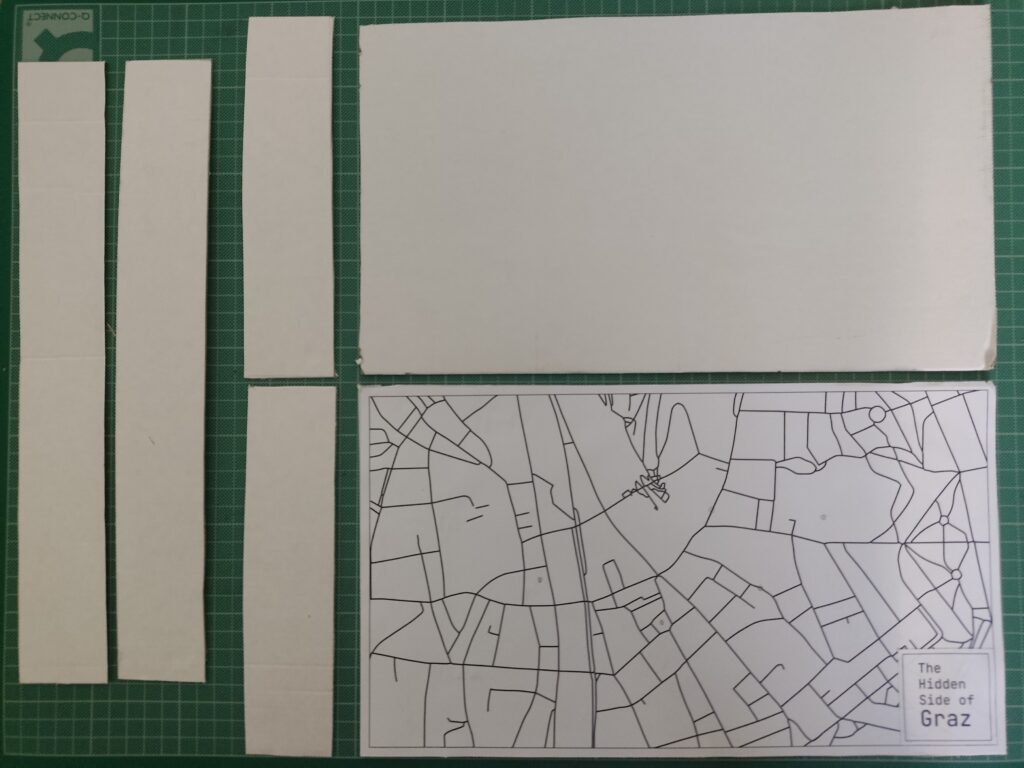
To enhance the presentation, I created a cardboard box to hide the microcontroller, battery, and all the wires. The result features a map on top, with circle-shaped copper tape marking the interactive areas. By hiding the components inside the cardboard box, this setup made the experience feel more like an artifact than a technology demonstration.
User Test
I brought the prototype to a few friends and watched how they used it. Here’s what I noticed:
What worked:
Most people figured it out without explanation
They were surprised by the sounds and intrigued by the stories
The LED made the experience feel “alive”
What could improve:
Some conductive areas needed more pressure to respond
People held their finger down the whole time instead of tapping once
Audio volume was a bit low in noisy environments
Reflections
Building this prototype showed me how simple tech, when well-combined, can lead to memorable interactions. The most exciting part wasn’t the circuitry; it was watching someone touch a spot on a map and hear something they didn’t expect. That brief surprise, that moment of discovery, is what I want to design more of.
In this post, I’m documenting my first hands-on test with the Touch Board by Bare Conductive. After choosing it for its built-in capacitive touch sensors and MP3 playback, I wanted to validate whether this microcontroller could support the kind of screen-free, tactile storytelling I’m imagining, where visitors trigger audio simply by touching a point on a surface.
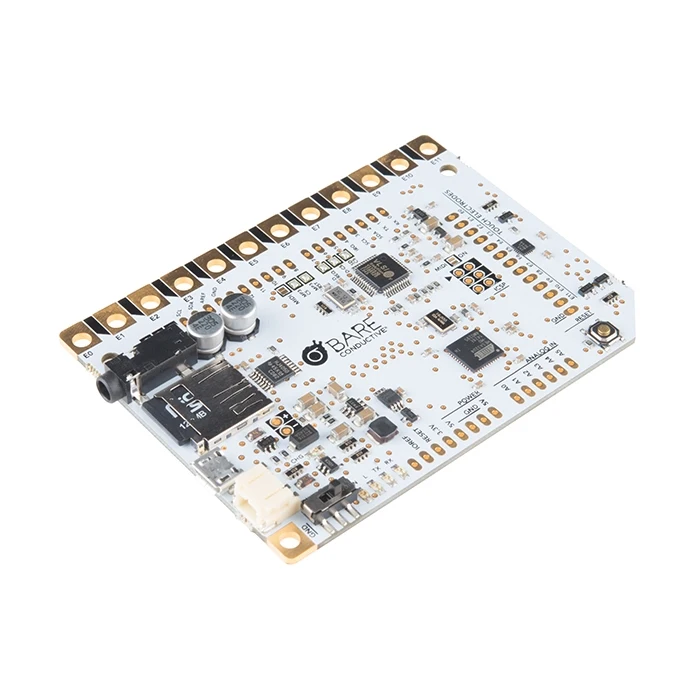
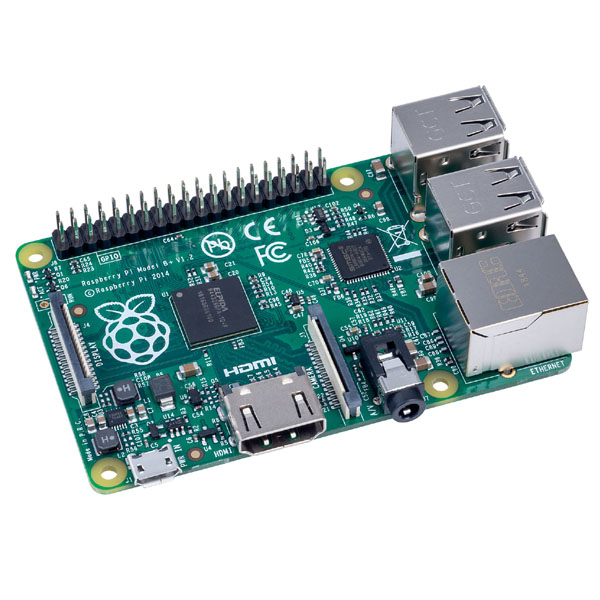
The Touch Board is basically an Arduino-compatible microcontroller designed for sound-based interactions.
It comes with:
12 capacitive touch electrodes (E0-E11)
Built-in microSD card slot for MP3s
Audio jack and speaker terminal
Micro-USB for power and programming
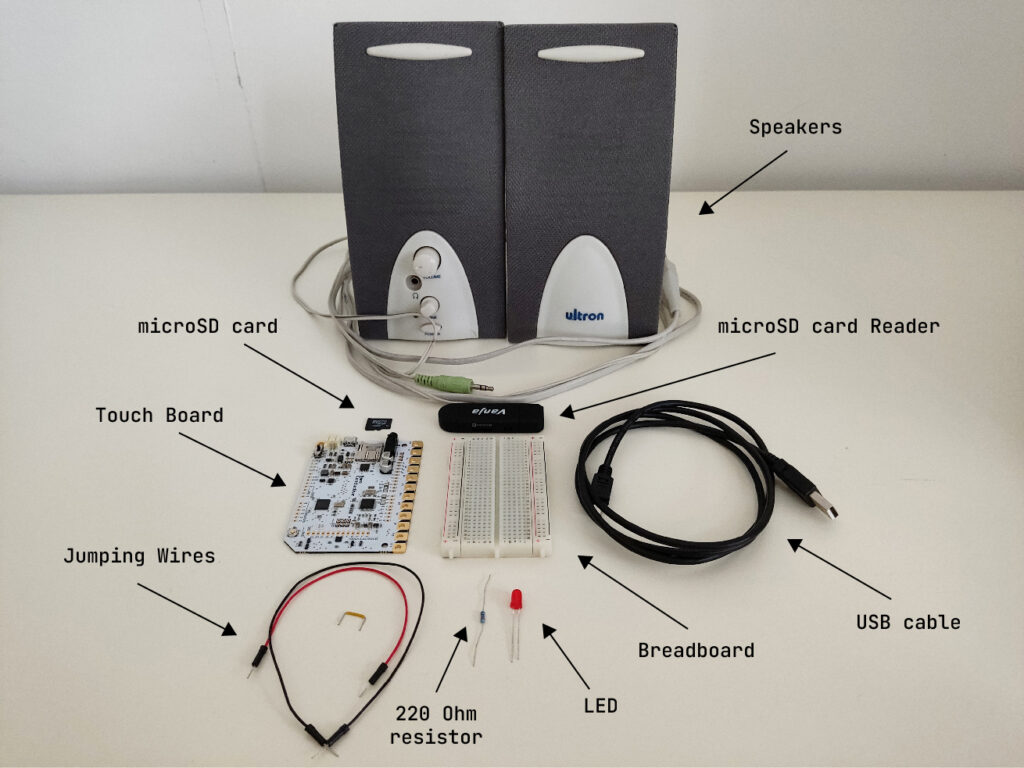
What I Used
1x Touch Board
1x microSD card
1x microSD card reader
1x Speaker
1x USB cable (for power and code upload)
1x LED (for basic feedback)
1x 220 Ohm resistor
1x Breadboard
3x Jumping Wires
Bare Conductive’s “Touch MP3 with LEDs” example code
Basic Wiring
The Touch Board’s default “Touch MP3” code links each of the 12 electrodes (E0-E11) to a corresponding MP3 file on the microSD card. When you touch an electrode, it plays the matching audio clip.
To make the interaction more multisensory and responsive, I added a simple LED feedback: when a sound plays, the LED lights up.
Here’s how I wired it:
Connected Touch Board’s GND to the breadboard’s ground rail using a jumper wire.
Placed a red LED on the breadboard.
Connected the long leg (anode) of the LED to a 220Ω resistor.
Connected the short leg (cathode) to the breadboard’s ground rail using a jumper wire.
Connected the other end of the resistor to one of the Touch Board’s pins using a jumper wire.
For more detailed instructions, check out this helpful tutorial: https://www.instructables.com/Touch-Board-and-LEDs/
First Test
Touching one of the electrodes triggered a short sound from the speaker. At the same time, the LED lit up, confirming that the interaction was happening.
Here’s a short video testing this simple interaction.
Observations
Responsiveness: Very fast, almost too sensitive. Occasionally triggered by nearby touches or objects.
Satisfaction: The sound + light combo made the interaction feel clear and complete.
Compactness: Everything fit neatly on one board. No need for additional modules at this stage.
Next Steps
For wrapping up this lo-fi prototype, I will:
Add more electrodes and connect multiple LEDs
Try using conductive ink or custom-designed graphics as touchpoints
Test a portable setup powered by a USB power bank
Design audio content that reflects unusual or hidden stories from Graz
Reflections
This first test confirmed that the Touch Board is a great fit for early-stage, lo-fi prototyping. It’s easy to set up, intuitive to work with, and lets me focus on designing interactions, not just solving hardware problems. More importantly, it opened up space for experimenting with storytelling, mapping emotion, sound, and place onto physical interaction. I’m excited to continue developing this idea and exploring how each touchpoint might reveal a different layer of the city.
In my previous post, I explored phygital experiences that connect visitors to cultural content through tactile and digital storytelling. Now, I’m moving into the prototyping phase, and to bring these kinds of interactions to life, I’m turning to microcontrollers.
At the same time, I’ve been thinking more about the story I want my prototype to tell. Since my focus is on history and cultural heritage, and because I’m still fairly new to Graz, I saw this project as a unique opportunity to explore the city through this design challenge. My initial idea was to highlight the city’s well-known landmarks, but that felt too predictable. Instead, I want to uncover the hidden, quirky, and lesser-known places that give Graz its unique character. My goal is to create a lo-fi prototype that invites people to touch and listen, triggering short sounds or spoken fragments linked to unusual locations and landmarks in Graz.
Why Microcontrollers?
Microcontrollers offer a way to bridge physical input (like touch or proximity) with digital output (like sound, light, or video). They’re lightweight, flexible, and ideal for low-fidelity prototypes, the kind that let me quickly explore how interaction feels without fully building the final experience.
For a museum-like experience or an interactive city artifact, microcontrollers allow subtle, intuitive interactions, like triggering a sound when you place your hand on a surface, or activating a voice from an object when you stand near it. They’re perfect for phygital storytelling rooted in emotion, mystery, and place.
What My Prototype Needs to Do
To support this narrative direction, I want to create an experience that allows people to uncover hidden details about Graz through sound. Each interaction will trigger a short audio response that reveals something unexpected or overlooked.
Technically, it needs to:
Input: Detect touch or proximity
Output: Play short audio clips
Interaction: Simple, screen-free feedback
Portability: USB- or battery-powered
Expandability: Easy to add more spots and sounds
Why Sound?
For this project, sound will serve as the main storytelling layer.
Each interaction might trigger:
A whispered story or urban myth
A short audio poem or phrase
Field recordings from that specific location
A strange or surreal audio cue (like an echo, animal noise, or machine hum)
Unlike visuals or text, sound allows for immediacy and interpretation. People don’t just hear, they imagine. And that makes it ideal for revealing the hidden soul of a place like Graz.
Microcontroller Options
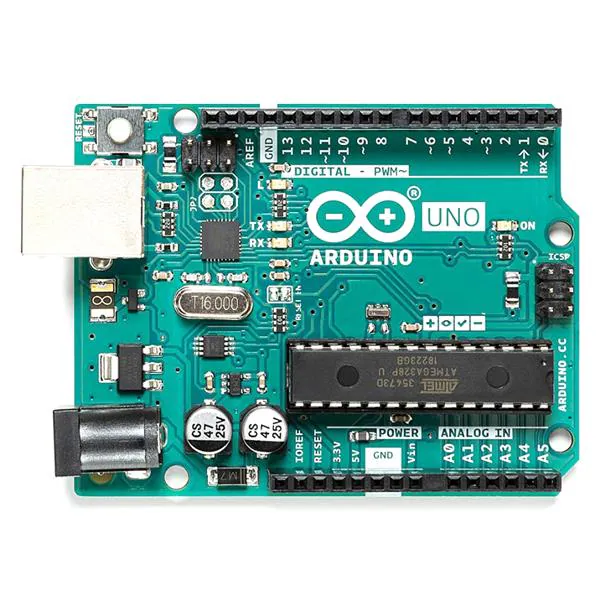
Arduino UNO + Compatible with sensors and DFPlayer Mini, well supported. – Requires extra components for audio, more setup.
Touch Board (Bare Conductive) + 12 built-in capacitive touch sensors, MP3 playback from microSD, perfect for touch-based sound triggers. – Slightly bulkier and more expensive, fewer I/O pins.
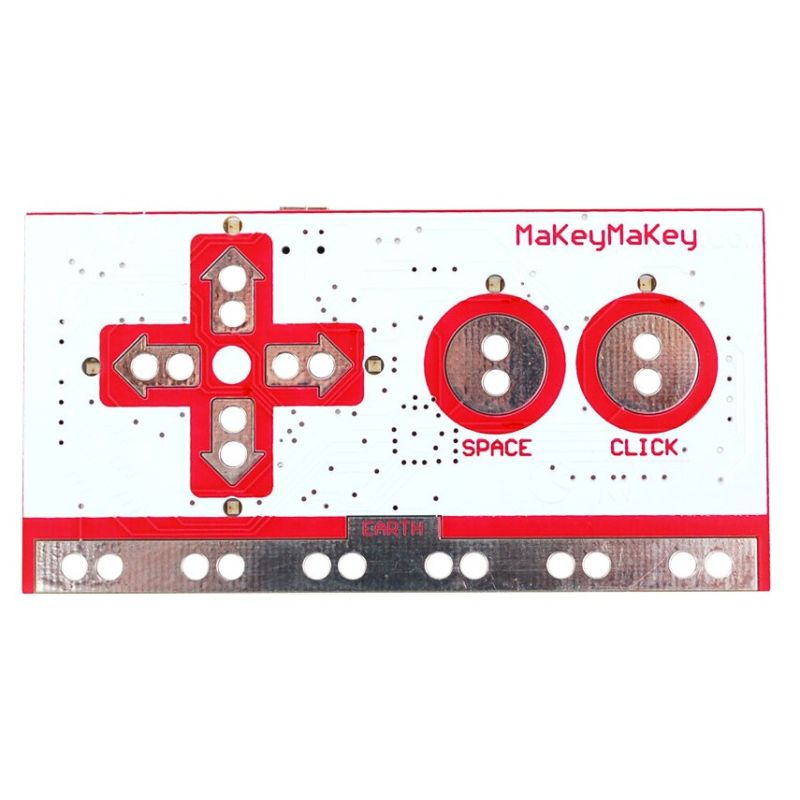
Makey Makey + Very fast and beginner-friendly. – Needs a computer, limited interaction types, not standalone.
Raspberry Pi + Great for future audio-visual expansion. – Too complex for lo-fi prototyping, more fragile.
What’s Next
After this research, I’ve decided to use the Touch Board for my first prototype. It’s specifically designed for sound-triggered, touch-based interactions, making it ideal for what I want to create: a playful and poetic interface that reveals hidden stories through sound. Its built-in MP3 playback and capacitive touch support mean I can keep my setup compact and focus on designing the experience, not just wiring the tech.
My first test setup will include:
Input: Touch sensor (built into the board)
Output: MP3 sound through speaker/headphones
Feedback: A single LED to show when a sound is playing
Goal: When someone touches a marked location on the map, a sound plays, revealing part of Graz that’s normally overlooked.
This early version will help me test the feeling of the interaction before I scale up to a full map or multi-point layout.
Reframing My Focus: Designing Phygital Interactions for Cultural Spaces
In my first post, I shared the process behind three pencil holder prototypes I designed. While that exercise helped me develop hands-on design skills, I’ve realized that the topic didn’t truly excite me. What does drive my curiosity is how phygital interactions, those that blend the physical and digital, can reshape the way we experience museums and cultural spaces.
Last semester, I began exploring this direction and outlined some guiding categories for my research:
Define the audience
Select an area of content interest
Explore physical + tangible interactions in depth
While these categories helped structure my thinking early on, I now find the idea of defining a target audience too limiting, especially for museum contexts, where visitors come from a wide range of backgrounds and ages. So, I’ve decided to narrow my focus to content, interaction methods, technology, and prototyping.
My New Direction
For this course, my goal is to develop a physical prototype that investigates how phygital approaches can make themes like history and cultural heritage more engaging, playful, and emotionally resonant. I’m especially interested in designing interactions that draw in people who might not typically connect with traditional exhibits.
To inform my design process, I’ve been researching successful case studies of museum installations focusing particularly on phygital projects. Each of these case studies provides valuable insights into how various interaction modes influence the visitor experience.
Phygital Experiences related to history and cultural heritage
“Longbow & Quarterstaff” (Tangible Interaction)
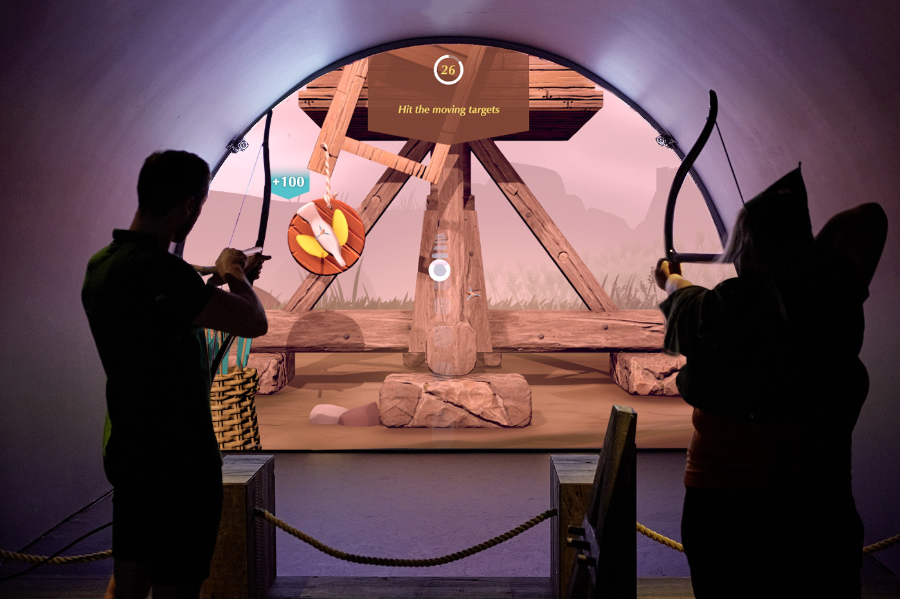
The Longbow & Quarterstaff [1],[2] experience is a phygital, motion-tracked exhibit that blends physical play with digital storytelling to bring Nottingham Castle’s Robin Hood legends to life. It’s a full-body interactive game where visitors use real medieval-style weapons, safely reimagined, to trigger digital reactions on-screen, learning skills and stories as they go.
Key Characteristics
Visitors physically draw a longbow or wield a quarterstaff, mimicking medieval training exercises.
Responds in real time. Sensors track movement and trigger animated, story-driven challenges like dueling Little John or mastering archery.
Teaches by doing. Combines fun with history. No reading panels, just action-based learning.
Inclusive and intuitive. Designed for all ages and abilities, no prior gaming experience needed.
Blends heritage and innovation. Reframes historical content through immersive, hands-on play.
Keeps visitors engaged longer, encouraging exploration and return visits.
Makes memories. Creates moments of laughter, achievement, and embodied storytelling.
Durable hardware and responsive tech withstand high traffic without compromising experience quality.
“Sen” (Virtural Reality)
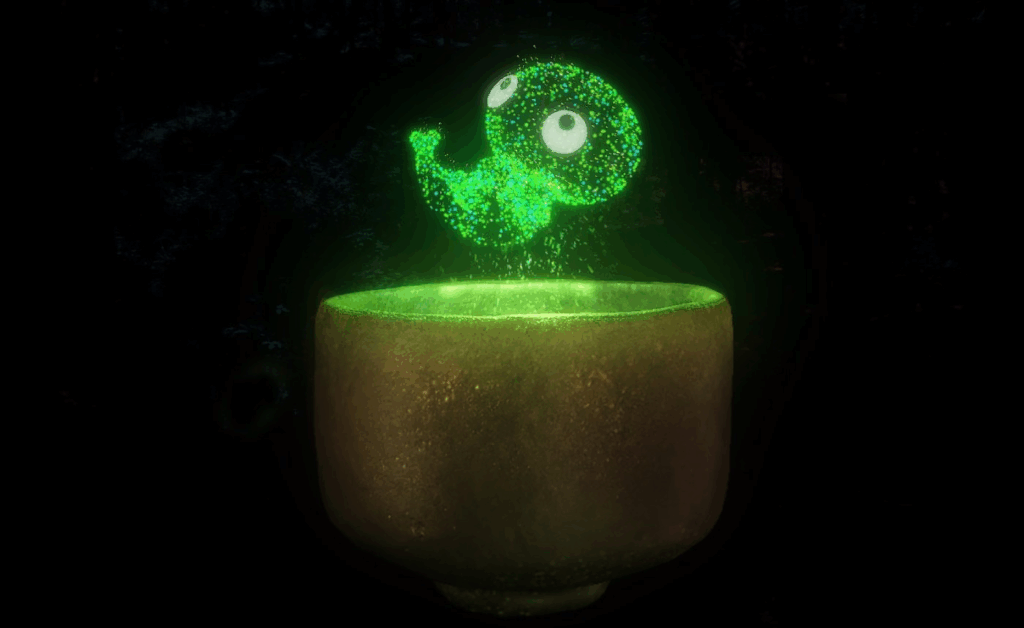
Sen [3], [4] is an immersive virtual reality experience that reimagines the Japanese tea ceremony through the perspective of a tea spirit. Created by Japanese VR artist Keisuke Itoh and produced by Cinemaleap, the 15-minute experience invites participants to embody “Sen,” a tiny lifeform born from within a handcrafted Raku tea bowl. As the spirit, the viewer observes and drifts through a poetic world, experiencing cycles of life, death, and rebirth—symbolizing the transience of existence and the meditative essence of Chado (the Way of Tea).
Key characteristics:
Meditative tone inspired by the Japanese tea ceremony and Zen philosophy
Non-verbal storytelling that emphasizes emotion, atmosphere, and symbolism
Themes of reincarnation, impermanence, and spiritual connection to nature
Handcrafted visual style, blending traditional Japanese aesthetics with digital craftsmanship
Technology: High-resolution Virtual Reality using a VR headset and spatial audio for full sensory immersion
Viewers hold a physical replica of the tea bowl while in VR, which becomes the central object in the experience triggering Sen’s journey and deepening tactile connection without buttons or controllers
A Forest Where Gods Live (Projection Mapping)
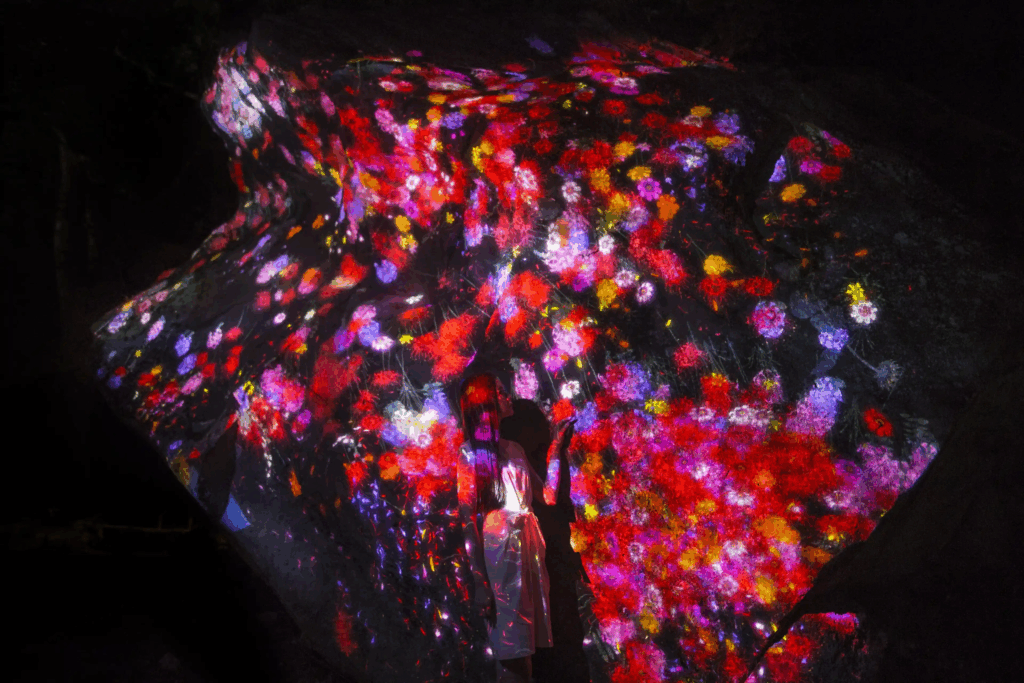
teamLab’s A Forest Where Gods Live [5] is an immersive digital art exhibition set in Mifuneyama Rakuen, an ancient Japanese forest and garden with deep spiritual significance. The project blends interactive technology with cultural heritage and nature, creating a respectful dialogue between the past and the present.
Key Characteristics
Digital artworks are projected onto real trees, rocks, and ruins, transforming the natural environment without altering it. The forest becomes the canvas.
The experience changes based on where you walk, how you move, and even the time of day. Flowers bloom, animals appear, and lights shift in real time.
The project honors Shinto beliefs that spirits inhabit nature. Instead of overwhelming the site, the art quietly coexists with its sacred atmosphere.
The visuals evolve with weather, seasons, and time, offering a different experience with every visit, echoing the Japanese idea of impermanence (wabi-sabi).
Carefully placed soundscapes and ambient lighting deepen the sense of wonder and connection with the natural surroundings.
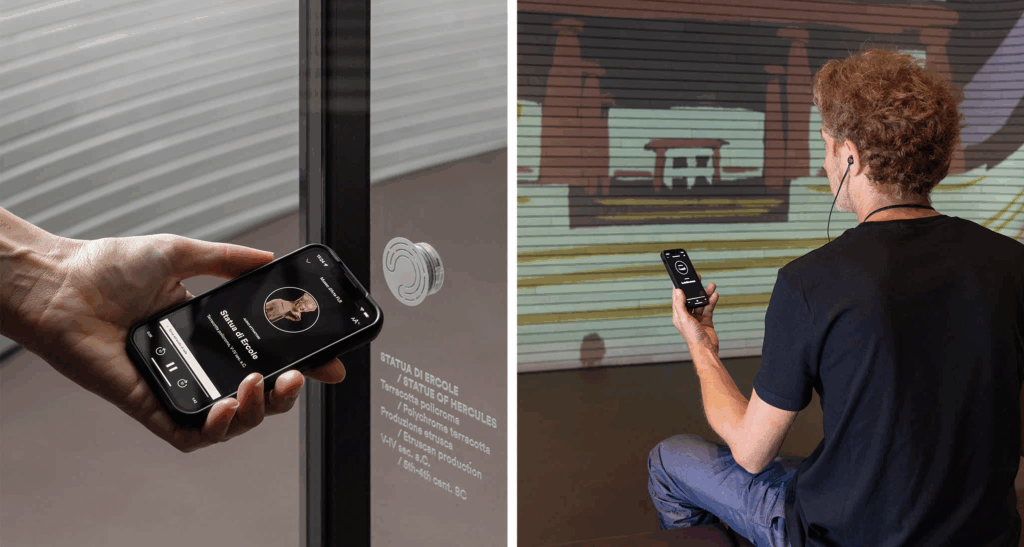
The Experience Guide [6] is a fully integrated digital system designed to enhance both visitor engagement and museum operations. It’s a smart platform that uses indoor positioning technology to deliver personalized, real-time content to visitors’ smartphones as they move through a museum. It also helps museum staff manage and analyze visitor behavior and exhibit conditions from a single system.
Key Characteristics
Acts like a smart, invisible guide. Delivers personalized, location-based audio-visual content to visitors’ smartphones.
Automatically plays relevant audio and visual content based on where you are in the museum.
Replaces the need for QR codes, physical guides, or borrowed devices.
Includes features like ticketing, real-time updates, and accessibility support.
Continues the experience post-visit with summaries or reports.
Centralizes data on visitor flow, exhibit usage, and system performance.
Integrates with CRM, ticketing, and content management.
Supports staff in planning, maintaining, and improving the visitor journey.
“Botanical Atlas” (Digital)
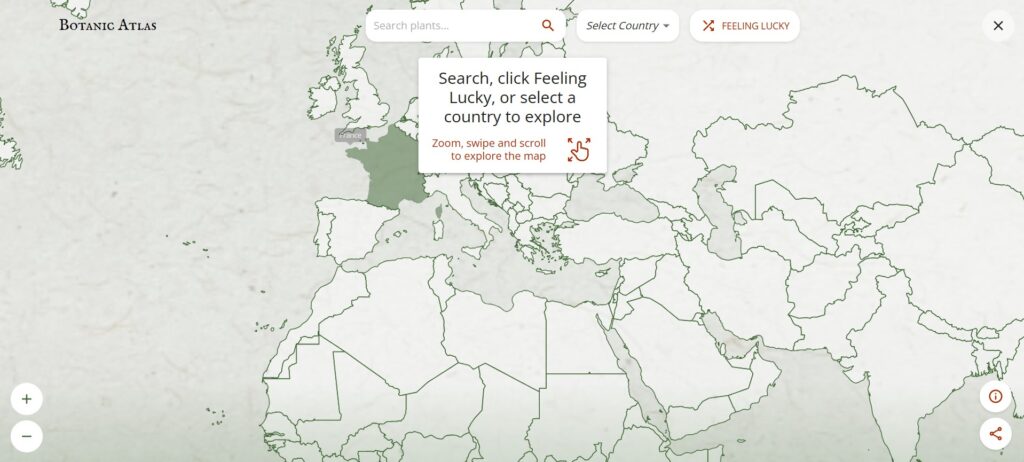
The Botanic Atlas [7] is an interactive online platform developed by Google Arts & Culture in collaboration with institutions like the Botanical Research Institute of Texas, CRIA in Brazil, and the University Herbarium of Cambridge. It showcases over 30,000 plant species through a dynamic world map powered by Google AI, allowing users to explore botanical specimens from various regions.
Key Characteristics
Purely Digital Platform: Accessible online via Google Arts & Culture, with no physical component—fully immersive and interactive.
Uses Google AI to showcase over 30,000 plant species from around the world on a dynamic map.
Combines scientific research (botanical specimens, taxonomy) with cultural heritage (historical and artistic stories).
Users can select different perspectives like Woodland Explorer, Botanical Scientist, Forest Activist, or Tree Historian to customize their experience.
Highlights the cultural significance of plants, botanical art history, and regional forest stories.
Designed to educate a global audience through immersive storytelling, interactive exploration, and rich multimedia content.
Covers diverse ecosystems and plants from many countries, emphasizing the global importance of botanical knowledge.
Common Aspects of Interaction Methods and Technology
Emotion-driven storytelling: Focus on playful, memorable learning rather than info delivery.
Seamless physical-digital integration: Tangible actions directly trigger digital responses.
Real-time responsiveness: Sensors and tracking enable immediate, dynamic feedback.
Multisensory engagement: Combines touch, visuals, and sound for immersive experiences.
Context-aware design: Respects and enhances cultural and physical settings.
Inclusive and intuitive: Easy to use for all ages and abilities, minimizing barriers.
Personalized content: Adapts to visitor location, interests, or pace via smart tech.
Robust technology: Durable hardware/software for consistent, high-quality use.
What’s Next
This framework can help guide me in developing my prototype by emphasizing the following key areas:
Creating physical touchpoints that trigger rich digital responses.
Ensuring interactions feel natural and immediate.
Designing for diverse visitors with simple, engaging interfaces.
Embedding experiences meaningfully within a cultural context
The upcoming blog post will focus on selecting a topic related to history and cultural heritage, as well as researching technology and making choices for my prototype.
[5] teamLab, “teamLab: A Forest Where Gods Live,” teamLab Exhibitions. [Online]. Available: https://www.teamlab.art/e/mifuneyamarakuen/.
[6] Dotdotdot_it, “The first fully integrated digital system customised to visitor and museum needs,” Medium, Oct. 27, 2022. [Online]. Available: https://dotdotdot-it.medium.com/the-first-fully-integrated-digital-system-customised-to-visitor-and-museum-needs-a2661079dfce
[7] Google Arts & Culture, “Botanic Atlas,” 2025. [Online]. Available: https://artsandculture.google.com/experiment/botanic-atlas/xwFwFQ2goojMUw.
One of the most thought-provoking talks I attended at this year’s WebExpo Conference was by Lutz Schmitt, titled “Digital Intimacy: Feeling Human in an Artificial World.” It made me reflect on how we approach emotional connection in digital design, something that often gets overlooked when we’re focused on functionality or aesthetics.
The Main Message: Making Technology Feel More Human
Lutz Schmitt’s talk focused on an important point: even though digital tools are getting better at copying how people behave, they don’t always create real emotional connections. He warned that we often design for speed, accuracy, and logic, but real human feelings are often slow, messy, and complicated. Just because a chatbot answers quickly doesn’t mean it feels caring. Just because a dating app matches people doesn’t mean it builds real connections. This really made me think. It reminded me that designing how things work isn’t enough. We need to ask: Does this feel human? Schmitt suggested a new way to think about emotional design. Instead of adding emotions as a last step, it should be part of the main design process. He gave examples like adding pauses in conversations, using less perfect language, or choosing a warm tone to make people feel like they are talking to a real person, not a machine. The goal isn’t to copy humans exactly but to understand what makes people feel seen and cared for, and design for that feeling. Emotional design needs attention and care, just like any other part of good design.
What Was Helpful for My Work
This talk was especially meaningful for me as someone working at the intersection of physical and digital experiences. Schmitt’s perspective made me reflect on how emotional connection often gets lost when we focus too much on the technical side of digital design.
In projects where I blend physical materials with digital interactions, whether it’s sensors, projections, or screen-based interfaces, it’s easy to prioritize what the technology can do over what it feels like to use. Schmitt’s talk reminded me that technology should serve the emotional goals of an experience, not just the functional ones.
He challenged me to think more critically about how digital responses, like lighting, sound, or interface feedback, can be designed to feel more human, warm, or even vulnerable. It’s not just about impressing users with innovation, but about creating a moment that feels real and meaningful. That mindset shift will definitely shape how I approach future projects that aim to engage people on both a sensory and emotional level.
Final Thoughts
This talk didn’t introduce any new technologies or visual trends, but it provided something more profound: a reminder that effective digital design is experienced emotionally, not just visually. To create experiences that resonate with people, we must go beyond mere logic and efficiency. We need to design with emotional intention.
One of the most eye-opening talks I attended at this year’s WebExpo Conference was by Jan Řezáč titled “12 core design skills”. It got me thinking about how we work as designers, especially when building new products or improving user experiences.
The Main Message: Don’t Fall Into the “Second Diamond Trap”
In design, we often use the “double diamond” process: first, we explore the problem (diamond one), and then we explore solutions (diamond two). The talk warned us about a common mistake: we focus so much on making and improving solutions that we forget to check back with users. This is called the “Second Diamond Trap.”
It means we spend a lot of time perfecting ideas, but forget who we’re designing for. We assume that once we’ve talked to users during the early research phase, we’re done. But people change. Contexts change. And the best designs come from staying in touch with real user needs the whole way through.
That point really hit me. It made me reflect on how easy it is to get stuck in “build mode” and lose sight of the bigger picture.
A Helpful Framework: 12 Areas of Design Work
One of the best parts of the talk was a 12-part framework they shared. It showed all the skills a great designer needs to grow, not just in craft, but in leadership and thinking. Here are the 12 areas:
Design Process
Business Thinking
Workshop Facilitation
Customer Research
Sense-making
Strategy
Stakeholder Management
Ideation
Rapid Prototyping
Testing Business Ideas
Design Operations
Project Management
What I liked is that each one had clear examples. For example, in Business Thinking, they reminded us that if we want to influence design decisions, we need to speak the language of business, things like goals, value, and impact. I also liked how they showed the difference between junior and senior skills. For example, juniors might run user interviews, but seniors turn those insights into action fast and share them with the whole team.
What Was Helpful for My Work
This talk was especially helpful for me in two areas: sense-making and stakeholder management. In my own projects, I often do research, but I don’t always stop to reflect enough during the project. Sense-making isn’t just something you do at the end, it should guide your work from start to finish.
Also, learning about how seniors manage themselves and others made me think about how I can grow into a leadership role. It’s not just about doing good work, it’s about helping others see the value of design too.
Final Thoughts
This talk didn’t give flashy design trends, it gave real advice that I can use in my everyday work. It helped me see where I’m strong and where I want to grow. If you’re a designer looking to build better products and be more strategic, the House of Řezáč team’s ideas are worth exploring.
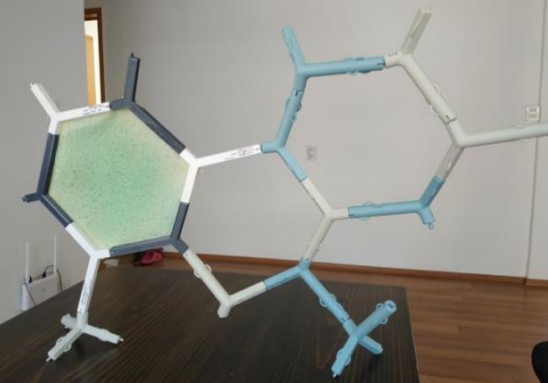
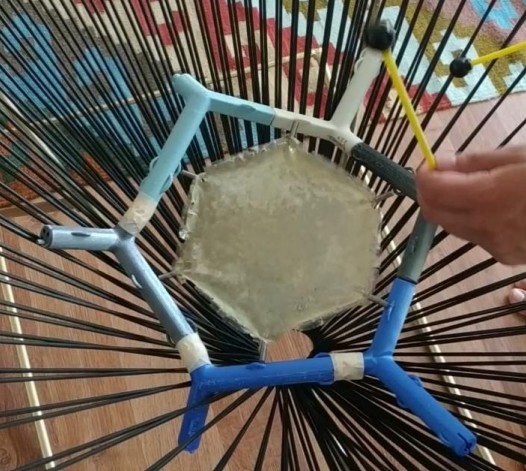
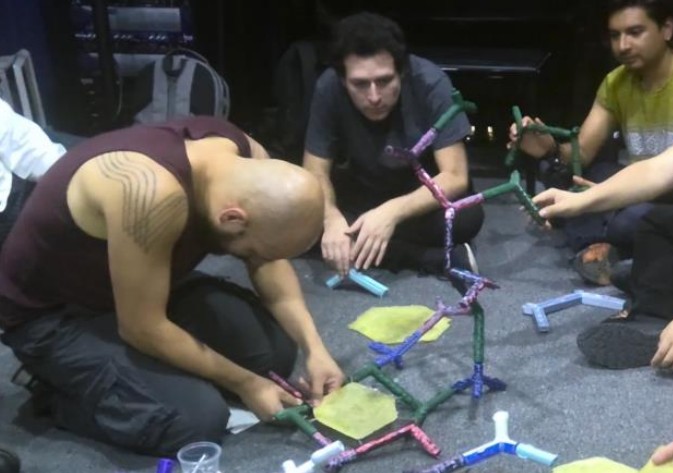
Sensattice is a modular sound sculpture made from organic waste and 3D-printed parts like orange peels, fish scales, and bioplastics shaped into stretchy “skins” and interlocking “bones.” These pieces can be assembled in different ways to form a lattice structure that people can play with by rubbing, tapping, drumming, or even blowing into some flute-like components.
But beyond the materials and shapes, what makes Sensattice truly special is how interactive and collaborative it is. Anyone can participate in building and playing it. There is no right or wrong way to engage with it. It invites people to explore sound not just with their ears, but with their whole body.
What I really appreciate about this instrument is how it reconnects us with our basic senses. It doesn’t rely on technology or screens to interact with it. You just need your hands, your curiosity, and your willingness to play. That simplicity is beautiful to me.
I also love how tangible it is. There’s something grounding about working with physical materials. Feeling textures, hearing natural sounds, even smelling the skins made from food waste. Sensattice reminds me that art and music don’t need to be high-tech to be innovative. They just need to be honest and intentional.
Another thing I admire is how it’s been made. Not only from a mix of materials, but also through the collaboration of many different fields like music, engineering, biology, and design. It’s similar to how different instruments come together to create music. Each discipline contributes its unique voice, and together, they produce something harmonious. The balance between form and function, structure and play, as well as materials and meaning all come together to enhance the goal of producing beautiful sound.
It also makes me think about how rare it is today to encounter something that invites touch and play without asking for instructions first. I think that openness is part of what makes Sensattice so powerful. It welcomes people in, just as they are.
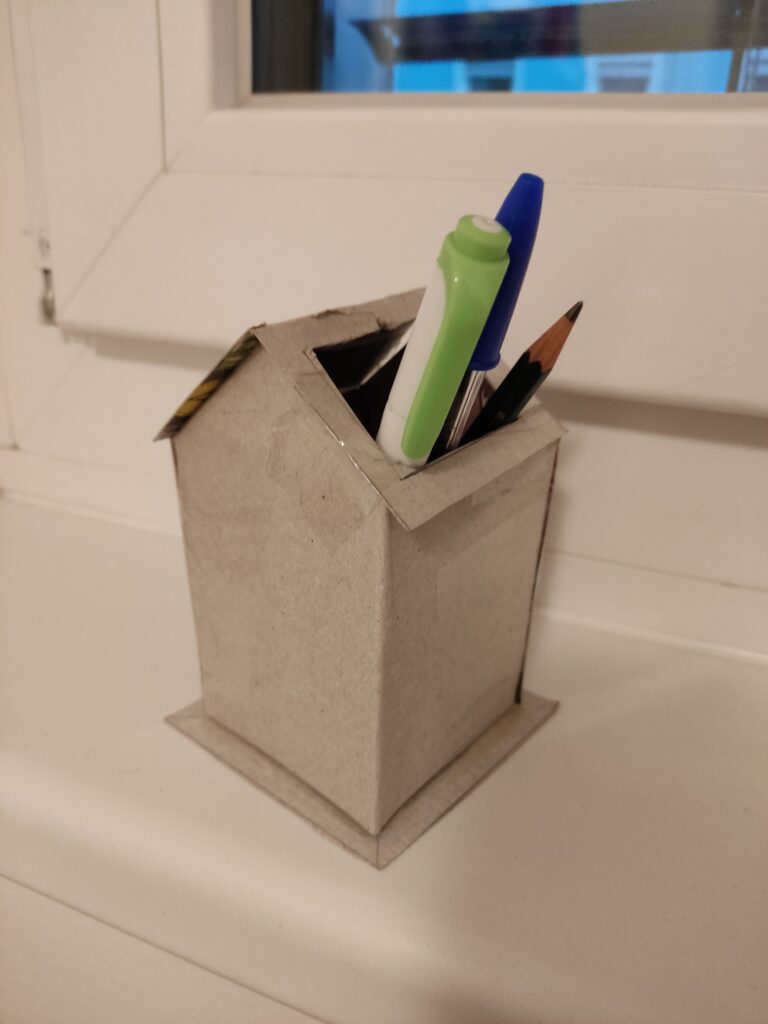
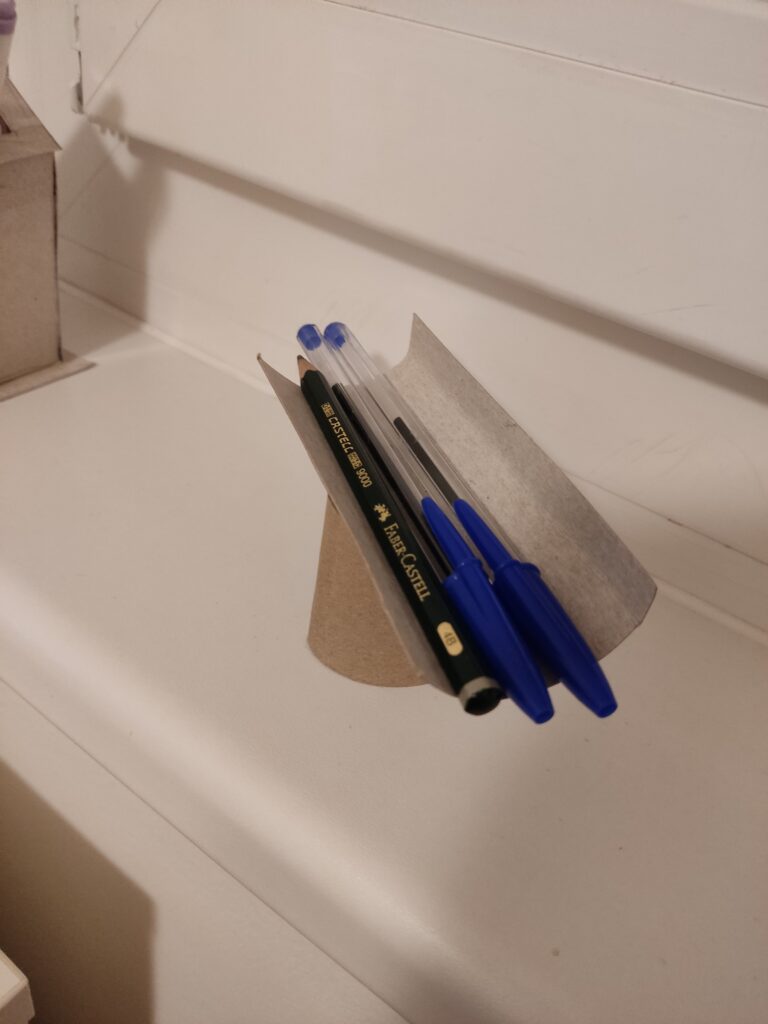
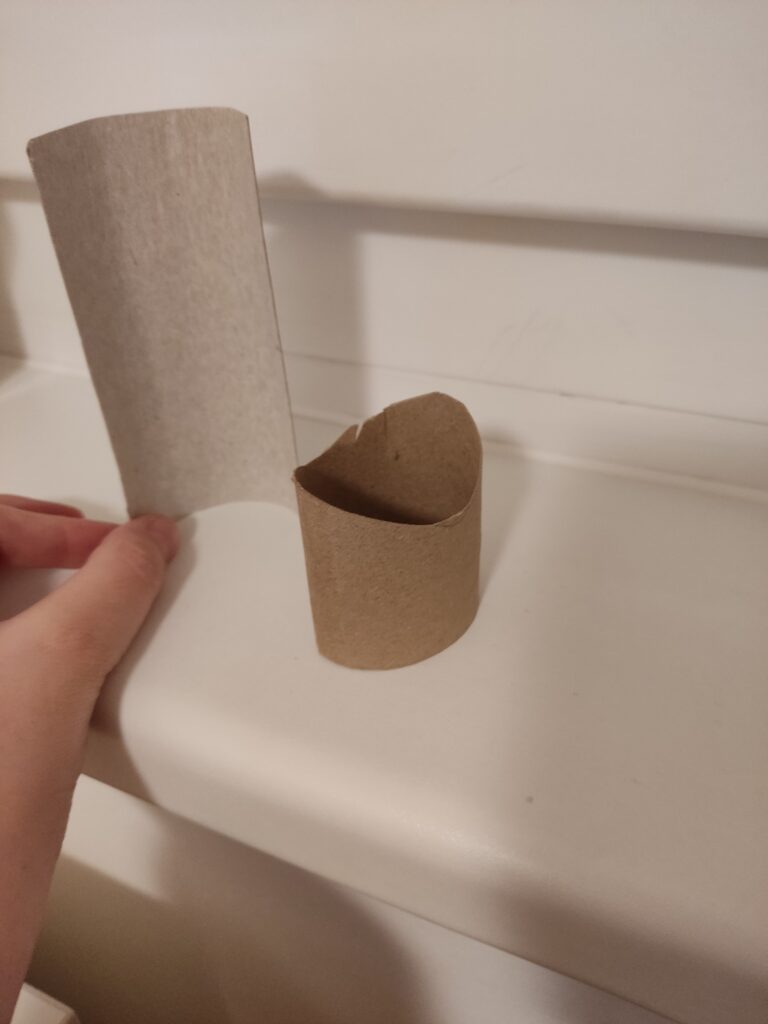
My previous topic focused on the physical and digital worlds surrounding museums. Currently, my research does not provide any concrete ideas on what this entails. So, for this task, my thought process has led me to consider creating something that doesn’t rely on technology for its primary function. As a result, I created a collection of three prototype pencil holders. I chose to work with cardboard as my primary material because it is lightweight, easy to cut and shape, and allows for quick iteration. This choice allowed me to try out different structures and improve my ideas without the limits of more rigid materials.
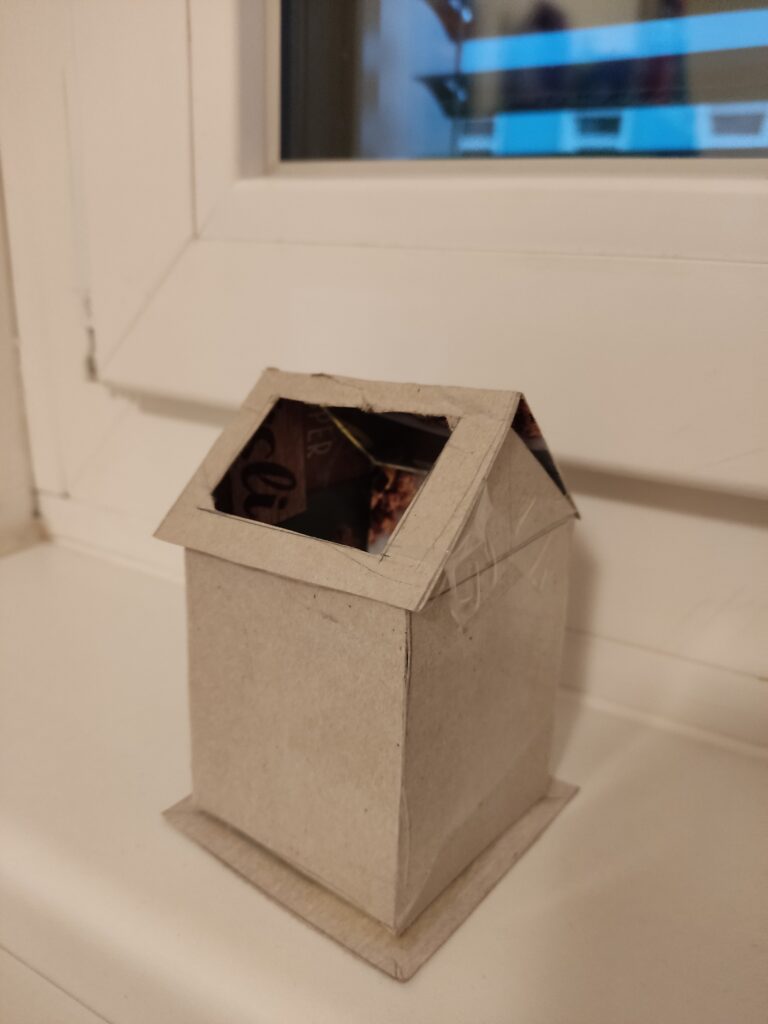
Prototype 1: The House The first prototype takes the form of a small house, featuring a hole in its roof for storing pens, pencils, markers, and other writing instruments. This was the most complex design of the three, and due to its complexity, it took the longest to construct as I had to experiment with the angles of the roof and the positioning of the storage opening to achieve the right balance between aesthetics and usability.
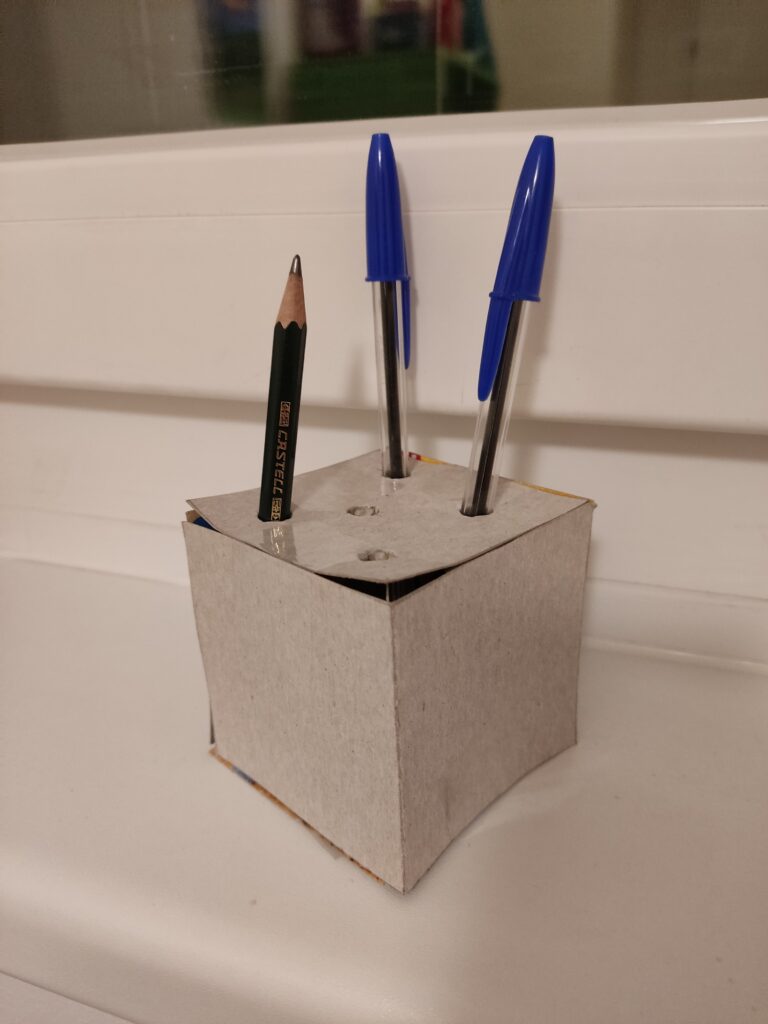
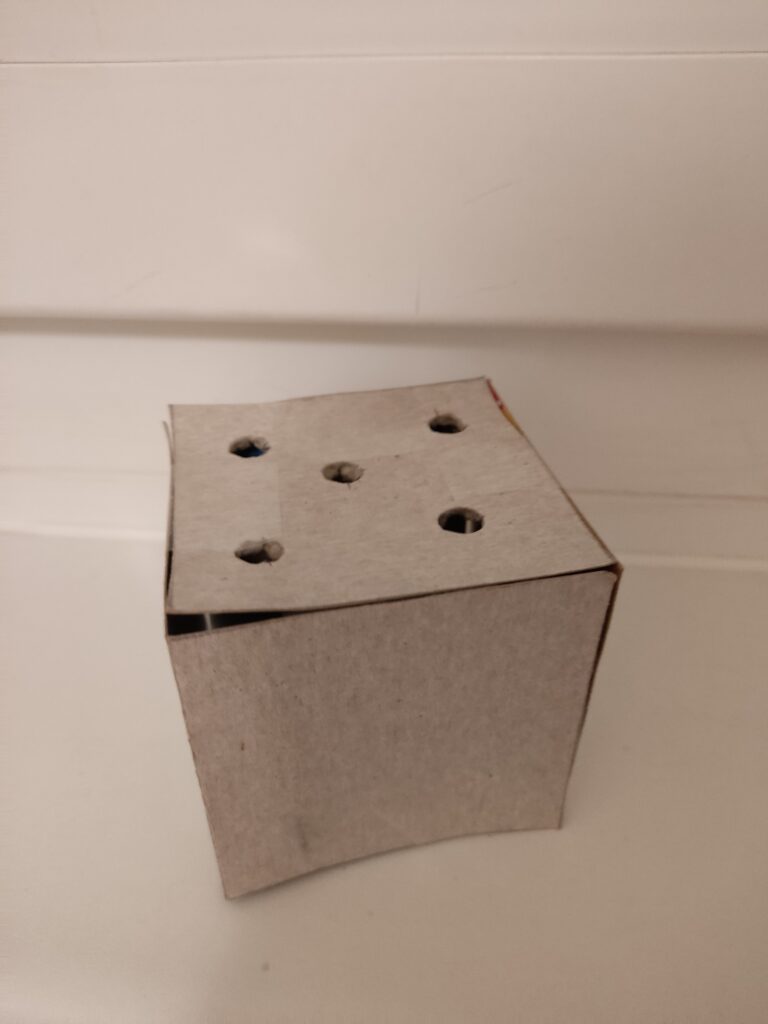
Prototype 2: The Cube The second prototype is a simple cube with five holes on one side, designed to hold pens and pencils perfectly. Its geometric structure made it the easiest to assemble, as I only needed to ensure that the holes were the right size for standard writing tools.
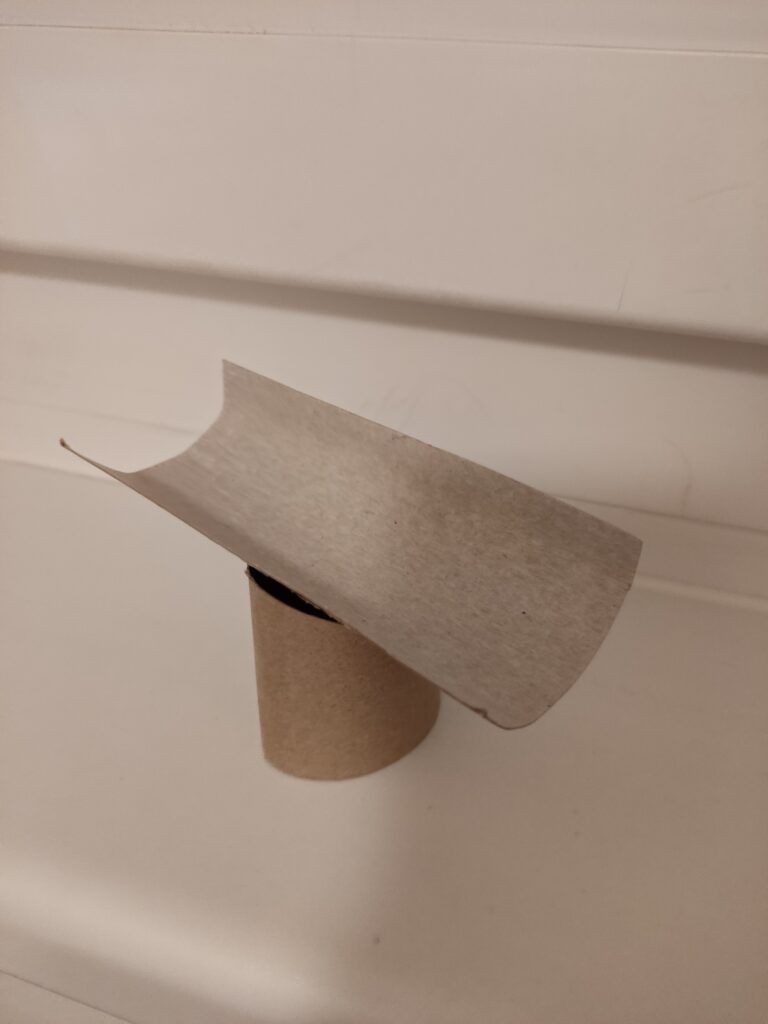
Prototype 3: The Abstract Shape The third prototype differs from traditional forms, featuring a curved plank resting on a cylindrical base. Unlike the first two, which have clear, recognizable shapes, this design leans toward abstraction. Although this was the fastest prototype to construct, it required the most conceptual thinking. I spent a lot of time considering its form and how it could function as a pencil holder. The final piece is a sculpture that sparks interest while also being useful.
Observations from the Speed-Dating Session For the in-class speed-dating session, I decided to bring Prototype 3. Given its abstract form, I was particularly interested in seeing how people would interpret it without any prior explanation. As the session began, people appeared uncertain about its intended function. Instead of immediately revealing its purpose, I encouraged them to make guesses based on its shape and structure.
Many speculated that it might serve as a rest for the chin or arm, while others imagined it as a support for chopsticks or another type of tool. When I revealed that it was meant to be a pencil holder, people had mixed reactions. Some were surprised, while others wondered if it really worked well for that purpose.
The most valuable feedback from this session suggested refining the concept by focusing on holding a single, special object rather than multiple everyday writing tools. One person suggested that the design could be changed from a typical pencil holder to a display case for a special calligraphy pen or another important writing tool. This idea created new options for how the prototype could become a more meaningful object.
Overall Thoughts The speed-dating experience proved to be a valuable exercise in the iterative design process. Observing how people engaged with my prototype, interpreted its function, and provided feedback allowed me to rethink my approach and the intended use of the design. I realized that the way something looks affects how people understand and use it. It’s important to create ideas that clearly show what they are for or, on the other hand, encourage people to engage with them through uncertainty.
The pandemic forced museums to pivot quickly to digital platforms to stay connected with audiences as physical visits became limited or impossible. Virtual tours, online exhibitions, and digital programming became essential tools to engage visitors during this time. However, while digital engagement helped sustain interest, it became clear that digital-only experiences could not replicate the richness and depth of physical interactions with artifacts. This is where the concept of “phygital” arises as the key to enhancing museum engagement.
What is Phygital?
The term “phygital” merges the physical and digital realms, transforming how museums engage with visitors. By integrating technology into tangible displays, museums create immersive, engaging experiences for diverse audiences. The “Phygital Museum Scale” offers a framework for blending digital and physical elements effectively [1], while emphasizing storytelling as a “sensitive activation” of cultural heritage [7]. This approach helps museums stay relevant as audience expectations and technology evolve.
Exploring Phygital Innovations
Phygital strategies are reshaping museums worldwide. For example, the Markiezenhof Museum in the Netherlands uses augmented reality to animate historical artifacts, enhancing visitor understanding [5]. The “Phygital Museum Scale” identifies five scenarios ranging from fully physical to fully digital experiences, helping museums tailor their strategies based on audience and goals [1]. Projects like ExhiBIT foster inclusivity through community-driven curation and digital tools [2]. Phygital spaces integrate technology seamlessly, turning visitors’ gestures into part of the storytelling process, which demonstrates the potential of merging physical artifacts with digital technologies [4], [7].
Why Phygital Matters
Phygital strategies cater to various learning styles, broadening accessibility [3]. Digital enhancements such as virtual tours and contextual overlays offer deeper insights beyond what physical artifacts alone can provide [6]. Purpose-driven design ensures that digital tools complement material culture, while sensory and immersive experiences amplify the emotional significance of objects [1], [7]. Analytics from digital tools allow museums to tailor exhibitions, enhancing visitor engagement [4].
A Vision for the Future
Phygital technologies, including virtual reality, interactive holograms, and AI-driven personalization, promise to transform museum experiences [4], [6]. These innovations shift spaces from contemplative to performative, allowing visitors to co-create their experiences through interaction and narrative involvement [7]. The “Phygital Museum Scale” guides museums toward a balanced integration of physical and digital elements, as seen in projects like Ravespace, which bridge the gap between the two realms [4].
Conclusion
Phygital approaches revolutionize museum experiences, offering a bridge between tradition and technology. By combining physical artifacts with digital tools, museums create interactive and memorable experiences that foster deeper connections with cultural heritage [3], [1]. As the boundaries between physical and digital continue to blur, phygital museums will lead to audience engagement and cultural preservation [5].
References
[1] S. Debono, “The Phygital Museum Scale: Measuring and Designing Phygital Museum Experiences,” CHAIN 2022 Proceedings, University of Catania, 2022, pp. 25-34.
[7] A. Miano, “Phygital Museum Experiences: The Situated and Invisible Dimension of Technology as Sensitive Activation of Cultural Heritage,” Conference Paper, University of Campania “Luigi Vanvitelli,” 2023.