This post focuses on the wireframing process for the Device App prototype, developed as part of my ongoing research into the role of Digital Memories in technology and interaction design. The goal of the wireframes was to translate research insights and conceptual direction into tangible, testable user flows. These wireframes represent the core flows of the prototype.
Starting With Sketches
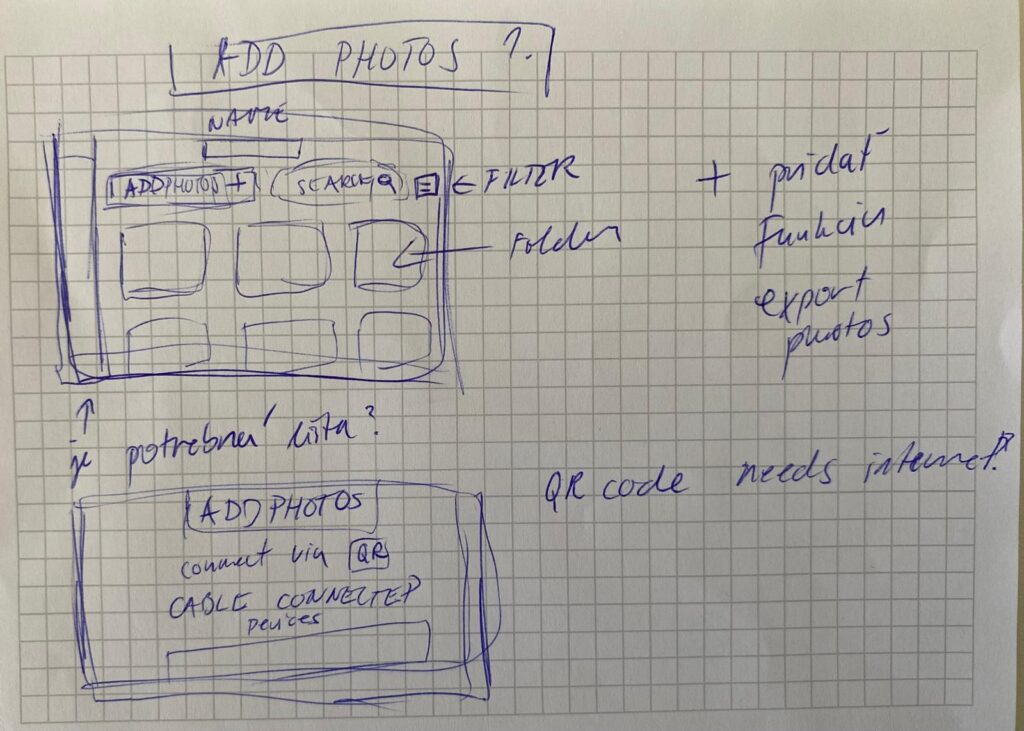
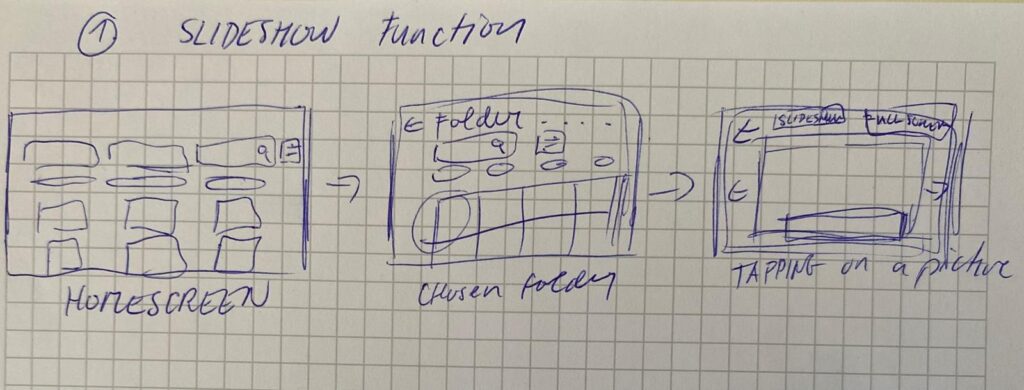
I began the design process with rough sketches on paper to explore layout ideas quickly and think through user flows without constraints. This sketching phase allowed me to focus purely on functionality, flow logic, and visual hierarchy without getting distracted by UI details.
In the sketches, I explored the two key flows of the app:
Adding Photos from a Connected Device
Users can connect a device via cable.
Choose to create a new folder or add to an existing one.
Photos are selected, reviewed, and saved into the desired folder.
Viewing Photos as a Slideshow
Users can open any folder and launch a fullscreen slideshow.
A horizontal strip allows navigation between photos while viewing.
This paper-first approach helped me solidify the app’s structure before moving to Figma for the digital wireframes.
Building the Wireframes
Once the core flow was mapped out, I built detailed wireframes in Figma. The two main flows in the prototype are:
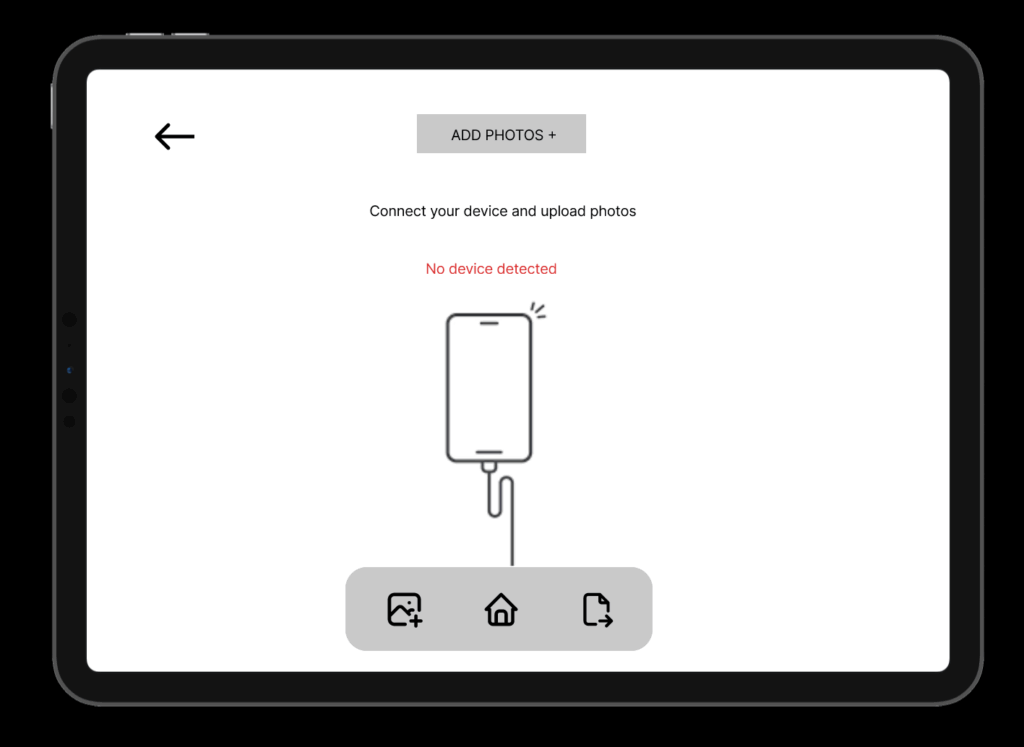
1. Add Photos Flow
Users connect a device, choose a folder (or create one), select photos, and upload them. The wireframes guide them step-by-step through this process with clear UI feedback like folder creation confirmation and selection indicators.
2. Slideshow Viewing Flow
Folders can be opened to view photos as a slideshow. This mode is minimal and immersive, offering a fullscreen photo experience with a navigation strip below.
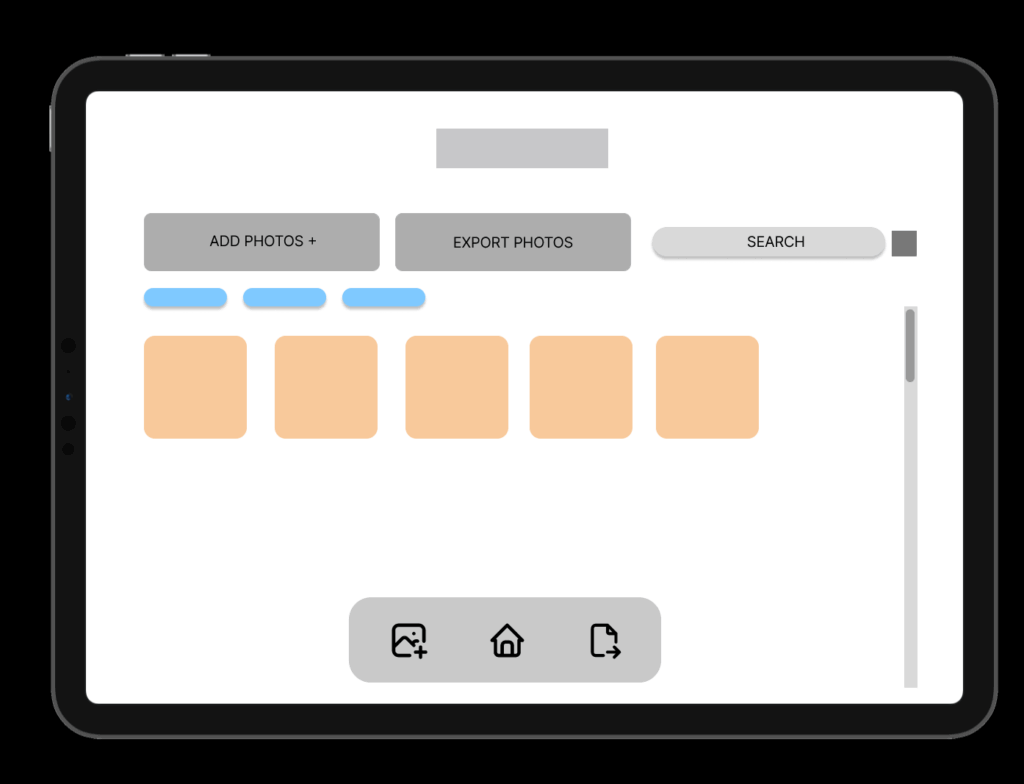
Navigation and consistency were key considerations throughout. I maintained common buttons, tabs (like Add Photos / Saved Folders / Watch), and bottom navigation across screens to reduce friction and support intuitive exploration.
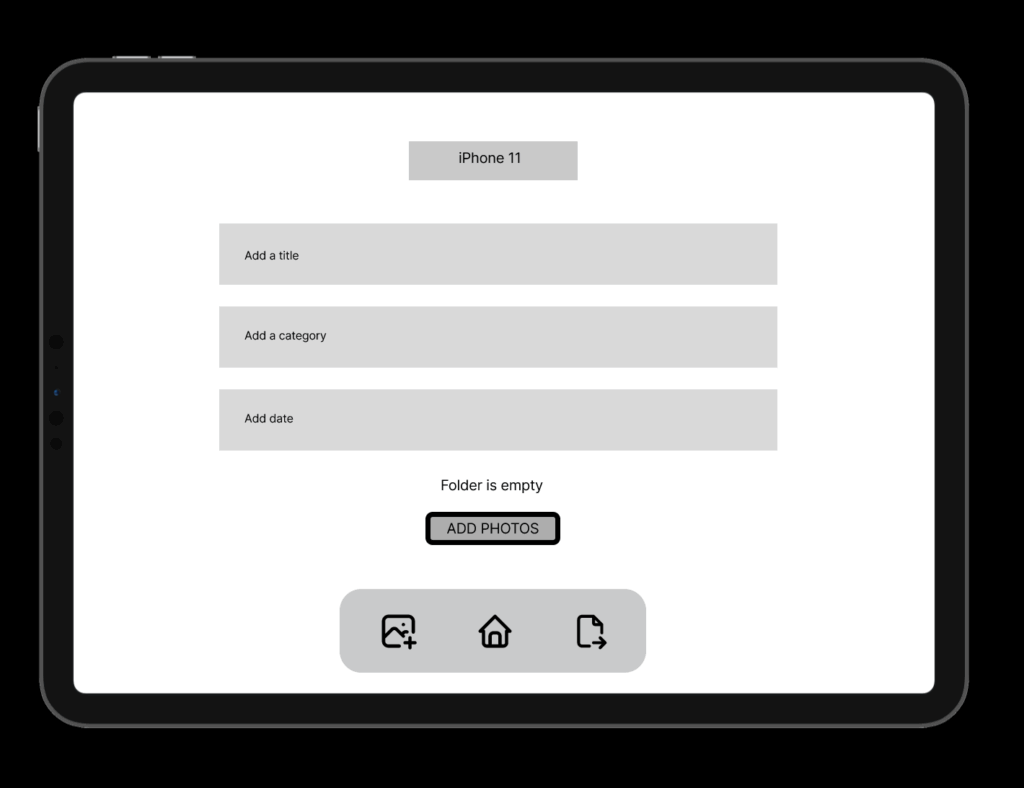
HOMESCREEN – Wireframe
ADD PHOTOS
CREATING NEW FOLDER FROM A DEVICE
Design Decisions
Some key choices I made:
Simplicity & Clarity: Especially important for intergenerational use.
Folder-Based Memory Organization: To give emotional context to digital memories.
Clear Action Paths: With visual hierarchy and button grouping to support user confidence.
FINAL LOW FIDELITY PROTOTYPE VIDEO
I was also describing the prototype so I reccomend to play the video in faster speed 1.5x. Thanks 🙂
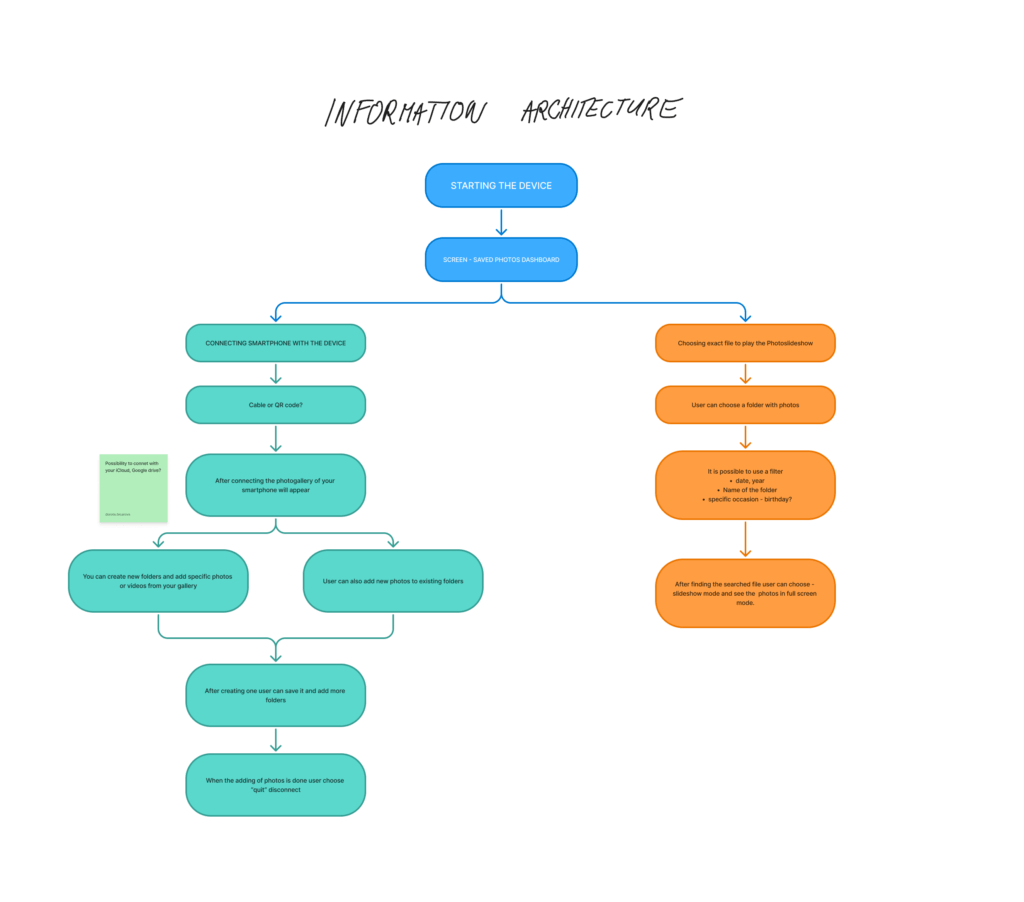
As my project continues to take shape, this phase focused on defining the Information Architecture (IA)a crucial step in turning research insights into a functional prototype. Building on earlier blog posts about how people relate to digital photo memories, the IA sets the foundation for a smooth and emotionally engaging user experience.
Structuring the Experience
The goal was to design a flow that feels intuitive, while supporting two key user goals:
Organizing and uploading photos
Viewing memories through slideshows
The process starts with turning on the device, which takes users to the Saved Photos Dashboard. From there, they can either connect their smartphone to manage photos or choose a folder to start a slideshow.
Connecting and Managing Photos
Users can connect their smartphone using a cable or QR code, with potential for cloud storage integration in the future. Once connected, the phone’s photo gallery appears, and users can:
Create new folders
Add selected photos or videos
Add content to existing folders
After organizing, users can disconnect and return to the dashboard. This structure was designed to support personal storytelling, allowing users to curate moments by events, people, or emotions.
Viewing the Slideshow
For those wanting to revisit memories, the right path of the IA focuses on playing photo slideshows. Users select a folder and can apply filters by:
Date
Year
Folder name
Occasion (e.g. birthday)
Once the content is selected, the slideshow mode displays the images full screen—creating space for reflection and emotional connection.
From Research to Design
This IA was informed by insights from earlier stages, particularly the need for emotional accessibility and ease of use. People want to interact with their photos without feeling overwhelmed or lost in complicated interfaces. The flow reflects that: it’s linear, visual, and customizable.
Next, I began translating these flows into wireframes, designing each screen with clarity and emotion in mind. In my next post, I’ll dive into those wireframes and early feedback from users.
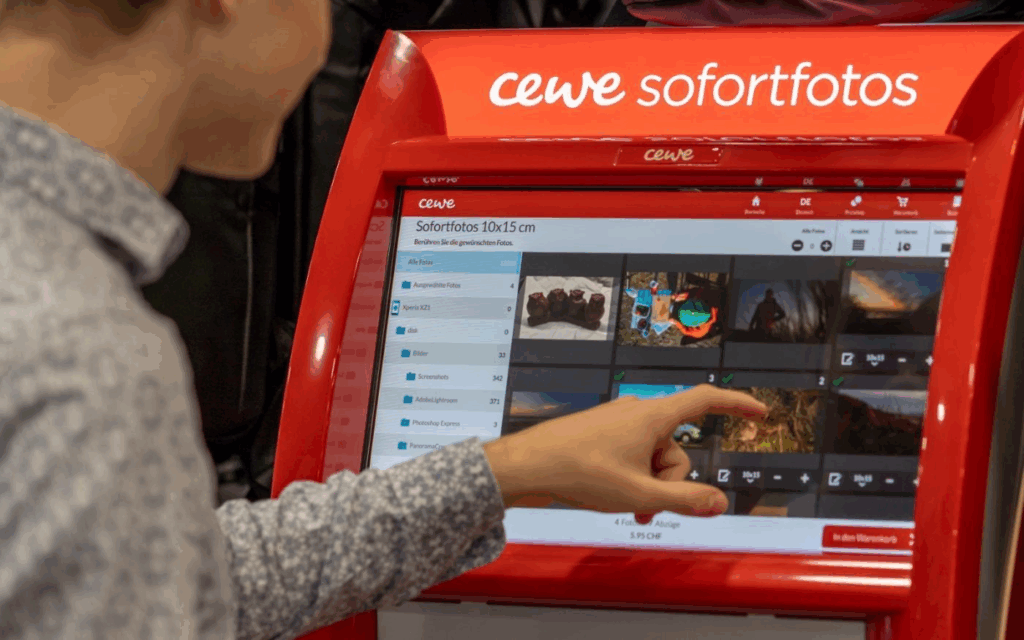
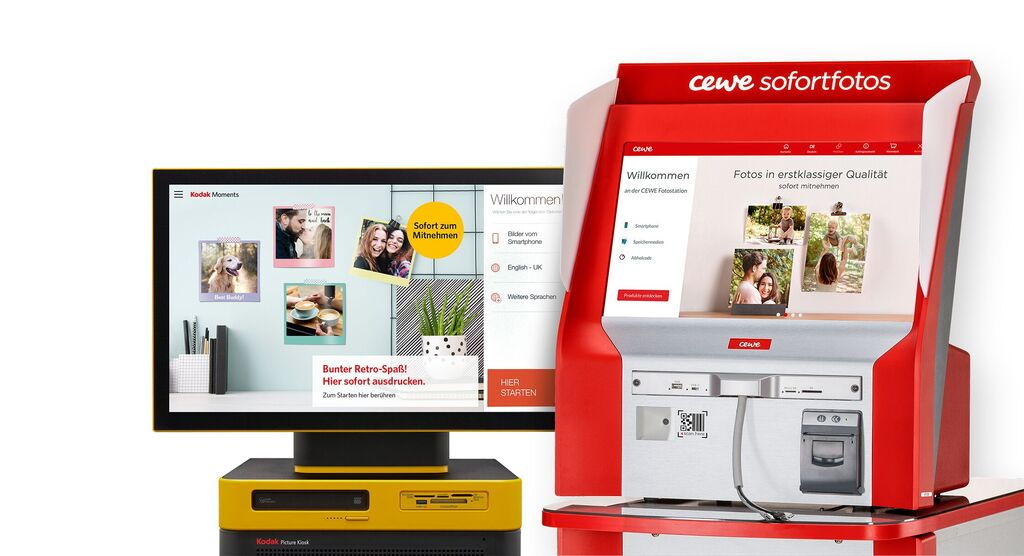
These kiosks allow users to connect their phone or USB stick, select photos, and print them instantly. Technically, they run on Windows operating systems in kiosk mode, and the interface is custom software, likely built on Qt or similar cross-platform UI frameworks. Connections are supported via:
USB-A / USB-C
SD cards
Bluetooth, AirPrint, Huawei Share
QR code upload via CEWE mobile app
Once connected, the user’s gallery is displayed in a grid of thumbnails, ready to scroll and select.
UX Analysis: What Works, What’s Missing
From a user experience point of view, CEWE kiosks are highly optimized for speed and simplicity:
Large touchable thumbnails
Minimalistic, icon-driven steps
Clear path from selection to printing
However, in the context of memory and emotional engagement:
Photos are shown without metadata (no date, no location, no description)
There’s no storytelling layer, you select images, but don’t reflect on them
Entire galleries are exposed raising privacy concerns
This stripped-down interface is efficient for printing but misses opportunities for personal connection, reflection, or control which are central to my thesis.
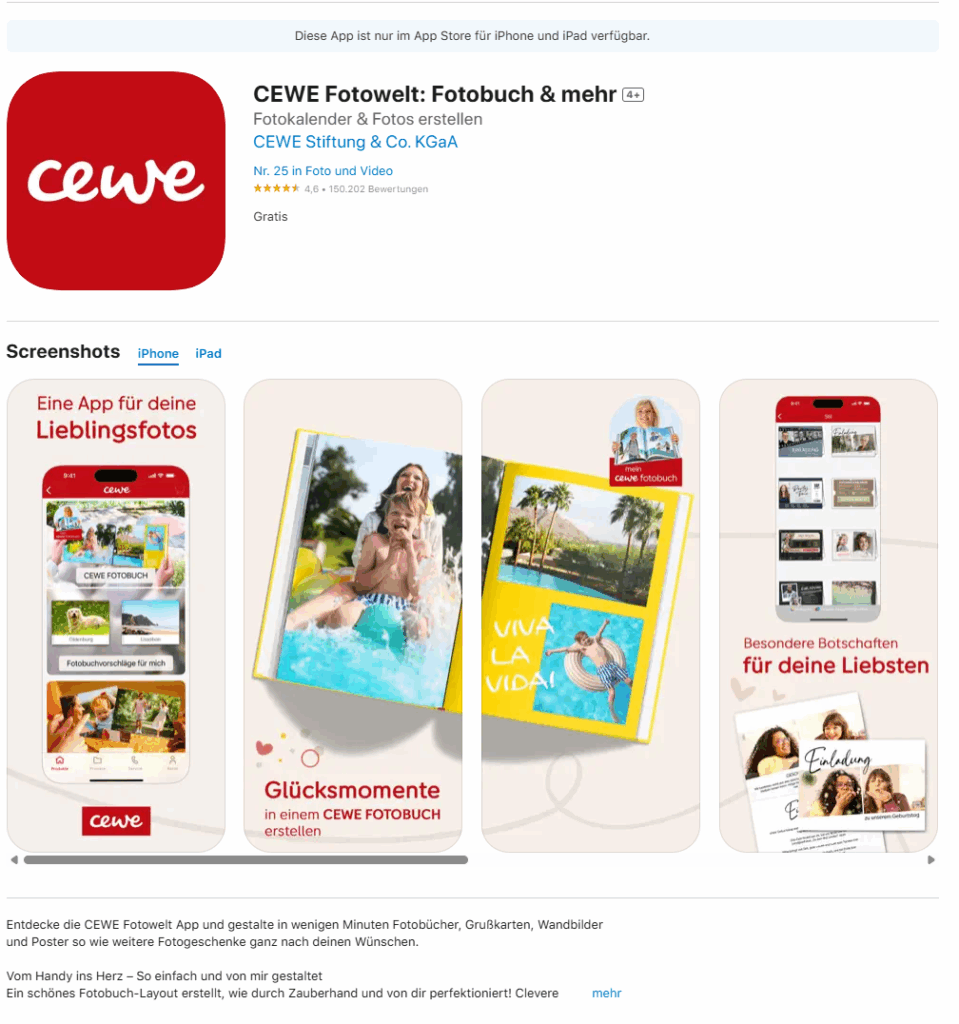
The Cewe company also created an App where you can design your photobook layout and then print it.
These kiosks give me a technical and experiential foundation for what my memory device prototype might be. I want to create something that feels as physical and intuitive as a kiosk, but is emotionally aware and curated, rather than just functional.
Instead of printing, my app and device would allow users to store, browse, and re-experience their photos in a more meaningful way. Here’s what that could look like:
A Custom Photo Archive App: UX Meets Memory
Imagine connecting your phone or SD card to a device, not to print photos, but to curate and store them intentionally. The app would function like a mix between Finder / File Explorer, Photo slideshow, and a memory journal.
Key Features for the App:
Photo Dashboard: A clean, visual overview where your photos are sorted by year, event, or theme (e.g. “Graduation”, “Summer 2023”, “Family”).
Filter & Organize: Tag and group memories manually or through AI suggestions (e.g. by faces, dates, or locations).
Slideshow Mode: Select folders or themes and activate a full-screen, ambient slideshow experience, ideal for reflection or sharing.
Simple Storage: All files live in a readable system (e.g. SD card or internal storage) so it’s not a locked-in app, but still has an elegant visual layer on top.
Selective Sync: Inspired by the kiosk, but instead of exposing your whole gallery, only selected folders or albums are shown on screen.
“Minimal surface, deep meaning” like a kiosk, it should be easy to use in public or private settings, but with a sense of control.
Connecting It Back to the Thesis
The CEWE kiosk taught me that:
People are comfortable interacting with touchscreens and device syncing in physical spaces
There’s value in ritualizing the photo-selection process
But there’s a lack of contextual memory architecture
For my thesis project, I aim to build a prototype that bridges technical familiarity (USB, QR code, SD cards) with UX depth (filters, tagging, curated playback). It’s not just about decluttering photos, it’s about transforming them into accessible, emotional archives.
My idea for master’s thesis explores how design can support the preservation of meaningful digital memories. In this blog post, I explore existing decluttering Apps and how could this knowledge help me with my next research.
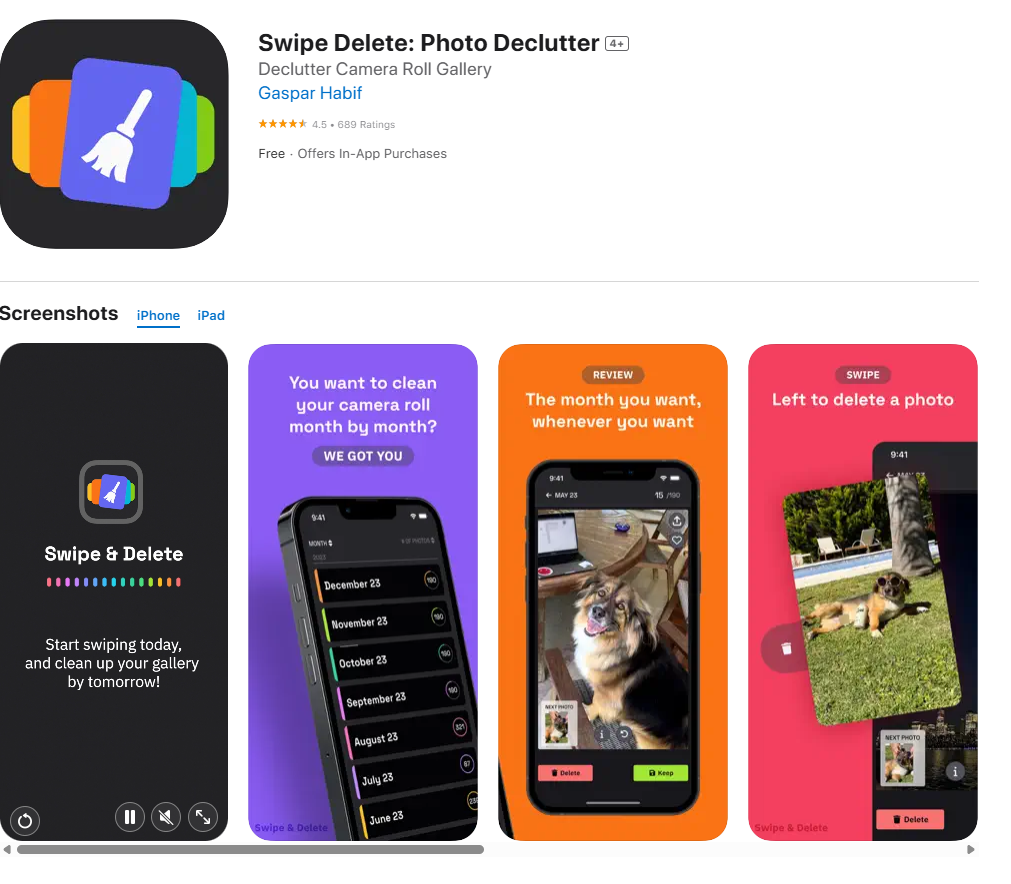
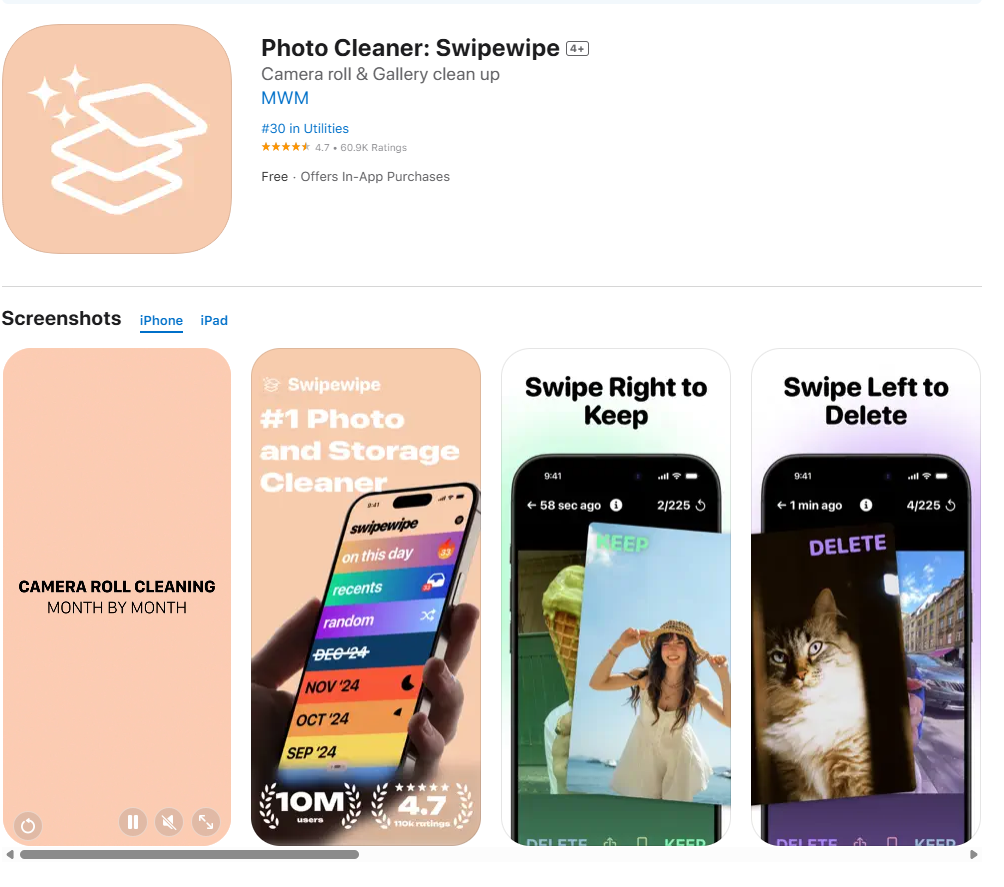
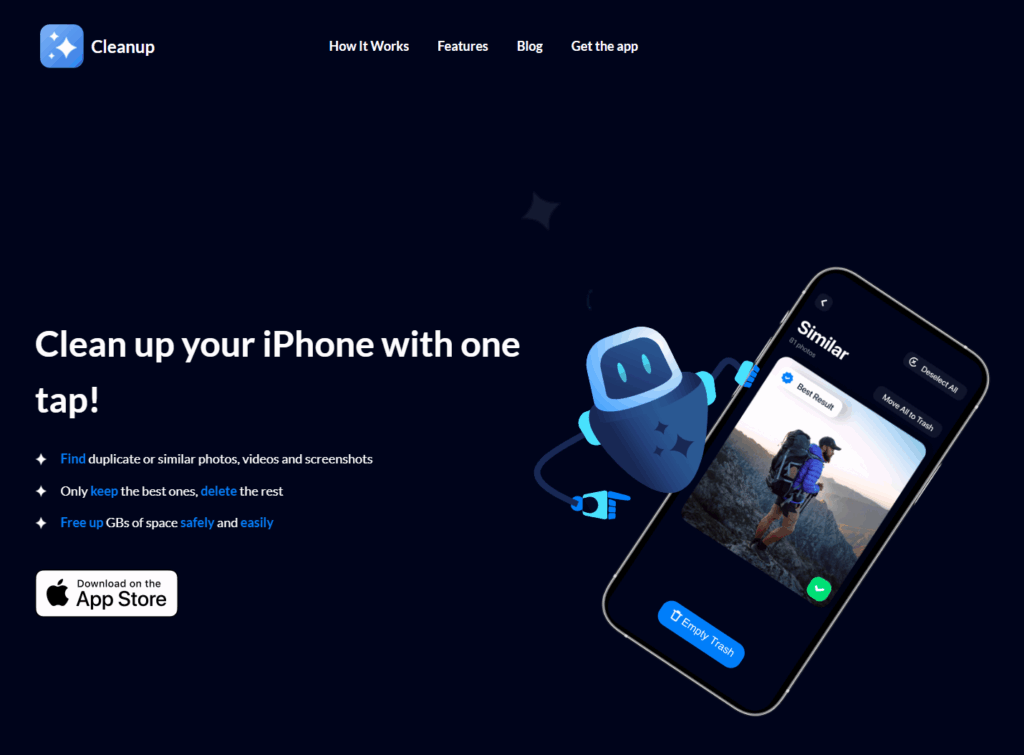
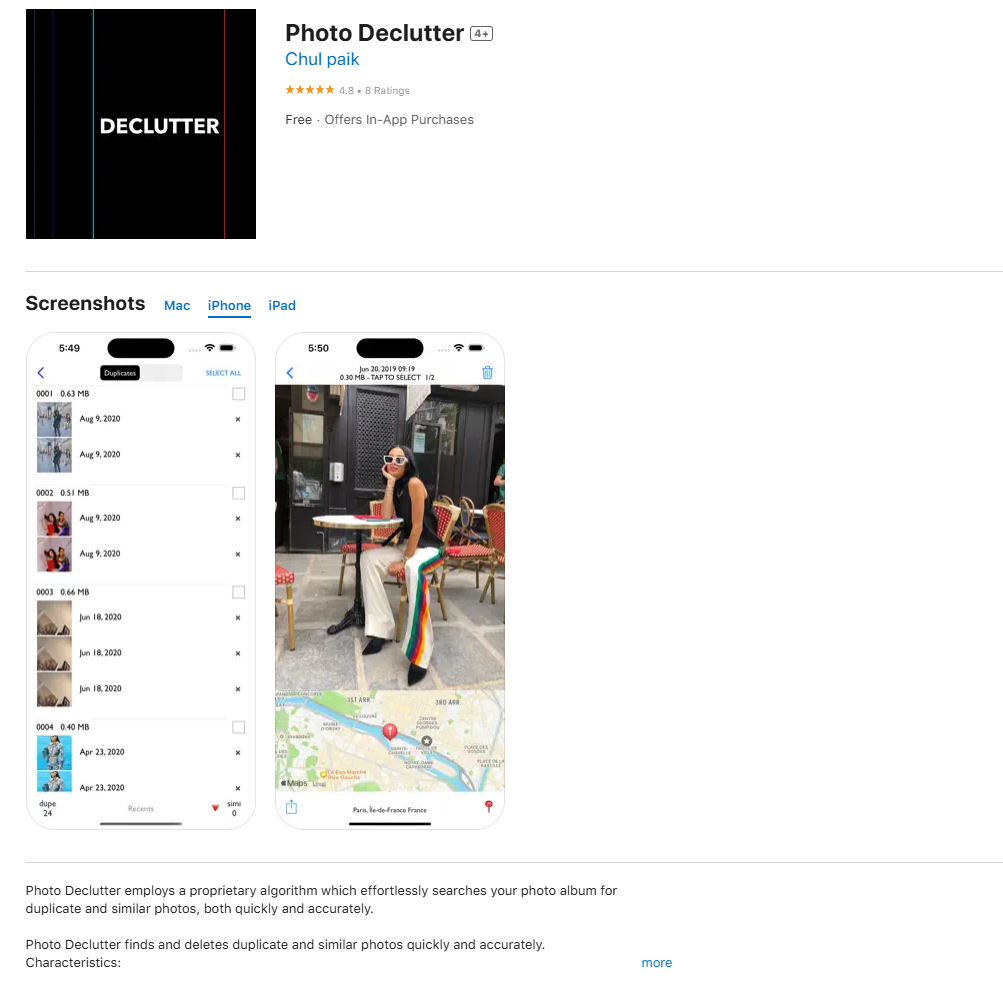
I benchmarked several modern photo decluttering apps, including:
One thing that immediately stood out was how many of these apps use swiping gestures to manage photo deletion. This “Tinder-style” interface, where you swipe left to delete and right to keep, is fast, intuitive, and clearly designed with a younger, tech-savvy audience in mind. Apps like Slidebox and Swipewipe make the process feel almost fun, turning a boring task into something more engaging.
While this interaction style is efficient, it also raises questions. What about older users who might find swipe-based design less familiar? And more importantly, do these fast decisions respect the emotional weight that some photos carry?
Emotional and Digital Safety
Most of the apps prioritize speed and simplicity, often at the expense of emotional context. Only Swipe Delete includes a moment to pause and reflect after mass deletions. On the other hand, Photo Declutter uses AI to identify duplicate photos, which feels less emotionally risky. You are not deciding whether a photo has meaning, just whether it’s a copy. Its interface is clean and easy to understand, making it feel approachable for more cautious users.
Another concern that came up during testing is data privacy. Sharing your entire photo gallery with a third-party app can feel risky. Who owns your images? Where are they stored? This kind of safety issue is often overlooked, but it is a very real concern for users.
Rethinking the Experience
While working through this benchmark, I started asking a bigger design question. Should the photo decluttering happen directly inside your gallery, fully integrated with your device? Or should it function more like an external memory system, where you sort photos manually, similar to storing them on a hard drive?
This reminded me of photo printing kiosks, like the ones at DM drogerie stores. When you connect your phone, the photo gallery is immediately accessible on the screen, and selecting pictures feels simple and clear. Maybe I should also explore and benchmark this kind of interface, where physical interaction connects directly with digital memory.
Final Thoughts
Decluttering digital photos is not only about creating more space. It is about deciding what is worth keeping. Most of today’s apps focus on speed and efficiency, but often overlook emotional value and safety. There is a big opportunity to design tools that are not only smart and fast but also sensitive, reflective, and secure.
What’s Missing in Today’s Digital Photo Storage Solutions?
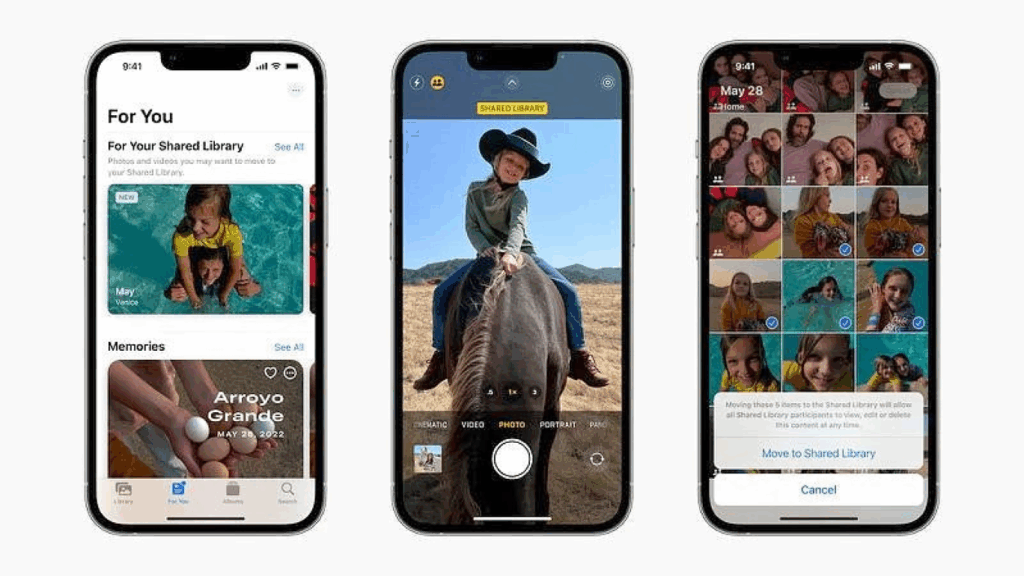
When we talk about preserving photos, the first thing that comes to mind for many people is the cloud. Services like Google Photos or iCloud have normalized the idea that our memories “live in the cloud”, ready to be accessed from anywhere. But if we look a little closer, the current ecosystem of digital photo storage and display solutions reveals clear limitations, particularly for long-term preservation and privacy-focused users.
As part of my thesis, I explored what’s already available. From cloud apps and smart frames to DIY storage setups, to identify what works, what doesn’t, and where there’s room to innovate. This post serves as a benchmark analysis of the digital photo management landscape.
🌩️ 1. Cloud-Based Photo Management: Convenient but Risky
Google Photos, iCloud, OneDrive, and similar platforms dominate the photo storage market. Their main selling points are ease of access, automatic backup, and AI-powered features like face recognition, object tagging, and timeline browsing.
But these services come with major trade-offs:
Privacy and data ownership: Cloud platforms often reserve the right to analyze or process your data for commercial purposes.
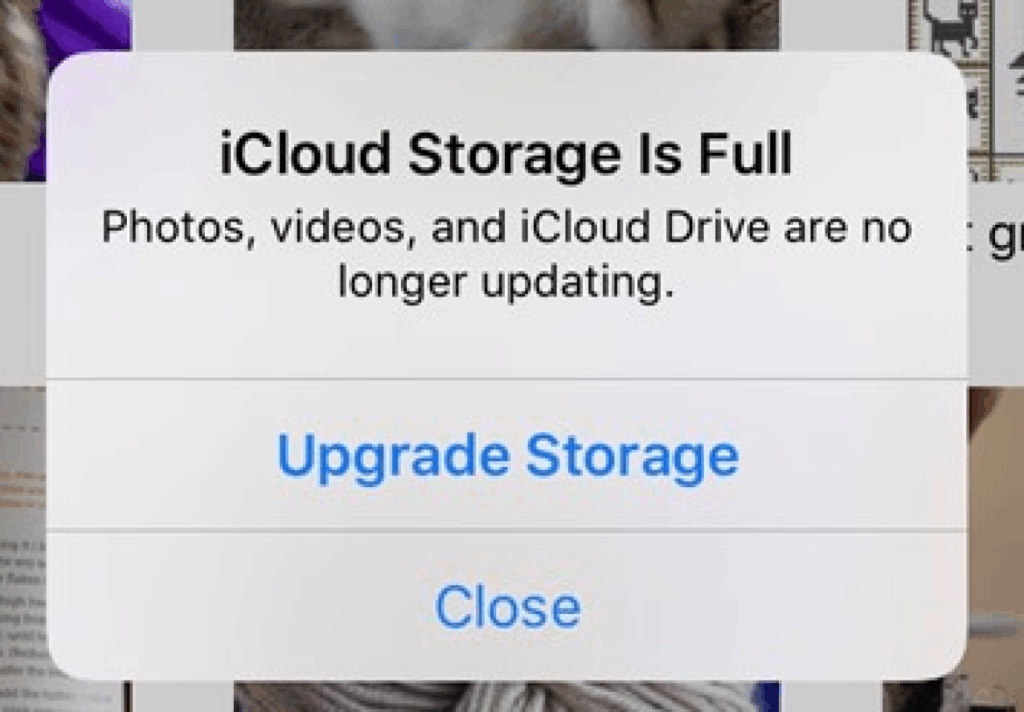
Subscription creep: Many services have moved to paid tiers (e.g., Google Photos removed free unlimited storage in 2021).
Vendor lock-in: Exporting your photo library (with metadata and organization intact) is complex and prone to errors.
Service dependency: If a company changes direction, increases prices, or shuts down, users risk losing access or control.
🖼️ 2. Smart Digital Frames: Great Display, Weak Storage
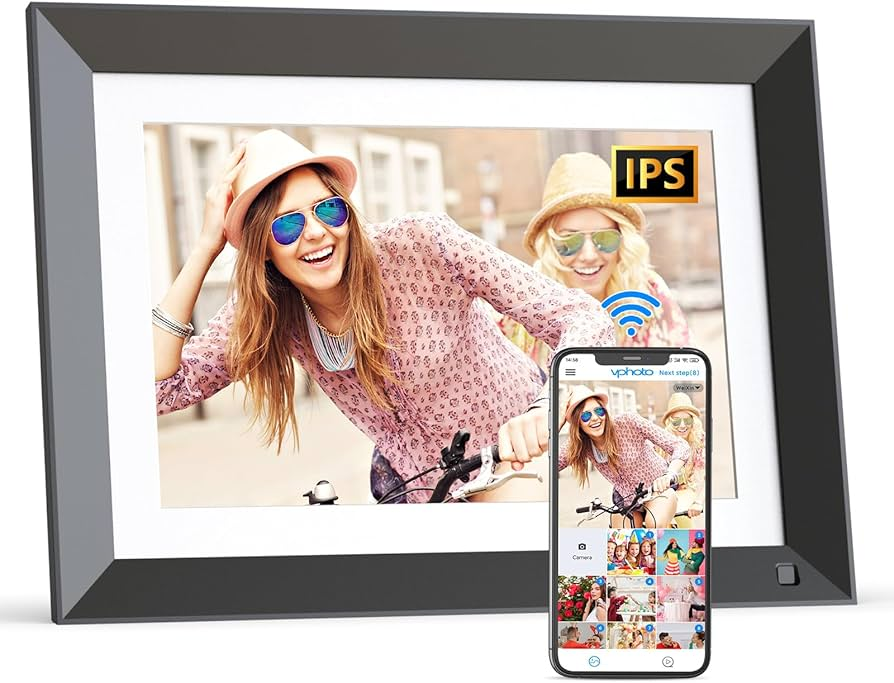
Another growing product category is the digital photo frame, with brands like Nixplay, Aura, and Skylight leading the way. These devices offer:
Slideshow functionality
Remote syncing via Wi-Fi or app
Elegant design for home display
However, when tested against archival and user control criteria, they fall short:
Limited internal memory (usually 8–16 GB)
Cloud dependency for most features
No archival formats or exportable backups
Often lack file organization tools or metadata support
User reviews often point out that these frames work best when connected to the internet and linked to a cloud account , which limits their usefulness as standalone, secure archives.
🗃️ 3. DIY NAS & Storage Solutions: Powerful but Not for Everyone
Communities like r/DataHoarder show how some users take long-term storage into their own hands. Popular tools include:
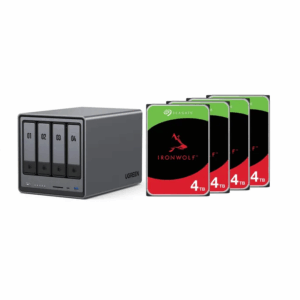
NAS (Network Attached Storage) with RAID configurations
External SSDs or HDDs
Archival-grade optical media like M-DISCs
These solutions can offer:
High redundancy
Offline access
Better privacy and control
But they also come with real limitations for the average user:
Complex setup and maintenance (network configuration, disk formatting, firmware)
No built-in media interface for photo viewing
Not designed for curation or memory-based interaction (like galleries, captions, albums)
Moreover, storage failure is still a concern. Research by Google found that even enterprise-grade hard drives show increasing failure rates after just a few years of operation: “The first year is the most reliable; after year 4, the failure rate of hard disks increases significantly, especially in high-use environments.” 📘 Pinheiro, E., et al. (2007). Failure Trends in a Large Disk Drive Population, Google Research
Where My Concept Fits: Bridging Gaps
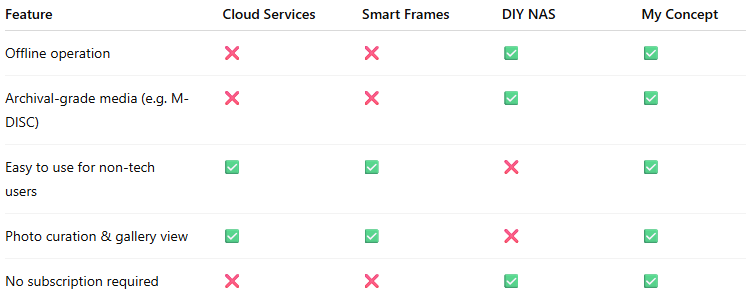
Let’s visualize how current solutions compare with the needs of a long-term photo preservation system:
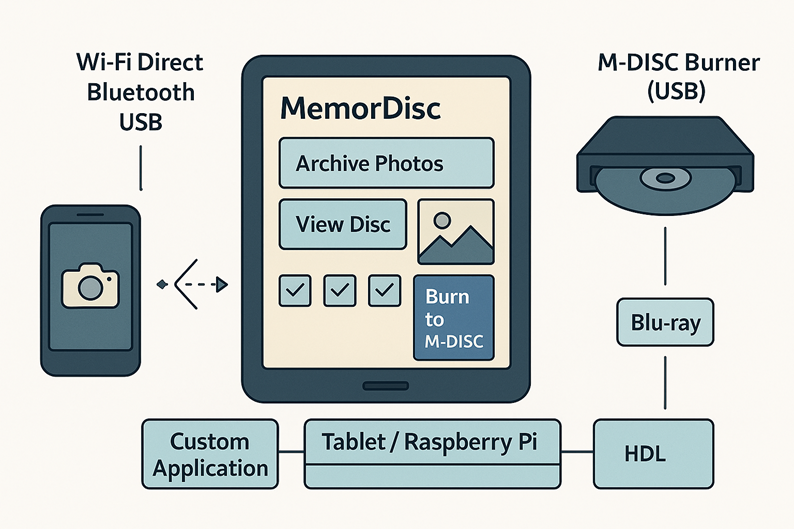
My thesis system proposes a hybrid solution:
It uses a tablet or embedded screen as a digital gallery.
Allows direct transfer from smartphones without the cloud.
Offers storage to NAS for access, and M-DISC for deep archiving.
Is designed with a user-friendly interface that doesn’t require technical skills.
Key Challenges Ahead
Designing a non-cloud digital photo archive brings several real-world challenges:
Ensuring compatibility across different smartphone systems (iOS, Android)
Supporting M-DISC hardware and long-term storage standards
Creating a truly simple and intuitive user experience
Avoiding ongoing maintenance, updates, or cloud dependencies
Helping users manage photo clutter and organize meaningful memories
I’ll explore these challenges and how to solve them in more detail in the next blog posts.
Rethinking Photo Clutter and Preservation in a Cloud-Dependent World
In our smartphone-driven world, capturing moments has never been easier. Whether it’s vacations, family milestones, or random selfies, we accumulate thousands of images in our pockets, literally. Yet, for all the photos we take, how many are meaningfully preserved? How many are even seen again?
As part of my master’s thesis preparation, I’m tackling a growing digital problem with real emotional consequences: photo clutter and the lack of reliable, long-term preservation for smartphone media. My goal is to develop an offline, easy-to-use solution that combines a digital photo frame with durable, non-cloud storage options. This blog post introduces the core problem, my research direction, and why this project matters now more than ever.
💥 The Problem: From Convenience to Clutter
It’s estimated that over 1.8 trillion photos will be taken globally in 2025. The average smartphone user takes over 20 photos a day. The term “photo clutter” captures this digital overload: scattered images across phones, hard drives, cloud accounts, and social media. In a 2022 study by Norberg et al., people reported feeling overwhelmed by their disorganized digital collections and unsure how to manage or preserve them long term.
What happens to these memories when devices fail, subscriptions expire, or cloud services shut down?
Key risks include:
Cloud dependency: Privacy concerns, recurring costs, and uncertainty about future access.
Short-term storage hardware: HDDs and SSDs degrade over time. Smartphones are easily lost or reset.
Neglect of preservation: Most users don’t actively back up or archive their content — they rely on passive syncing.
Despite the importance of our digital memories, we often lack intentional, long-term solutions to safeguard them.
🧠 The Opportunity: A Digital, Self-Contained Photo Album
Inspired by this problem, I asked: Can we build a device that behaves more like a traditional photo album, something reliable, physical, and built to last, but in a digital form?
In my proposed solution:
A standalone device (e.g., tablet or embedded screen) serves as the display and interface.
Offline storage — either a connected NAS (Network Attached Storage) system for everyday access, or M-DISCs for archival use — holds the photo collections.
Users can easily transfer media from smartphones without relying on internet access.
The system is designed with simplicity in mind: no subscriptions, no software updates, no tech maintenance.
This idea offers a tangible way to disconnect from the cloud and build an intentional archive a digital equivalent of the family photo box.
🔒 Why Offline? Privacy, Permanence, and Control
Privacy scandals, data breaches, and the impermanence of digital services raise valid concerns about trusting the cloud with intimate family archives. While cloud backups are convenient, they are not built for long-term cultural memory.
M-DISCs, for example, offer an impressive promise: data permanence for up to 1,000 years under optimal storage conditions. Unlike traditional discs, they use a rock-like recording layer that resists light, humidity, and magnetic damage. NAS systems, while not eternal, provide redundant local storage with more control than third-party services.
This project takes inspiration from data hoarders, digital minimalists, and privacy-conscious users who prefer to own their data, not rent access to it.
For my thesis, I’ll explore both the technical feasibility and human-centered design aspects of this system. Key areas of focus include:
User research: Understanding attitudes toward photo archiving, privacy, and device usability.
Technology evaluation: Reviewing the lifespan and reliability of storage media (e.g., SSDs, HDDs, M-DISCs, NAS).
Prototyping user flows: How a user transfers, stores, and views their media – to be visualized in tools like Figma.
Ease of use: Ensuring non-technical users can operate the system without frustration.
By combining technical research with design thinking, the goal is to create something both functional and emotionally meaningful. A sustainable, private space for our most treasured memories.
Selected Sources
Norberg, A., Kim, S. H., & Wilner, A. (2022). Digital Photo Clutter: Reasons, Consequences and Strategies. Computers & Security, 115. ScienceDirect
Neave, N. et al. (2019). Understanding Digital Hoarding: A Qualitative Exploration. Computers in Human Behavior, 101, 167–174.
Mahmoud, H. A. (2018). Storage Devices Reliability Prediction Model Using Failure Distribution and Artificial Neural Networks. Library Hi Tech, 36(4), 547–566. https://doi.org/10.1108/lht-06-2017-0117
Pinheiro, E., Weber, W.-D., & Barroso, L. A. (2007). Failure Trends in a Large Disk Drive Population. Google Research. Link
This project isn’t just about technology , it’s about how we preserve the stories of our lives. As we move deeper into the digital age, we need better answers to a simple question: What happens to our memories when today’s technology becomes tomorrow’s trash?
Getting Lost in the Hospital: Why Wayfinding is UX Too.
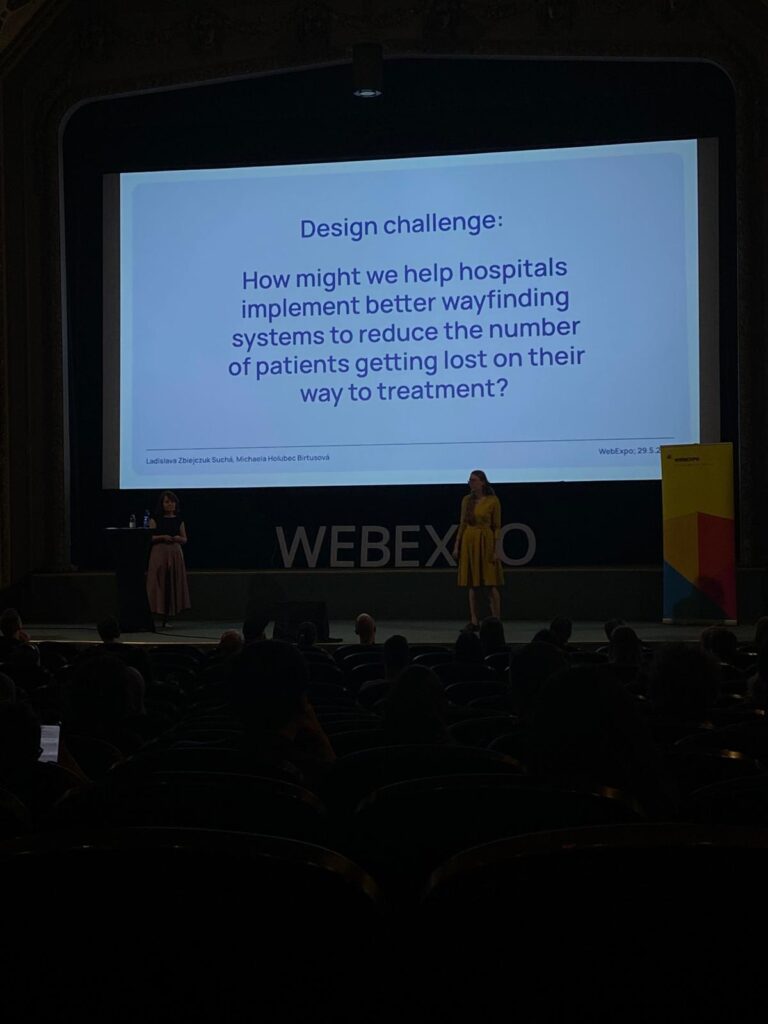
The second day of the WebExpo Conference 2025 left a particularly strong impression on me, especially the talk titled “Lost in the Hospital: How Not to Design Wayfinding for Better CX”presented by Ladislava Zbiejczuk Suchá & Michaela Holubec Birtusová.
Personal Experience Meets Professional Interest
Just a few days before the conference, I was at Bulovka Hospital in Prague, trying to find the emergency department. Despite being a large and well-known hospital, the signage and navigation inside the building were extremely confusing. The experience was stressful, and I felt helpless, even though I’m someone who works with systems and interfaces regularly. That moment made me think: if I’m struggling this much, how difficult must it be for someone who’s older, under stress, or unfamiliar with the language?
So when this talk began and addressed the exact issue I had just experienced, it felt like validation. But it also reminded me of something important: UX design is not just for screens, it’s everywhere.
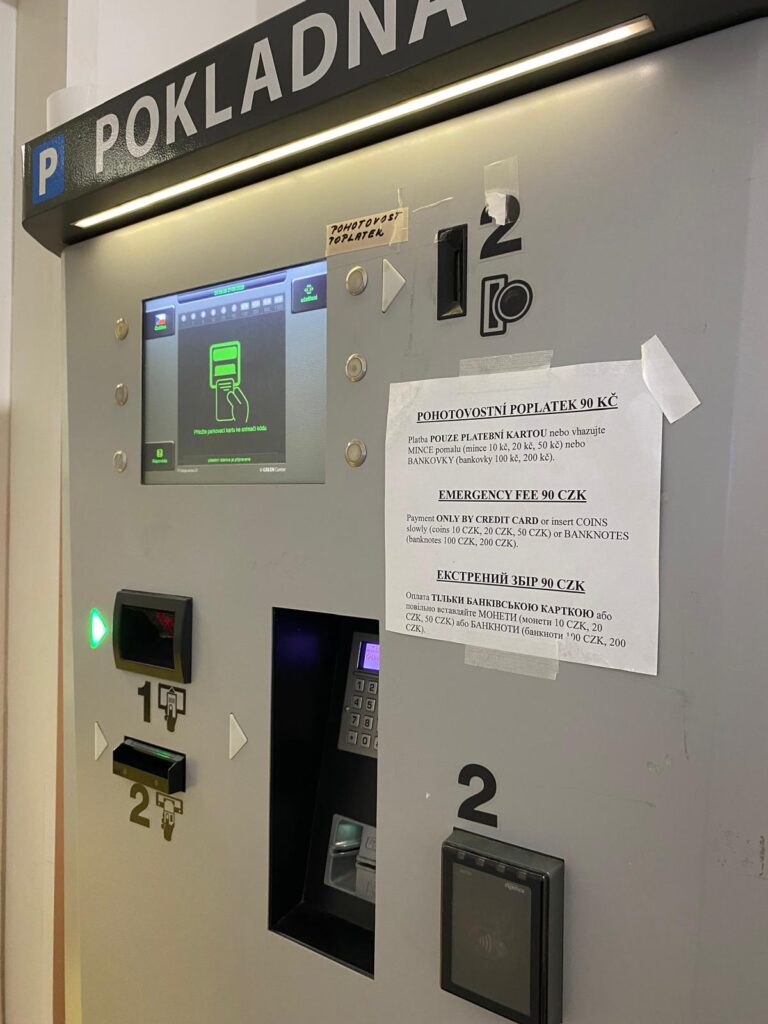
The photo I took at the Bulovka hospital – the “parking machine” which is used for paying the emergency fee.
Wayfinding as a UX Problem
The speakers framed wayfinding as part of the broader user experience (UX) landscape. A hospital is essentially a high-stakes user journey: people are often navigating it under stress, pain, or confusion. In this environment, clarity and guidance aren’t just “nice to have”, they’re critical.
They explained that many wayfinding systems fail because they’re designed from the perspective of the institution, not the user. Designers often rely on internal logic (like room numbers or departmental hierarchies) instead of thinking through the lens of a visitor who just needs to get to radiology, fast. This disconnect is a classic UX mistake.
Design Thinking in Real Life
This talk demonstrated how design thinking, empathize, define, ideate, prototype, test, can be applied to physical environments just as much as digital ones. From interviews with hospital patients to prototyping new signage and color-coding systems, the speakers illustrated a user-centered approach to solving a tangible, real-world problem. It reminded me of a core UX principle: your design is only as good as its usability in the context it will actually be used.
Final Thoughts
UX design doesn’t stop at the edge of a screen. The “Lost in the Hospital” talk was a powerful reminder that every user experience, whether it’s tapping a button or walking through a corridor, is shaped by intentional or unintentional design choices. As a future UX professional, I want to be someone who makes those choices with empathy, clarity, and accessibility in mind. Because when design fails, people suffer, but when it succeeds, people thrive.
Digital Accessibility Meets Physical Accessibility
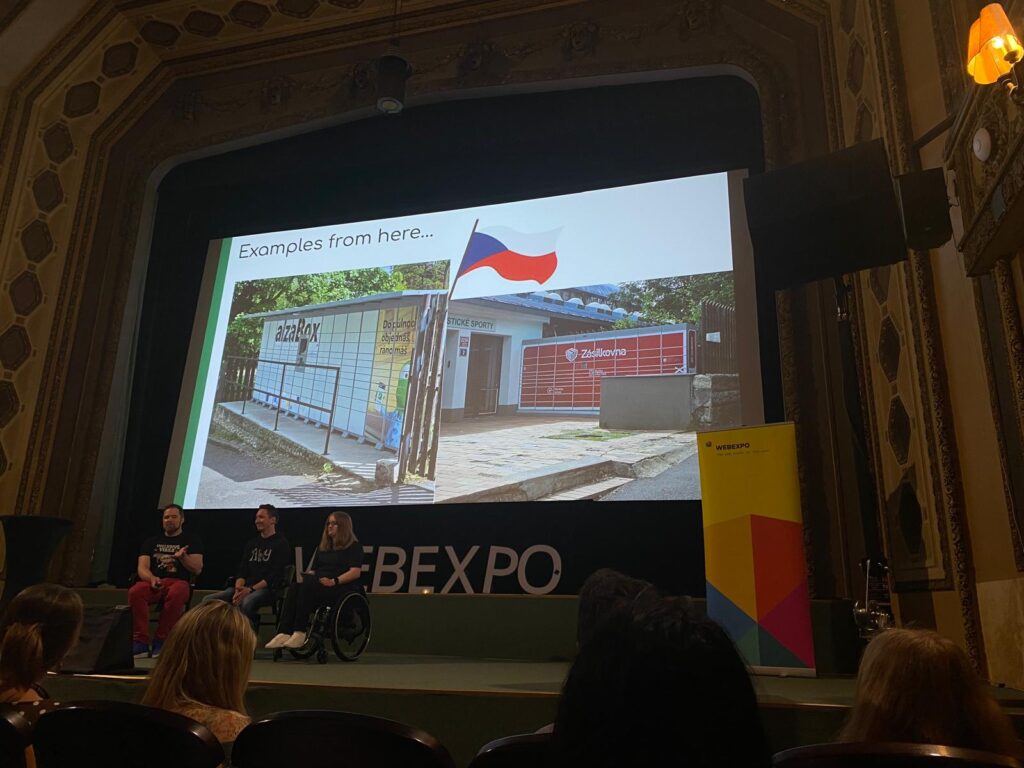
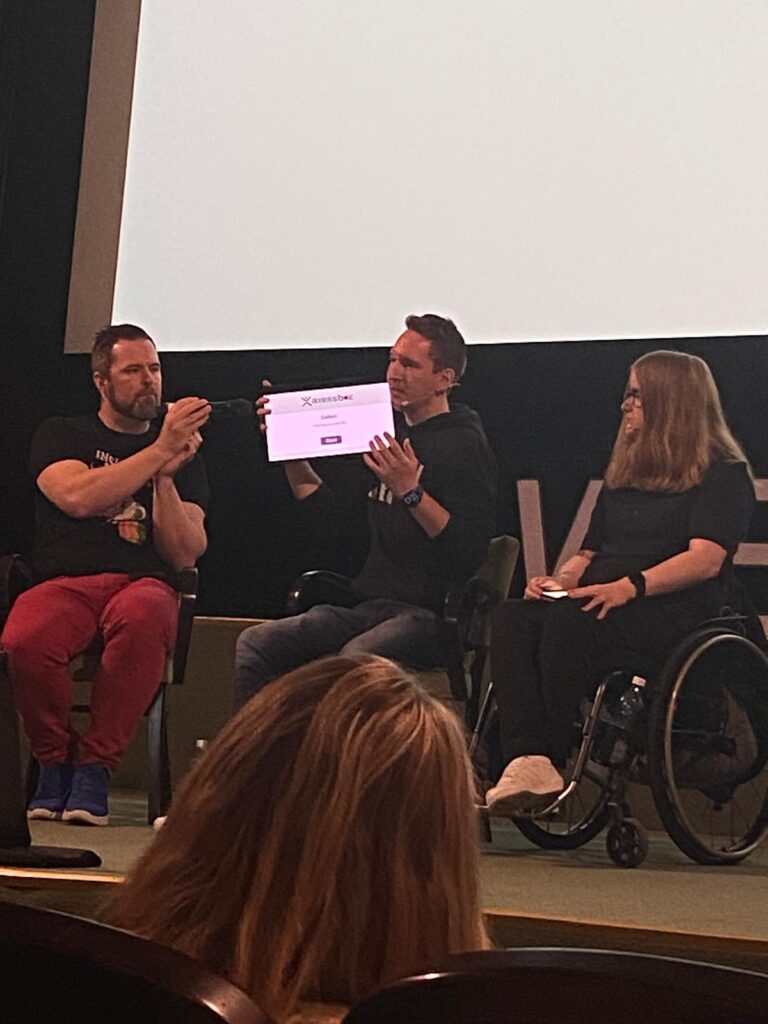
As a master’s student of Interaction Design at FH JOANNEUM in Graz and a passionate aspiring UX designer, attending the WebExpo Conference 2025 was both inspiring and eye-opening. On the first day, the talk that resonated with me the most was “Digital Accessibility Meets Physical Accessibility” presented by Erik Gustafsson Spagnoli, Nathalie Pentler & Daniel Göransson. A session that confronted a crucial, yet often overlooked topic: the intersection of digital and physical barriers in user experience design.
The UX of ICT
One of the examples that stood out was the real-world usability of ICT (Information and Communication Technology) kiosks, especially pickup touchscreens in public spaces. These screens are often placed too high for wheelchair users or children to reach, and they typically lack audio support or voice-guided interactions. It might sound like a small detail, but from an accessibility standpoint, it can determine whether someone can independently use a service or not. This example made me reflect on how vital it is to go beyond screens and look at the entire context in which a product or service is used.
When “Old School” Is More Inclusive
The talk also raised an interesting reflection for me: while digitalization brings many advantages, there are situations where physical, tactile elements, like a good old-fashioned button, might be the better solution. For someone with visual impairments or limited dexterity, navigating a touchscreen can be frustrating, confusing, or simply impossible. A clearly labeled, tactile, physical button can offer a much more intuitive and accessible alternative. It’s a valuable reminder that digital innovation should never come at the cost of inclusivity.
As designers, we shouldn’t blindly chase modern interfaces just because they’re sleek or trendy. Sometimes, the most user-friendly design choice is the one that feels familiar, tangible, and grounded in human ergonomics.
Inclusive Interaction Design
What fascinated me the most was the proposed solution involving a voice guide that activates when the user presses the screen longer. This tiny interaction design change, a prolonged touch to trigger audio feedback, is a smart, simple fix that can drastically improve the inclusivity of the interface. As someone pursuing a career in UX design, these kinds of insights are gold. They underline that good design is not only about aesthetics or digital flow, but about enabling access for everyone, regardless of ability or environment.
Designing for the Margins
A key takeaway for me was the principle of designing for the margins. By designing for users who experience the most significant barriers, like those with physical disabilities, we often end up creating better products for all users. This aligns perfectly with what I’ve been learning in my studies and during my internships: that UX is about solving real problems, and accessibility should never be an afterthought.
Conclusion
This talk also made me reflect on the importance of field research – going out, observing, talking to users, and understanding their journeys in context. A wheelchair user trying to use a touchscreen in a crowded city center might face a vastly different experience than someone using it at home. Empathy in design starts with understanding these differences.
“Listening to the Climate” : A Reflection on ClimaSynth
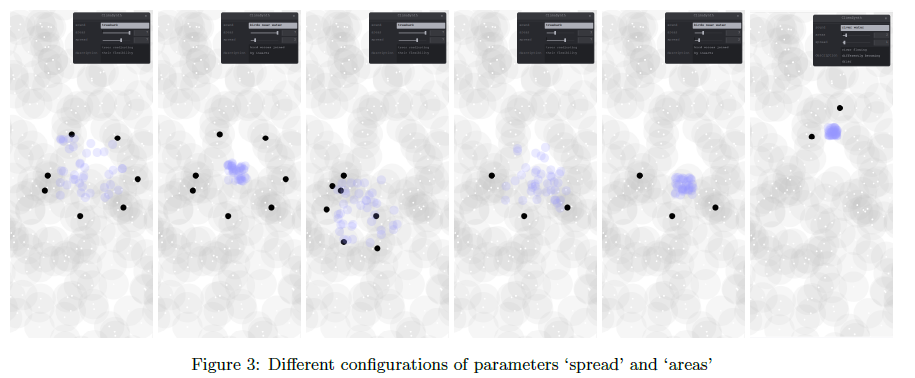
Climate change has become an overwhelming topic, often measured in numbers, graphs, and satellite images. But what if we could hear its effects instead? That’s the core question behind ClimaSynth, a web-based sonic interface developed by Eleni-Ira Panourgia, Bela Usabaev, and Angela Brennecke. Their paper, presented at NIME 2024, explores how environmental perception can be enhanced through real-time audio interaction, using granular synthesis to sonify future climate scenarios.
As someone researching the intersections of sound, interaction design, and environmental awareness, I found ClimaSynth to be both conceptually rich and technically compelling.
ClimaSynth isn’t just a tech demo, it’s a poetic instrument. Users interact with environmental recordings through a minimalistic web interface, manipulating sounds that morph depending on climate data and speculative futures. For instance, a serene “birds near water” recording can gradually transform into insect-heavy textures, mimicking a sonic shift tied to rising temperatures and drought. These transformations are not just aesthetic, they’re emotional cues for users to reflect on environmental degradation.
The choice to make ClimaSynth a web application is a smart one. It emphasizes accessibility, allowing anyone with a browser to engage with the experience, regardless of device or platform. This aligns beautifully with the ethos of broadening climate awareness beyond academia and into more public, participatory domains.
Another aspect I appreciated was how the team uses climate storytelling prompts in the interface. These small bits of narrative—like “trees readjusting their flexibility”—help ground the abstract sound manipulations in relatable ecological imagery. It’s a great example of how interface design can nudge user interpretation without being didactic.
Also worth highlighting is a thoughtful and often overlooked section: the ethical standards. The authors openly acknowledge the environmental cost of building web and cloud-based tools—specifically their energy demands and carbon footprint. It’s refreshing to see this kind of transparency and accountability in a digital art and research project. They even reflect on how publishing the app on GitHub (a platform supporting sustainable software practices) contributes to a more positive “handprint.” This attention to how the work is made—not just what it does—adds another layer of credibility and care to the project.
Where the Paper Left Me Wondering
While the system and concept are well-executed, I couldn’t help but feel a bit of a gap in understanding who exactly ClimaSynth is for. Is it a tool for public engagement? An artistic instrument? An educational platform? The authors mention “communicating climate change impacts,” but more clarity around the target audience or use-case scenarios could strengthen the work’s purpose.
Defining a user persona or community—whether that’s students, environmental activists, museum visitors, or musicians—might guide future iterations and also offer pathways for more impactful deployment. For example, if ClimaSynth is intended to foster awareness among high school students, it might benefit from a more guided interface or educational context. If it’s for artists, perhaps more export and remix functionality would be useful.
Similarly, I’m curious how ClimaSynth would perform in a collaborative or public setting. Could this be scaled into an installation? Could multiple users interact with it simultaneously? Could it be a live performance tool? These are all exciting possibilities that hint at ClimaSynth’s potential, but aren’t fully explored in this first prototype.
Final Thoughts
Overall, ClimaSynth is an inspiring step forward in the space where sonic interaction meets climate awareness. It reminds us that listening is a powerful way of knowing—and that sound can be both data and emotion, fact and feeling. In an age where climate anxiety often paralyzes, interactive tools like ClimaSynth offer a more intuitive, embodied way to reconnect with the world around us—and imagine what it might become.
As the project evolves, I’d love to see deeper engagement with users, clearer audience intentions, and expanded sonic possibilities. But as it stands, ClimaSynth is a meaningful addition to the growing field of eco-acoustic design.
Lo-Fi Prototyping: A Hands-On Experiment with Everyday Materials
In one of our recent classes, we were given an interesting assignment:
Create three lo-fi prototypes of a project idea related to your Master’s research and bring one to class for testing. These prototypes could be iterations of previous work, early drafts of a new concept, or entirely different ideas. The key was to keep the process quick and experimental, spending no more than 20 minutes on each prototype.
Each student approached this task differently. Instead of focusing on my research from last semester, I decided to take a completely fresh perspective. My goal was to experiment with rapid prototyping using only materials readily available at home, creating something practical and functional.
Prototype 1: The DIY Charger Holder
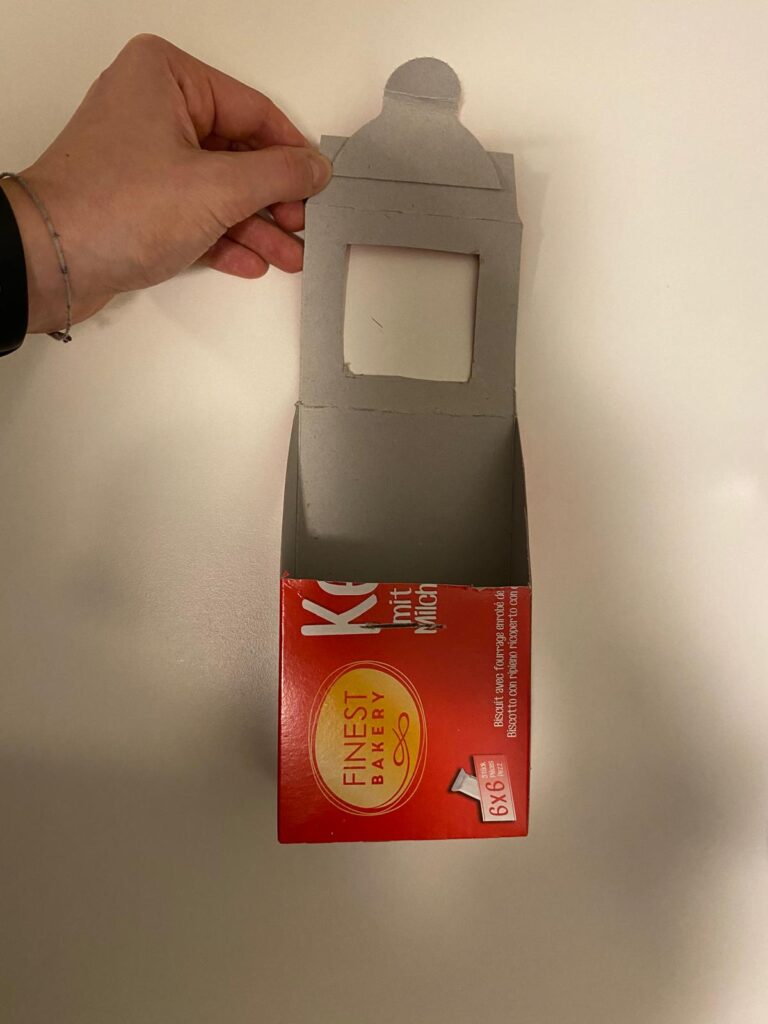
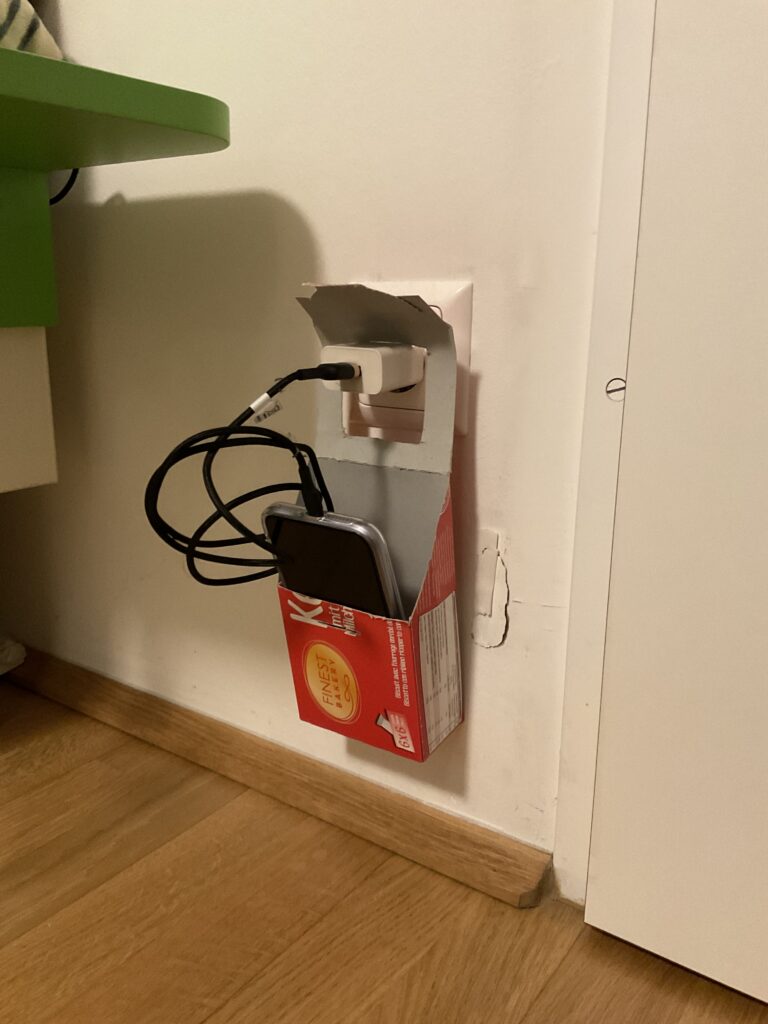
My first prototype was a cardboard charging holder, designed to serve as a portable phone and charger station. The idea came from a common inconvenience—when outlets are located far from tables or shelves, leaving devices on the floor while charging is not ideal. This prototype aimed to solve that issue, especially for travel or spaces with limited furniture.
Using an empty cookie box, I cut out sections to create an opening where the phone and charger could be placed. The structure allowed the box to hang securely on a plugged-in charger, keeping the phone elevated and safe from potential damage.
Prototype 2: The Allergy Pillowcase
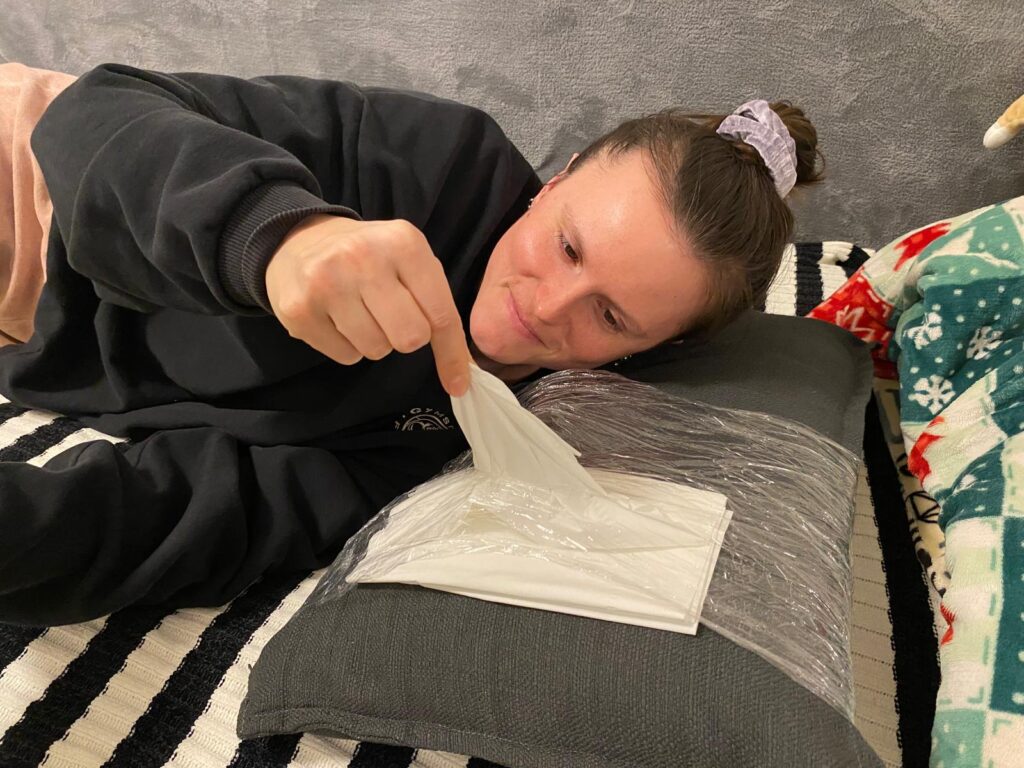
The second prototype was a pillowcase designed for people with allergies or colds. The concept was simple: integrating a small pocket or compartment to store tissues. This would allow users to access tissues quickly during the night without having to get up or search for them in the dark. While the design was basic, the idea addressed a real pain point and could be refined further.
Observations from the Class Testing Session
For the testing session, I brought my first prototype—the cardboard charging holder—to class. What surprised me the most was how difficult it was for my classmates to identify its purpose. Since I had designed it with a clear function in mind, I assumed it would be immediately recognizable. However, when I asked my peers to guess what it was and how it worked, many had no idea.
Only after I provided a small hint—mentioning that it was related to phone chargers—did they start to piece it together. This experience highlighted an important lesson: as designers, we often assume our ideas are obvious because we are deeply familiar with them. However, what seems intuitive to us may not be clear to others.
Key Takeaways
This experiment reinforced a critical principle in design and product development:
Early user testing is crucial. By involving users from the beginning, we can uncover misunderstandings and refine our designs based on real feedback.
Imperfect prototypes are valuable. It’s better to test a rough, quick prototype than to wait until a product is ‘perfect.’ Iterative design allows for improvements based on actual user insights rather than assumptions.
Context matters. A design that seems simple and logical to its creator may not be immediately clear to others. Communicating ideas effectively is just as important as the functionality itself.
Through this rapid prototyping challenge, I realized that testing, even with basic materials, can lead to unexpected insights. Moving forward, I plan to integrate more user feedback earlier in my design process to ensure that my ideas are not only practical but also easily understandable.
This assignment proved that sometimes, the simplest ideas can spark the most meaningful discussions about usability and design thinking