As an illustrator working digitally on my iPad, I quickly realized that the brushes you use can make or break your workflow and final style. While there are countless amazing brushes available, I wanted tools that felt truly personal and matched exactly how I like to work. So I took the plunge and started creating my own Procreate brushes from scratch, including all the textures, brush shapes, and settings.
Why Create Custom Brushes?
Using ready-made brushes is great, but sometimes they don’t capture the unique look or feel you’re aiming for. By making my own brushes, I can control every detail and develop tools that fit my drawing style perfectly. For me, the focus was on three main brush types:
Watercolor Brushes: To mimic the organic flow, blending, and subtle textures of real watercolor paints.
Colored Pencil Brushes: For soft, grainy strokes that vary with pressure and capture the tactile feeling of traditional colored pencils.
Ink Brushes: Crisp, fluid lines with just the right amount of texture and sharpness, sometimes mimicking a real ink pen or brush.
The Creation Process
I started traditionally by working with real media: painting with watercolors, drawing with pencils, and inking on paper. Then I scanned these textures and brush marks to create the texture maps and brush shapes needed in Procreate. This base made the brushes feel much more authentic and lively.
In Procreate’s brush studio, I experimented extensively with:
- Texture behavior: Balancing randomness and stability so the brush strokes don’t feel repetitive or “stamped.”
- Pressure and tilt sensitivity: To allow natural variation in stroke weight and texture.
- Blending and wetness: Especially important for watercolor brushes to simulate how paint bleeds and mixes.
- Spacing and jitter: To add organic feel and irregularity to strokes.
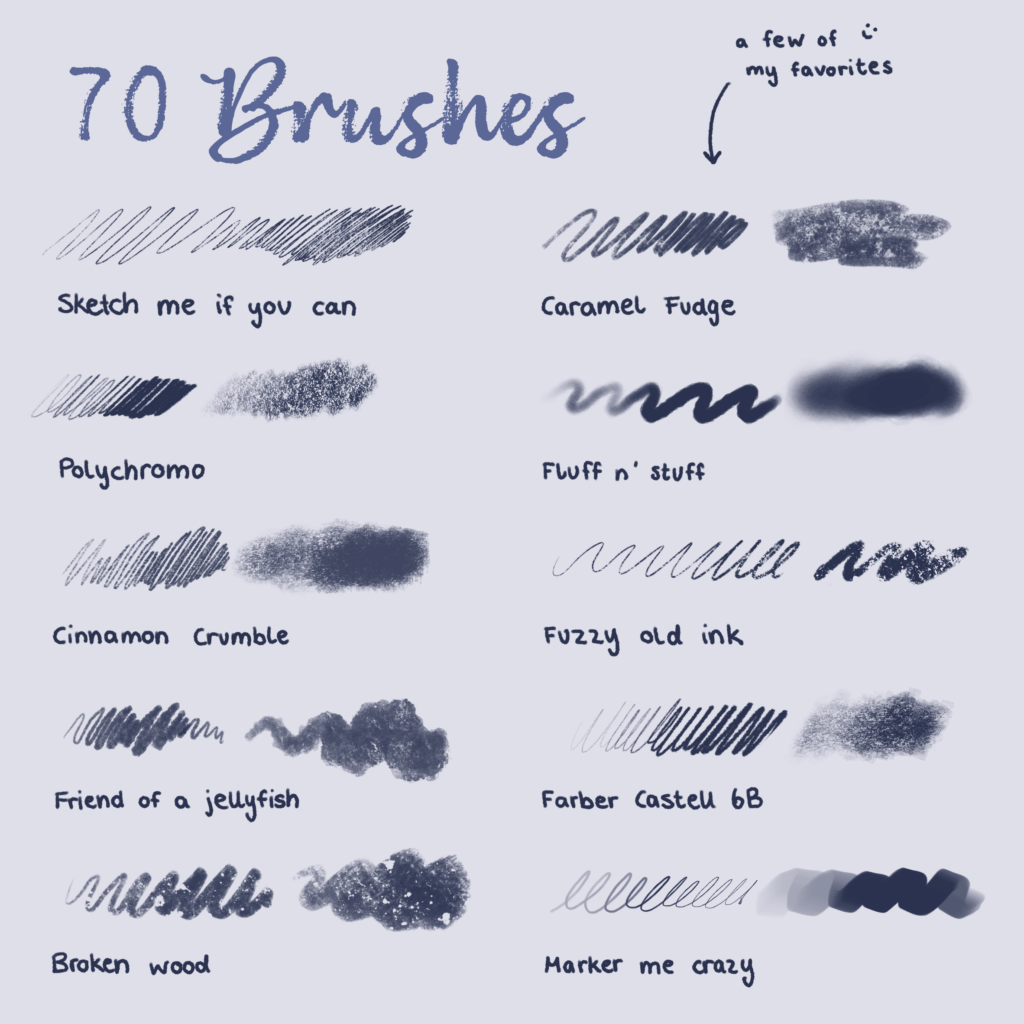
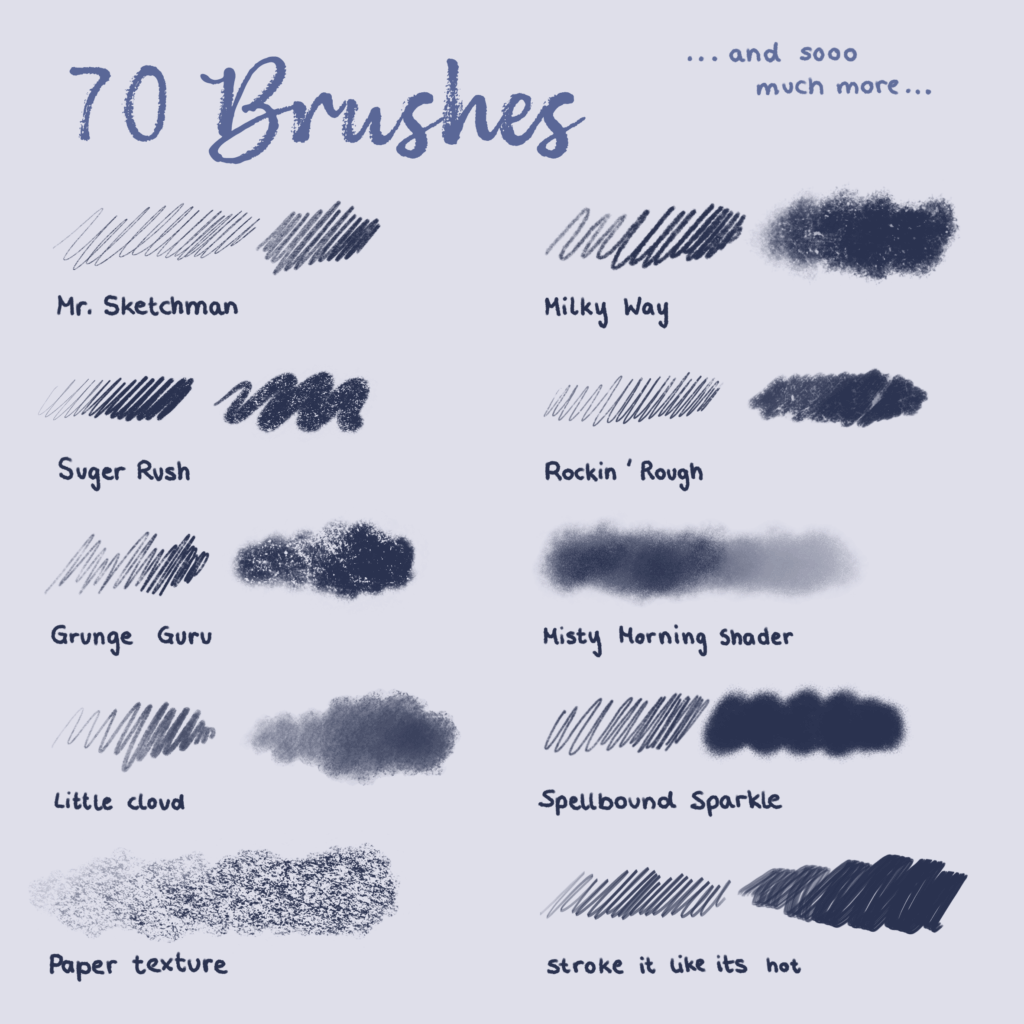
(here you can see a few examples from the pencils I created)
Putting Them Into Practice
Once my brushes were ready, I began using them exclusively in my illustrations. It’s incredibly satisfying to paint soft watercolor washes that flow naturally, add textured colored pencil details, or draw sharp ink lines that still feel hand-drawn.
This level of control lets me explore my style more deeply and brings my artwork closer to my vision.
Final Thoughts
Creating your own Procreate brushes is a rewarding journey that helps you understand the nuances of digital painting tools and develop a personal artistic voice. It can be a bit time-consuming, but the payoff is huge, both creatively and technically.
I’m happy to share my experience and use my brushes in my illustration (as you can see here).

