This post focuses on the wireframing process for the Device App prototype, developed as part of my ongoing research into the role of Digital Memories in technology and interaction design. The goal of the wireframes was to translate research insights and conceptual direction into tangible, testable user flows. These wireframes represent the core flows of the prototype.
Starting With Sketches
I began the design process with rough sketches on paper to explore layout ideas quickly and think through user flows without constraints. This sketching phase allowed me to focus purely on functionality, flow logic, and visual hierarchy without getting distracted by UI details.

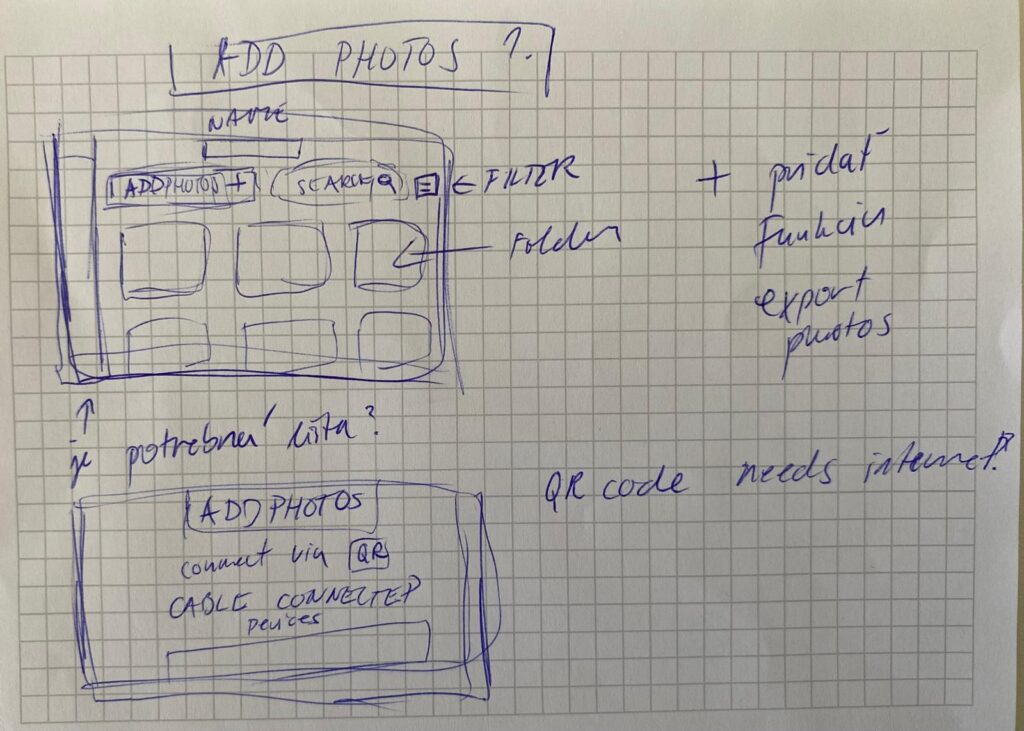
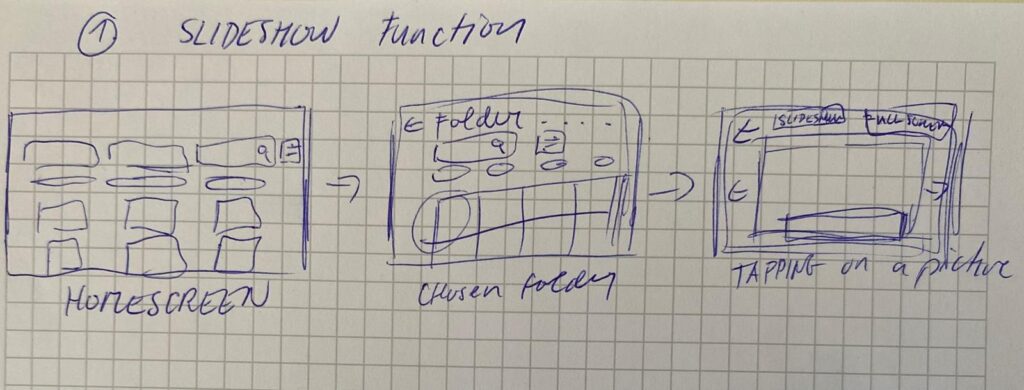
In the sketches, I explored the two key flows of the app:
- Adding Photos from a Connected Device
- Users can connect a device via cable.
- Choose to create a new folder or add to an existing one.
- Photos are selected, reviewed, and saved into the desired folder.
- Viewing Photos as a Slideshow
- Users can open any folder and launch a fullscreen slideshow.
- A horizontal strip allows navigation between photos while viewing.
This paper-first approach helped me solidify the app’s structure before moving to Figma for the digital wireframes.
Building the Wireframes
Once the core flow was mapped out, I built detailed wireframes in Figma. The two main flows in the prototype are:
1. Add Photos Flow
Users connect a device, choose a folder (or create one), select photos, and upload them. The wireframes guide them step-by-step through this process with clear UI feedback like folder creation confirmation and selection indicators.
2. Slideshow Viewing Flow
Folders can be opened to view photos as a slideshow. This mode is minimal and immersive, offering a fullscreen photo experience with a navigation strip below.
Navigation and consistency were key considerations throughout. I maintained common buttons, tabs (like Add Photos / Saved Folders / Watch), and bottom navigation across screens to reduce friction and support intuitive exploration.
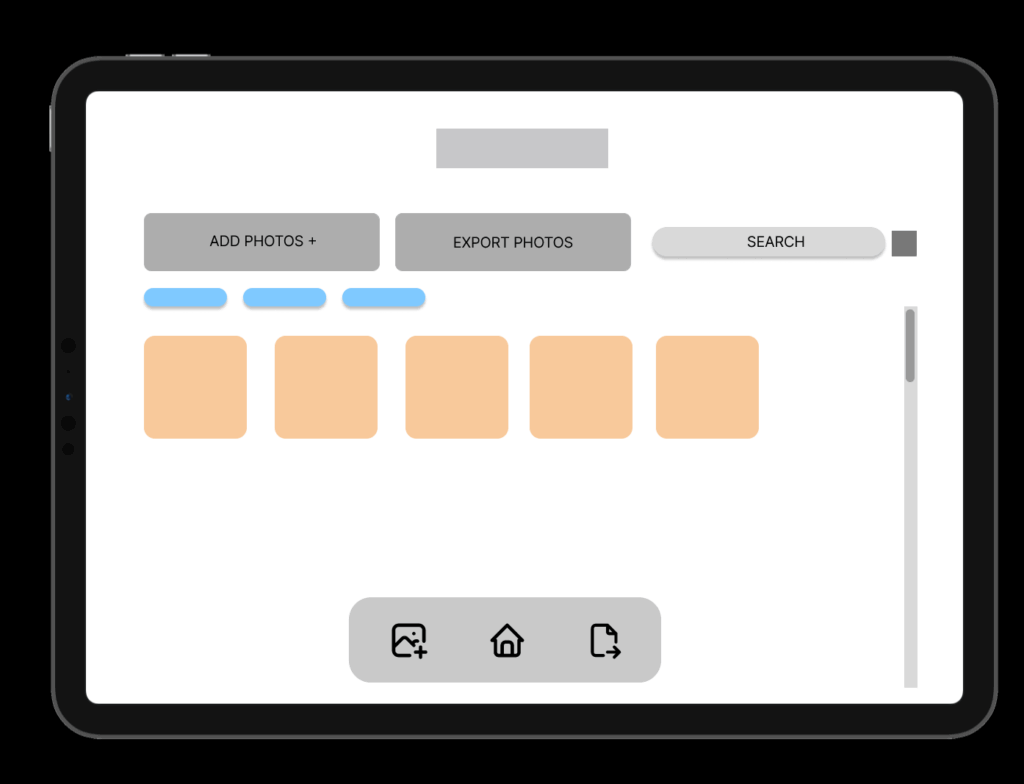
HOMESCREEN – Wireframe
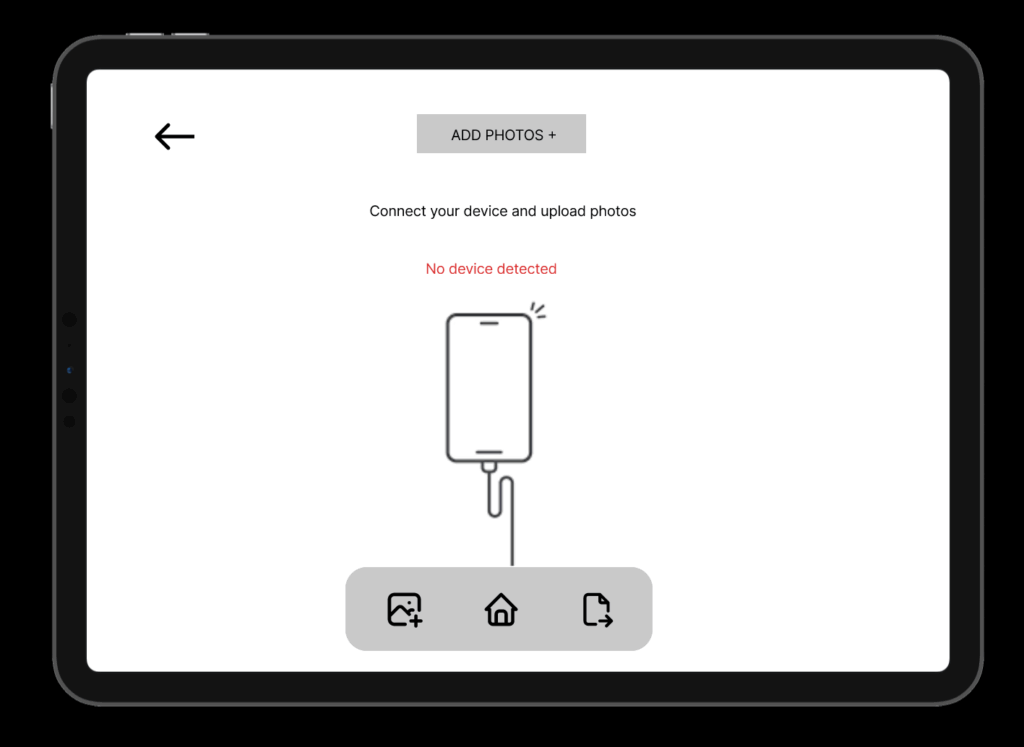
ADD PHOTOS
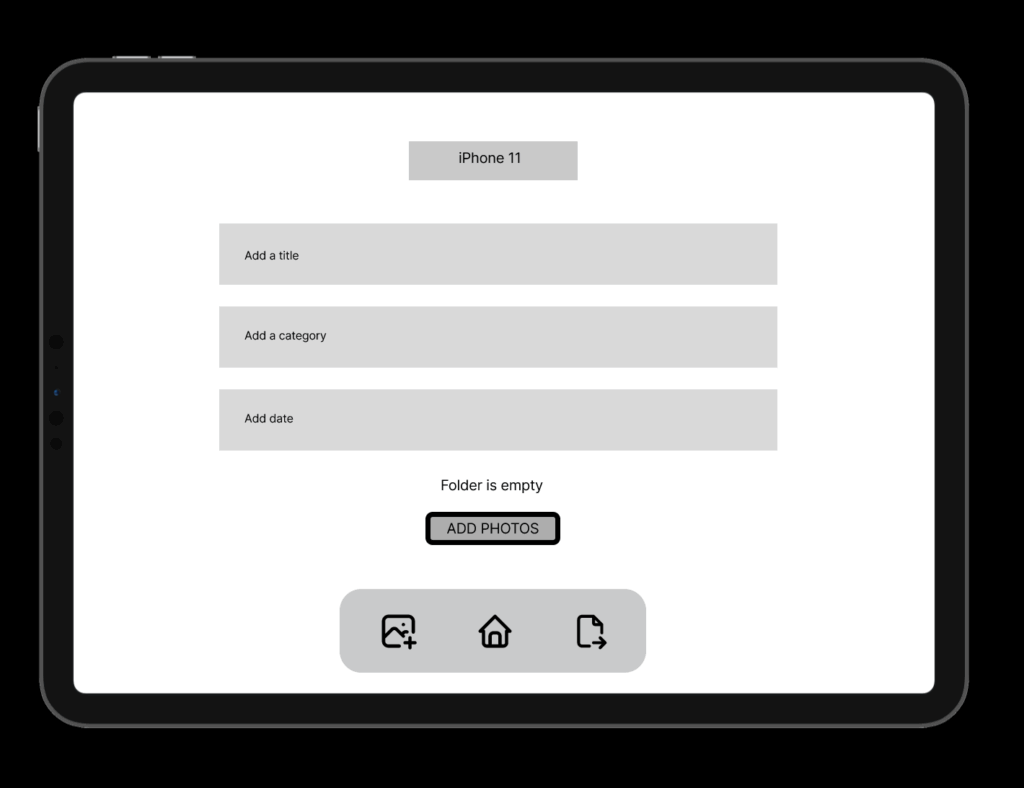
CREATING NEW FOLDER FROM A DEVICE
Design Decisions
Some key choices I made:
- Simplicity & Clarity: Especially important for intergenerational use.
- Folder-Based Memory Organization: To give emotional context to digital memories.
- Clear Action Paths: With visual hierarchy and button grouping to support user confidence.
FINAL LOW FIDELITY PROTOTYPE VIDEO
I was also describing the prototype so I reccomend to play the video in faster speed 1.5x. Thanks 🙂
