For individuals living with celiac disease, everyday activities such as dining out or traveling often involve many decisions. Choosing a restaurant isn’t just a matter of taste or location – it’s a high-stakes choice where a single mistake could trigger a serious autoimmune response. The fear of gluten cross-contamination, inaccurate labeling, or staff miscommunication creates anxiety and can lead to avoidance behaviors.
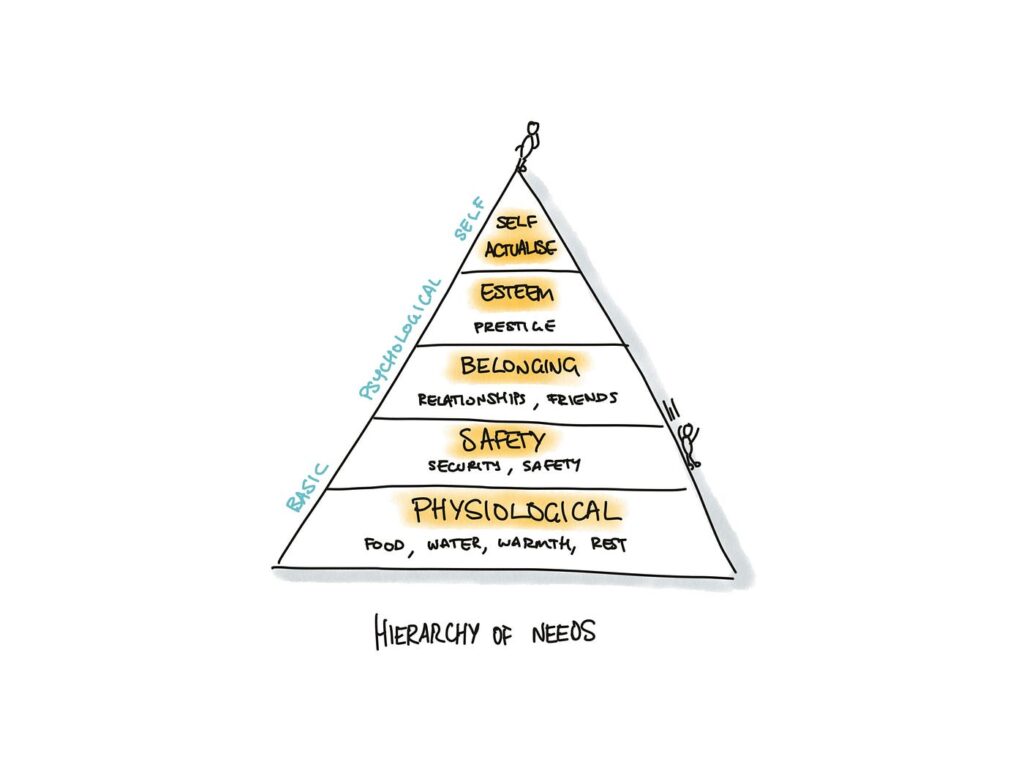
In these emotionally charged contexts, trust becomes the most critical design currency. It’s not enough for an app or website to simply “work.” The interface must communicate safety, offer reassurance, and build confidence. The tools that help accomplish this come from emotional design, a UX approach that creates positive emotional responses while addressing users’ deep-seated fears and needs.
(Source: https://uxplanet.org/the-design-of-trust-13d68df6e52f)
Key trust-building strategies in UX/UI Design
Warm, Human-Centered UI
Trust begins at first glance. Visual design plays a subtle yet powerful role in signaling safety. Warm colour palettes (like soft greens and blues), rounded shapes, and friendly typography (e.g., sans-serif fonts with balanced kerning) make interfaces feel approachable and calm. It is important to avoid stark, sterile layouts – these may seem clinical and uninviting.
Images that reflect diverse, real-world diners with dietary needs, or inclusive illustrations, can build emotional rapport.
Community-driven verification
Trust is social. Many users rely on others’ experiences before making their own decisions, especially when safety is involved. User-submitted reviews, gluten-free ratings, or crowdsourced verification tools (e.g., “5 celiac users confirmed this restaurant”) can add layers of trust that go beyond the brand.
This also makes the interface emotionally participatory. Users don’t feel like passive consumers. They feel like contributors to a shared mission of safety.
Clear and calming messaging
When alerts or warnings are necessary, how they are phrased and delivered matters greatly. Alarming, fear-based messages (“Warning: You might get sick here!”) can overwhelm users and create distrust in the platform.
Instead, using calm, empowering messages is a better solution:
“We couldn’t verify gluten-free practices at this location. Consider choosing a nearby verified spot.”
“This restaurant has a dedicated gluten-free menu, confirmed by multiple users.”
Tone of voice should be empathetic, not mechanical. Speaking like a friend who understands the user’s needs.
Transparent data and certifications
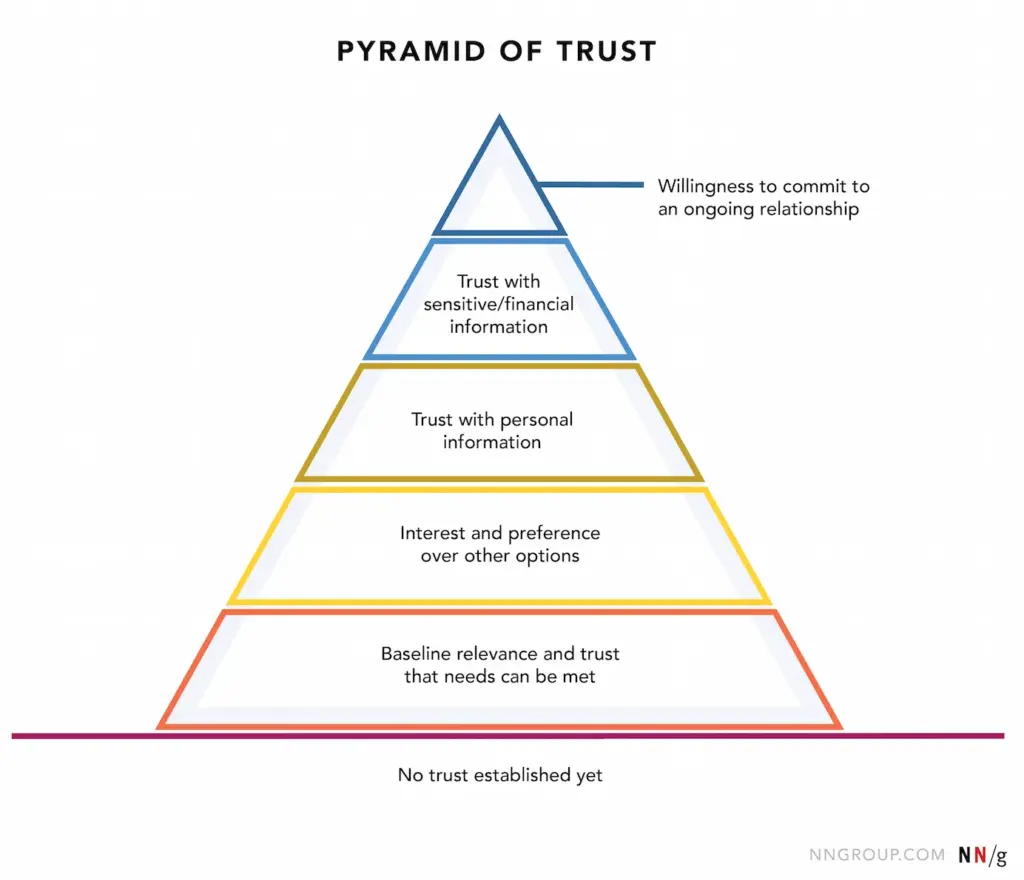
Showing how the data was gathered is the key. If a restaurant is marked gluten-free, it is good to clarify if the information came from the restaurant itself, a third-party certification, or user verification. Transparency in labeling reduces guesswork and helps users feel in control.
A good example: “Verified by Gluten-Free Food Program (GFFP), last updated May 2025.”
(Source: https://www.uxstudioteam.com/ux-blog/increase-trust-through-ux-design)
Emotional trust as a UX metric
Traditional UX metrics like time-on-task or conversion rates don’t capture the full picture in emotionally sensitive situations. In these contexts, trust, reassurance, and confidence become key success indicators.
It could be measured through:
In-app feedback surveys after bookings (“Did you feel confident in your choice?”)
Emotional sentiment analysis of reviews
User return rate for safety-verified features
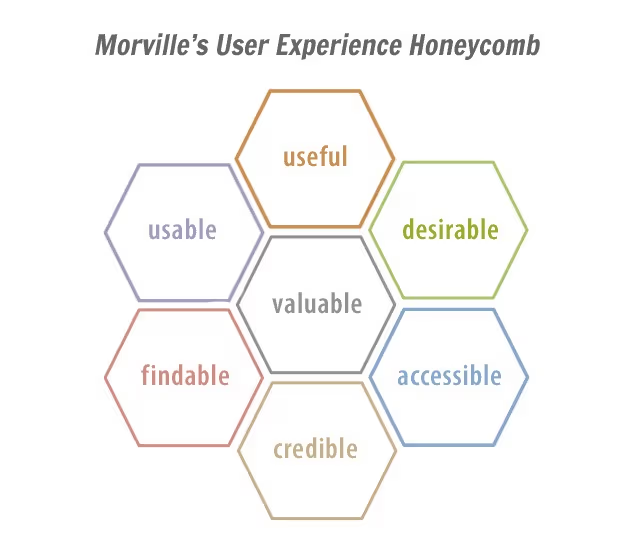
For users with celiac disease, digital trust isn’t a luxury, it’s a necessity. Interfaces must go beyond usability and tap into empathy, comfort, and shared values. Emotional design is the bridge between fear and freedom.
Designers have the power to transform digital platforms into safe, emotionally intelligent spaces, where users don’t just complete tasks, but feel heard, protected, and empowered.
Sources:
https://www.codebridge.tech/articles/emotional-design-in-ui-ux-creating-memorable-user-experiences
https://www.uxdesigninstitute.com/blog/role-of-emotion-in-ux-design/
(Source: https://www.interaction-design.org/literature/article/trust-building-the-bridge-to-our-users)
